
























Living with blindness or low vision can be associated with many problems related to daily life. Recognizing objects, running errands, preparing meals, add performing different types of other tasks at home or office can be very complicated and, at the same time, frustrating.
Fortunately, like many other things, technology also has the solution for this! Yes, there are some great apps for blind people readily available on both the Apple Store and Google Play Store.
These advanced apps are designed to make life easier for visually impaired or blind people.
These apps are excellent at helping you identify products, currency, plants, and many other things associated with your daily life.
Let’s find out in detail about these apps, what they offer, and how you can make your life easier even with the visual impairment you have been struggling with.
Best Apps For Blind People – Our Top Pick👌
1. Be My Eyes
How about getting help directly from volunteers from different parts of the world that are more than just ready to help people with visual impairment or blindness?
Whether you need a pair of sharp eyes or want to lend some sight, Be My Eyes can be the perfect destination for you!
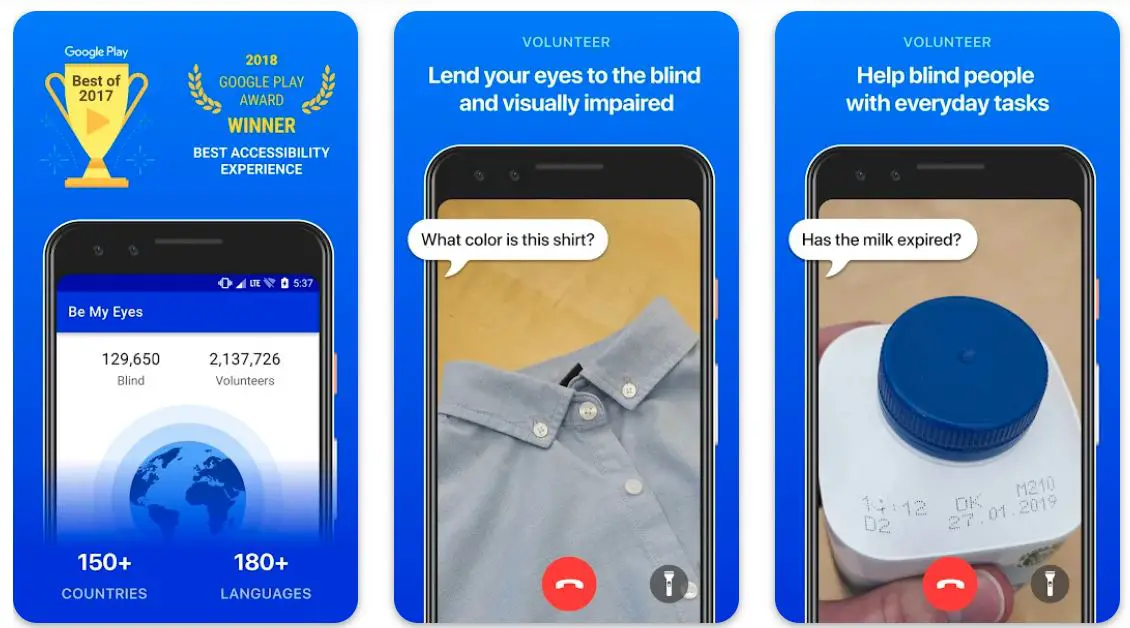
The innovative app connects you with our dedicated global community of company representatives and volunteers who are always ready to help you see!
The multilingual support community is available 24/7, and you can rely on the app to get your questions answered by volunteers in more than 185 languages.
Starting with the app is as easy as you can think. Simply sign up, and get unbelievable visual support with daily tasks like troubleshooting technology, matching your clothes, reading small print, setting up your home appliances, or anything!
If you need help with something complicated, you can always ask for on-demand video customer support through the app!
What more? If you want to help other people with visual impairment or blindness, you can also do that with the app!

Features of Be My Eyes:-
- Popular for giving extraordinary accessibility experience
- Allows you to lend your eyes to the blind or visually impaired
- Millions of volunteers always ready to help
- Live video call for proper support
- Getting help from experts is only one tap away
- best text-to-speech app for the visually impaired
Device – Android and iOS
Ratings on Apple Store – 4.8 / 5 | Ratings on Google Play Store – 4.7 / 5
2. Brailliac: Braille Tutor
Braille Tutor by Brilliac is one of the most dedicated and supportive apps for blind people, known for its simplicity add ease of use.
If you are trying to learn the Braille language for any purpose, this app gives you a free, fast, and fun way!
Irrespective of how good you are with Braille or your experience with the language, the app will make everything easier for you.
You get many options to make your Braille learning experience fun and effective.
With targeted practice mode, the app automatically learns what symbols you need to make your learning effective.
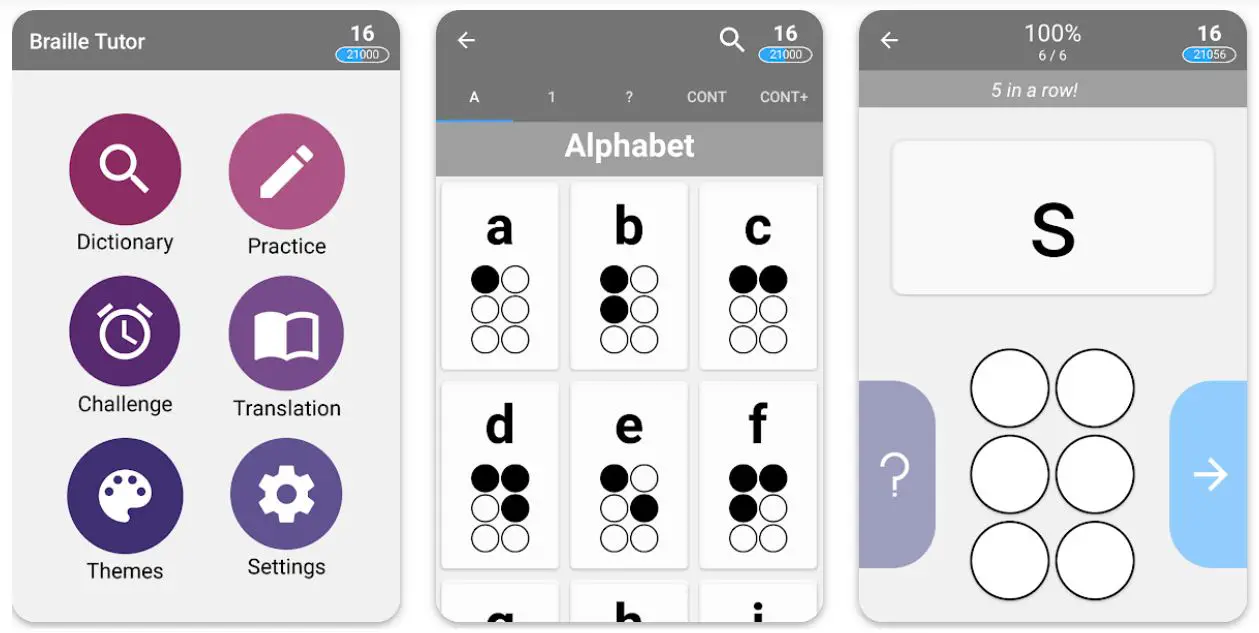
You can try the challenge mode to compete against other players to advance further.
The mode is all about translating comical sentences from and to Braille.
The meticulous option in the app allows you to choose what you want to learn. In the experience system, you can try earning points level up and unlock other exciting features.
Features of Brailliac: Braille Tutor:-
- A simple, fast, and fun way to learn Braille
- Target practice mode for early learners
- Challenge mode to compete with other learners
- A meticulous option allows you to select what you want to learn
- A wide selection of Braille codes and languages is available
Device – Android and iOS
Ratings on Google Play Store – 4.7 / 5 | 4.6/5 on Apple App Store
3. Braille Tutor
Another very exciting app to learn and master the Braille language! Braille Tutor is a specific learning and practicing app that helps you improve your overall familiarity with Unified English Braille.
Thanks to an interactive learning experience design especially for low-sighted or blind learners, you can seamlessly improve your ability to read and comprehend the books available in the Braille language.
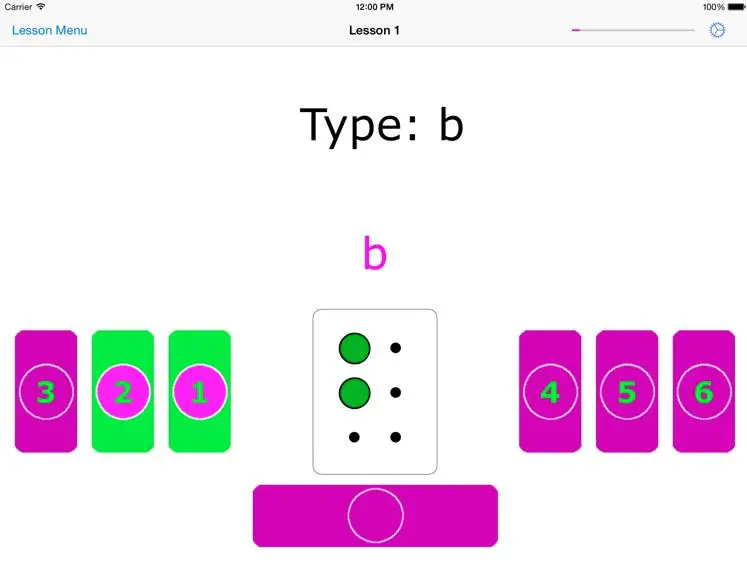
The app works perfectly on iPad with the help of home keys, on-screen keys, or even with a Bluetooth keyboard. As it is self-voiced, you don’t have to worry about its accessibility with iOS.
How does the app work? It uses text-to-speech technology embedded in your smartphone and supports learners with vision impairment.
If you use a Bluetooth keyboard, the app will give you the much-needed feel of the keys.
If you want to consolidate your Braille skills, especially at home, this app can be immensely helpful for you!
Additionally, as far as ease of use is concerned, the app wears a very professional and simple overall look.
Features of Braille Tutor:-
- Interactive learning experience
- Supports on-screen as well as home keys
- Works perfectly with a Bluetooth keyboard
- Additional lessons are available for advanced learners
- An excellent way of consolidating Braille skills
Devices – iOS Devices, Including iPhone and iPad
Ratings on Apple Store – 4.6 / 5
4. Seeing AI
How about exploring an extraordinary app that smartly narrates the entire world around you? Seeing AI is one of the most advanced apps for blind people and the low-vision community.
The app is based on an ongoing research project that harnesses the overall power of artificial intelligence to help visually impaired or blind people with nearby objects, people, and text.
The app is perfectly optimized for voiceover and helps you recognize a lot of different tasks associated with daily life. With short text, you hear text related to the object right when it is in front of your camera!
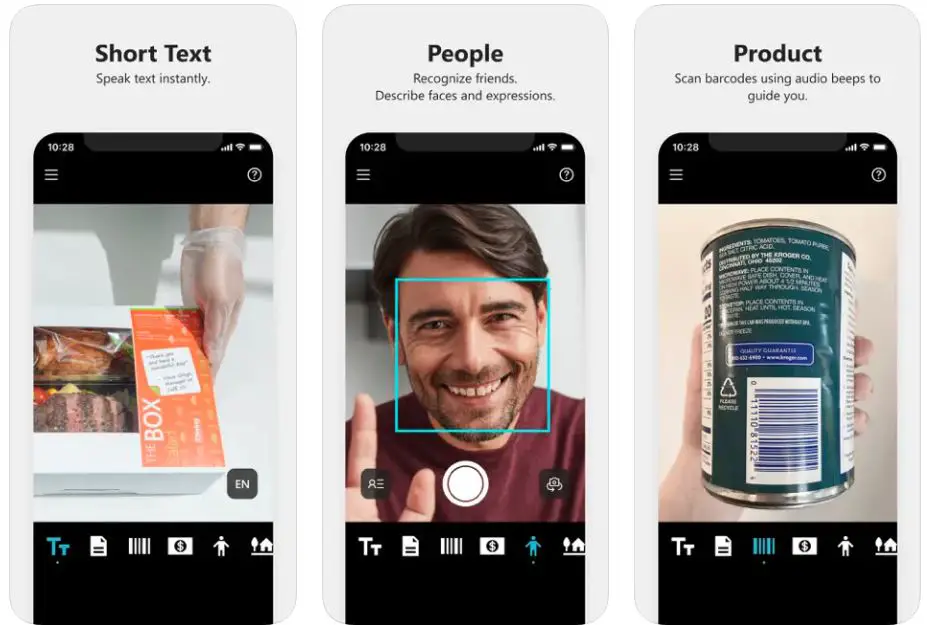
With the help of smart audio guidance, you can easily capture printed pages, and the app will support you with text recognition and that too, with its original formatting.
Scan barcodes, hear the name, and get all the package information when you purchase them! You can also use the app for saving people’s faces, so that, you can recognize them very easily in the future.
Once you capture it with your camera, the app will give you the entire description in audio format! The app also reads even some of the most challenging handwritten texts!
What more? It also generates a friendly audible tone for you corresponding to your surroundings!
Features of Seeing AI:-
- Perfectly optimized for VoiceOver
- Allows you to recognize objects simply by capturing them from your camera
- Recognizes currency notes with perfection
- Read see even the complex handwritten texts
- A powerful color identifier to help you identify different colors
Devices – iOS Devices, Including iPhone and iPad
Ratings on Apple Store – 4.4 / 5
5. Sullivan+
Sullivan+ is one of the most innovative apps for visually impaired people provided by TUAT corporation. The app is primarily designed to enhance the accessibility of various important things to visually impaired or low-vision individuals.
The app accurately supports the information to make life easier for those struggling with vision.
You can easily get all the information that suits your situation or demand with only one shot. With AI mode, the app ensures maximum accuracy to the information you seek.
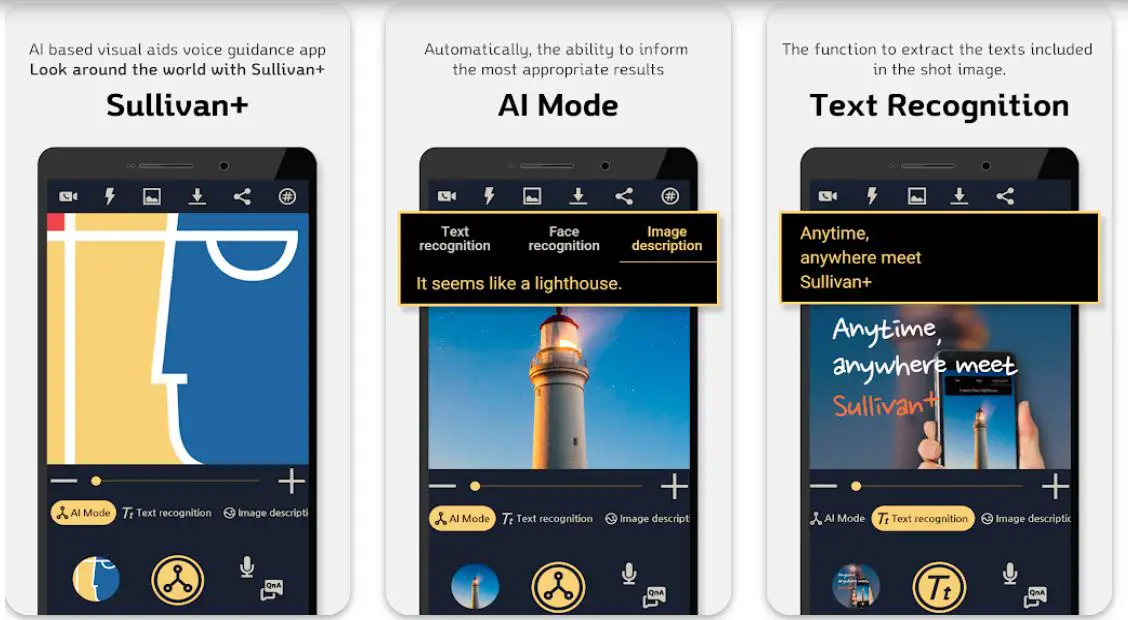
Whether you have found it difficult to check the contents of various documents like newspapers, magazines, and mail or have identification problems, this app can be your savior!
After identifying the individuals, the app automatically tells you whom you will meet.
Thanks to advanced image description technology, the app creates a sentence describing the identified object or scene.
If you struggle with color identification, you can also rely on the app. If there is a brightness in your phone, the app will also inform you of light brightness.
Features of Sullivan+:-
- AI-based visual guidance for visually impaired people
- Packed with the ability to inform with the most appropriate results
- Text recognition to extract the text from various documents
- Perfect identification of near objects with image description
- It helps you identify people with a powerful face recognition
Device – Android and iOS
Ratings on Google Play Store – if you are phone 4.4 / 5 | Ratings on Apple Store – 4.3 / 5
6. Lazarillo GPS for Blind
Lazarillo is a very unique, of its kind GPS for visually impaired and blind individuals. The app helps you explore the world around you and set up the most effective routes.
The app offers a wide range of mobility tools for visually impaired people. Using highly professional audio messages, the app will inform you about all the important nearby places, the streets you are walking on, all the street intersections on your way, and more!
The app works like a radio and smartly announces the place is in your surroundings when you are on the go.
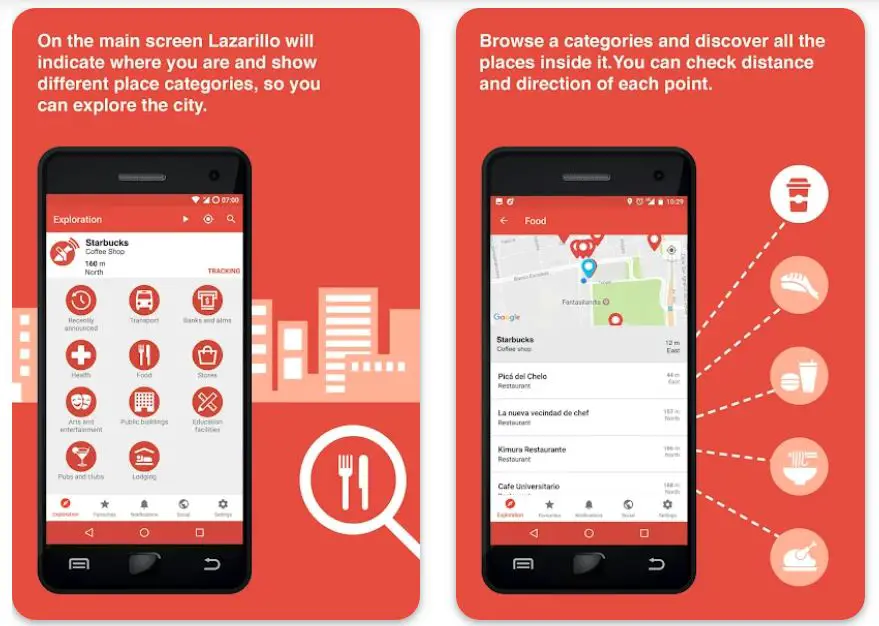
The app is expertly designed and implemented after getting credible feedback from various blind people. You can use the app even in the background and don’t have to worry if you have to use any other app.
It works even when your phone is in your pocket! The app is a user companion, providing all the essential information when commuting from one area to another.
In short, the app is a perfect way of communicating between you and your surroundings!

Features of Lazarillo GPS for the Blind:-
- An advanced mobility system designed especially for blind people
- Informs you of nearby places when you are on the go
- Designed with active feedback from visually impaired people
- It works perfectly, even in the background
- Very simple and enhance the user interface
Device – Android and iOS
Ratings on Google Play Store – 4.4 / 5 | Ratings on Apple Store – 4.0 / 5
7. BlindSquare
BlindSquare is one of the fastest-growing navigation apps for blind people and is featured a wide range of useful functions.
The app helps you with active indoor and outdoor navigation and makes your life much easier than you can think.
With the app, you can accurately check where you are and where you are heading and can improve your overall traveling experience.
The advanced navigation system combines the latest technology and helps visually impaired people manage their daily lives.
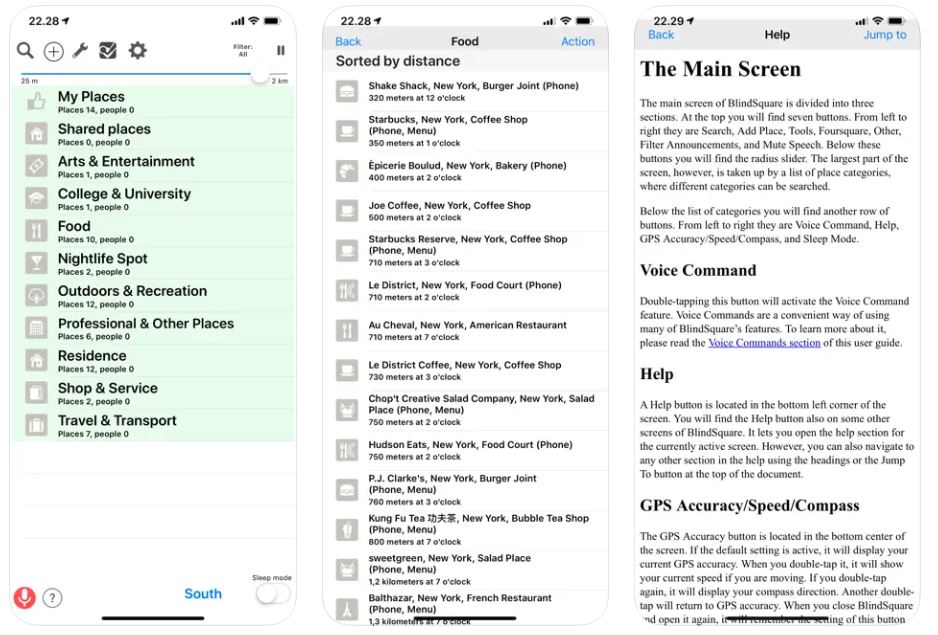
It has been expertly developed in collaboration with blind people worldwide and is carefully field-tested.
In addition to supporting iPhone or iPad, the app also supports various accessories to improve your overall experience.
You can even control the app through voice commands, although it is available only with a premium purchase!
Thanks to the AI embedded in the app, it automatically learns when traveling by car, bus, or train and enhances your overall location by reporting interesting places.
Features of BlindSquare:-
- Enhances navigation both indoors and outdoors
- It helps you improve your daily life
- Made in collaboration with blind people
- Informs you about the most interesting places around you
- A powerful search bar to help you search for whatever you want
Devices – iOS Devices, Including iPhone and iPad
Ratings on Apple Store – 4.3 / 5
8. Supersense – AI for Blind
Supersense is one of the smartest assistive apps for blind people and helps them to read, explore places, and find objects independently.
The app works like a set of digital eyes, making the physical world much more accessible for low vision and blind communities.
The app smartly uses artificial intelligence and describes all the important things related to daily life. Not only that, but it also solves many complex problems and makes blind people as independent as possible.
With the app, you can effectively and accurately read documents, text, and handwriting with the unique auto-camera guidance system.
If you have been struggling to locate specific objects like a door, chair, or trash can, you can do that simply by scanning your surroundings with the app.
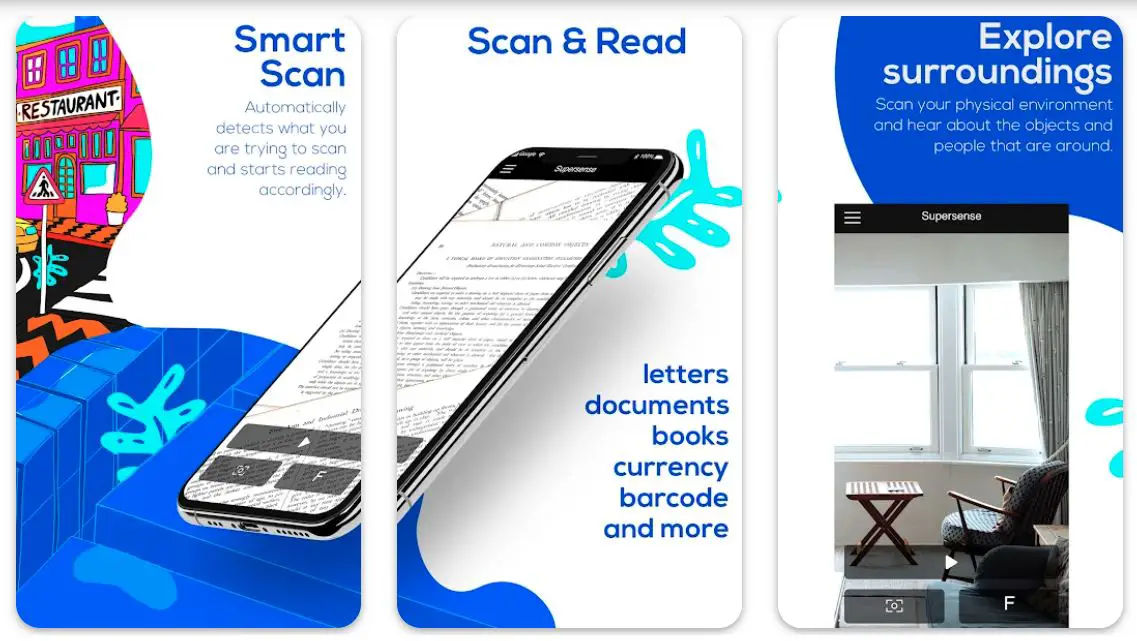 The app also helps you explore unfamiliar environments and makes hearing about all the objects around you easier.
You can even read minute text on PDFs, photos, and mobile applications.
All you have to do is share that required file with Supersence, which will get the job done with extraordinary accuracy!
And guess what? All the features in the app worked perfectly, even without an Internet connection!
Features of Supersense:-
- Smart scan to help you read different types of documents
- An excellent way of scanning and exploring your physical environment
- It helps you find the distance to a particular object
- It makes exploring unfamiliar environments easier
- Allows you to read text on different types of surfaces
Device – Android and iOS
Ratings on Apple Store – 4.3 / 5 | Ratings on Google Play Store – 4.0 / 5
9. TapTapSee
Here is another assistive app designed to help visually impaired and blind people identify almost all objects they encounter daily.
Finding and locating objects gets a lot easier with the app; you only have to double-tap the screen.
The app will take a photo of anything you want from any angle and will help you when audio assistance for actual identification.
With the app, you can finally become much more independent in managing your daily activities. TapTapSee smartly identifies images from your camera roll and informs you about their actual shape, size, position, and distance from you!
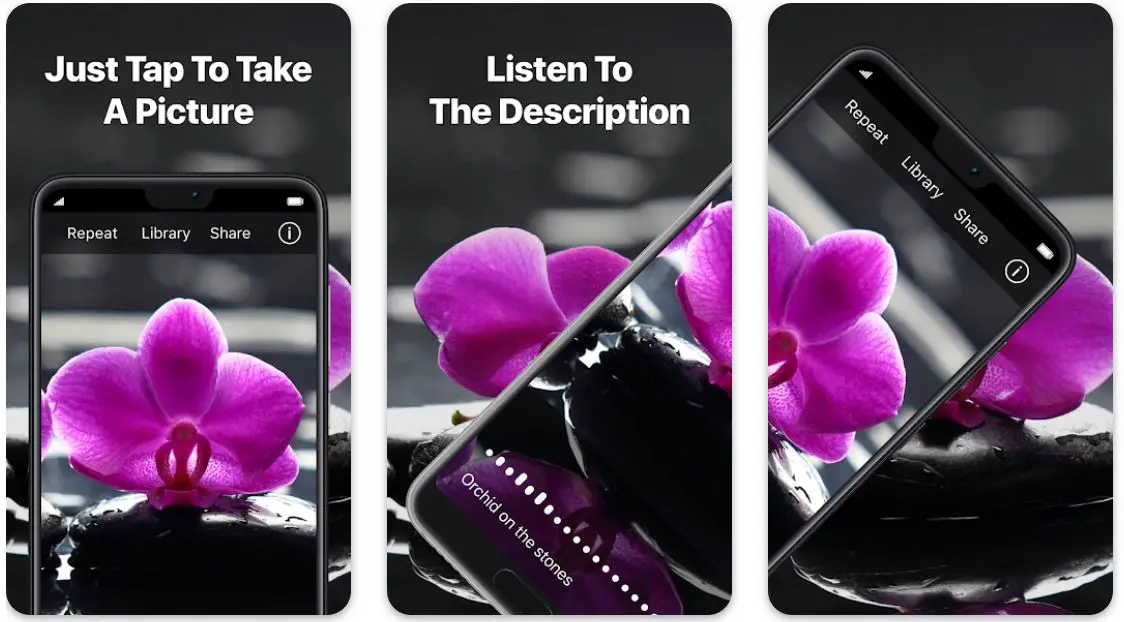
The app also comes with sharing and autofocus notification options. You can seamlessly share the captured items simply with the help of voice assistance.
With the last image identification, the app will notify you if you have captured the same thing again! Overall, already a handy app to help visually impaired or blind people improve their daily routines.
Features of TapTapSee:-
- It helps you upload and identify different types of objects
- Audio description of everything you upload
- Auto-focus with great accuracy
- It helps you avoid uploading repeated images
- It allows you to take photos from different angles
Device – Android and iOS
Ratings on Apple Store – 4.3 / 5 | Ratings on Google Play Store – 3.9 / 5
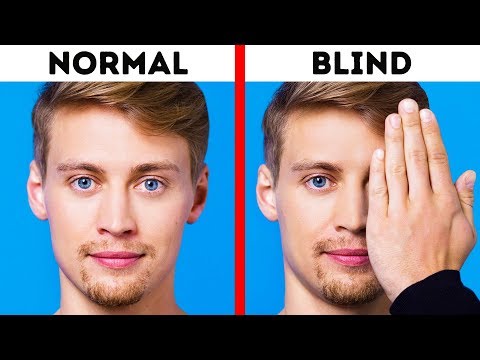
While exploring the apps for visually impaired People To See The World Better for you, I found an informative video on “How Blind People See the World“🤩🤩😎
10. Lookout
Yes, it’s hard to keep an app from a list dealing with a similar genre when it is directly from Google! And you can expect some extraordinary features!
Lookout from Google uses computer vision to help people with blindness or low vision improve their efficiency and speed to complete different tasks.
With the help of your phone’s camera, the app makes it much easier to get important information related to the world around you.
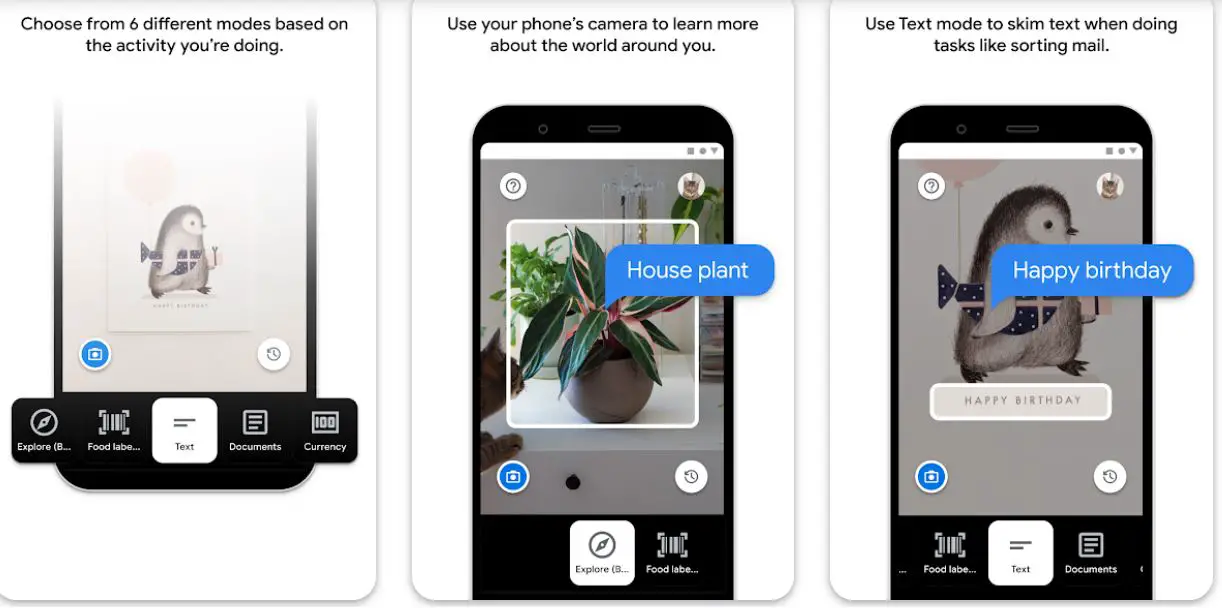
Whether it is about sorting your mail more effectively or putting away daily groceries, you can do everything better than you have been doing till now.
The app is expertly designed with guidance from the low-vision and blind community and has been doing immensely well in improving the lifestyle of such people.
The image mode in the app helps you know about the contents and open images in the form of detail and summary.
You can also try the text mode to effectively and quickly hear the text written on different documents. The food labels mode quickly identifies packaged foods for their labels and also scans the bar code.
The app is already available in over 20 countries and should be enough for visually impaired or blind people to get different things done.
![[Audio Described] Get started with Lookout from Google | Android](https://i.ytimg.com/vi/fNq5jWyEeWo/0.jpg)
Features of Lookout:-
- Six different modes covering all types of daily activities
- It allows you to learn more about the world around you
- Currency mode to identify different types of banknotes
- It helps you identify documents and handwriting
- Very simple, clean, and smooth user interface
Device – Android
Ratings on Google Play Store – 4.0 / 5 | 1000,000+ Downloads
11. Cash Reader: Bill Identifier
Cash Reader is the last app on my list. As the name suggests, this app is designed to identify different types of banknotes.
You no longer have to depend on other people to identify currency notes and put yourself at risk of potential fraud. The app effectively identifies banknote denominations for a wide range of currencies.
All you have to do is point your camera toward the note. You can immediately feel or see the actual value of the note.
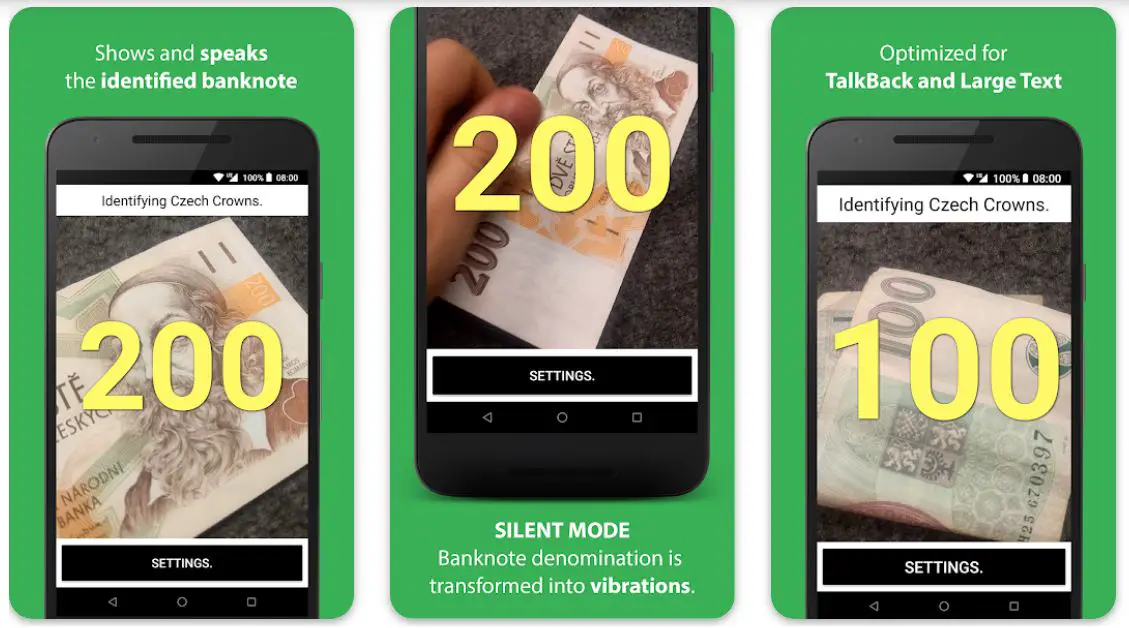
Cash Reader identifies major currencies from different regions like European Union, Europe, North America, Central America, the Caribbean, South America, the Middle East, Asia, Oceania, and Africa.
This app can be immensely helpful, especially if traveling abroad, as it is fully operational even without the Internet!
It works smoothly and fast, adjusts to different text sizes, and gives accurate results.
Features of Cash Reader:-
- Identifies the largest number of currencies
- It helps you hear as well as feel banknote denominations
- It works perfectly fine even without an Internet connection
- Large contrasting characters make it easier for people with low vision
- Add just a table with all types and sizes of text
Device – Android and iOS
Ratings on Apple Store – 4.3 / 5 | Ratings on Google Play Store – 3.5 / 5
📗FAQ’s
Is there any apps for blind people?
Yes, there are many apps available for blind people. These apps are designed to assist visually impaired individuals with daily tasks and improve their quality of life.
here’s a table outlining some popular apps for blind people:-
| App Name | Description | Platform |
|---|---|---|
| Be My Eyes | Connects visually impaired users with sighted volunteers for assistance with everyday tasks | iOS, Android |
| Voice Dream Reader | Text-to-speech app that reads text from various sources, including ebooks and PDFs | iOS, Android |
| Seeing AI | It uses artificial intelligence to describe objects, text, and people to the user through their smartphone camera | iOS |
| BlindSquare | GPS navigation app designed for visually impaired users, providing spoken directions and location descriptions | iOS |
| Braille Tutor | Teaches users how to read and write Braille using a touchscreen device | iOS, Android |
| Lazarillo GPS | Provides audio instructions for navigating the user’s surroundings and nearby points of interest | iOS, Android |
| ColorID | Identifies colors in real-time using a smartphone camera and provides spoken feedback | iOS, Android |
| AccessNote | Note-taking app specifically designed for blind and visually impaired users, with support for Braille displays | iOS |
What app would help a visually impaired person with a visual disability?
Many apps can help a visually impaired person with a visual disability. Some popular examples include Be My Eyes, Seeing AI, and TapTapSee.
What is the new app for the visually impaired?
Many new apps are being developed for visually impaired individuals all the time. Some recent examples include Envision AI, Voice Dream Reader, and Aira.
Android apps for blind and visually impaired individuals
Several Android apps are available to assist individuals who are blind or visually impaired. Some of these apps include Be My Eyes, a platform connecting blind individuals with sighted volunteers to provide visual assistance, and Google Assistant, which can perform tasks such as reading out loud text and setting reminders.
The Voice Dream Reader app can also read text from various formats, such as eBooks and PDFs. The Blind Bargains app offers information on accessible products and services.
iPhone apps for visually impaired
iPhone users who are visually impaired can benefit from several apps available on the App Store. For example, the Seeing AI app developed by Microsoft can perform various tasks, including reading text, identifying objects and people, and providing audio guidance.
The KNFB Reader app can also read out the text from printed materials such as books and menus, and the BeSpecular app connects visually impaired users with sighted volunteers who can assist them with visual tasks.
iPad apps for visually impaired seniors
Several iPad apps can be helpful for seniors with visual impairments. For instance, the Magnifying Glass With Light app provides a magnifying feature to help seniors see small text or objects, while the Voice Dream Reader app can read out text from various sources such as eBooks, web pages, and PDFs.
The Seeing AI app by Microsoft is another helpful option, assisting with tasks such as identifying objects and people, reading out text, and providing audio guidance.
What app would help a visually impaired person with a visual disability the most
The app that would be most helpful to a visually impaired individual with a visual disability will depend on their specific needs and preferences.
However, several popular apps are commonly recommended for individuals with visual impairments, such as the Seeing AI app by Microsoft, the Be My Eyes app, and the KNFB Reader app.
Additionally, apps such as the Magnifying Glass With Light app and the Voice Dream Reader app can be helpful for individuals who require assistance with seeing small text or reading out text from various sources.
Is there a smartphone for blind people?
There is no specific smartphone designed specifically for blind people. However, many smartphones on the market have accessibility features and can be adapted to meet the needs of visually impaired individuals.
Is there Internet for blind people?
The Internet can be accessed by visually impaired individuals using specialized software that reads the text aloud or displays it in a way that can be read more easily.
How do apps work for blind people?
Apps for blind people work by utilizing specialized software and hardware to provide an accessible and user-friendly interface. This may include text-to-speech, voice recognition, and haptic feedback.
What is the Eyedar app for the blind?
Eyedar is an app for the blind that uses sonar technology to provide a 3D map of the user’s surroundings. This allows visually impaired individuals to navigate their environment more easily.
What is Envision app for the blind?
Envision AI is an app for the blind that uses artificial intelligence to provide text-to-speech, object recognition, and other features that can help visually impaired individuals with daily tasks.
How do I make my phone blind friendly?
To make your phone more accessible for visually impaired individuals, you can enable features such as voice commands, text-to-speech, and high contrast modes. These features can be found in the accessibility settings of most smartphones.
Is there Google for the blind?
Google can be accessed by visually impaired individuals using specialized software and hardware that makes it more accessible. Google also offers many accessibility features such as voice commands and text-to-speech.
How do blind people go grocery shopping?
Blind people can go grocery shopping with the assistance of a guide dog or a sighted companion. Some grocery stores also offer shopping assistance services for visually impaired individuals.
Is Blind Square app free?
Blind Square is not a free app. It costs around $39.99 and is available on the App Store.
Is Be My Eyes app free?
Yes, the Be My Eyes app is free to download and use. It is available on both the App Store and Google Play.
Is Envision body free?
No, Envision Body is not a free app. It costs around $4.99 and is available on the App Store.
How much does envision app cost?
The Envision AI app costs around $7.99 per month or $79.99 per year. There is also a free trial available.
Is there a setting for blind people on iPhone?
Yes, the iPhone has a variety of accessibility settings that can be enabled to make it more user-friendly for visually impaired individuals. These settings can be found in the “Accessibility” section of the settings menu.
What do blind people use on iPhone?
Blind people use a variety of features on the iPhone, including voice commands, text-to-speech, and haptic feedback. They may also use specialized apps designed for visually impaired individuals.
Do blind people use Netflix?
Yes, blind people can use Netflix. Many of the shows and movies on Netflix are available with audio descriptions, which provide additional narration to describe the visual elements of the content.
Is there a YouTube for blind people?
There is no specific version of YouTube designed for blind people, but visually impaired individuals can access YouTube using software and hardware that makes it more accessible. Some videos on YouTube also have audio descriptions.
Do blind people use Siri?
Yes, visually impaired individuals can use Siri to access various iPhone features, including making phone calls, sending messages, and accessing apps.
Is there a grocery shopping app for the blind?
Many grocery shopping apps are available that can be adapted to meet the needs of visually impaired individuals. Some popular examples include Instacart, Shipt, and Amazon Fresh.
How do blind people pay with money?
Blind people can pay with money using various methods, including cash, credit cards, and mobile payment apps. They may also use tactile markings on bills or a talking currency identifier to help identify different denominations.
What not to do with a blind person?
When interacting with a blind person, it is important to avoid making assumptions about their abilities or needs. It is also important to offer assistance politely and respectfully and to avoid touching or grabbing a visually impaired individual without their permission.
How much is the BlindSquare app?
The BlindSquare app costs around $39.99 and is available on the App Store.
How does BlindSquare work?
BlindSquare uses GPS and location data to provide visually impaired individuals with information about their surroundings, including nearby landmarks and points of interest.
What is similar to Be My Eyes app?
Many apps similar to Be My Eyes provide assistance for visually impaired individuals, including Seeing AI, TapTapSee, and Aira.
What are the disadvantages of Be My Eyes?
Some disadvantages of Be My Eyes include limited availability of volunteers during certain times of day and potential issues with language barriers.
Does the body fast app cost money?
The BodyFast app is available for free download, but some features require a subscription that costs around $9.99 per month.
Is glow with jo app free?
No, the Glow with Jo app is not free. It requires a subscription that costs around $9.99 per month.
Is perfect body app free?
The Perfect Body app is available for free download, but some features require a monthly subscription that costs around $4.99.
Does the lens app cost money?
The Lens app is available for free download on the App Store and Google Play.
What is the vision live app?
The Vision Live app is an app for visually impaired individuals that uses AI and machine learning to identify objects and provide audio descriptions.
Is Envision and vision the same?
No, Envision and Vision are not the same. Envision is an app for visually impaired individuals that provides various features, while Vision Live is a specific app designed for object identification.
Which Android phone is best for a blind person?
Google Pixel is without any doubt the best Android phone for blind people, as it offers to create Talkback features. Google pixel 6 and Google pixel 6 pros are the latest smartphones in the widely popular Google pixel series, and both devices can be immensely helpful for visually impaired individuals.
Can a blind person use iPhone?
Using iPhone without external support can be near impossible for a blind person. However, they can get much-needed help from one of the most reliable and game-changing applications, VoiceOver.
It is an excellent screen reader for iOS devices and offers non-visual access to the interface using a combination of sound effects, synthetic speech, and Braille output. An individual with impaired vision can use the application with simple gestures on the touch screen.
How can a blind person unlock an iPhone?
VoiceOver is the best way to unlock an iPhone for a blind person. Here is how you can help them once. Select ”Settings”, then “TouchID and Passcode”. You have to turn the Passcode off in the settings.
Next, switch off the touch ID for iPhone and unlock other options. Go to the accessibility from settings, and turn VoiceOver on. This is how they can unlock an iPhone without much problem.
How do I put my iPhone in blind mode?
Ask Siri to turn on or turn off the “VoiceOver” feature. Next, you must triple-click the side button if you have an iPhone with face ID and the Home Button for an iPhone with Home Button.
Go to the “Control Center”, go to “Settings”, navigate to “Accessibility”, open “VoiceOver”, then turn it on or off based on your preferences.
Is there an iPad for blind people?
There isn’t an iPad specifically for blind people. However, the smartphone giant has recently introduced two amazing features known as the voice-over and zoom screen magnifier.
Both these features are great 4 individuals with visual impairments. And are available in all new models for iPad and iPhone.
How Can Siri help blind people?
Siri can make life a lot easier for blind people by using its ability to translate voice commands. Voice commands by Siri can be immensely helpful in checking out phone numbers, making phone calls, and doing other stuff instantly.
Best text-to-speech app for visually impaired
Voice Dream Reader,NaturalReader,Read2Go and Voice Aloud Reader are several excellent text-to-speech (TTS) apps that can be helpful for visually impaired users.
What is Envision app for the blind?
Envision is a mobile app designed to assist people with visual impairments in performing daily tasks. The app utilizes advanced artificial intelligence and computer vision technology to recognize objects, text, and individuals, providing descriptions to the user.
Through Envision, users with visual impairments can:-
Utilize text-to-speech:- The app can read any text in real-time, including books, documents, product labels, and signage.
Recognize individuals:- The app can identify and name individuals from the user’s contacts or previously saved within the app.
Identify objects:- The app can describe the color, shape, and size of objects in the user’s vicinity.
Navigate environments:- The app can provide directional assistance for unfamiliar environments, such as buildings or streets.
Envision is available for iOS and Android devices and requires a subscription. The app’s accuracy and ease of use have received positive reviews, establishing it as a valuable tool for those with visual impairments.
How does the Aira app work?
Aira is a mobile app that helps visually impaired individuals by connecting them with trained agents who use live video streaming from their smartphone camera to provide real-time assistance and information.
Here’s how Aira works:-
1. Users initiate a call via the app, connecting them with an agent.
2. Agents use the live video stream from the user’s smartphone camera to provide verbal guidance based on what they see. For instance, they can help users navigate unfamiliar environments, read signs or menus, or describe nearby objects.
3. Agents can also assist users with completing tasks that may be challenging due to their visual impairment, such as shopping, locating specific items, or filling out forms.
4. Users and agents communicate via a two-way audio channel, facilitating real-time conversation and feedback.
Overall, Aira enhances the independence of visually impaired individuals by providing them with real-time visual information and support through live video streaming from their smartphone camera, with the help of trained agents.
Best apps for visually impaired
Be My Eyes,Seeing AI,Envision AI,Aira and Voice Dream Reader are some of the best apps for visually impaired people.
Conclusion
If I say these extraordinary apps reflect the unbelievable advancement of technology, I would not be completely wrong!
It is unreal to see how applications are making life easier for literally every type of person, including those with visual impairment or blindness!
Whether it is about learning Braille, requiring an app to identify different stuff in surroundings, or even looking for a GPS app specially designed for blind people, this list consists of everything!
Whether you are struggling with a visual problem or want to help one of your family members or friends, this list will be more than just sufficient for you! Enjoy trying them all, and thank me later!


