
























Are you a student who is preparing for an exam? Are you a professional who needs to refresh some concepts? This guide will help you comprehend and learn physics on your own.
Technology has played a significant role in learning as an individual, especially when looking at the education system. Educators can use many online resources to aid their students in subject areas, including Maths, Science, Languages, and History.
Physics is among the most compelling subjects for comprehending what’s happening in the world and inside ourselves. It is not just formulas and theories. It is around us, and you can experience it everywhere and every moment.
The internet is a vast store of knowledge, and physics apps are a fantastic way to explore this knowledge. You can learn exciting things through physics, and finding the right app can help you grasp new concepts quicker and more efficiently.
Below, I have listed a collection of the best Physics apps for students. These apps are free and available on computers and smartphones.
Importance of Physics Education in Understanding the Natural World
Physics education enables us to unravel the natural world’s mysteries and comprehend its intricate workings. Studying physics gives us insights into the fundamental laws and principles that govern the universe, allowing us to explore and explain the phenomena surrounding us.
One of the primary benefits of physics education is its ability to foster a deep understanding of the interactions between matter, energy, and forces.

Students develop a profound appreciation for the mechanisms underlying the physical phenomena they encounter daily by delving into motion, gravity, electromagnetism, and thermodynamics. Moreover, physics education equips individuals with a scientific mindset and the ability to think critically and analytically.
Through conducting experiments, analyzing data, and solving complex problems, students develop skills in observation, logical reasoning, and quantitative analysis. These skills are not only valuable in the field of physics but also have broad applications across various disciplines and professions.
Additionally, physics education cultivates an appreciation for the beauty and elegance of the natural world. Understanding the intricate patterns, symmetries, and mathematical relationships governing physical phenomena instills wonder and awe. It allows individuals to see beyond the surface and appreciate the underlying order and harmony in the universe.
In conclusion, physics education is paramount to understanding the natural world. It empowers us with knowledge, skills, and a deep appreciation for the underlying principles that govern the cosmos. By embracing physics education, we embark on a journey of discovery, expanding our horizons and unraveling the mysteries surrounding us.
Best Physics Apps For Android and iOS👌
1. Physics Toolbox
Physics Toolbox is undoubtedly one of the best physics apps available, offering various powerful features and tools for students and professionals.
With its user-friendly interface and comprehensive functionality, this app has garnered high praise and acclaim from its devoted user base. One of the standout features of Physics Toolbox is its extensive collection of tools that cover a wide range of physics concepts.
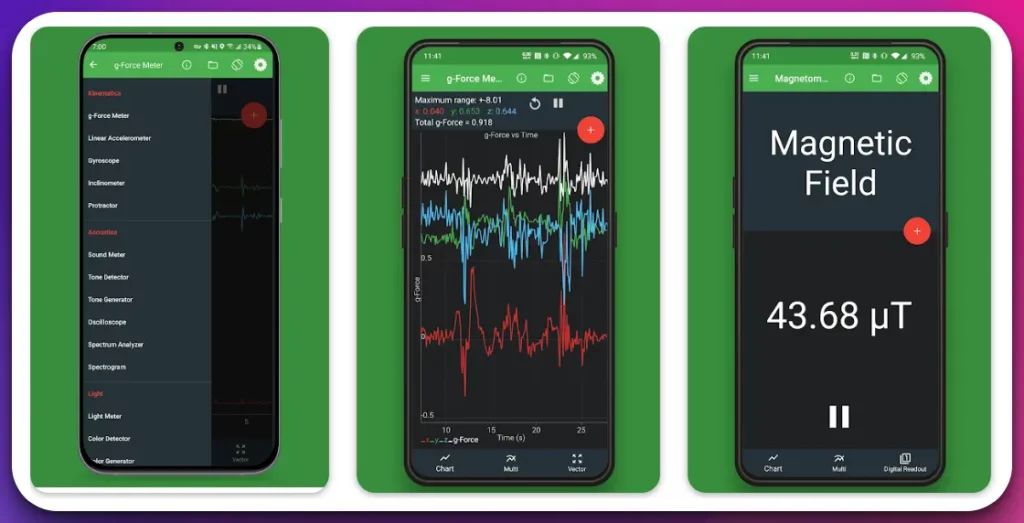
This app provides impressive measurement and analysis capabilities, from measuring accelerations and forces to analyzing sound waves and electromagnetic fields.
Furthermore, Physics Toolbox has graphing and data visualization tools that allow users to plot and interpret experimental data easily.
The app supports real-time data acquisition, enabling users to observe and analyze dynamic phenomena in real-time. This feature proves invaluable for conducting experiments and verifying theoretical predictions.
In addition, the app offers a built-in database of physics formulas, ensuring quick access to essential equations and relationships. This feature is immensely helpful for students needing instant references during problem-solving sessions or examinations.
The versatility and reliability of the Physics Toolbox make it an indispensable companion for anyone studying or working in the field of physics. Its robust functionality and user-friendly interface set it apart as one of the top choices among physics enthusiasts.
In conclusion, Physics Toolbox stands out as one of the premier physics apps available today, empowering users with its comprehensive range of tools, extensive database of formulas, and real-time data analysis capabilities.
Whether you’re a student, researcher, or professional, this app is a must-have for enhancing your physics studies and experiments.
Download The App From Google Play Store
Download The App From Apple App Store
2. PhyWiz
PhyWiz emerges as a remarkable physics app designed to revolutionize problem-solving in physics. With its advanced algorithms and intuitive interface, it provides an unparalleled solution for tackling complex physics problems instantly.
At the core of PhyWiz lies its powerful problem-solving engine, capable of analyzing various physics scenarios and generating step-by-step solutions. This cutting-edge technology makes it a game-changer for students and professionals seeking quick and accurate answers to their physics problems.
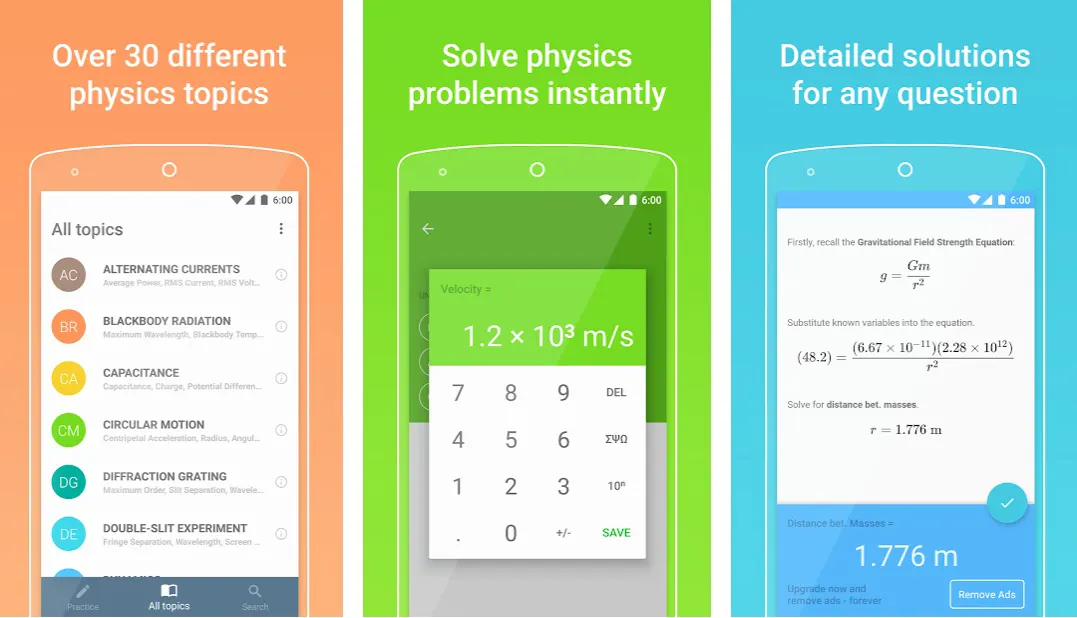
PhyWiz effectively addresses various physics concepts and topics using an extensive knowledge base and sophisticated algorithms. From Newtonian mechanics to electromagnetism and quantum physics, this app covers it all, ensuring comprehensive support for users at any level of study or expertise.
Navigating through PhyWiz is a breeze, thanks to its user-friendly interface that promotes seamless interaction. Users can input the details of a physics problem, and within moments, the app produces a step-by-step solution, complete with detailed explanations and relevant formulas.
Moreover, PhyWiz offers additional features like graph plotting and unit conversions, enhancing its versatility and utility. These supplementary tools assist users in visualizing data and ensuring accurate calculations, making them an indispensable asset in educational and professional settings.
In conclusion, PhyWiz is an exceptional physics app that revolutionizes problem-solving with its instant solutions and comprehensive coverage of various physics topics.
Whether you’re a student seeking quick answers or professional requiring efficient calculations, PhyWiz is the ultimate companion for tackling physics problems easily and accurately.
Download the App from Google Play Store
3. Brilliant
Brilliant shines as a captivating and immersive physics app, offering an unparalleled learning experience for enthusiasts. This innovative platform combines educational content and problem-solving challenges to foster a deep understanding of physics concepts.
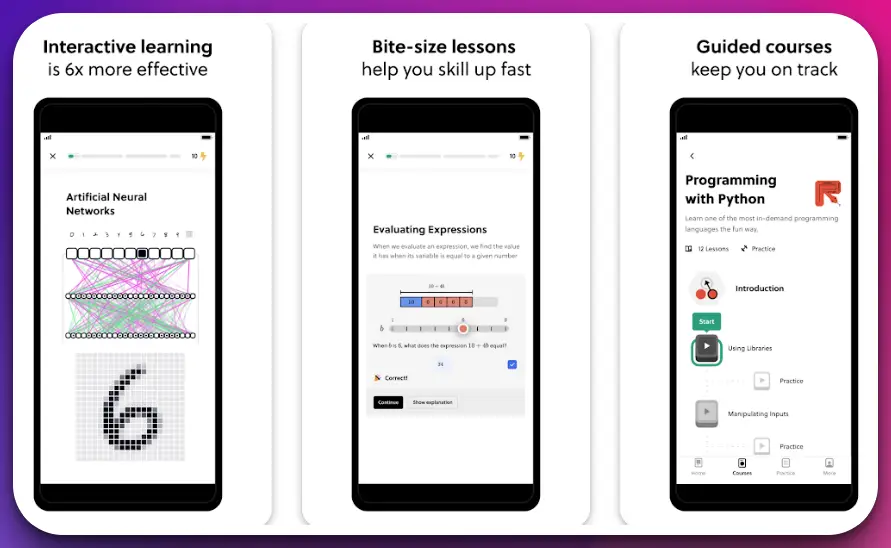
With Brilliant, users embark on a captivating journey through many physics topics.
The app provides comprehensive lessons on fundamental principles like mechanics, thermodynamics, and electromagnetism. Each lesson is meticulously crafted, presenting complex ideas clearly and engagingly.
What sets Brilliant apart is its interactive problem-solving approach. Users can tackle challenging physics problems presented in a gamified format, where they apply their knowledge to find creative solutions. These problems cater to diverse difficulty levels, ensuring learners can continuously expand their skills.
The app’s community-driven platform further enhances the learning experience. Users can discuss with fellow learners, share insights, and seek expert guidance. This collaborative environment fosters a sense of camaraderie and encourages continuous growth.
Additionally, Brilliant provides personalized feedback to help users identify areas for improvement. Learners can refine their problem-solving strategies and enhance their understanding of physics principles through this feedback loop.
Brilliant is a remarkable physics app that seamlessly blends educational content with interactive problem-solving challenges. Its captivating lessons, engaging problem sets, and vibrant community create an optimal learning environment. Whether you are a novice or an advanced learner, Brilliant is an invaluable tool to unlock your full potential in physics.
Download The App From Google Play Store
Download The App From Apple App Store
4. iPhysics
When it comes to physics apps for iPhone, iPhysics stands out as a top contender, offering a comprehensive suite of features tailored specifically for physics enthusiasts.
With its powerful capabilities and intuitive interface, this app provides an exceptional learning and problem-solving experience. iPhysics encompasses many physics concepts, from classical mechanics to electromagnetism and beyond.
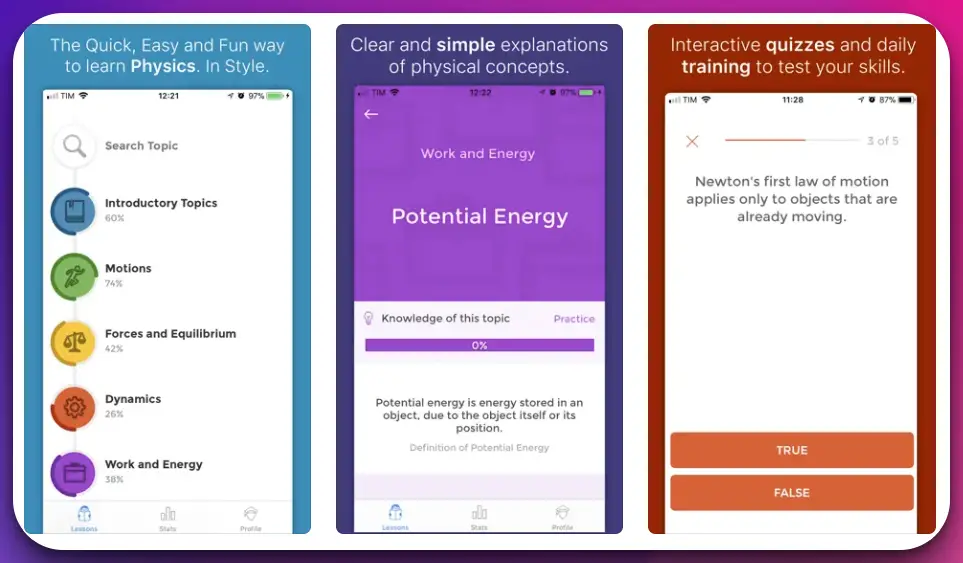
It’s extensive knowledge base is a valuable resource for users to deepen their understanding of fundamental principles and explore advanced topics.
One of the key strengths of iPhysics lies in its simulation capabilities. Users can engage in realistic and interactive physics simulations, allowing them to observe the behavior of physical systems under various conditions. This hands-on approach enhances conceptual understanding and fosters a deeper connection with the subject matter.
Furthermore, iPhysics offers a rich collection of interactive experiments that enable users to conduct virtual investigations. This feature proves particularly useful for students who may not have access to sophisticated laboratory equipment. Users can explore scientific phenomena and analyze the corresponding data through these virtual experiments.
The app’s user-friendly interface ensures seamless navigation and efficient access to diverse features. From interactive simulations to educational resources, everything is conveniently organized to facilitate a smooth learning experience.
In conclusion, iPhysics earns its reputation as one of the best physics apps for iPhone, empowering users with its extensive knowledge base, realistic simulations, and interactive experiments.
Whether you’re a student or a physics enthusiast, this app provides a gateway to unravel the mysteries of the physical world, all within the palm of your hand.
Download The App From Apple App Store
5. Physics Pro 2023
Physics Pro 2023 is one of the best Apps that are very useful for students and teachers. The app is user-friendly, with a clean and intuitive layout. It provides step-by-step explanations of the concepts presented in each lesson, allowing you to grasp the most important concepts in physics in no time!
The app offers tutorials, example questions, and practice exams for all levels of physics. It also provides the solutions to the problems, and you can also see how good your answer was by seeing the statistics of your response.
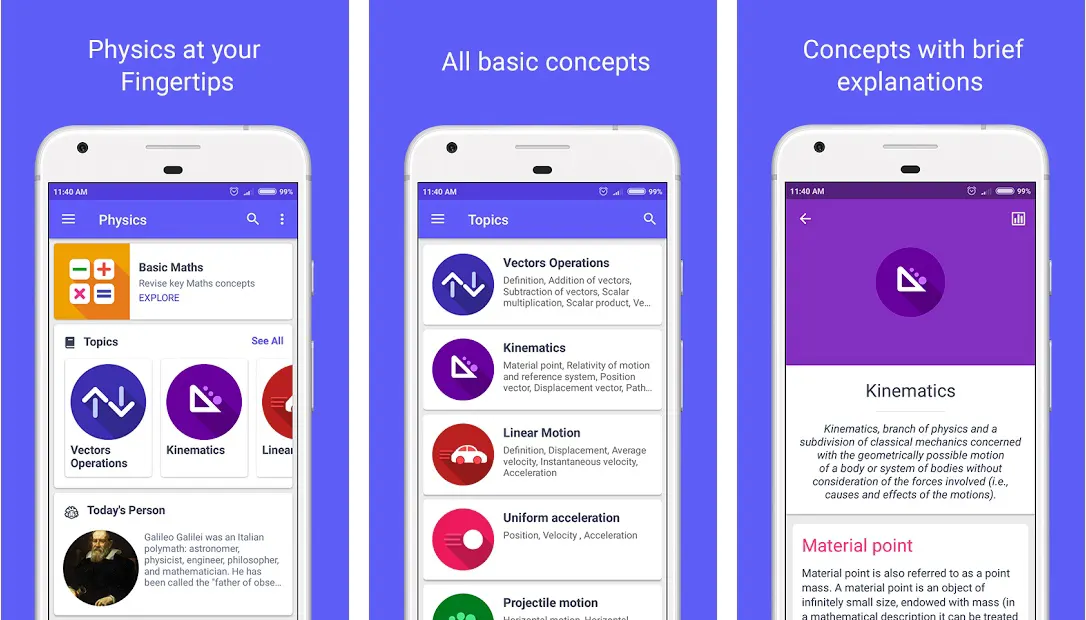
This app is handy as it helps you refresh your knowledge, prepare for exams, or solve homework problems. It also gives many examples you can use as a study resource.
This Android app may teach or review elementary, high school, and college-level Physics. It is among the most professional physics helpers for all students and teachers who believe in self-studying by reading physics on tablets or smartphones.
You will be able to work up physics formulas, equations, formulae, and tables from the palm of your hand. It includes a list of all constants, such as the speed of light in vacuum (c) and the maximum acceleration value due to gravity on Earth (g).
The app is a study guide, formula calculator, physics dictionary, and constants in one place. This physics app has 25 essential concepts required to study physics at school, college, or university.
Download the App from Google Play Store
6. Physics Calculator
Physics Calculator is a remarkable app that helps students learn basic physics, providing users with a valuable tool for understanding fundamental concepts and principles. This intuitive and versatile app empowers learners to delve into the world of physics and build a strong foundation of knowledge.
The Physics Calculator app offers various mathematical functions specifically tailored for physics. This app simplifies learning from simple calculations to complex equations by providing accurate results and step-by-step solutions.
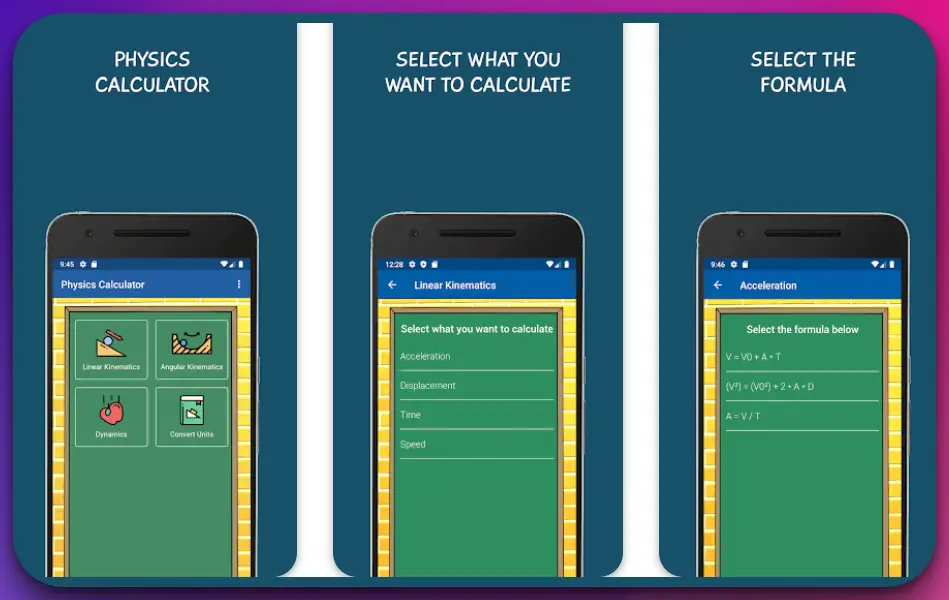
What sets Physics Calculator apart is its focus on basics physics. It offers a comprehensive collection of formulas and equations that cover essential topics such as kinematics, dynamics, and thermodynamics. Users can input variables and instantly obtain results, making it a valuable resource for practicing calculations and reinforcing understanding.
The app’s user-friendly interface ensures easy navigation and accessibility. Users can quickly switch between sections, bookmark frequently used formulas, and customize the app to suit their preferences.
Furthermore, the Physics Calculator app promotes interactive learning through its graphing capabilities. Users can plot data and visualize relationships between variables, enhancing their understanding of key concepts.
In conclusion, Physics Calculator is an invaluable app that helps students learn the basics of physics. Its vast array of formulas, user-friendly interface, and interactive features provide an excellent platform for learners to grasp fundamental principles and develop a solid foundation in the captivating field of physics.
Download The App From Google Play Store
7. Physics Quiz
Physics Quiz emerges as an exceptional app that serves as a valuable tool for reviewing the fundamentals of physics.
With its engaging quizzes and comprehensive question bank, this app provides an interactive and effective way for users to reinforce their understanding of essential physics concepts. The Physics Quiz app offers various challenging questions, ranging from classical mechanics to quantum physics.
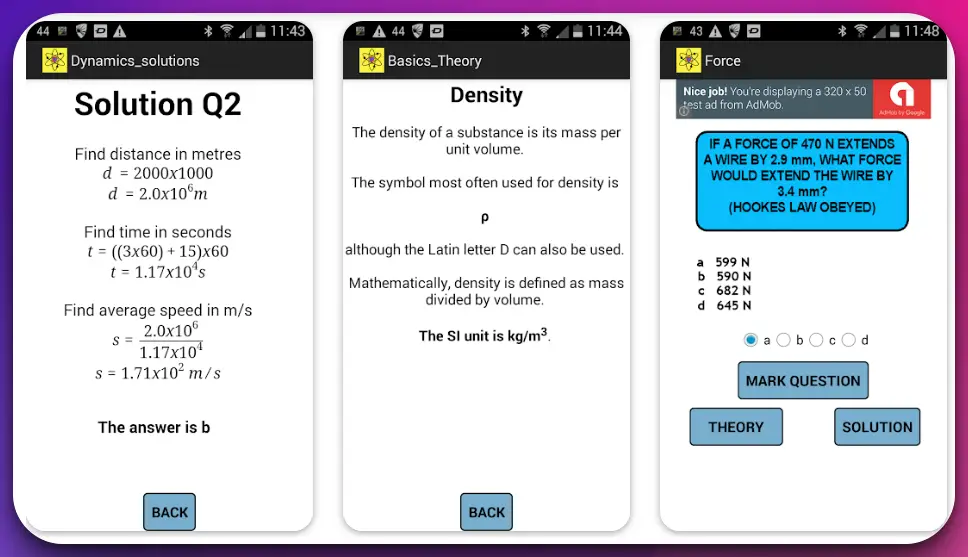
Users can test their knowledge and gauge their understanding through well-crafted quizzes encompassing theoretical concepts and practical applications.
What sets the Physics Quiz app apart is its emphasis on active learning. Users can engage in quiz sessions tailored to their skill level, enabling them to target specific areas of improvement and strengthen their grasp of the subject matter.
Moreover, the app’s detailed explanations accompanying each question provide invaluable insights and clarify misconceptions. This feature ensures that users not only assess their knowledge but also learn from their mistakes, reinforcing their understanding of the fundamentals of physics.
The Physics Quiz app fosters a sense of gamification, making the learning process enjoyable and motivating. Users can track their progress, earn achievements, and compete with others, enhancing their engagement and commitment to mastering physics.
In conclusion, Physics Quiz stands out as an exceptional app that helps users review the fundamentals of physics. Through its interactive quizzes, a comprehensive question bank, and detailed explanations, this app provides an effective platform for reinforcing knowledge, identifying areas for improvement, and ultimately enhancing understanding in the captivating realm of physics.
Download The App From Google Play Store
8. Pocket Physics
Pocket Physics is the best free physics app and a well-designed education application that lets you learn physics on your smartphone or tablet. It has a minimalistic interface and covers most vital concepts, equations, and physics formulas.
It’s an essential guide whether you want to refresh your knowledge, prepare for an exam, or explore some of the most interesting physical phenomena from across the universe.
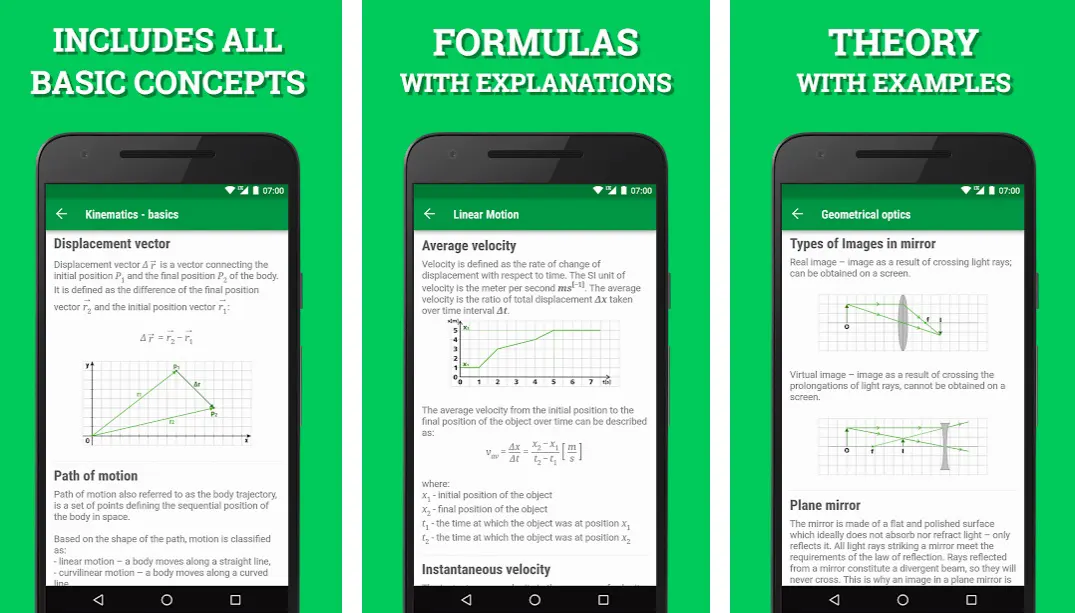
Pocket Physics is a free physics guide covering introductory high school physics topics to advanced university concepts. The app is designed as a study aid, including over 400 interactive simulations and full-length video lectures.
It’s accessible on Android and iOS devices and examines some of the universe’s most fascinating physical events.
The developers of Pocket Physics believe it can be used in multiple ways: as a textbook replacement, a supplement to books, and just for quick reference. Pocket Physics is a must-have guide for anyone looking to refresh their knowledge or prepare for an exam.
Download the App from Google Play Store
9. University Physics
University Physics is another of our favorite Physics Apps designed for the two- or three-semester calculus-based introductory physics course. The app is designed to help you learn the physics core concepts and understand how they apply to your life and the world around you.
The program provides practice opportunities for students in beginning physics classrooms and a wealth of information teachers using any textbook may use outside of class.
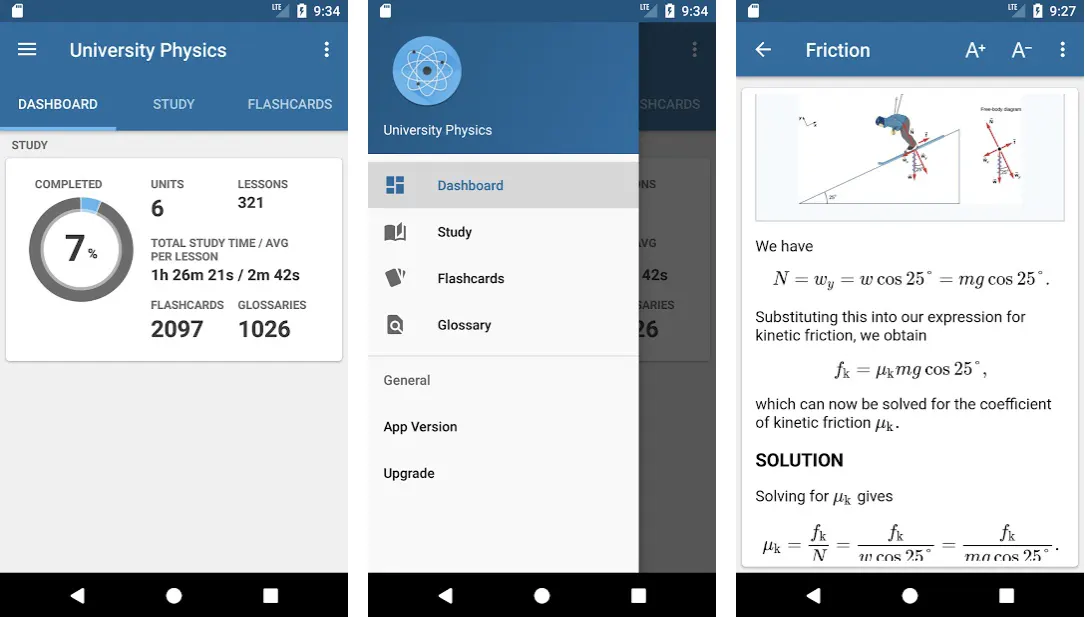
Integrated with your device, University Physics provides a customizable learning experience that helps students learn physical science as they do in the classroom, with a wide variety of interactive problems, videos, simulations, and animations.
The app’s unique tools allow students to pause and replay animations to help visualize concepts, further reinforcing their understanding. The app also includes virtual flashcards to help support critical ideas.
The app’s flashcards feature covers all concepts in the course and lets you test your understanding of these concepts. Its Quiz feature enables you to test your knowledge of critical topics and allows you to study each topic at your own pace, reinforcing what is complex or unclear.
The app requires Internet access to download problem sets from the web. Two modes are available: study mode and expert mode, which allow students to determine their difficulty level. Its Problem-Solving feature provides opportunities to apply the laws of physics to real-world situations.
The website offers discussion forums for homework problems or course materials queries. Its clear and intuitive interface makes finding information easy.
Download the App from Google Play Store
10. Physics Padho
Physics Padho is an online physics tutor that provides interactive learning content and personalized attention to physics students. The platform offers courses in various levels and modules that can be accessed from anywhere.
It provides a one-stop shop for all of your educational requirements. From understanding the topic to clearing the exam, they have covered it. They provide live video tutorials for every lesson of every course, 24/7 support from their physics experts, and unlimited access to the course material.
It also provides study materials such as sample question papers, solved papers, assignment sheets, etc., which help students understand concepts better and develop solutions more efficiently.
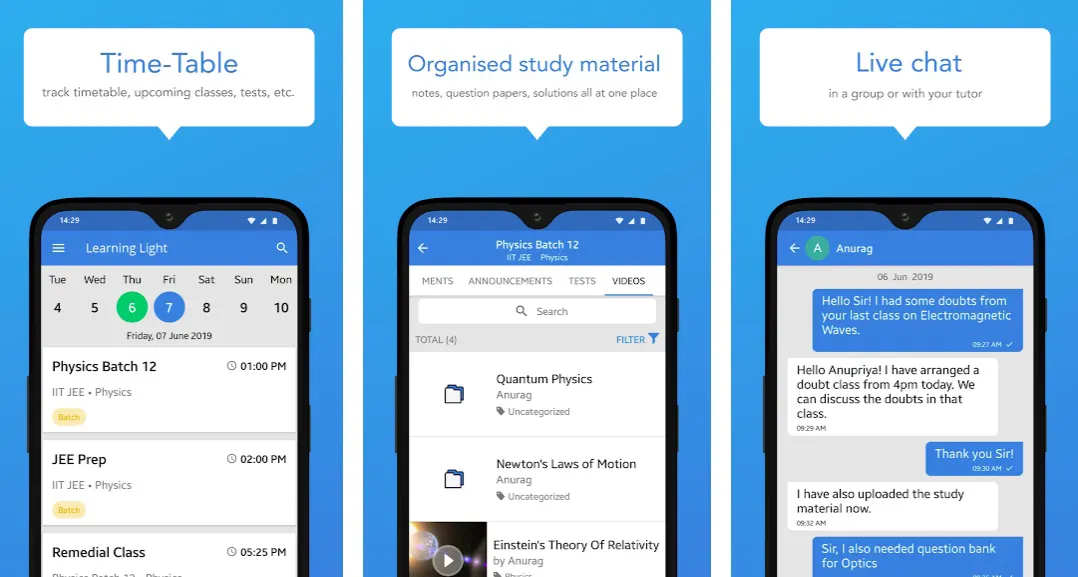
Physics Padho is a live-streaming session that aims to provide regular live classes on topics related to Physics. The lectures are helpful and informative.
Students can raise their hands and get an instant solution to their queries. The best thing about this program is that it is free! You only need to register and log in to enroll in the live courses.
This initiative by Physics Padho will allow students to have a class of their on demand and help all those who are apprehensive about attending classes or are unable to go because of other commitments. They provide online tests and exams. It allows users to track their performance, test scores, and rank from time to time.
Students can log on to the website and take online tests for physics, Chemistry, Biology, etc. They can also get monthly performance reports, test scores, and rank details to know their academic progress.
Download the App from Google Play Store
Download the App from Apple App Store
11. Ng Physics Classes
Ng Physics Classes have been designed to help students in their physics courses. It is a user-friendly, interactive app with online attendance management, homework submission, etc.
It is a competitive edge in the education industry. It has been designed as a one-stop platform for all your data management needs.
The app has been designed to help students easily get through their physics courses. Teachers can easily upload specific notes and lectures, keep track of students’ progress, and update them on particular updates.
It’s a central site where students can turn in assignments, manage their schedules, and attend courses. It has the most popular and modern features, such as live attendance, fee management, submission of projects, and detailed performance reports.
Ng Physics Classes is an open platform that transparently and efficiently maintains all data related to tutoring classes.
Download the App from Google Play Store
12. Equate Formula Solver
Equate has proven to be an invaluable resource for any student. Over a million students and teachers utilize Equate throughout the world.
It’s a must-have reference for anybody who wants to brush up on a topic they learned years ago, refresh their knowledge, or prepare for an exam. On your smartphone or tablet, it’s the ideal study companion.
This app provides different challenges and exercises to match the diverse needs of students. It also has an in-built formula solver that helps students learn new formulas.
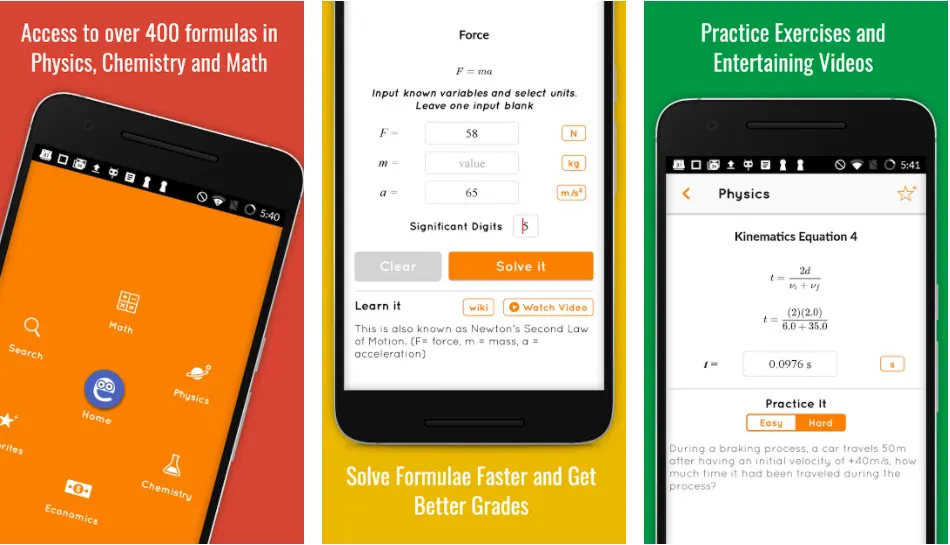
The user will input their desired equation, and the app will provide their answer. It also stores hundreds of formulas that can aid in solving math problems in many fields.
Equate is a free math solver program designed to help anyone studying mathematics, physics, chemistry, and economics by providing a problem-solving method.
The program is self-contained, meaning it allows for all the utility required for solving formulas and doesn’t require any download besides viewing the web page.
It also allows you to convert units, find the derivative of a function, find the area of an object, solve equations, and much more!

Most students have needed help with their homework or struggled to understand the formulas taught in class at some point.
Equate provides students quick access to math reference needs in one easy-to-use app!
Download the App from Google Play Store
Download the App from Apple App Store
13. Oomph
Oomph is an informative iOS and Android app that aids in understanding important functional and physics concepts such as gravity, force, and momentum. It can be used to supplement a standard lesson or to reinforce concepts already introduced.
The user can use this app to design circuits and see the results in-app. It also includes videos to guide them through the process. All these features make Oomph an ideal app for students, teachers, and hobbyists who want to explore the world of electricity.
It breaks down the concept into manageable steps and only allows the user to progress if they can demonstrate an understanding of each step required to solve one of the variables in the equations.
It helps make a complicated formula for someone new to calculating resistance into a logical and straightforward pathway.

It will enable the user to use other conditions for a circuit to read its value accurately. It can display things like voltage, current, resistance, and power.
The software was created to be a more convenient approach to studying, reviewing, and reinforcing learning than a textbook. Its goal is to stimulate curiosity and help students develop their confidence in the subject.
Download the App from Google Play Store
14. Physics Wallah – Best physics apps in India
Physics Wallah is an online physics coaching portal that offers preparation courses for the 12th IIT JEE, NEET, and various competitive examinations.
It is a platform where students may learn physics from professional lecturers who have been teaching for more than a decade. They offer courses in physics, maths, chemistry as well as biology.
It provides a wide range of classes from school to postgraduate levels. You can buy lecture-wise notes, take live classes, or watch pre-recorded video lectures on your mobile device. In addition, you can attend virtual online Test series and Lecture wise Notes with Video Lectures.

This mobile software is free for Android and iOS users from their respective app stores. Live classes are offered at no additional cost to registered students.
The video lectures are available for all major courses in physics. It provides interactive assignments with detailed solutions to help students learn better.
Download the App from Google Play Store
15. Physics Notes – Best physics apps for college students
Physics is the science of matter, motion, space, and time. It has wide applications in natural sciences, engineering, and technology.
Physics Notes App contains all the chapters of Physics NCERT helpful for JEE, NEET, and Board Exams of class 12th. It is one of the best apps for physics students to learn concepts with step-by-step explanations. It has over 5 Lakh downloads with a 4.2 rating on the google play store.
It has been designed as an indispensable tool for boosting your understanding of Physics. It provides matter, motion, and space knowledge and relevant questions at the end of every chapter, which helps students be more familiar with NCERT chapter topics.
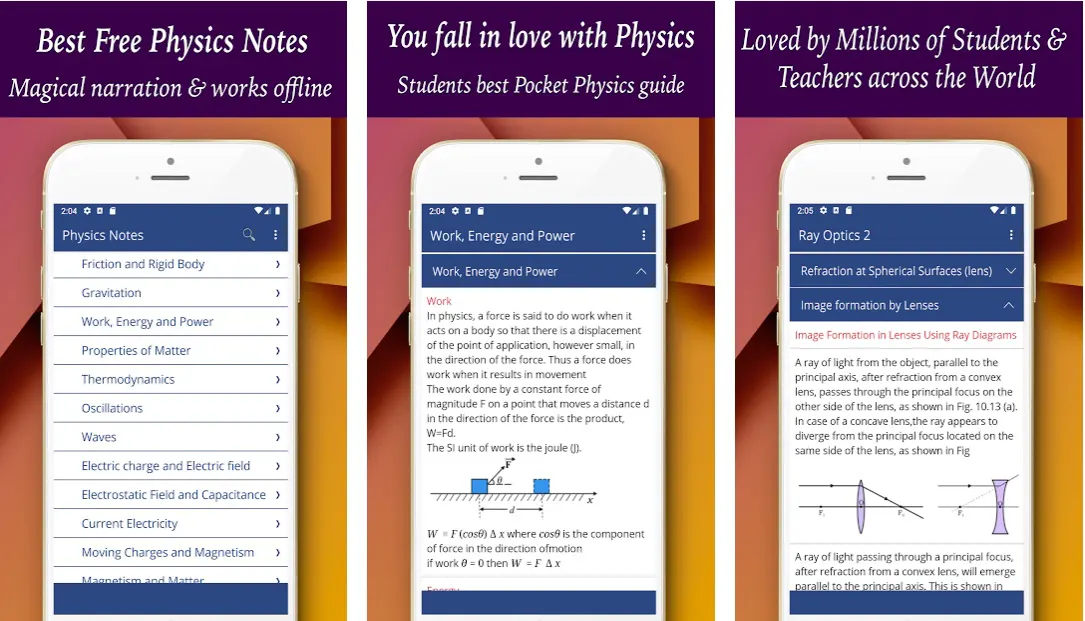
Physics Notes has been designed to make it easier for learners to access and review course content. This way, they can revise it and prepare for examinations without relying on other resources such as textbooks or lectures.
The size of this app is smaller than any other physics notes app. It will work without an internet connection. The typeface is legible and clear.
This app contains various features that make it one of the best apps for everything related to physics, like solving complex equations, solving math problems, drawing 3D figures, doing trigonometry calculations, figuring out vector components, etc.
It was created to be simple, with capabilities like text highlighting and taking notes on specific screen regions. The app also has a user-friendly design so students can easily find their way around it.
Download the App from Google Play Store
16. PhysicsMaster – Basic Physics Calculator Formulas
PhysicsMaster is an entirely free mobile app that you can use in your everyday life to solve all the physics problems you might need, from calculus or algebra to trigonometry and geometry. It offers a basic and intuitive UI that requires no prior understanding of physics.
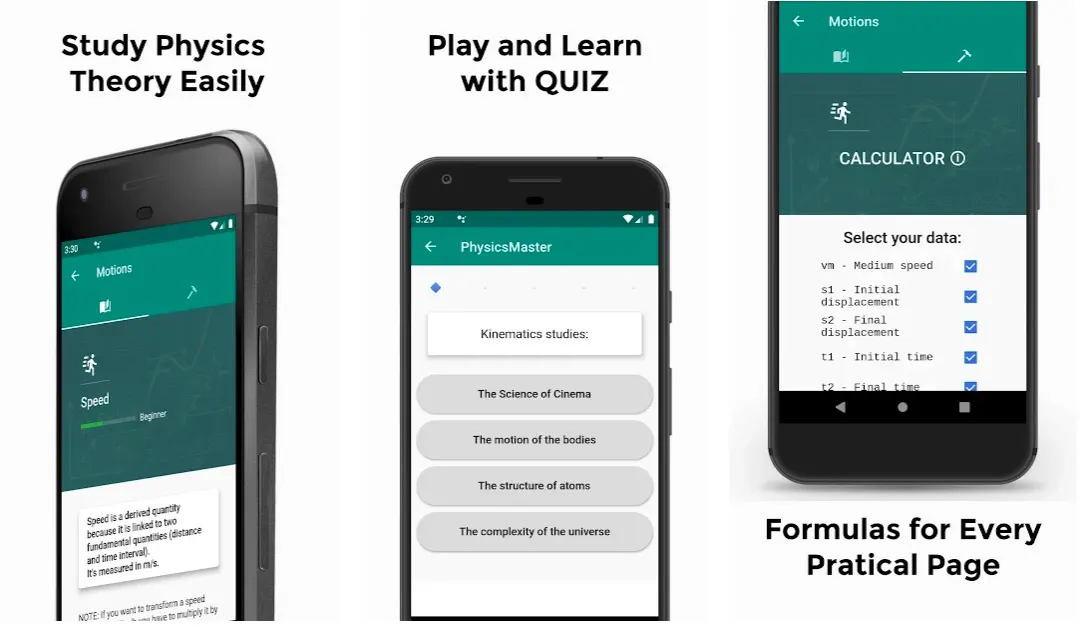
It is a convenient application for learning physics in an interactive, fun, and quick way. It’s an application that’s very easy to use and understandable. The user can use the calculator to solve all its exercises or tests.
So what makes PhysicsMaster so different from other calculators? It’s not just another app that can do calculations, but it’s an app that helps you learn and understand the scientific principles behind every analysis.
PhysicsMaster is an app that can help you study and interactively learn physics. It is fun to learn about physics, and there are questions about every topic in the app.
Some quizzes will help you improve your skills, and you can also play games like Physics Master to make learning more enjoyable.
This app will allow you to test your physics knowledge by asking questions about every topic in the app. A physics calculator app can become the ultimate tutor for all physics students.
You can also create your quizzes and share them with others. If you are looking for a way to learn physics, this might be your correct answer!
Download the App from Google Play Store
Download the App from Apple App Store
While exploring the Best Physics Apps To Study Physics Effectively for you, I found an awesome video on “What Would a Journey to the Quantum World Be Like” 😎😎

17. CV’S Physics Tutorial
CV’s Physics Tutorial is one of the world’s largest platforms for students with registered users. These features have been developed to ensure the app is easy to use and provides all the information students need to learn physics.
CV’s Physics Tutorial is designed for students, teachers, and parents to help students learn physics. It has features such as live attendance, fee management, submission of homework, and detailed performance report.
This app has all the features needed for a physics course. You can take notes, submit homework and ask questions to your teacher. The app is a perfect aid for students who want to learn physics.
It helps students master the subject with interactive, engaging activities supported by high-quality learning materials. The tutorials equip learners with the necessary knowledge and skills for success in school and beyond.
The Physics app is designed to ensure that the students develop a deep understanding of the subjects and explore their potential through various courses covering all aspects of life.
Their education is confined to academics and focuses on personality development and moral training. These tutorials are designed to provide holistic knowledge to students of all levels.
Download the App from Google Play Store
📗FAQ
Which app is best for learning Physics?
Some of the best apps for learning Physics are WolframAlpha, Khan Academy, Amazing Science Facts, Physics Studio, etc.
You can also visit some YouTube channels that will give you more practical experience and help you learn Physics very easily.
Furthermore, you can download Newtonium – Physics Simulator, which will solve all your physics problems with a button.
How do you solve physics questions?
You can take the following steps to answer physics questions:-
1. Determine the known and unknown quantities by carefully reading the problem. Make sure you comprehend the questions being asked and the information being provided.
2. Determine the equations and pertinent physics principles you will need to use to solve the problem. Reviewing your notes or digging up the relevant details in a textbook may be required.
3. Create an equation utilizing the pertinent physics ideas, the known and the unknowable values. Verify that the equation is balanced and that the correct units are used.
4. Fill in the missing value in the equation. The equation may need to be adjusted, existing values may need to be substituted, and algebraic operations may need to be carried out.
5. Verify your work to ensure that the answer is sound, and the units are accurate.
6. Respond to the inquiry or find the desired unknown quantity.
Is there an app like Photomath for physics?
Yes, there are several apps that, like the well-known Photomath app, which offers step-by-step solutions to users’ math issues, can assist you in solving physics difficulties.
Examples of physics apps that provide comparable functionality include:-
Physics Calculator:- This app offers solutions to various physics-related questions, including those involving dynamics, thermodynamics, kinematics, and more.
It offers step-by-step solutions with explanations and lets users enter their problems or pick from a list of pre-loaded challenges.
Physics Problem Solver:- This app answers physics issues in several fields, such as mechanics, electromagnetic, and thermodynamics.
It offers step-by-step solutions with explanations and lets users enter their problems or pick from a list of pre-loaded challenges.
Physics Homework Helper:- This app provides a variety of physics issues and answers, as well as interactive simulations and movies to aid users in understanding the ideas.
It offers step-by-step solutions with explanations and lets users enter their problems or pick from a list of pre-loaded challenges.
In general, these kinds of apps can be beneficial for students who have trouble comprehending physics ideas or require more practice solving problems.
It’s crucial to remember that using these apps shouldn’t be a replacement for independently learning the information and honing your problem-solving techniques.
Can I use the physics wallah app for free?
Yes, the Physics Wallah app is available for free for everyone. If you are a student preparing for IIT JEE & NEET, this app might be the best for you in multiple ways.
You can download it on your smartphone as well as on your system. Students also want to learn physics for their 10th, 11th, and 12th std. Simply download the app and get started.
How can I get smarter in physics?
To get smarter in Physics, you need to start with the basics. Simply write down all the basic equations and learn them every day.
It is important to connect all these equations with real-life situations so that you can understand how to apply them better and then solve them eventually.
What is the best website for physics problems?
Physics problems and solutions can be found on a lot of websites. Several well-liked choices include:-
Khan Academy:- This website provides numerous physics issues and solutions, interactive simulations, and movies to aid users in understanding the ideas.
The issues are arranged in topical and level-appropriate groups, and solutions are offered along with detailed explanations.
Physics Classroom:- This website provides a wide variety of physics problems and solutions, as well as interactive simulations and movies to aid users in understanding the ideas.
The issues are categorized by subject and degree of difficulty, and solutions are offered with detailed explanations.
Physics Problems:- To assist visitors in understanding the concepts, this website provides a wide variety of physics problems and solutions, interactive simulations, and videos.
The issues are categorized by subject and degree of difficulty, and detailed explanations on how to solve them are included.
Which app is best for physics class 11?
Several apps could be helpful for class 11 physics students (grade 11). Several well-liked choices include:-
Physics Calculator:- This program offers solutions to various physics-related questions, including those involving dynamics, thermodynamics, kinematics, and more.
It offers step-by-step solutions with explanations and lets users enter their problems or pick from a list of pre-loaded challenges.
Physics Homework Helper:- This software provides a variety of physics issues and answers, as well as interactive simulations and movies to aid users in understanding the ideas.
It offers step-by-step solutions with explanations and lets users enter their problems or pick from a list of pre-loaded challenges.
Physics Problem Solver:- This software answers physics issues in several fields, such as mechanics, electromagnetic, and thermodynamics.
It offers step-by-step solutions with explanations and lets users enter their problems or pick from a list of pre-loaded challenges.
PhyWiz:– This app provides a variety of physics issues and answers, as well as interactive simulations and movies to aid users in understanding the ideas.
It offers step-by-step solutions with explanations and lets users enter their problems or pick from a list of pre-loaded challenges.
Is physics grade 11 hard?
A subject like physics can vary substantially in difficulty from one person to the next. While some people might find physics difficult, others might find it simple.
It may also be influenced by your prior math and science knowledge and experience, as well as your study methods and perspective on the material.
If you are having trouble understanding the content in physics in grade 11, you can attempt the following:-
Review the concepts:- Before tackling more complex subjects, be sure you have a firm grasp of the fundamental ideas.
Practice problems:– By working through practice problems, you can improve your problem-solving abilities and comprehend how to put the concepts you have studied to use.
Seek help:– If you need assistance, don’t be embarrassed to ask. A tutor or your teacher might offer further direction and assistance.
Stay organized:– Keep a record of your notes and assignments, and go over them often.
Overall, even if you find some subjects challenging, it’s crucial to retain a good attitude and keep trying. You can gain understanding and succeed in physics through effort and practice.
Is physics without maths hard?
To explain and analyze the physical world, physics significantly relies on mathematics. Mathematical equations and formulae are frequently employed to create predictions and test hypotheses since many physics concepts and principles may be stated in that way.
Because of this, it can be challenging to completely comprehend and appreciate physics principles without a solid arithmetic background.
While certain fundamental physics concepts can be learned without math, many of the more complex ideas and theories in the field necessitate a solid arithmetic foundation to understand properly.
That said, some physics concepts might not necessitate as much math as others. For instance, some subfields of physics, like experimental physics, could emphasize practical laboratory work more than mathematical calculations.
Strong arithmetic skills may still be beneficial in some situations, but they might not be as crucial as in other physics branches.
In general, a solid understanding of arithmetic is typically seen as necessary for completely appreciating the concepts and principles of the topic. However, some areas of physics can be learned without a good foundation in math.
What is the hardest physics to learn?
The level of arithmetic required, the abstractness of the concepts, and the intricacy of the theories involved are just a few of the variables that might affect how difficult various fields of physics are.
The following physics topics might be regarded as more difficult:-
Quantum mechanics:– This area of physics focuses on the behavior of particles at the atomic and subatomic scales and frequently incorporates illogical and challenging-to-visualize notions. A solid grounding in mathematics is necessary, especially in calculus and linear algebra.
General relativity:– The impact of gravity on the motion of objects is explained by Albert Einstein’s theory. It involves challenging to comprehend and visualize complex mathematical equations and concepts.
Particle physics:– The fundamental constituents of matter, including subatomic particles like quarks and leptons, are the focus of this area of physics. It involves a profound grasp of mathematics and abstract ideas, and a solid grounding in quantum mechanics is necessary.
Once more, the difficulty level of these and other fields of physics can substantially vary based on a person’s strengths and weaknesses, study habits, and method of approaching the topic.
Even the most difficult physics topics may be mastered with perseverance and devotion.
How can I learn physics on my own?
You can study physics alone in several ways:-
Start by reading a textbook or online resources:- Excellent physics textbooks are widely available and can give students a strong foundation in the field. Additionally, a lot of knowledge is available online, including lectures, videos, and articles.
Practice problems:– Applying the principles you have learned is crucial after you fully grasp them. Practice questions can be found in textbooks or online, and working through them will help you make sure you understand the concepts.
Join a study group or find a tutor:- Collaborating with others is an excellent method to study and discuss the subject. To get help with particular subjects, you might hire a tutor or form a study group with your classmates.
Participate in online communities:- You can ask questions and learn from people interested in physics in various online communities, including forums and discussion groups.
Attend lectures and workshops:– If you have the chance, consider attending physics lectures or workshops. This might be a terrific method to ask questions in person and learn from subject matter experts.
Consistency and perseverance in your studies are the keys to understanding physics. Although it is a difficult subject, you can succeed if you put in the necessary effort.
How do you get 90+ in physics?
You can achieve a high grade in physics by using a few essential techniques:-
Understand the fundamental concepts:– It is critical to have a solid foundation in physics’ foundational ideas. Before going on to more complex issues, thoroughly comprehend the earlier content.
Practice regularly:– You will improve at applying the ideas you have learned as you put them into practice more frequently. Work through practice issues and attempt to resolve them without consulting the solutions.
Attend class and participate:- Attend all your physics lectures and engage in lively debate. This might assist you in understanding any concepts you are having trouble understanding and keep you interested in the subject.
Seek help when needed:– Never be embarrassed to ask for assistance if you need it when understanding a certain idea. You might hear this from your teacher, a tutor, or a study group. It would be best if you took care of any issues you are having as soon as possible.
Review and practice before exams:– Before tests, be careful to review the subject and do practice problems. Your confidence and readiness on exam day will increase as a result.
In conclusion, achieving a high grade in physics necessitates a mix of conceptual comprehension, regular practice, and sustained interest in the subject.
How many hours is enough to study physics?
The amount of time needed to study physics is difficult to estimate because it depends on various variables, including your current level of comprehension, the difficulty of the subject matter, and your unique learning preferences.
However, the following general rules apply:-
Start by setting a regular study schedule:- It’s crucial to allocate a certain time each day to studying physics. This can take place for a few hours every day or a larger period once or twice a week.
Pace yourself:– Avoid attempting to cover too much ground too quickly. Before going on to more advanced topics, taking time and fully comprehending the concepts is preferable.
Vary your study activities:– To stay motivated and prevent burnout, switch up your study activities. This could be studying the textbook, solving practice issues, attending lectures or seminars, or participating in online conversations.
Take breaks:- It’s critical to pause and allow your mind some downtime. You can stay motivated and prevent burnout by doing this.
The goal is to establish a study routine that suits you and stick to it consistently. Additionally, it’s crucial to remember that success is influenced by various factors, not just how much time you spend studying. It’s also essential to comprehend the subject matter and interact with it.
What is the easiest way to memorize physics?
As memorization can help you remember crucial ideas and equations when needed, it can be a crucial component of learning physics. It’s crucial to realize that memorizing material is not the same as fully understanding it.
You can efficiently memorize physics by using the following techniques:-
Understand the concepts:– When you comprehend what something means and how it relates to other ideas, it is much simpler to recall that information. Before memorizing the subject, take the time to understand it completely.
Use mnemonic devices:- By connecting information with something else, mnemonic devices help you remember it.
For instance, you might use an acronym (a phrase made out of the first letters of a list of things) to remember a list of equations or formulas.
Practice recalling the information:- Practising memory recall is one of the finest strategies to put knowledge into memory. To assist you in remembering the information, try testing yourself on it or writing it down from memory.
Review regularly:– Reviewing the content will help keep it fresh in your memory. As your examinations approach, this may be extremely useful.
The two main requirements for memorizing physics are comprehending and actively engaging with the content through practice and review.
This will aid in learning the ideas more deeply and make it simpler for you to remember the details afterward.
Is there an app to help with physics?
Yes, there are several apps available to help with physics. Some popular options include “Physics Toolbox Suite,” “PhET Simulations,” and “Physics Formulas Free.” These apps can help with everything from calculations and problem-solving to understanding fundamental concepts in physics.
What is the best app to learn physics for free?
One of the best apps for learning physics for free is “PhET Simulations.” This app offers interactive simulations that help users visualize and understand physics concepts. Another great option is “Physics Formulas Free,” which provides a comprehensive list of physics formulas and equations.
Which app is best for physics solutions?
“Physics Toolbox Suite” is one of the best apps for physics solutions. This app provides a wide range of tools and calculators to help with everything from kinematics and mechanics to electricity and magnetism.
Is there a physics app like Photomath?
Yes, “Physics Toolbox Suite” is a physics app similar to Photomath. It offers a range of tools and calculators to help solve physics problems.
How can I practice physics?
The best way to practice physics is to work through practice problems and exercises. Practice problems are found in physics textbooks or online resources, such as Khan Academy. Additionally, many physics apps offer practice problems and simulations to help reinforce key concepts.
How do I improve my physics?
To improve your physics skills, practicing regularly and seeking additional resources, such as online videos or tutoring services, is important. You may also want to form a study group with other students to work through challenging problems together.
Is it possible to learn physics on your own?
Yes, learning physics on your own is possible, but it may be more challenging than learning in a classroom setting. To succeed, you must be motivated and disciplined and seek resources such as textbooks, online videos, and practice problems.
How can I learn physics self taught?
To learn physics independently, it’s important to have a solid understanding of math fundamentals such as algebra, geometry, and calculus. You can then begin studying physics concepts and working through practice problems using textbooks, online resources, and apps.
Can you learn all of physics on your own?
Learning all of physics on your own is possible, but it may take more time and effort than learning in a classroom setting. Additionally, having access to a physics teacher or tutor can help answer questions and provide guidance.
What is the best to study physics?
The best way to study physics is to practice regularly and seek additional resources, such as textbooks, online videos, and tutoring services. It can also be helpful to form a study group with other students to work through challenging problems together.
Does Mathway work for physics?
Mathway does offer some support for physics problems, but it is primarily a math-focused app. For more comprehensive physics support, you may use an app like “Physics Toolbox Suite” or “PhET Simulations.”
What science apps are like Mathway?
Some science apps that are similar to Mathway include “Photomath,” “Symbolab,” and “Cymath.” These apps support various science subjects, including physics, chemistry, and biology.
What are the best physics homework help websites?
Some of the best physics homework help websites include Khan Academy, Physics Classroom, and Chegg. These websites offer resources such as video lessons, practice problems, and tutoring services.
Which app is free for physics doubt solving?
“Physics Toolbox Suite” is a free app that offers a range of tools and calculators to help with physics problem-solving.
Why is physics hard?
Physics can be challenging because it requires a solid understanding of mathematical concepts and the ability to visualize and understand abstract concepts. Additionally, physics often involves complex equations and calculations that can be difficult to master.
How difficult is physics?
Physics can be challenging, particularly if you do not have a strong foundation in math. However, anyone can learn and excel in physics with practice and perseverance.
Is physics 1 hard in college?
Physics 1 can be a challenging course in college, particularly if you do not have a strong background in math and science. However, it is possible to succeed in this course with diligent study and practice.
Why is physics harder than math?
Physics can be more challenging than math because it requires a solid understanding of mathematical concepts and the ability to visualize and understand abstract concepts.
Additionally, physics often involves complex equations and calculations that can be difficult to master.
Is physics harder than calculus?
Physics and calculus are challenging subjects but require different skill sets. Physics requires a strong understanding of mathematical concepts and the ability to visualize and understand abstract concepts.
In contrast, calculus requires a solid foundation in algebra and the ability to manipulate complex equations.
How do I start liking physics?
To start liking physics, it can be helpful to find real-world examples of physics concepts in action and to approach the subject with an open mind and a willingness to learn.
Finding a study group or tutor who can help explain challenging concepts can make a big difference.
How do you get an A in physics?
To get an A in physics, attending class regularly, staying on top of assignments and readings, and seeking out additional resources such as textbooks and online videos is important.
You may also want to form a study group with other students to work through challenging problems together.
Is physics basically math?
Physics is a subject that is heavily rooted in mathematical concepts and equations. To be successful in physics, it is important to have a strong foundation in math and to be able to apply mathematical concepts to solve complex problems.
How long does it take to learn physics?
The amount of time it takes to learn physics depends on many factors, including your background knowledge in math and science, the depth of your study, and the amount of time you dedicate to practice and review. It may take anywhere from a few months to several years to master the subject.
What math is needed for physics?
To succeed in physics, having a strong foundation in math, including algebra, geometry, trigonometry, and calculus is important.
Can physics be taught online?
Yes, physics can be taught online using various resources, including online videos, textbooks, and simulations. Online physics courses and programs are becoming increasingly popular and can be a convenient and flexible way to learn the subject.
Is physics the hardest subject to learn?
Physics can be challenging, but whether it is the hardest subject depends on individual interests and strengths. Some people may find physics easier than other subjects, while others may find it more difficult.
Does physics require a lot of memorization?
Physics requires memorizing basic concepts and formulas, but the emphasis is more on understanding and applying concepts to solve complex problems.
How can I memorize physics for a long time?
To memorize physics concepts for a long time, practicing regularly and reviewing key concepts frequently can be helpful. Memory techniques such as mnemonics or visualization can also help retain information.
What grade should physics be taught?
Physics is typically taught in high school but can also be taught in middle school or college. The grade level at which physics is taught can vary depending on the school and curriculum.
What 3 topics do you study when you do physics?
Three topics commonly studied in physics are mechanics, electromagnetism, and thermodynamics.
Mechanics deals with the motion and behavior of objects, while electromagnetism focuses on the interactions between electrically charged particles. Thermodynamics studies the relationship between heat and other forms of energy.
Do physicists use algebra?
Yes, physicists use algebra extensively in their work. Algebra is a fundamental mathematical tool to describe and solve complex physical phenomena.
Does Khan Academy have calc-based physics?
Yes, Khan Academy offers a range of calculus-based physics courses, including courses on mechanics, electricity and magnetism, and waves.
Can I study physics if I’m bad at math?
It is possible to study physics even if you are not confident in your math skills. However, it may be more challenging, and you may need to work harder to master mathematical concepts and equations.
It can be helpful to seek additional resources, such as tutoring or study groups, to help reinforce key concepts.
Who is No 1 in physics?
It is difficult to say who is the number one physicist, as many great physicists have made significant contributions to the field. Some notable physicists include Albert Einstein, Isaac Newton, and Stephen Hawking.
Does taking physics look good?
Taking physics can be beneficial for several reasons. It can help develop critical thinking and problem-solving skills and be useful for pursuing careers in science, engineering, or technology.
Additionally, taking physics may look good on college or job applications, as it demonstrates a strong foundation in math and science.
What website is better than Mathway?
Some websites that offer similar services to Mathway include Symbolab, Cymath, and Wolfram Alpha. These websites offer support for a range of mathematical concepts and equations.
How much does Mathway cost?
Mathway offers both free and paid plans. The basic plan is free, but only offers limited access to features. The paid plan, which offers full access to all features, costs $19.99 per month or $79.99 per year.
What apps are better than gauthmath?
Some apps that offer similar services to Gauthmath include Photomath, Mathway, and Symbolab. These apps provide support for a range of mathematical concepts and equations.
What sites are like physics and math tutor?
Some websites similar to Physics and Math Tutor include Khan Academy, Chegg, and TutorMe. These websites offer a range of resources for learning and practicing math and physics concepts.
Is there an app to help with science homework?
Yes, there are several apps available to help with science homework. Some popular options include “Socratic,” “Brainly,” and “StudyBlue.”
What is the best website for learning science?
Some of the best websites for learning science include Khan Academy, Crash Course, and National Geographic. These websites offer a range of resources and materials for learning about science topics.
Final Verdict
Online Physics Tutorials are an excellent alternative to traditional one-on-one learning sessions with a teacher.
They can explain topics covered in class and extend the students’ knowledge to areas the teacher may not have covered. Students who have problems understanding a particular concept can benefit significantly from an online tutorial.
The internet offers a lot of information for both education and amusement. We can now find any information we want, such as an educational app about flight physics.
The internet is an excellent source of materials for teachers and students, as it offers an accessible resource for information about physics.
I hope this review of some of the best physics apps will help you become a better physics student. Don’t forget to practice physics in real-life every day and use Physics Apps.


