
























Do you watch the weather channel on television? Well, anyone hardly does these days; not everyone even watches too much television anymore, with so many streaming websites coming up.
But knowing the weather is essential, especially when planning a weekend getaway. Hence, we considered listing the best weather websites that you will love and are easily accessible.
With the advancement in technology, you do not need to open up the radio or the television to know when it will rain or, better say, snow in your city.
Click on the weather websites that give every piece of info you need during any time of the day, month, or year.
You can check out the real-time data as well on these websites, and make sure to keep you updated at all times.
Although some sites may require you to pay some small fees, while we have loads of weather websites that are free too, you can go with anyone you feel would give you accurate data and save it in your browser.
Simply bookmark them so that you can access them any time of the day you need them.
Best Weather Websites – Our Top Pick 👌👌
1. Accuweather – Best weather forecast websites
Accuweather is one of the leading and best weather websites that gives you real-time weather info in America and all over the Globe.
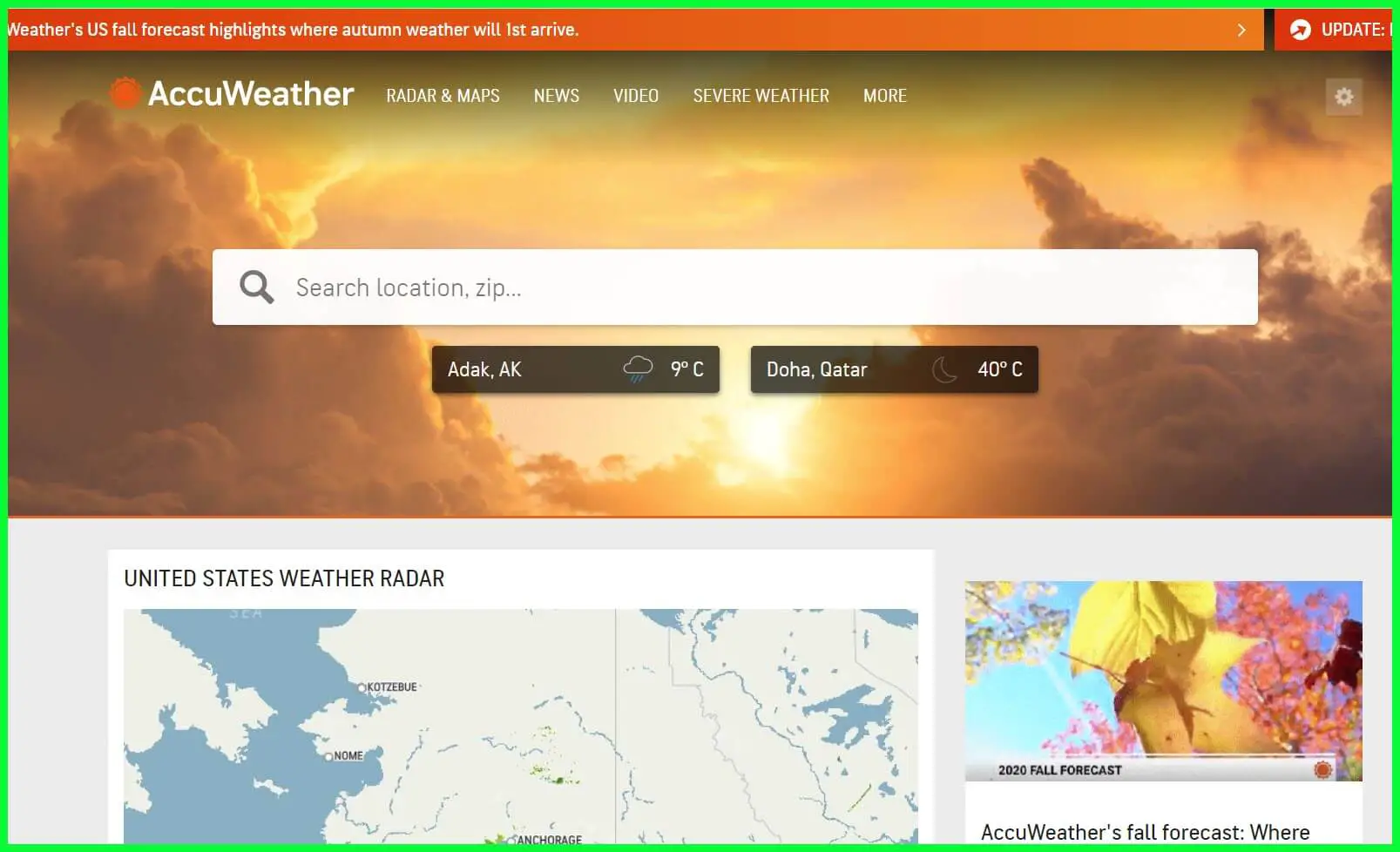
It was founded in 1962, and since then, it has connected thousands of weather stations worldwide.
Moreover, apart from just giving out accurate weather data, they also tend to provide unparalleled business, media, and advertising opportunities for more than 1.5 billion people worldwide.
This weather website is not just known for its weather info; they tend to use it to help tailor business practices, partners, and advertisers.
First, information about the weather can greatly benefit businesses dependent on them. It increases safety, reduces liability and losses, minimizes risk, and drives efficiency.
To survive and give the best outcome to billions worldwide, the right partnership is required so that the data is accurate and reaches more people.
It also affects major industries such as Manufacturing, Retail, Healthcare, Energy, etc. Accuweather has its TV network, Displays content anywhere, Audio, Publishing, and an app on your smartphone.
Since billions of people connect with the website to provide accurate information every time, your brand can advertise with this company and reach out to billions of people to promote.
AccuWeather can build custom 360 solutions to reach audiences across all platforms and devices.
You will find over 170 forecast models collected from around the world. All the data has been stored in the crowd, giving you real-time weather forecasts.
Furthermore, they seem to cover over 200+ languages on their site, so there are no issues with people connecting to the site from across the globe.
Features:-
- Over 100 expert meteorologists plus designers, writers, developers, etc
- Best collection of real-time data
- 170+ forecast models
- 12+ TB of weather data
- Forecast for 3.5 million locations
- Weather data perfect for business
Download this best weather app on the Google Play Store and Apple App Store
2. National Weather Service
We had to mention the country’s National Weather Service, which has been here forever. It is free of cost and gives out weather news from the whole of America.
Since it is centric on the country itself, the information is precise and perfectly accurate. If you have doubts about the data given by other sites, you can check this particular site and confirm yourself.
Although the website’s UI is pretty basic, all the features it provides are correctly put up so you can access them as needed. To check out the weather in your area, click the small search box and type in your “City, St” or ZIP code.
The home page has a map that is always very helpful, where you can click on it and get information accordingly. Real-time observations, Graphical forecasts, Satellite images, Radars, Daily Climate, and more exist.
The National Weather Service covers multiple departments under them that give out detailed information on the current climate in every part of the country, River Observation Maps, Reviews based on months, and a lot more.
If you want to check out your city’s current Air Quality Index, you can click on the option to learn more about the current air quality, such as Smoke layers, Ozone, Dust, and more.
Such sites do not just give out the temperature or the weather conditions; they have everything you would want to know if you wish to dig deep.
By now, you must have understood that this is government-provided data, and all the information is accurate.
Features:-
- Provides Active Alerts
- Free of cost
- Animations and Radar Info on Wind Velocity & Rainfall
- Warning and Alerts on severe weather conditions
- Proper laydown of the maps and Satellite images
3. The Weather Channel
The Weather Channel, as the name itself speaks about, gives the most detailed and insightful information about the weather worldwide.
It is a part of the IBM company, and the IBM cloud has backed all the data.
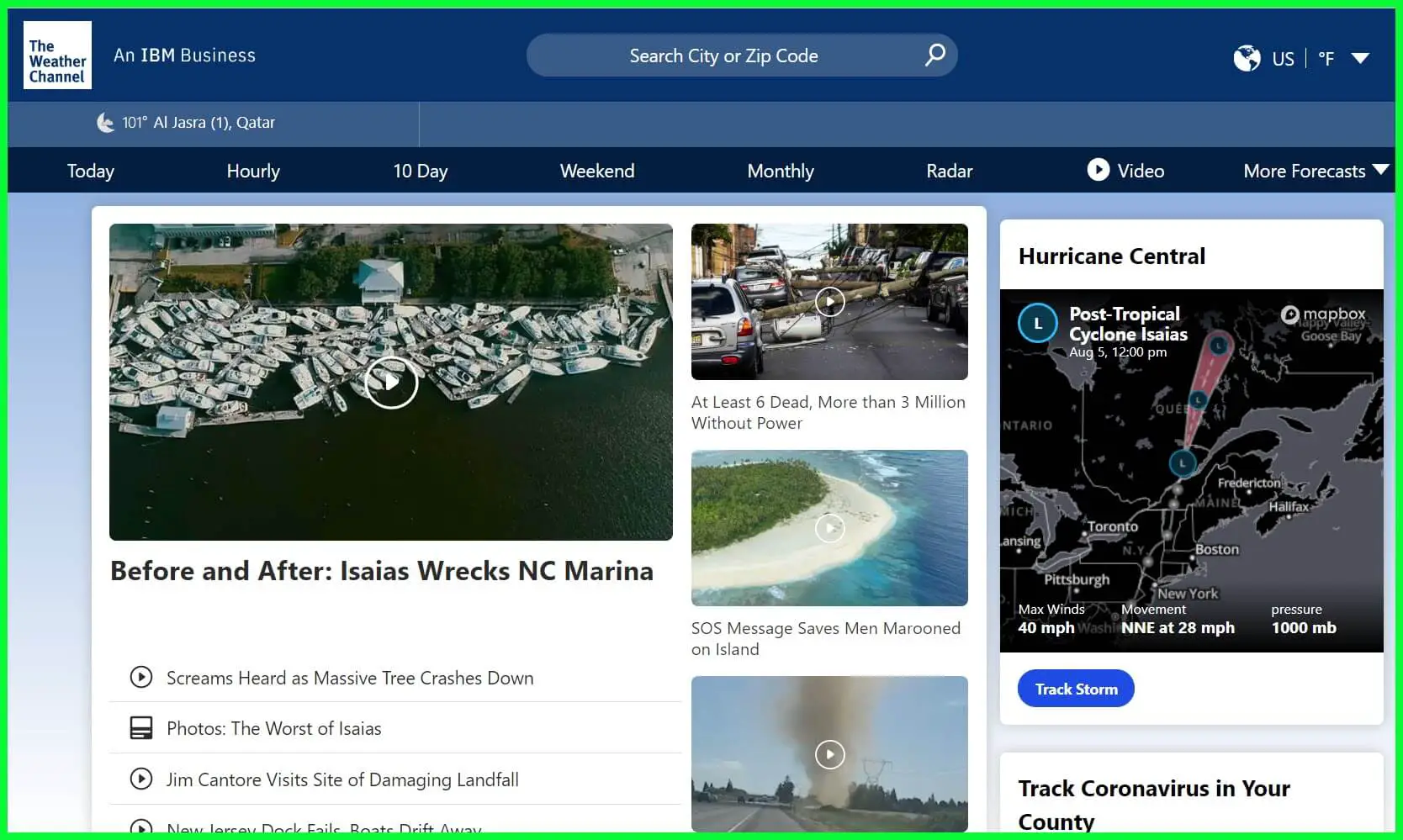
For starters, we loved the UI and the entire structure of the website. All the info is present right on the home page, including the weather as well as the news section as well.
The website automatically captures your current location if it is on your smartphone or your desktop. Your current weather or temperature will be displayed in the top-left corner below the website’s name.
It allows you to search for your city or region using the city or the Zip Code in the search section above. The menu options contain weather data based on hourly, Today, ten days, Weekend, Monthly, and much more.
You can also check out the Radar, where all the information about the Storms, Snowfall, and other relevant information is listed.
The geographical weather Map is handy and easy to use, as well. Simply use Zoom and Out and select your area to know more.
You can also choose to hold and drag the cursor by moving the map on the screen.
The best part is the moving and past weather forecasts, where you click the play button and watch the map change weather in real-time.
In the More Forecast option, you can check out the weather you had yesterday to compare the weather today. Also, the forecast helps in multiple activities such as Farming, Fishing, Ski, Boating, etc.
You can click on these and learn whether performing these activities is safe based on the weather.
Other than that, if you have certain medical conditions, you can click on Allergy Tracker and Cold & Flu to check out the weather based on it.
Features:-
- Live Weather forecast
- Hourly, weekend, monthly, etc., based on weather info
- The latest news and more on your country’s weather
- Covers every country across the Globe
- Search by City by Zip Code
4. Weather Underground
Weather Underground is yet superb and one of the best weather websites available.
You may have encountered other sites that give you weather forecasts, but not all have accurate data.
Some of the weather websites are made for this purpose and thus collect data from thousands of weather stations around the globe and provide information to the viewers.
This website has a proper lookout for all the info on their site and an app that anyone can download from the Official Play Store to check the weather.
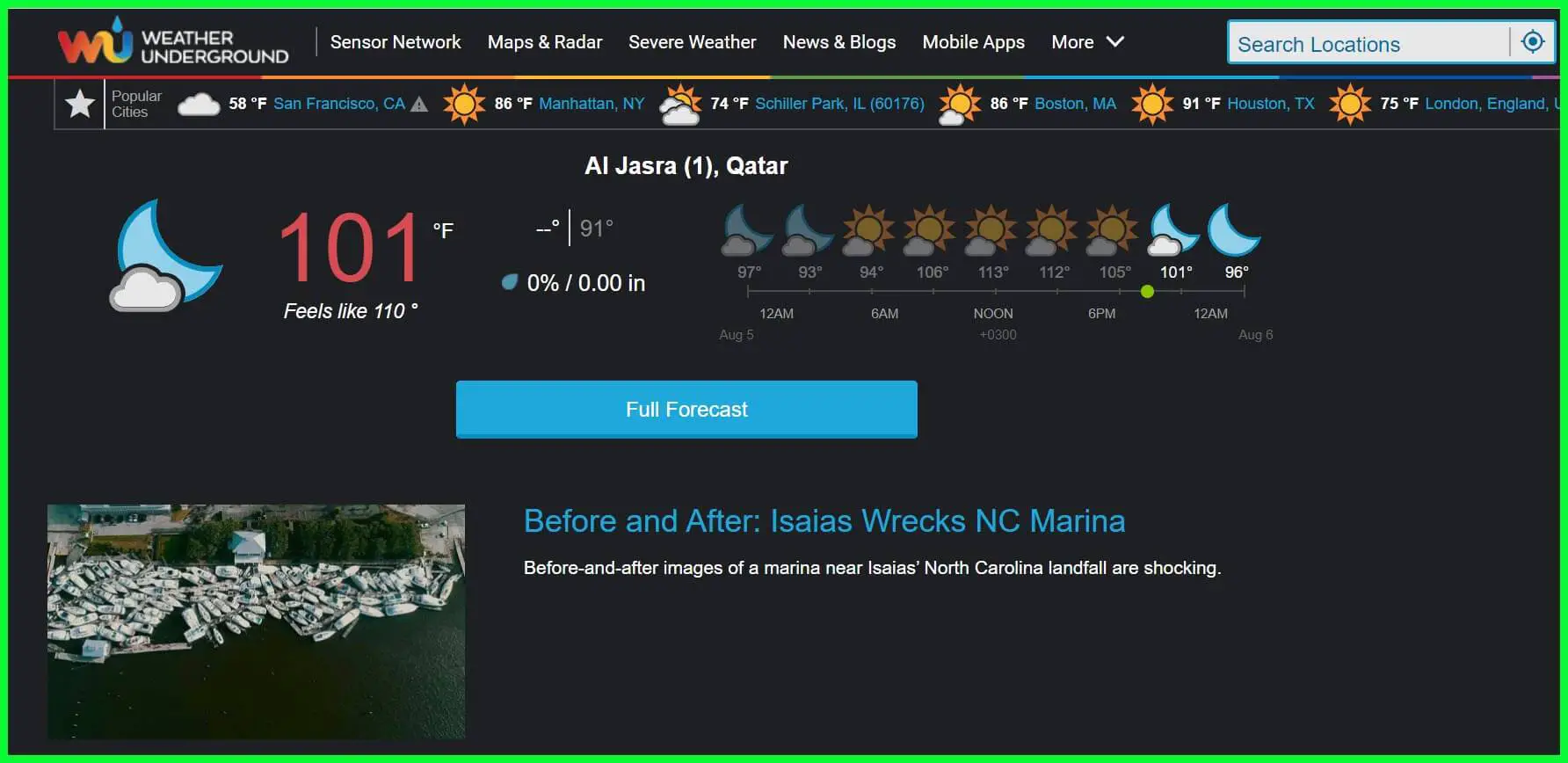
On the home page, you will find the weather forecast for the most popular cities mentioned. Your location lets you view the condition and a full report that includes everything.
Simply click on Full Forecast, which will lead you to the page where detailed information on the weather condition has been mentioned. You can check the temperature for Today, Tomorrow, and Later that day.
Other data that you can get are the Air Quality measure, Pollen, precipitation, and UV Index. Click on anyone to get even more info on whether it will be good to go for a walk or a weekend out, depending on the situation.
It even includes a small section once you scroll about the astronomical phenomenon. If you wish to know about the moon’s shape and when the sunrise or the sunset will occur.
On the home page, you have all the latest news articles based on the weather conditions in different parts of the world.
However, the only aspect we did not like was the number of ads on the site. That covers up a lot and can sometimes be a little annoying.
Features:-
- It Covers Worldwide Weather reports
- Mobile App available
- News and Blogs
- Geographical Map with real-time data
- Interactive Radars and Satellite
5. Weather Bug
Weather Bug is another popular weather website that is known for its app and how amazing it operates.
People worldwide have been using their smartphone apps and have many visitors to the website, making it among the very best websites we have listed here.
You can see your current weather on the home page with a big display on the left. It makes it pretty catchy and says a lot behind the mind.
Well, just below the weather forecast, you can even check out more weather info about your cities, such as Windchill, rainfall, precipitation, Sunrise, Sunset, etc.
You have the option where you can keep in check the Air Quality Index, which can be seen by clicking on the Map option just above it.
If you have pollen allergies, this site could do wonders for you. It has a feature where you can check the pollen content in the air and make plans based on it.
As the feature mentions, you can embrace multiple options with the Map section. It has Storm Tracker, Radar, Air Quality, Alerts, Emergency, and tens more listed in it, which can help you be more aware than just about the weather.
You can zoom in and out on the Map, drag it to your city, etc. It has the Animate Play button, supported by only a few options from the list.
This allows you to check the entire daily weather forecast based on the predicted data with the help of visual analysis.
Everything goes in motion, such as Air Quality. It can show you the quality of the Air throughout the day.
Features:-
- Live Radar Section with the latest updates
- Detailed Weather Report
- News Section
- More Forecast section based on Allergy, Ski, Boating, etc
- App available for every platform
6. Weather Spark
Weather Spark is the easiest and yet the most dynamic website that we have ever come across. We said that is the easiest because you can quickly check any country or region’s weather.
All the data has been put in real-time and is updated accurately as per what will be needed.
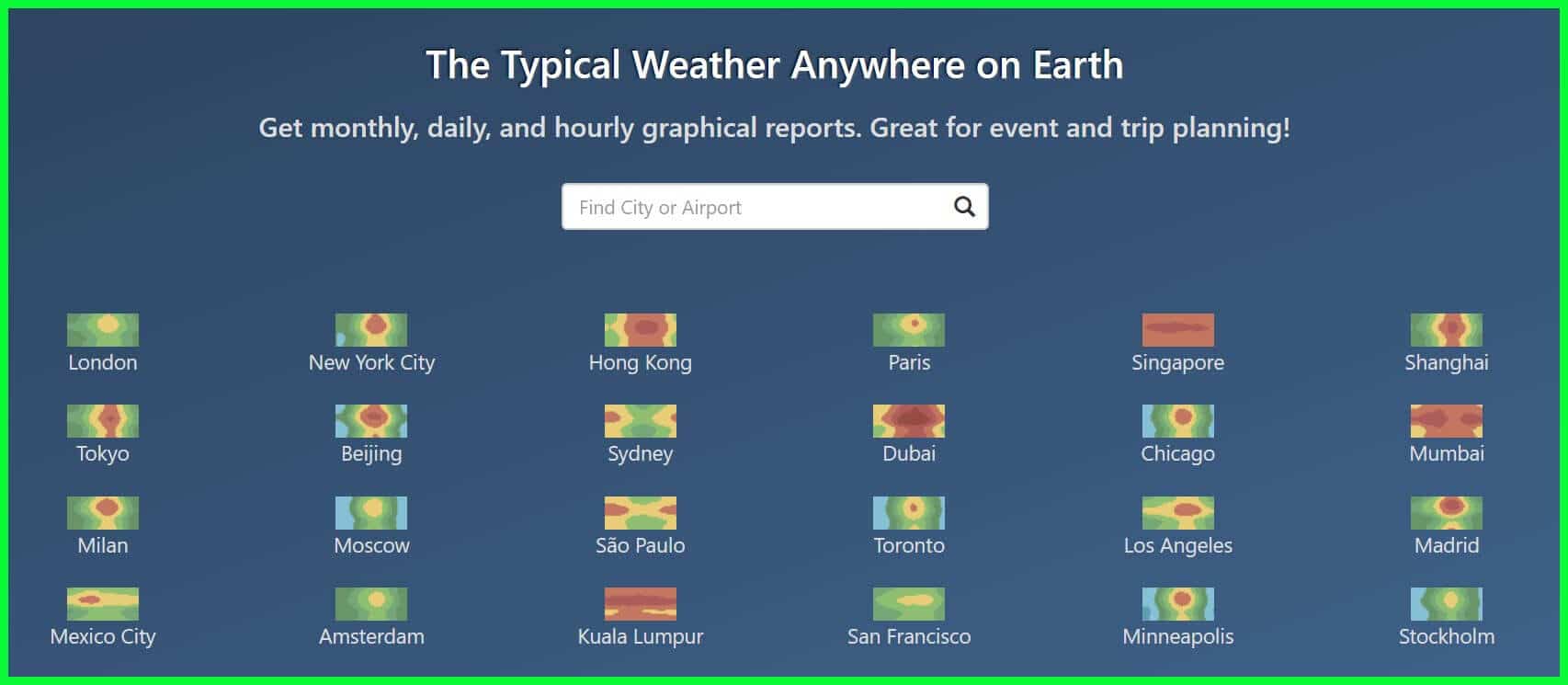
On the home page, you must pick out the country or region across the globe. And the next page will provide you with every bit of info you need about the selected area.
This website only focuses on the weather forecast and everything related to it. Other than that, there aren’t any unnecessary aspects that you would come across, such as News, blogs, etc., only make the site more substantial and complicated to navigate.
Here you will find everything is cleaned up, and you can check out the weather in your area. In general, the topics it shows are Temperature, Clouds, Precipitation, Rainfall, Humidity, Wind, and a lot more, which you cannot or should not miss.
Since it covers every part of the world, you can access the site in multiple languages such as German, Italian, French, Spanish, etc. If you are unsure of the weather stations and that info has been collected, head to the Maps section.
All the places and stations are marked here so you can be aware of them. One of the unique features we saw on the website is that you can select any other country and compare its weather conditions.
Furthermore, the history section has a small part where the website shows multiple locations, their weather for decades, and how it has changed. Well, there is no harm in knowing more about history.
Below are some of the features of The Weather Spark that earned it a spot in our list of Best Weather Websites.
Features:-
- Available in multiple languages
- Get monthly, daily, and hourly graphical reports
- Great for event and trip planning
- Interactive Map and Satellite
- Global coverage
At the time of our research on the best weather websites For Accurate Weather Info, we found a video about “Hurricane, Tornado, Cyclone – What’s the Difference?” which is worth watching. 🤩🤩😍

7. Windy
Windy is undoubtedly one of the most unique and has the best UI we have come across among any weather websites. It genuinely gives live and real-time forecasts of the current weather.
Not only of the region you live in but also of the country. You can see the wind flowing on the map and everything moving to make it look stunning. It is very mobile-friendly, and having it on a desktop is pretty easy too.
You can download the app on your smartphone and get a lot of features. But if you do not want to fill your phone with apps, the website is beneficial and works similarly to any other app.
On her home page, as soon as you click on the play button, the site automatically gives you a moving image of the weather conditions of a week in real time. All the data is provided based on the weather station reports they have tied up with and are accurate.
Once you click on the menu bar, you can tour many options. We have Wind, thunder, Rain, Clouds, Satellites, Air Quality, etc. It can also choose the premium version to access all its features.
All the animation shown on the website is unique and has its perks. Get hold of the site and log in to the platform if you have been registered to it.
You might be thinking of going out for any activity that can be challenging if you do not know about the weather just in time. Hence, you can keep everything just on track as you need.
It gives you Air Quality, sports, Tide forecast, etc. data so you can carry them with your activities such as any sport, boating, skiing, and much more.
Lastly, you have the option where you can add any region as your favorite on the map so that you can head over to it anytime you want.
Below are some of the features of The Windy that earned it a spot in our list of most accurate weather websites.
Features:-
- Hurricane Tracker
- App available for your Smartphones
- Create a video or animated GIF
- Upload KML, GPX or geoJSON file
- Weather News
8. Ventusky – Best weather website in Europe
Ventusky is a weather forecast website like Windy, with an interactive and live map on its home page.
The map’s current lines have been visualized to depict the air and liquid particles over the region.
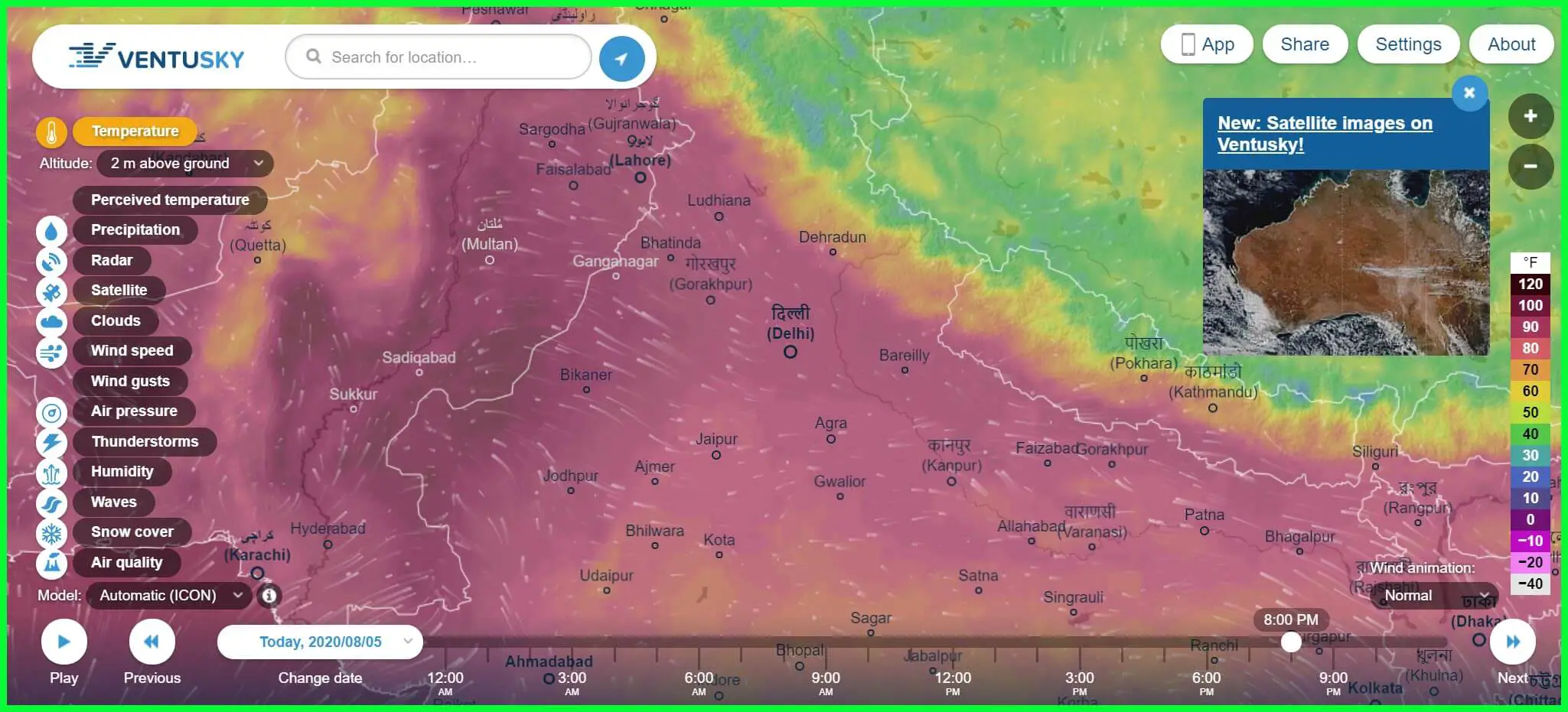
We love the website, and it looks stunning. Everything you want to know is on the site and accessible to everyone. It is free of cost, and anyone can access all the info.
The main source of weather data provided on the site is from DWD and NOAA. Since it has weather forecasts from around the world, radar and other data have been gathered from around the world and their weather stations for accurate information.
There are abundant animated arcs; you can easily check out the difference in the direction of movement and height of both wind waves and swells.
The color combination has been chosen to depict the weather as humans perceive it, such as blue to depict cool weather, etc.
You can even download the Ventusky app on your smartphone or use the user-friendly website, which works pretty much the same. Simply put a bookmark on it and access it anytime you want.
There is no need to get an app separately if you do not use it often. For business purposes, it might be very useful since you would need to check it very often.
Below are some of the features of The Ventusky that earned it a spot in our list of Best Weather Websites.
Features:-
- Live Map in the background
- App available to download on Android and iOS
- Search for location
- Interactive Radar and Satellite
- Share live screenshots and data
9. Dark Sky
Dark Sky is a weather site that’s easy to navigate and delivers detailed, accurate data, allowing you to skim the surface or dive deep depending on the forecast level you’re after.
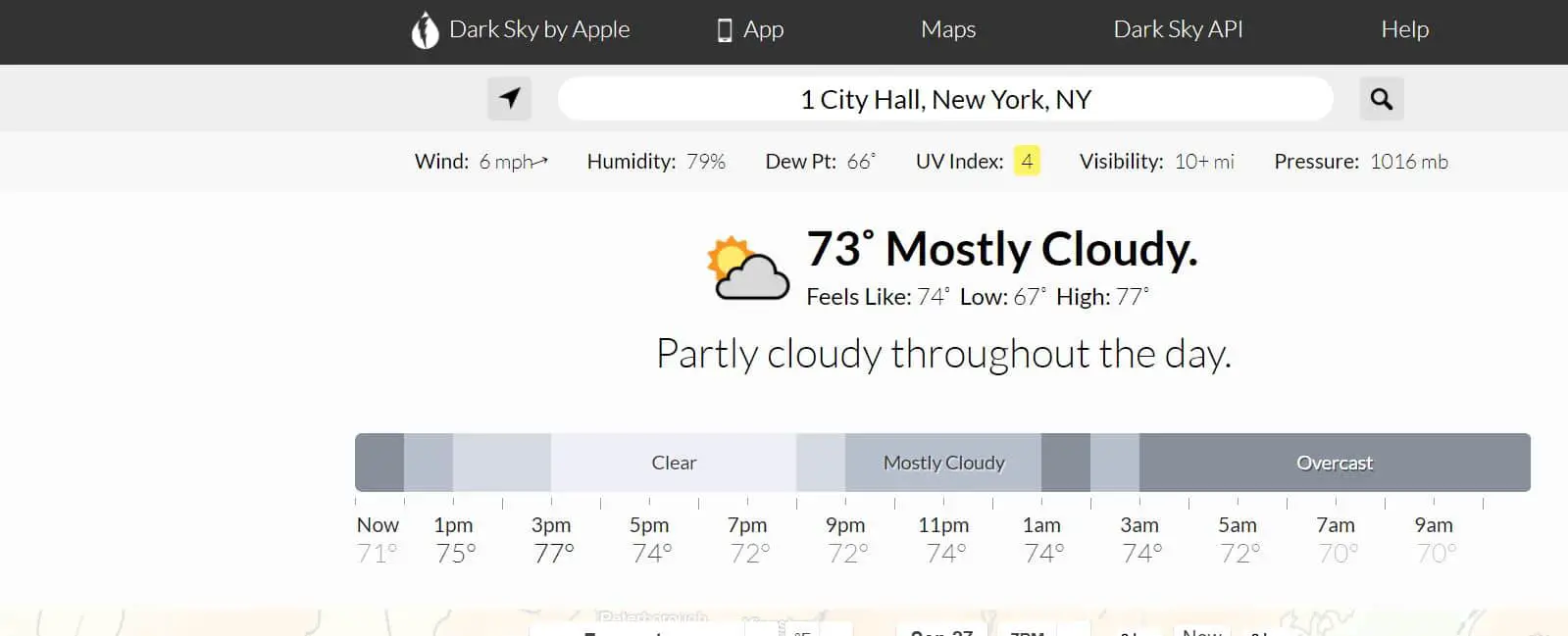
As well as a brief overview, range of stats, and a clear breakdown of the day’s weather, the site offers brilliant 2D and 3D maps that let you select a time and date and view visual precipitation forecasts, the UV index, wind speeds, cloud cover, feels-like temperature and more.
Clicking a day presents the mass of data plotted onto timeline graphs, and there’s a wonderful Time Machine feature that shows you the weather conditions in both the past and the future.
Dark Sky also offers excellent apps for Android and iOS and even works on smartwatches.
📗FAQ
What is the most accurate weather website?
The most highly regarded weather websites for accuracy include the National Oceanic and Atmospheric Administration (NOAA), AccuWeather, and Weather Underground.
What is the Weather Underground website?
Weather Underground is a popular weather website and app that provides current weather conditions, hourly and daily forecasts, and severe weather alerts for locations worldwide.
It also offers a variety of features, such as radar and satellite maps, weather history data, and user-contributed weather photos and reports.
What is the difference between NOAA and NWS?
NOAA (National Oceanic and Atmospheric Administration) is a federal agency within the United States Department of Commerce responsible for providing accurate weather and climate information and protecting marine resources and coastal areas.
NWS (National Weather Service) is a branch of NOAA specifically focused on providing public weather forecasts, warnings, and information.
What is the best website for weather history data?
Several websites provide historical weather data, including Weather Underground, AccuWeather, and the National Centers for Environmental Information (NCEI).
The best website for weather history data will depend on your specific needs and preferences, such as the type of data you are looking for and the level of detail required.
What weather app is 100% accurate?
No weather app or website can claim to be 100% accurate, as weather forecasting is an inherently complex and unpredictable science.
However, some apps and websites are more reliable than others, and the most highly rated and trusted ones include AccuWeather, Weather Underground, and the NOAA Weather App.
What weather website is better than weather.com?
Weather websites are considered more reliable and accurate than Weather.com, including AccuWeather, Weather Underground, and NOAA’s National Weather Service website. These websites offer a range of features, including detailed forecasts, historical data, and customizable alerts.
What are alternative sites to weather.com?
Some alternative weather websites to Weather.com include AccuWeather, Weather Underground, The Weather Channel, and NOAA’s National Weather Service website.
Each of these sites provides accurate and up-to-date weather information for locations around the world.
What happened with Weather Underground?
In 2012, Weather Underground was acquired by The Weather Channel, which then sold the website to IBM in 2015. Under IBM’s ownership, Weather Underground continued to operate as a popular weather website and app.
Still, in 2018 IBM announced that it would be discontinuing the website’s API services, which caused some controversy among developers and users.
Is Weather Underground any good?
Weather Underground has a strong reputation for providing accurate and reliable weather information, and it is often cited as one of the top weather websites and apps.
However, like all-weather services, its accuracy can vary depending on several factors, such as the forecasted location and specific weather conditions.
Does NOAA still exist?
NOAA (National Oceanic and Atmospheric Administration) is still a federal agency within the United States Department of Commerce.
It is responsible for a wide range of tasks related to weather, climate, and ocean research, as well as protecting marine resources and coastal areas.
Is NOAA the most accurate?
Thanks to its extensive network of satellites, radar systems, and other data collection tools, NOAA is widely regarded as one of the most accurate sources of weather information.
However, weather forecasting is a constantly evolving field, and other organizations such as AccuWeather and Weather Underground are also highly regarded for their accuracy and reliability.
Is NOAA more accurate than the Farmers Almanac?
NOAA and the Farmers Almanac use different weather prediction methods, so their accuracy cannot be directly compared.
NOAA uses advanced computer models and data analysis to forecast weather, while the Farmers Almanac relies on historical patterns and astronomical observations. Some people prefer the Farmers Almanac for its long-term predictions, while others rely on NOAA for its up-to-the-minute forecasts.
What are 2 good websites for weather information?
There are many good websites for weather information, but two highly regarded ones are AccuWeather and Weather Underground.
Both websites offer various features, including current weather conditions, hourly and daily forecasts, radar and satellite maps, and severe weather alerts.
What is the most highly rated weather app?
The most highly rated weather app varies depending on the source and user preferences, but some popular ones include AccuWeather, Weather Underground, The Weather Channel, and Dark Sky. These apps offer a range of features, including customizable alerts, detailed forecasts, and interactive maps.
How accurate are weather websites?
The accuracy of weather websites can vary depending on several factors, such as the quality of their data sources, the sophistication of their forecasting models, and the effectiveness of their quality control procedures.
However, the most highly regarded weather websites, such as AccuWeather, Weather Underground, and NOAA’s National Weather Service website, are generally considered very accurate.
What weather app do meteorologists use?
Meteorologists typically use specialized software and computer models to analyze weather data and make forecasts rather than relying on consumer weather apps.
However, some of the most highly-rated consumer weather apps, such as AccuWeather, Weather Underground, and The Weather Channel, offer features similar to those used by meteorologists.
Who has the most reliable weather app?
No one weather app is universally considered to be the most reliable, as different apps can have varying degrees of accuracy depending on several factors.
However, some highly rated weather apps known for their accuracy and reliability include AccuWeather, Weather Underground, and The Weather Channel.
Is AccuWeather more accurate than Weather.com?
AccuWeather and Weather.com are highly regarded weather websites, and their accuracy can depend on several factors.
However, in some comparisons, AccuWeather is more accurate than Weather.com, particularly for severe weather events and long-term forecasts.
Where is the best weather in the US?
The United States has a wide range of weather conditions depending on the location and time of year, so it is difficult to identify a single location as having the “best” weather.
However, areas typically known for having mild and pleasant weather year-round include Southern California, Hawaii, and parts of Florida.
What website is similar to AccuWeather?
Some weather websites similar to AccuWeather regarding features and accuracy include Weather Underground, The Weather Channel, and NOAA’s National Weather Service website. Each of these sites provides detailed weather information and customizable alerts for locations around the world.
What are alternatives to Yahoo Weather?
Some alternatives to Yahoo Weather include AccuWeather, Weather Underground, The Weather Channel, and NOAA’s National Weather Service website.
These websites offer a range of features and customization options for users looking for accurate and reliable weather information.
Is there a free weather widget for your website?
Yes, there are many free weather widgets available for use on websites. Some popular ones include Weather Underground’s Weather Sticker, AccuWeather’s Weather Widget, and The Weather Channel’s Weather Widget. These widgets can provide real-time weather information for a specific location on a website.
Who bought Weather Underground?
Weather Underground was acquired by The Weather Channel in 2012, and then sold to IBM in 2015. Under IBM’s ownership, Weather Underground continued to operate as a popular weather website and app.
Still, in 2018 IBM announced that it would be discontinuing the website’s API services, which caused some controversy among developers and users.
What is the Weather Underground 48198?
48198 is a zip code located in Michigan, USA. Weather Underground provides weather information for this location, including current conditions, hourly and daily forecasts, and severe weather alerts.
Why did IBM buy Weather Underground?
IBM purchased Weather Underground as part of its effort to expand its cloud-based services, which include analytics and data visualization tools. Weather Underground’s data and technology were seen as valuable assets that could be used to enhance IBM’s offerings in these areas.
What is the best alternative to Weather Underground?
Some of the best alternatives to Weather Underground include AccuWeather, The Weather Channel, and NOAA’s National Weather Service website.
Each website offers a range of features and customization options for users looking for accurate and reliable weather information.
Is Weatherbug accurate?
Weatherbug is a popular weather app and website that provides current conditions, hourly and daily forecasts, and severe weather alerts for locations worldwide.
While its accuracy can vary depending on several factors, including its data sources and forecasting models, Weatherbug is generally considered to be a reliable source of weather information.
What does NMFS stand for?
NMFS stands for the National Marine Fisheries Service, a federal agency within NOAA responsible for managing the nation’s fisheries and protecting marine resources.
While NMFS is not directly involved in weather forecasting, its work is closely related to NOAA’s mission of protecting the environment and promoting sustainable practices.
Is NOAA 15 still active?
NOAA 15 is a polar-orbiting weather satellite launched in 1998 and is still in operation as of 2023. It is part of NOAA’s Polar Operational Environmental Satellite (POES) program, which provides critical weather data for meteorologists and researchers worldwide.
What happened to NOAA 19?
NOAA 19 is a polar-orbiting weather satellite launched in 2009 and is still in operation as of 2023. It is part of NOAA’s Polar Operational Environmental Satellite (POES) program, which provides critical weather data for meteorologists and researchers worldwide.
Is NOAA accurate?
Thanks to its extensive network of satellites, radar systems, and other data collection tools, NOAA is widely regarded as one of the most accurate sources of weather information.
However, weather forecasting is a constantly evolving field, and the accuracy of NOAA’s forecasts can vary depending on several factors.
What is the most accurate weather model?
Several weather models are used to make weather forecasts, including the Global Forecast System (GFS), the European Center for Medium-Range Weather Forecasts (ECMWF), and the North American Mesoscale (NAM) model.
While the accuracy of each model can vary depending on the specific forecast and location, the ECMWF model is often considered one of the most accurate.
Where does AccuWeather get its data?
AccuWeather gets its weather data from various sources, including NOAA, satellite and radar systems, and its proprietary forecasting models.
The company also employs a team of meteorologists and data analysts to interpret and analyze weather data in real-time.
What is the most respected and used Almanac in America?
The Old Farmer’s Almanac is one of America’s most respected and widely used almanacs. It has been published annually since 1792 and provides weather forecasts, astronomical data, and a wide range of practical information and advice for farmers, gardeners, and outdoor enthusiasts.
How unreliable is the Farmers Almanac?
The Farmers Almanac relies on historical patterns and astronomical observations to make long-term weather predictions, which can be less reliable than short-term forecasts made by modern weather services such as NOAA and AccuWeather.
However, the Farmers Almanac has a long history of providing useful information and advice for farmers and gardeners, and many people still find it valuable.
Why is there a hole in the Farmers Almanac?
The hole in the Farmers Almanac is a small cut-out in the upper left corner of the publication. The hole’s purpose is to make it easy to hang the Almanac on a nail or hook for easy reference throughout the year.
What are three sources for accurate weather data?
Three sources for accurate weather data include NOAA, AccuWeather, and Weather Underground. Each of these sources provides up-to-date weather information and forecasts for locations worldwide.
Is Apple weather accurate?
Apple Weather is powered by data from The Weather Channel, which is generally considered a reliable source of weather information.
However, the accuracy of Apple Weather, like all weather apps, can depend on several factors, such as the location being forecasted and the specific weather conditions at that time.
How do weather websites make money?
Weather websites can make money through various methods, including advertising, sponsorships, and premium services.
Some websites offer premium subscriptions that provide access to advanced features or ad-free experiences, while others may sell data or analytics services to businesses or government organizations.
What weather app shows everything?
Many weather apps offer a range of features, including current conditions, hourly and daily forecasts, radar and satellite maps, and severe weather alerts.
Some highly rated apps that provide a comprehensive range of weather information include AccuWeather, Weather Underground, and The Weather Channel.
What’s the best free weather app with no ads?
Some popular weather apps that offer a free, ad-free experience include NOAA Weather Radar, Weather Underground, and MyRadar. Each app provides detailed weather information and forecasts without distracting ads.
What is the best and most accurate weather website?
The best and most accurate weather website can depend on several factors, such as the forecasted location and the specific weather conditions.
However, some of the most highly regarded weather websites for accuracy and reliability include AccuWeather, Weather Underground, and NOAA’s National Weather Service website.
How accurate is AccuWeather data?
AccuWeather is widely regarded as a reliable source of weather information, thanks to its use of advanced forecasting models and its team of expert meteorologists and data analysts.
However, the accuracy of AccuWeather’s data can vary depending on several factors, such as the location being forecasted and the specific weather conditions at that time.
Why is AccuWeather more accurate?
AccuWeather is known for its accuracy and reliability thanks to its advanced forecasting models and a team of expert meteorologists and data analysts.
The company’s models incorporate a wide range of data sources, including NOAA and other weather agencies and satellite and radar systems, to provide the most accurate and up-to-date weather information possible.
Why is AccuWeather sometimes inaccurate?
AccuWeather or any similar website can sometimes be wrong or inaccurate for multiple reasons. The data shown on the website or the app is recorded before the actual weather outside.
For example, the weather data shown might be at 9 PM, but currently, it is 10 PM making the data old. Furthermore, another reason could be that you are far away from where the data is recorded and sent to your phone.
Is AccuWeather free?
AccuWeather is available for free on the app store for all users. It is among the best weather websites with accurate weather reports. However, you can also get the ad-free version at a nominal price as an AccuWeather Platinum subscription.
Why are all my weather apps different?
This is because all weather forecast platforms use different methods and algorithms to gather data.
While some of the best ones directly collect data from the meteorologist’s stations or even hire professionals for the same. While the other might only rely on computer-based predictions.
What is the most reliable weather app?
The most reliable weather websites or apps that you can try for yourself are The Weather Channel and AccuWeather.
These two have proven to be highly accurate and provide a more detailed analysis of the weather than other platforms available on the web.
What’s the best free weather app with no ads?
Many weather apps on the internet offer a free version and 24-day weather forecasting smoothly. However, you will find frequent ads that are annoying.
Some free apps for such ads are Weawow Weather, Today Weather, etc. You can also use AccuWeather without ads but have to pay for the premium subscription.
Is NOAA weather app free?
NOAA weather app, now known as Clime, is known to be one of the most interactive weather apps there. It brings real-time radar straight to your smartphone. YOu can see real-time changing weather around on anytime you wish to.
What is the most reliable weather forecast website?
No “most dependable” weather forecast website exists, as many sources may be more reliable depending on the region and weather.
However, some websites that are typically regarded as trustworthy providers of weather information include:-
The National Weather Service (NWS):- The National Weather Service (NWS) is the United States government organization that issues weather predictions and alerts.
Weather data, including current conditions, forecasts, radar, and severe weather alerts, can be found confidently on the NWS website (www.weather.gov).
AccuWeather:- This is a for-profit weather website that offers comprehensive forecasts for many regions across the globe.
Radar maps, hourly and daily predictions, and alerts for severe weather are just a few services available on the website (www.accuweather.com).
Weather Underground:- This website offers detailed weather data for several regions across the globe.
Current conditions, predictions, radar, and alerts for severe weather are just a few services available on the website (www.wunderground.com).
The Weather Channel:- This is a commercial weather site that offers in-depth forecasts for various regions all around the world. Radar, forecasts, current conditions, and alerts for severe weather are just a few services available on the website (www.weather.com).
To ensure you receive the most precise and recent weather information, it is always a good idea to check different sources.
Is AccuWeather better than Google weather?
Since different websites may be more dependable for specific regions and weather circumstances, it is challenging to declare with certainty whether one weather website is “better” than another. Google Weather and AccuWeather both offer helpful weather information.
AccuWeather is a commercial weather website that offers detailed weather predictions for locations worldwide.
Several features are available, such as hourly and daily forecasts, radar maps, and alerts for severe weather.
To give weather forecasts for locations worldwide, Google Weather leverages data from several sources, including the National Weather Service (NWS). The feature is accessible via the Google Maps mobile app and the Google Search website.
In general, trustworthy sources of weather data include Google Weather and AccuWeather.
To ensure you receive the most precise and recent weather information, it is always a good idea to check different sources.
What weather app do meteorologists use?
A range of tools and resources are frequently used by meteorologists, who are experts in studying and forecasting the weather in tracking and examining weather patterns. Radar systems, specialist weather software, and other specialized apparatus can be used as these tools.
In addition to these tools for the job, meteorologists can use weather applications on their devices to stay up to date with the conditions.
Meteorologists may utilize some of the following well-known weather apps:-
The National Weather Service (NWS) app:- The NWS, a federal organization that offers weather forecasts and alerts for the United States, is the provider of this free app.
Current conditions, forecasts, radar, and notifications for severe weather are just a few of the services offered by the app.
AccuWeather app:- This is a paid weather app that offers comprehensive forecasts for many global locations.
Several features are available on the app, such as hourly and daily forecasts, radar maps, and notifications for severe weather.
Weather Underground app:- This offers thorough weather details for various areas worldwide. Current conditions, predictions, radar, and notifications for severe weather are features available on the app.
The Weather Channel app:- This is a paid weather app that offers comprehensive forecasts for many global locations. Current conditions, predictions, radar, and notifications for severe weather are features available on the app.
To stay current on the weather and produce precise forecasts, meteorologists may combine a variety of applications, including these and others, with technical equipment and resources.
Which app is more accurate, AccuWeather or the Weather Channel?
It is difficult to determine which weather app is more accurate because the accuracy of weather forecasts can vary depending on various factors, including the location, the weather, and the sources of the data being used.
Both The Weather Channel and AccuWeather are credible websites that provide weather data, and both of their apps frequently offer accurate forecasts.
A commercial weather app called AccuWeather offers detailed weather forecasts for many locations all around the world. The program creates its forecasts using various data sources, such as weather measurements and satellite photography.
A commercial weather app that offers detailed weather forecasts for locations worldwide is The Weather Channel.
The program creates its forecasts using various data sources, such as model data and weather observations.
In general, it’s a good idea to consult several weather data sources, such as AccuWeather and The Weather Channel, to obtain the most precise and recent forecasts.
Keeping in mind that no weather forecast is accurate, it’s a good idea to constantly be ready for the possibility of altering weather conditions.
How reliable is Weatherbug?
WeatherBug is a paid weather website and mobile application that offers forecasts and other weather-related data for areas all around the world.
Current conditions, predictions, radar, and alerts for severe weather are just a few tools available on the website and mobile app.
In general, people trust WeatherBug as a source of accurate weather data. The website and app incorporate data from various sources, including meteorological observations and model data, to create forecasts.
To acquire the most precise and current forecasts, it’s always a good idea to consult several sources of weather information.
It’s crucial to be ready for the possibility of shifting weather conditions because no one weather website or app is perfect.
Why are weather apps so wrong?
For a variety of reasons, weather applications can occasionally be unreliable.
Some possible causes of inaccuracies in weather forecasts include:-
The complexity of weather:- The technique of predicting the motions and interactions of numerous meteorological and environmental elements are known as weather forecasting.
Accurate forecasting of how these variables will interact to produce the weather can be challenging, even with sophisticated computer models and data collection techniques.
Data errors:- The information used to make weather forecasts are gathered from various sources, such as satellite imaging, computer models, and weather observations.
The forecasts’ accuracy may be impacted if this data contains inaccuracies or contradictions.
Changes in weather patterns:- It might be challenging to predict the weather with perfect precision due to the sudden and unexpected changes that can occur in weather patterns.
If the weather changes, a forecast that was correct when it was issued might no longer be.
User location:- The location of the user’s device is used by weather applications to provide local weather forecasts. If the location information is inaccurate, the forecasts might not apply to the user’s location.
It’s crucial to keep in mind that no weather forecast is accurate, so it’s wise always to be ready for the possibility of altering weather conditions.
To acquire the most precise and current forecasts, it’s a good idea to examine a variety of weather-related websites.
Can you trust the Weather Channel?
In general, people trust The Weather Channel for their weather information. The website and app incorporate data from various sources, including meteorological observations and model data, to create forecasts.
To acquire the most precise and current forecasts, it’s always a good idea to consult several sources of weather information.
It’s crucial to be ready for the possibility of shifting weather conditions because no one weather website or app is perfect.
What are the best weather sites available?
Some popular ones include:-
AccuWeather (www.accuweather.com)
The Weather Channel (www.weather.com)
Weather Underground (www.wunderground.com)
National Weather Service (www.weather.gov)
Met Office (www.metoffice.gov.uk)
Final Thoughts
Well, here we are with the list of best weather websites that not only have the capability to give you the most accurate forecast of the weather but also tell you about other weather phenomena as well.
These sites gather data from multiple weather stations worldwide to give users real-time data and keep them updated on the current weather conditions.
You can easily check out today’s, yesterday’s, weekend, and future predictions to make it easier to plan a trip.
Some websites even had a list where you can make necessary business decisions or certain weather-related activities such as ski, farming, fishing, allergy, Cold & Flu, etc.
We also have websites with a live Map in the background that looks stunning and provides you with real-time info about your current region.
You can check the wind, air quality, rainfall, snowfall, and much more info and act accordingly.


