





















The Holy Bible is one of the most important aspects of Christianity, and it is something that we all admire and want to keep with yourselves.
But it’s not always easy to carry a Bible with you. If you are starting reading Bible and want always to carry it, I’ve some cool things for you which can help you get started more efficiently.
I realized that by carrying Bible on your phone, you can always keep it with yourself and also can read it anywhere you want so why not carry Bible on your phone?🧐
To help you with Bible reading and learning, I’ve selected the 13 best Bible study apps which you can make use of.
All these bible study apps will help you with useful tools and resources to understand and gain knowledge of the Bible. So, let’s proceed with the list.
Best Bible Study Apps – Our Top Pick👌👌
1. Spark Bible – Read & Learn
The first app on our list is Spark Bible App. It’s not just about reading the Bible; Strike Bible App helps you to get the most out of reading the holy book.
To give you more clarification about all the verses of the Bible, many Bible teachers on Spark Bible App can help you with awesome video explanations.
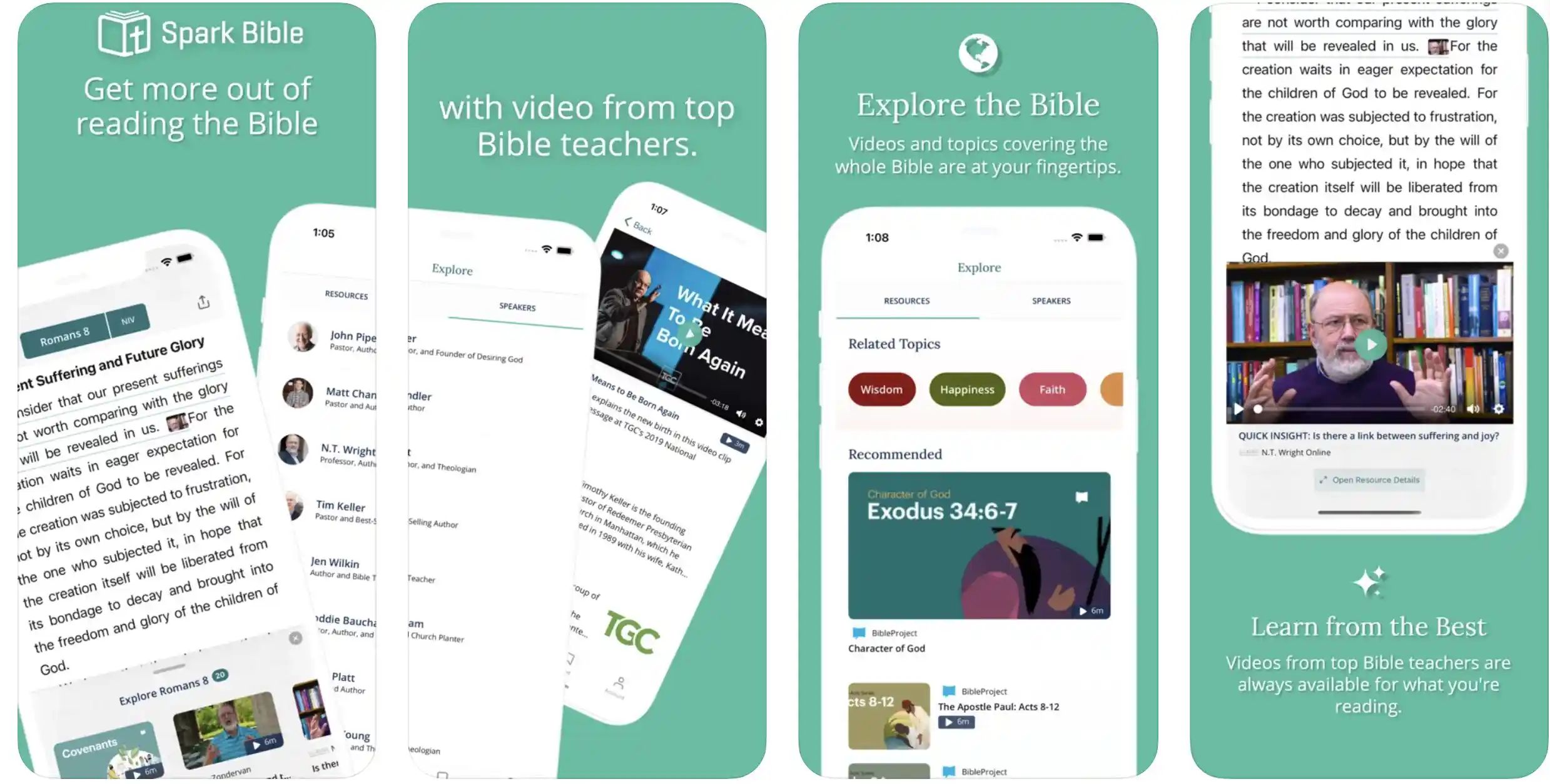
With the help of the Spark Bible App, you can easily explore the whole Bible with meaningful concepts. On Spark Bible App, you can find topics and videos that cover the incidents and verses of the Bible.
You’ll get the best Bible teachers on Spark Bible App; those teachers will help you to learn all the concepts of the Bible efficiently. On this app, you’ll be able to read Bible in your way without hassle.
While reading certain parts of the Bible, you can also select certain parts which is not understandable to you, and you can also send those to the Bible teachers for better references.
Save any Bible passages and verses which are close to your heart and which are the most motivational to you with the help of the Spark Bible App.

There are other Bible reading tools, like- footnotes, verse highlighter, cross reference, dark mode, etc.
Features:-
- Bible Videos
- Topics and Videos from Experts
- Best Teachers
- Select certain Parts of the Bible
- Make bookmarks
- Share Bible Verses with Friends
- Cross Reference
- Dark mode
Devices:- Android, IOS
Ratings:- 4.7/5 On Play Store, 4.9/5 On App Store
Download the App on Google Play Store
Download the App on Apple App Store
2. YouVersion Bible
YouVersion Bible is a great app for reading and learning Bible. There are so many Bible reading and learning tools on this app that will regularly help you.
On the YouVersion Bible app, you can choose from more than 2000+ Bibles. YouVersion helps you to read all God’s word for you. With the help of the YouVersion Bible app, you’ll be able to compare verses in various versions.
While reading Bible on the YouVersion Bible app, you’ll be able to take notes of some passages, verses, or particular words.
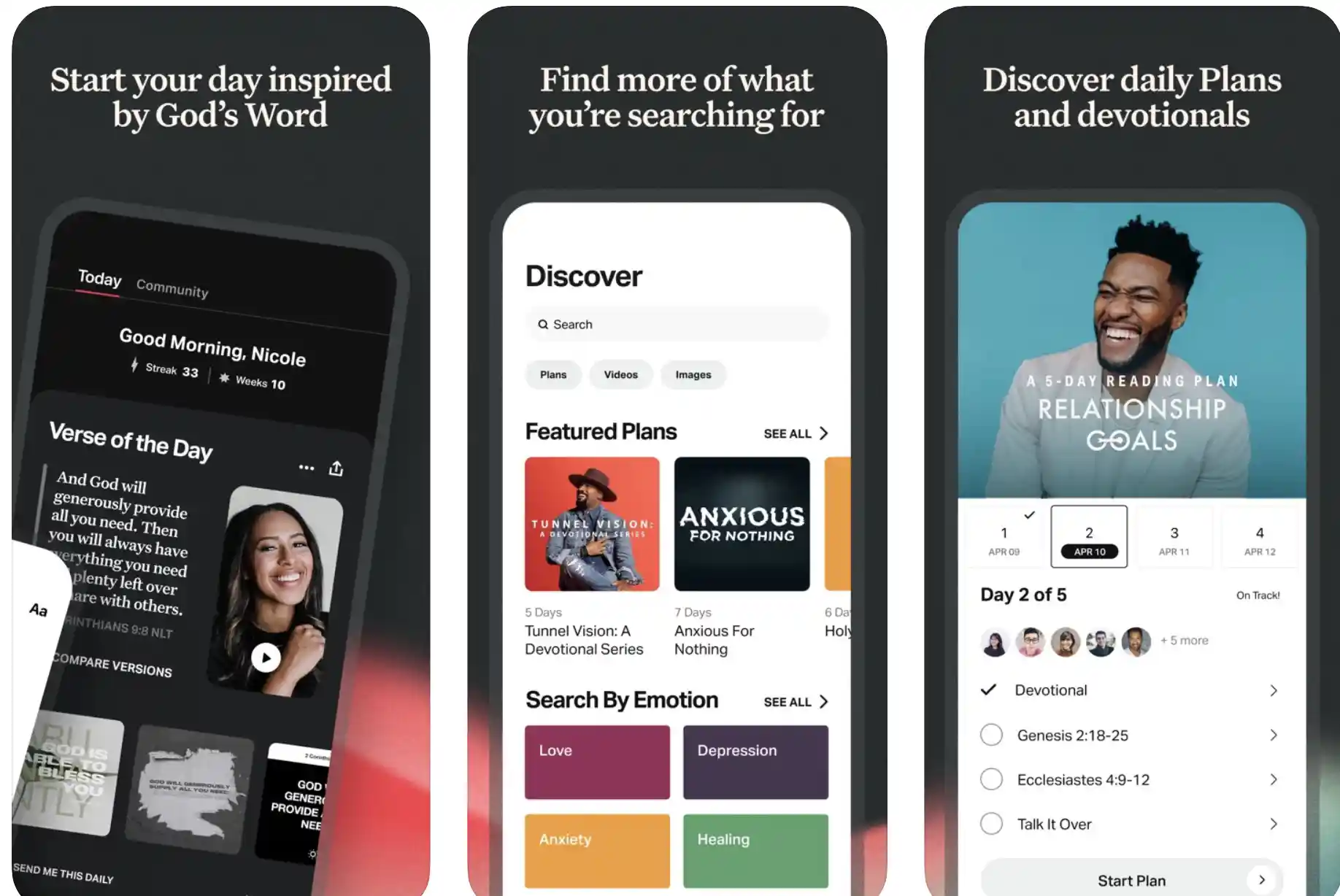
YouVersion Bible also provides you with the support of highlights and bookmarks. You can daily refresh your faith in God by reading and learning Bible from this app.
On this app, you can also create Bible art and inspire others. YouVersion Bible also allows you to share all the verses and passages of the Bible with your friends, which is very beneficial for sharing the knowledge of the Bible.
YouVersion Bible provides you daily Verse to keep you on track with religion and motivate you to keep reading Bible. YouVersion Bible is available in more than 40+ languages, and there are more than 1400+ Bible versions.
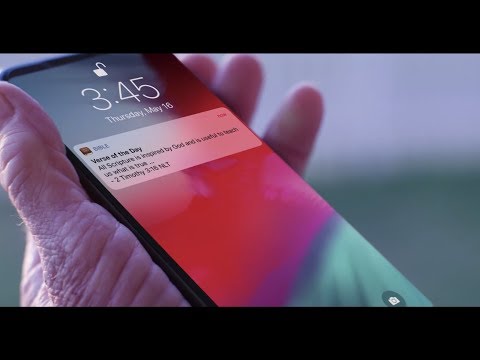
On the YouVersion Bible App, you’ll also get offline Bible and audio Book support. With the help of the YouVersion Bible App, you can also get the audio version of the Bible, which is great.
Features:-
- 2000+ Bible Versions
- Daily Verses
- Get the support of Highlight, Bookmarks, notes
- Create and share Bible Art
- Awesome Reading Experience
- Bible Audios
- Offline Bibles
- Audio Bible
- Verse Images
- 40+ Languages
Devices:- Android, IOS
Ratings:- 4.9/5 On Play Store, 4.8/5 On App Store
Download the App on Google Play Store
Download the App on Apple App Store
3. Blue Letter Bible
Another great app to learn and read Bible Is Blue Letter Bible app. This app is one of the best and most downloaded among all the other apps.
To help you in your religious journey, Blue Letter Bible app helps a lot. On Blue Letter Bible app, you get the support of daily verses, which will help you in your motivation and help you to keep reading the holy book Bible.
Get your daily religious thoughts with the help of the Blue Letter Bible app. With the help of this app, you’ll be able to add highlights with some verses while reading and learning Bible.
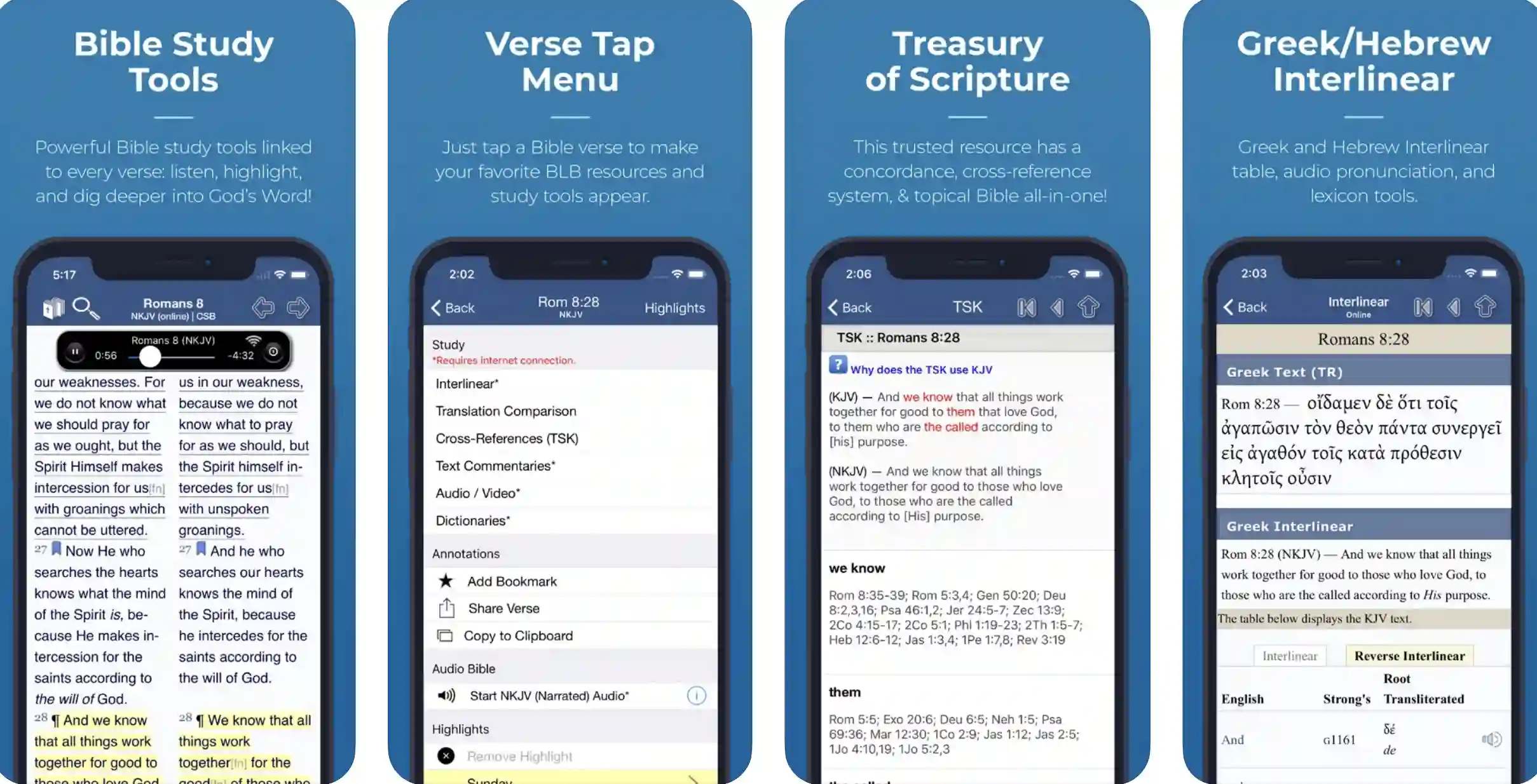
Blue Letter Bible app has got the whole bible, and you can read the full of it and all the verses it contains. There are also some powerful Bible study tools on Blue Letter Bible app, which will help you to read Bible Seamlessly.
With the help of the Blue Letter Bible app, you can also study the Hebrew and Greek Bible in the original language. Blue Letter Bible app also allows you to search any verse by words, which is a great feature.
There are many dictionaries and encyclopedias on the Blue Letter Bible app, which will help you to get understood all the verses and words of the Bible. With the help of the Blue Letter Bible app, you can get trusty scriptures from the Bible.
There are more than 8000+ commentaries and more than 40+ authors on Blue Letter Bible app. With this app, you can get and organize all your favorites in one place for future reference.
Tag your favorite verses, and collect all those verses in a single folder like a book through Blue Letter Bible app. You can also add footnotes with the verses and passages of the Bible and can hide them while reading.
Features:-
- Add notes
- Save Favourites
- Add highlights
- Powerful Bible Tools
- Hebrew & Greek with Original Languages
- Dictionaries & Encyclopaedias
- 8000+ commentaries
- 40+ Authors
- Tag & Collect Favourite Verses
Devices:- Android, IOS
Ratings:- 4.6/5 On Play Store, 4.8/5 On App Store
Download the App on Google Play Store
Download the App on Apple App Store
4. ESV Bible – Best bible study apps for iPhone
To make your Bible learning easy, I’ve found out about this amazing Bible app. On this Bible reading app, you’ll get the support of daily verses, which will tell you more about the knowledge of the Bible.
These daily verses will help you to stay on the path of Religion and will help you to continue reading Bible. On the ESV Bible app, you’ll get the support of all scriptures from old and new testaments.
ESW Bible has also supported audio Bible, which helps millions of people out there in the park to want to hear the words of God. ESW Bible can be accessed in full offline, and it has got easy navigation support as well.
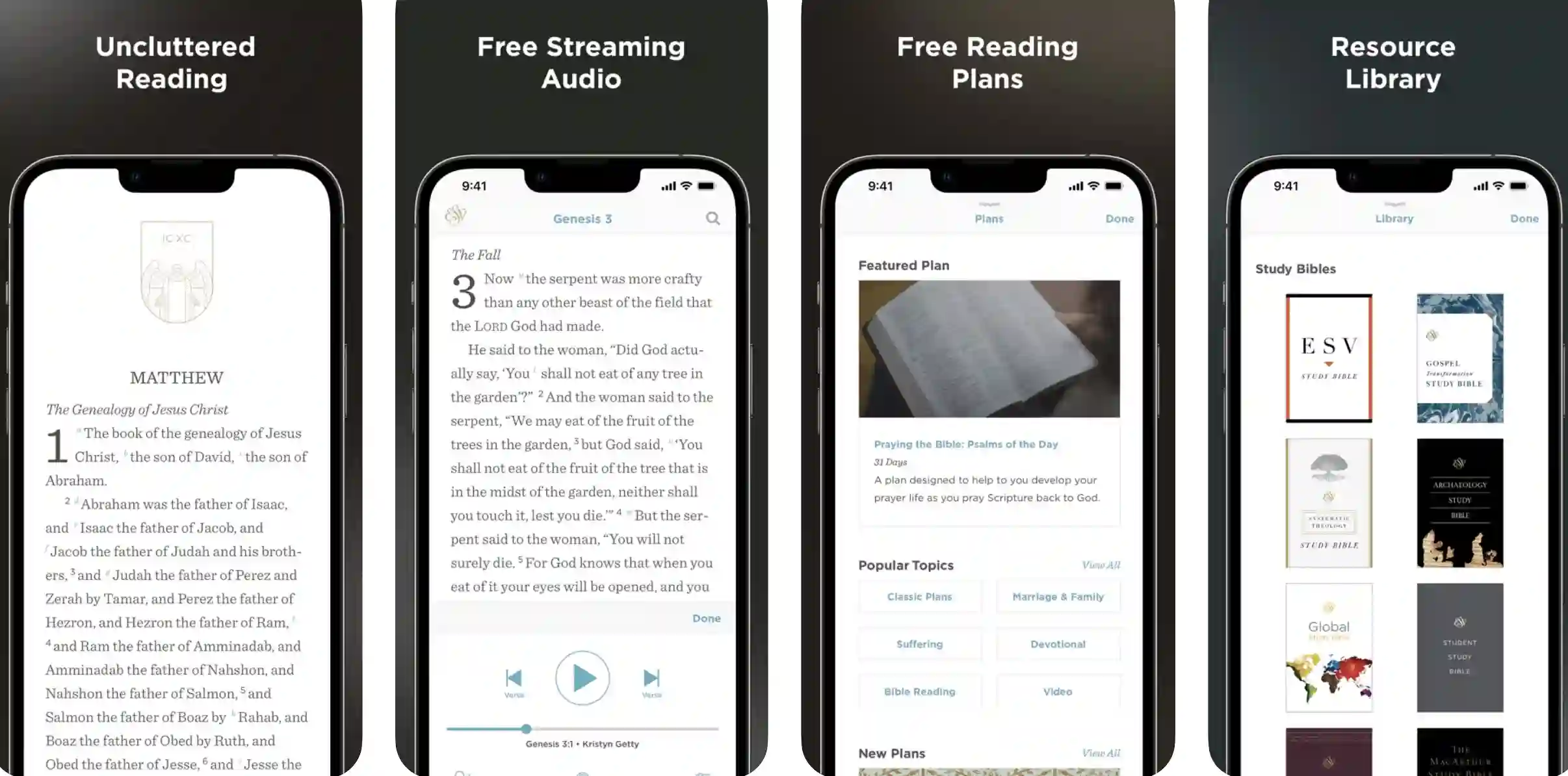
On the ESV Bible app, you’ll be able to read and hear all the chapters of the Holy Bible. There is a separate section on the ESV Bible app for all the popular and most inspirational verses of the Holy Bible.
ESW Bible app is one of the best apps which you can make use of. Through the ESV Bible app, you can also translate all the verses and passages into modern English.
ESW Bible app contains 39 old Testament books and 27 New Testament books for better reference. All the features and tools of the ESV Bible app are built to help you to read Bible daily.
ESW Bible app is free, and you can experience the knowledge of the Bible anywhere through the ESV Bible app.
Features:-
- Daily Verses
- Daily Thoughts
- Old and New Scriptures
- All chapters
- Most Popular Bible Verses
- 39 books of Old Testaments & 27 books of New Testaments
- Free
Devices:– Android, IOS
Ratings:- 3.9/5 On Play Store, 4.1/5 On App Store
Download the App on Google Play Store
Download the App on Apple App Store
5. Bible Study App, by And Bible Open Source Project
Bible Study app is the one app you need to read and learn Bible. There are so many effective and powerful Bible learning and reading features on this app that will help you to read and hear Bible more efficiently.

On Bible Study App, you’ll get over 1000s of Bible versions, and you’ll also get 1600+ translations of the Bible in various languages. On Bible Study App, you’ll get various features, like- adding, highlighting, footnote, etc.
which play an effective role in reading and understanding Bible. With the help of this app, you can also create study pads while reading Bible, which helps to get all the references and meanings.
On Bible Study App, you can create a beautiful study outline and see all the chapters and verses you have completed. There are many commentaries and experts on this bible study app for your benefit.
All those Bible experts and masters will help you to read and get all the important meanings of the great and Holy book Bible. Bible Study app also allows you to see any details of any word or any reference of any verses very easily.
You’ll get 1000s of verse links and various Greek and Hebrew definitions linked with the Bible Study app. Bible Study app also provides you the support of audio Bible, which is very helpful.
Features:-
- 1000s of Bible Versions
- 1600+ Bible Transitions
- Various Languages
- Study Pads
- Many Commentaries
- 1000s of verse links
- Cross-references
- Greek & Hebrew definitions
- Audio Bible
Devices: Android
Ratings: 4.6/5 On the Play Store
Download the App on Google Play Store
6. Logos Bible App
Logos Bible app is one of the best study apps which you can make use of to read the Bible and get knowledge anywhere. This mobile app made it possible to read Bible efficiently on your smartphone.
With the help of this app, you’ll be able to add highlights and notes anywhere or on any favorite verses while reading the holy book Bible. You can refer to these highlights to any Bible expert and get the real meaning of those verses.
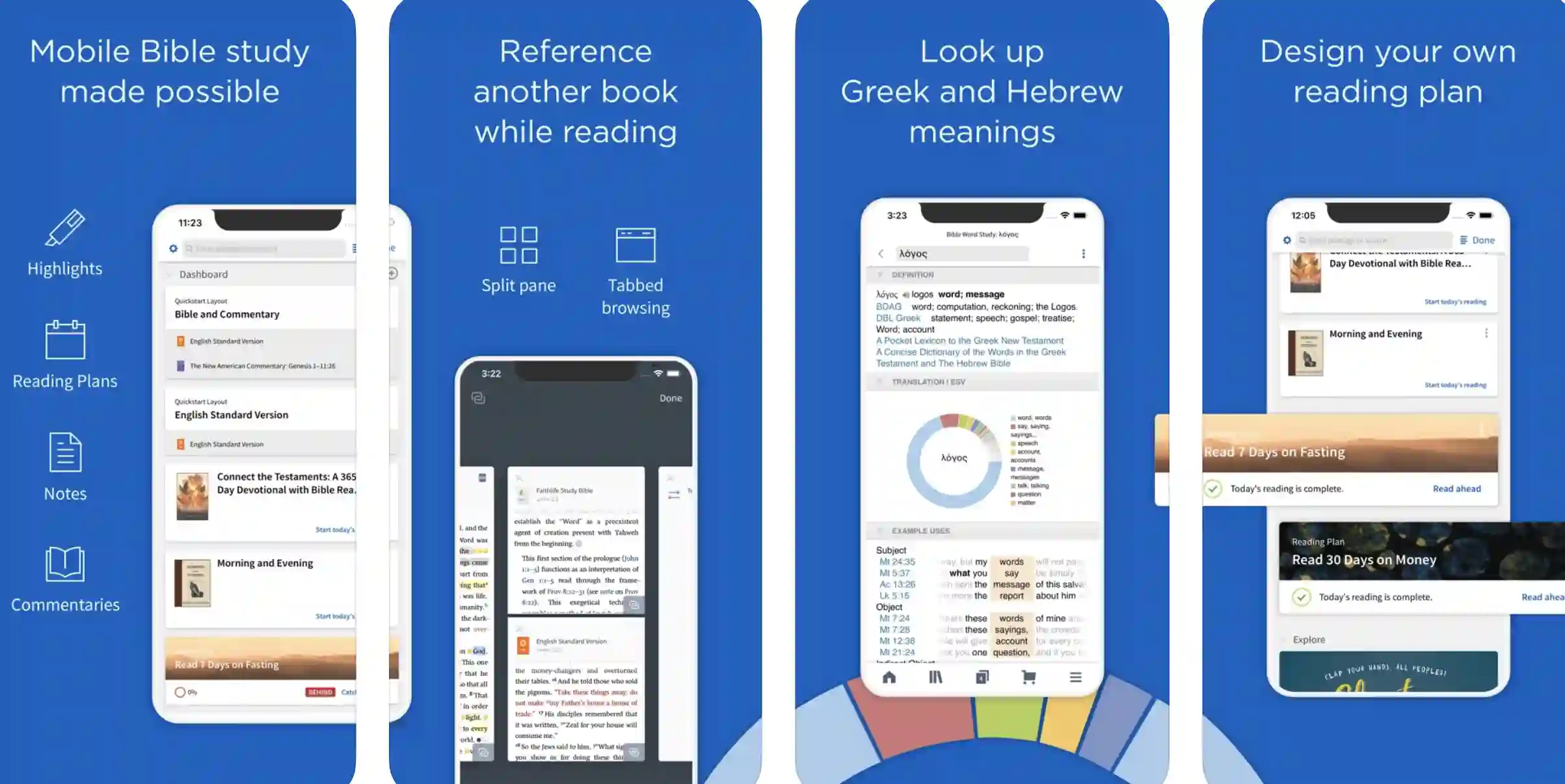
Logos Bible app helps you to create your Bible study plan and get all the infinite knowledge of the Bible on your phone. You can also add commentaries with the texts on Bible through this mobile Bible app, which is very helpful.
Logos Bible app provides references while reading Bible to understand it more efficiently. This mobile app provides Bible references from various Bible expert authors, which greatly helps.
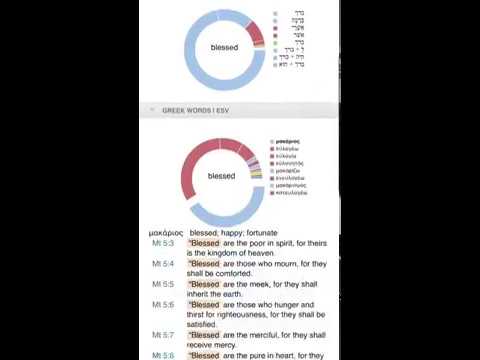
On this app, you’ll also get features like- split pane, tabbed browsing, highlighting, footnote, etc. Logos Bible app helps you to get those meanings of Greek and Hebrew words to ease down your Bible reading and understanding process.
Apart from designing your own Bible study plans, there are various other Bible reading features on the Logos Bible app as well.
You’ll also get the support of a Bible guide, verse comparison, and passages guide, one tap reference support with this mobile Bible study app.
Features:-
- Add highlights
- Create Bible Study plans
- Add Commentaries
- Split Pane, Tabbed Browsing
- Greek & Hebrew Meanings
- Bible Study Tools and guides
- Verse comparison
- Passages Guide
Devices:- Android, IOS
Ratings:- 4.7/5 On Play Store, 4.8/5 On App Store
Download the App on Google Play Store
Download the App on Apple App Store
7. Bible Gateway
The next name on our list is Bible gateway. Bible Gateway is one of the free Bible study apps for android, which helps you read, listen, and learn the Bible more efficiently.
On this bible app, you can read 90+ Bible translations which can be very beneficial. With the help of Bible gateway, you can also listen to 20+ audio Bible versions, which will help you connect with God’s word.
Bible Gateway has got the support to provide you with Bible in various languages, which makes this app accessible worldwide.
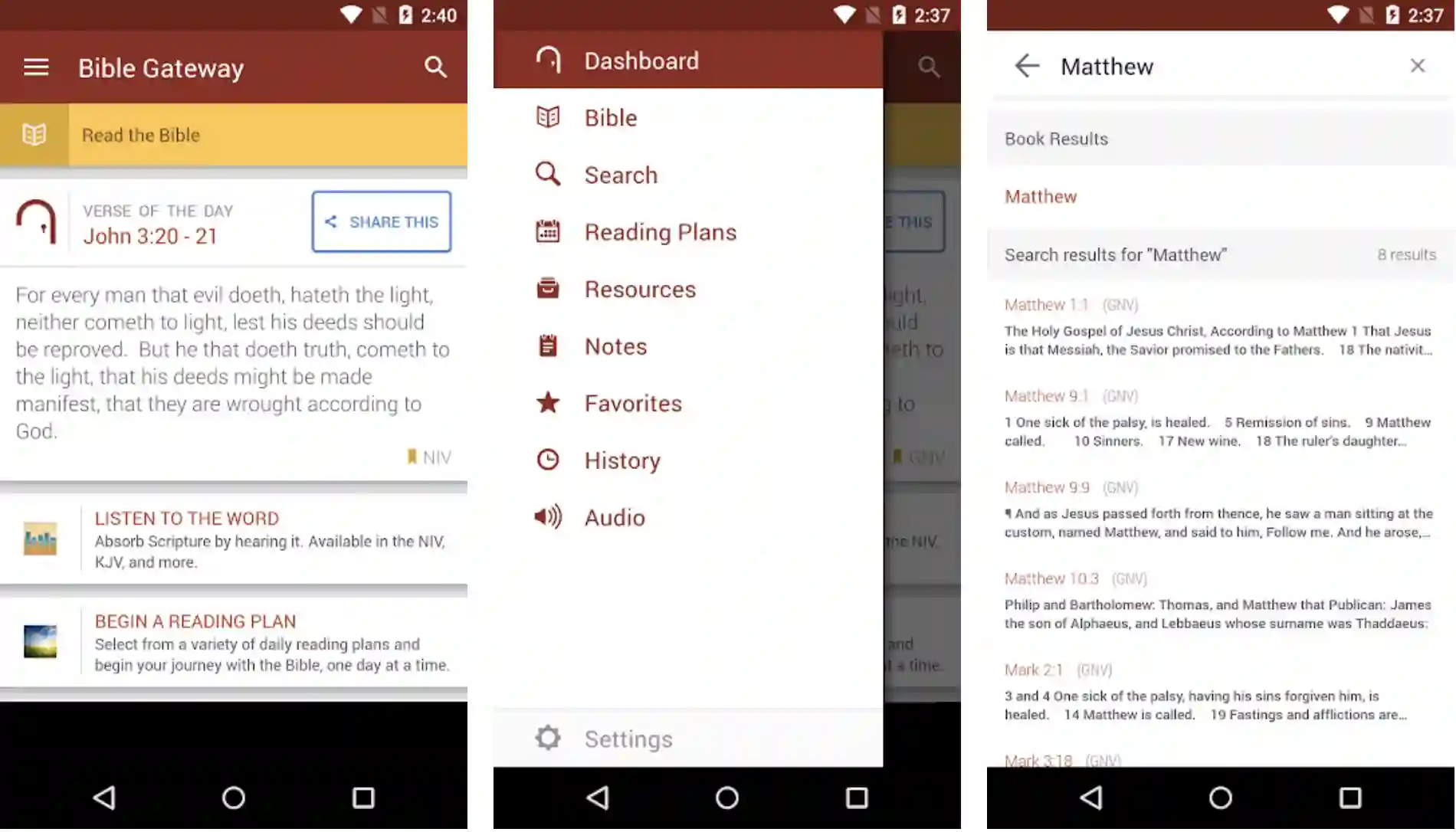
You can also perform easy and simple searches on all those Bible verses and passages through the Bible Gateway app, which will help you to find any part of the Bible.
On the Bible gateway app, you can search with bible verses, passages, and keywords. Get every day a verse on your phone through the Bible gateway, which helps you to stay on the religious track and keep reading Bible.
Set your Bible reading reminders, and also you can set your Bible reading plans through the Bible gateway app. Bible Gateway allows you to take notes and make highlights of your favorite Bible Verses and passages and can refer to later.
Get an easy Bible reading and learning experience with the Bible gateway app. To share the wisdom and learnings of the Bible, you can share all the Bible verses and passages with your friends and family.
Features:-
- 90+ Different Bible Versions
- 20+ Audio Bibles
- Various language support
- Quick and easy verse search
- Take personal notes, highlights,
- Share Bible Verses and Passages
- 30-day free trial
- Easy reading experience
Devices:– Android, IOS
Ratings:- 4.5/5 On Play Store, 4.4/5 On App Store
Download the App on Google Play Store
Download the App on Apple App Store
8. Bible App by Olive Tree
Another great app to read Bible offline is Bible by the Olive tree. This Bible reading is one of the best and one of the most popular all across the globe.
With the help of this Bible app, you’ll be able to read and hear God’s words anytime in the form of the Holy Bible. This bible app provides daily verses and religious thoughts which will help you to stay connected with God’s word and the Holy Bible.
While reading Bible on this app, you’ll get thought-provoking verses with full meaning and references, which will greatly help you.
The Bible reading experience of this mobile app is good, and you’ll be in love with reading and learning Bible. With the help of this app, you’ll be able to make Bible reading your habit, which is a great thing.
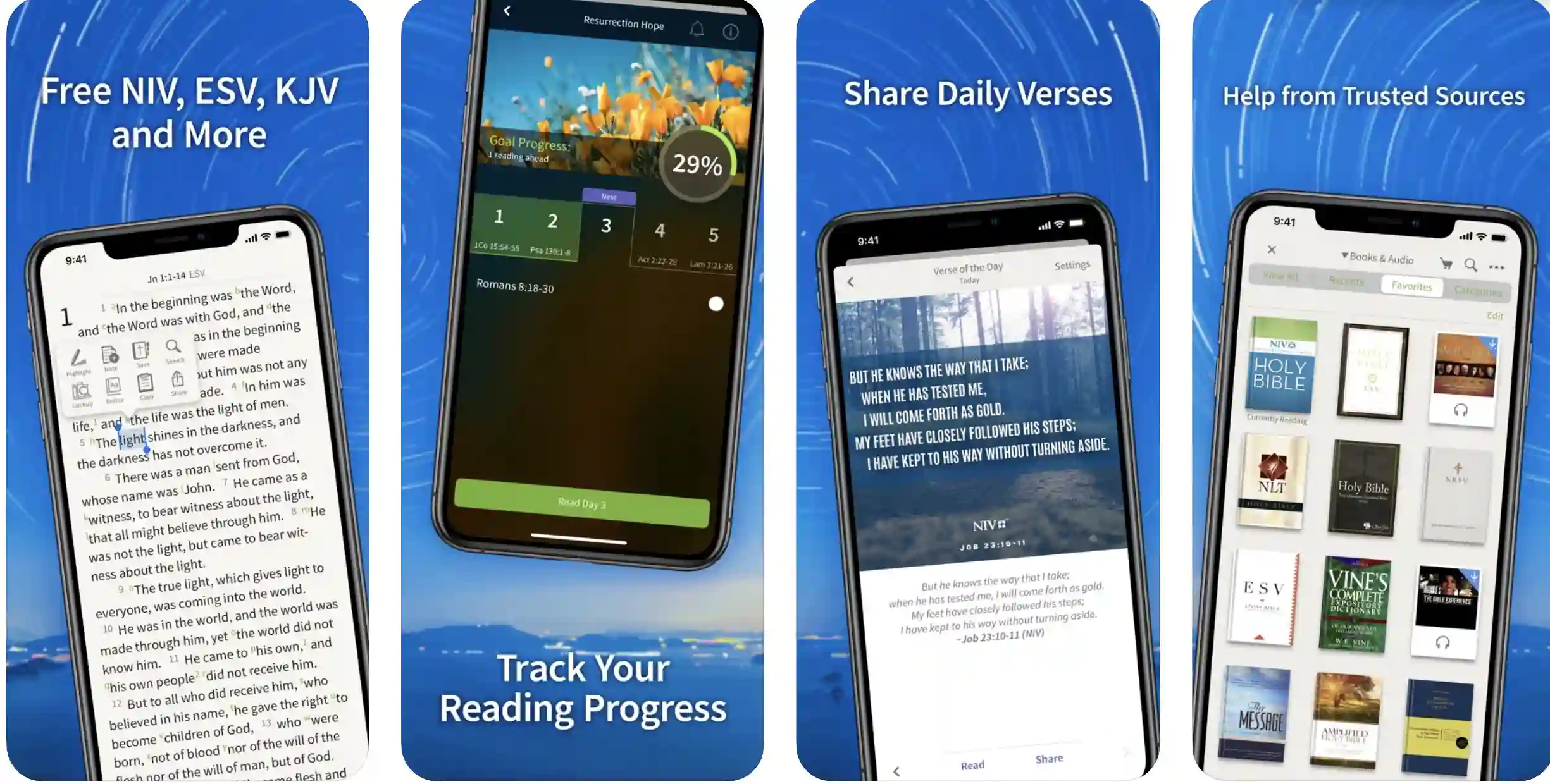
This mobile app allows you to take study notes and make some highlights while reading and learning Bible for future use or better references.
Olive Tree Bible app also provides you any meaning or references of any verse just with some taps on that word of the verse. This one-tap meaning feature is a great feature to have while learning Bible.
This mobile Bible app also provides you with the support of an audio Bible, which is great. Bible App by Olive Tree is available in various languages, and it’s accessible worldwide.
You’ll also get the support of eBooks & Audiobooks along with this mobile Bible app.
Features:-
- Offline Bible
- Daily Verses, Thoughts
- Take notes, make highlights
- One tap Meaning & References
- Audio Bible
- Bible Map
- Various Languages
Devices:- Android, IOS
Ratings:- 4.7/5 On Play Store, 4.8/5 On App Store
Download the App on Google Play Store
Download the App on Apple App Store
9. NIV Bible
One of the fastest and most efficient Bible reading and learning apps is NIV Bible. This Bible app is well-known for its simplicity and all the easy navigation it provides.
There are so many Bible reading tools and features in NIV Bible, which help to read and get knowledge from Bible more efficiently. All the reading tools of the NIV Bible are easily accessible, providing more understanding and flexibility.
NIV Bible app has got millions of downloads, and over 400,000 people are reading this mobile Bible weekly.
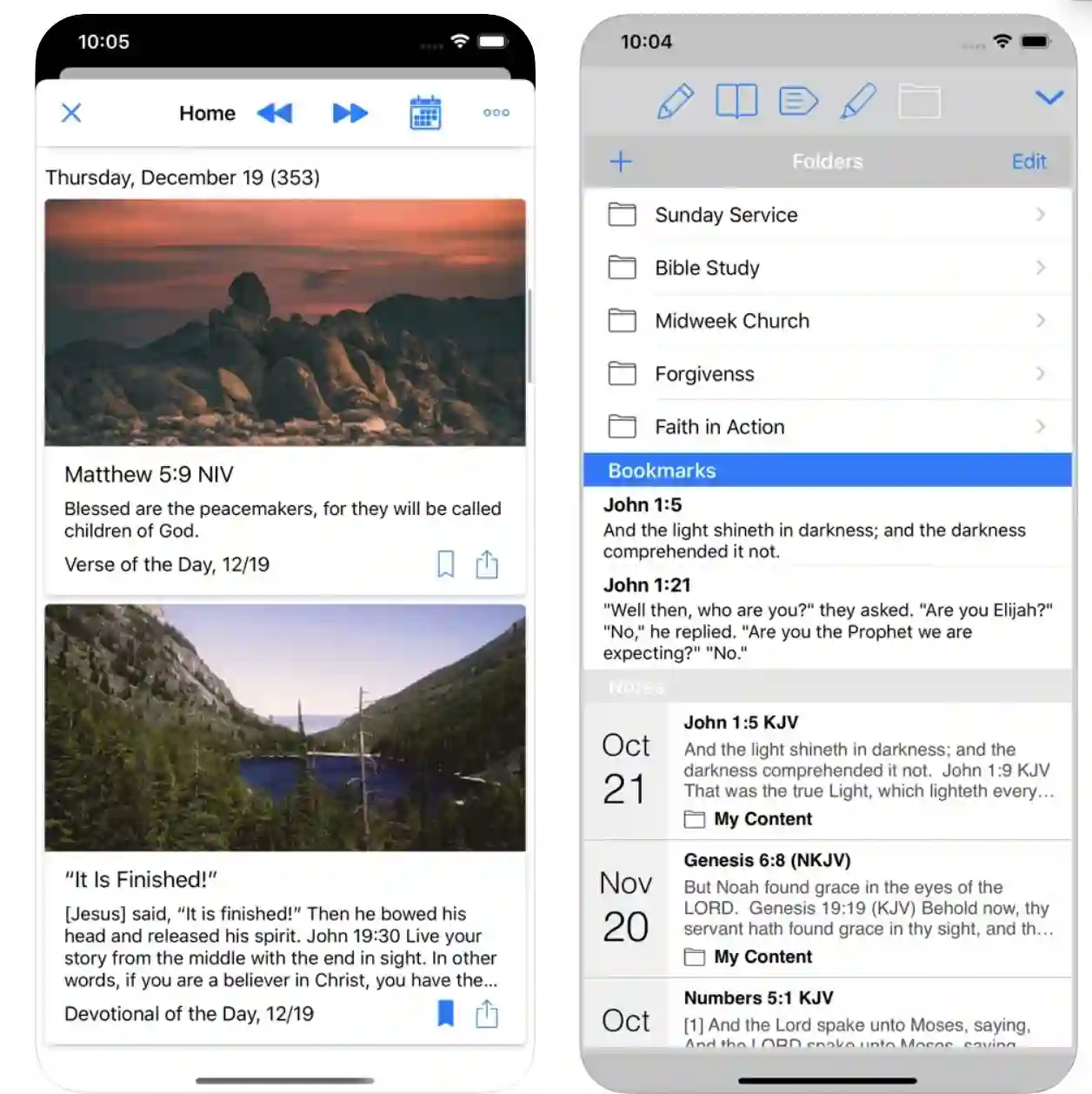
The translation system of the NIV Bible app is so good, and it provides excellent translation to any Bible verse or passage, which can be very helpful for beginner Bible readers or learners.
NIV Bible can be of various use; this Bible app can be used for teaching, reading, learning, and memorizing. With the help of the NIV Bible app, you’ll be able to take notes while reading Bible, make highlights, underline any Bible app, etc.
All these features help effectively in reading and learning Bible. NIV Bible also allows you to read Bible in full-screen immersive mode to give you the best Bible reading experience.
You’ll also get red-letter words from Jesus on the NIV Bible app. With the help of the NIV Bible app, you’ll also be able to search for old and New Testaments.
Share verses and passages of the Bible through NIV Bible app to your loved ones and make them aware of God’s word.
Features:-
- Quick and Easy Navigation
- Easily accessible tools
- Over 5 million+ download
- 400,000 weekly readers
- Offline note-taking, highlighting
- Bookmark verses
- Full-screen immersive mode
- Old and New Testaments
- Share verse
Devices:- Android, IOS
Ratings:- 4.8/5 On Play Store, 4.9/5 On App Store
Download the App on Google Play Store
Download the App on Apple App Store
10. Bible for Kids: Audio & Interactive Stories
Bible has got some very interesting stories and awesome life knowledge that kids should know, but it’s kind of a difficult task for kids to read the original Bible.
To help kids with Bible reading, I’ve founded this awesome Bible app for kids. There are more than 40+ bible stories on Bible for Kids app which can generate interest in kids about Bible.

All the Bible stories on this app are animated to attract kids more. Kids will also get various fun activities to do based on Bible and can generate religious knowledge.
There are many challenges on this kids’ bible app, and kids can win rewards by solving those Biblical challenges and quizzes. Bible for Kids app also allows the kid to get all the stories of the Bible in more than 25 languages.
For kids, this app is one of the best Bible study apps. Bible for kids also has got easy and kid-friendly navigation support, which helps kids a lot.
Kids can also share all these interesting and engaging Bible videos with their friends and bring the knowledge of the Bible to life.
Features:-
- 40+ Stories
- Animated Videos
- Fun Bible Activities
- Challenges & Quizzes
- Easy and kid-friendly navigation
Devices: Android, IOS
Ratings: 4.4/5 On Play Store, 4.7/5 On App Store
Download the App on Google Play Store
Download the App on Apple App Store
While researching Best Bible Study Apps To Dig Deeper into God’s Word to our readers, I found an informational video on “Most Weird Stories in the Bible,” which is worth watching.

11. Bible Study Fellowship App
Another great and excellent Bible study app is the Bible Study Fellowship app. With the help of the Bible Study Fellowship app, you can easily explore the whole Bible with meaningful concepts.
On the Bible Study Fellowship app, you can find topics and videos that cover the incidents and verses of the Bible.
You’ll get the best Bible teachers on the Bible Study Fellowship app; those teachers will help you to learn all the concepts of the Bible efficiently.

On this app, you’ll be able to read Bible in your way. There are other Bible reading tools, like- footnotes, verse highlighter, cross reference, etc. Bible Study Fellowship app, you’ll be able to take notes of some passages, verses, or a particular words.
Bible Study Fellowship app provides you with the support of highlights and bookmarks. You can daily refresh your faith in God by reading and learning Bible from this app.
There are many dictionaries and encyclopedias on the Bible Study Fellowship app, which will help you to get understood all the verses and words of the Bible. With the help of the Bible Study Fellowship app, you can get trusty scriptures of the Bible.
Features:-
- Read Bible Seamlessly
- Lessons with scriptures
- Verses and Passages
- Daily Verses
- Multi-language
- 400,000+ languages
- Question-Answers
Devices: Android, IOS
Ratings: 4.6/5 On Play Store, 4.6/5 On App Store
Download the App on Google Play Store
Download the App on Apple App Store
12. Bible Study Tools
The last name on our list of best Bible study apps is Bible study tools. This app is one of the best and most downloaded among all the other best Bible study apps.
To help you in your Bible reading, Bible study tools help a lot. On Bible study tools, you get the support of daily verses, which will help you in your motivation and help you to keep reading the holy book Bible.
Get your daily religious thoughts with the help of Bible study tools. With the help of this app, you’ll be able to add highlights with some verses while reading and learning Bible.
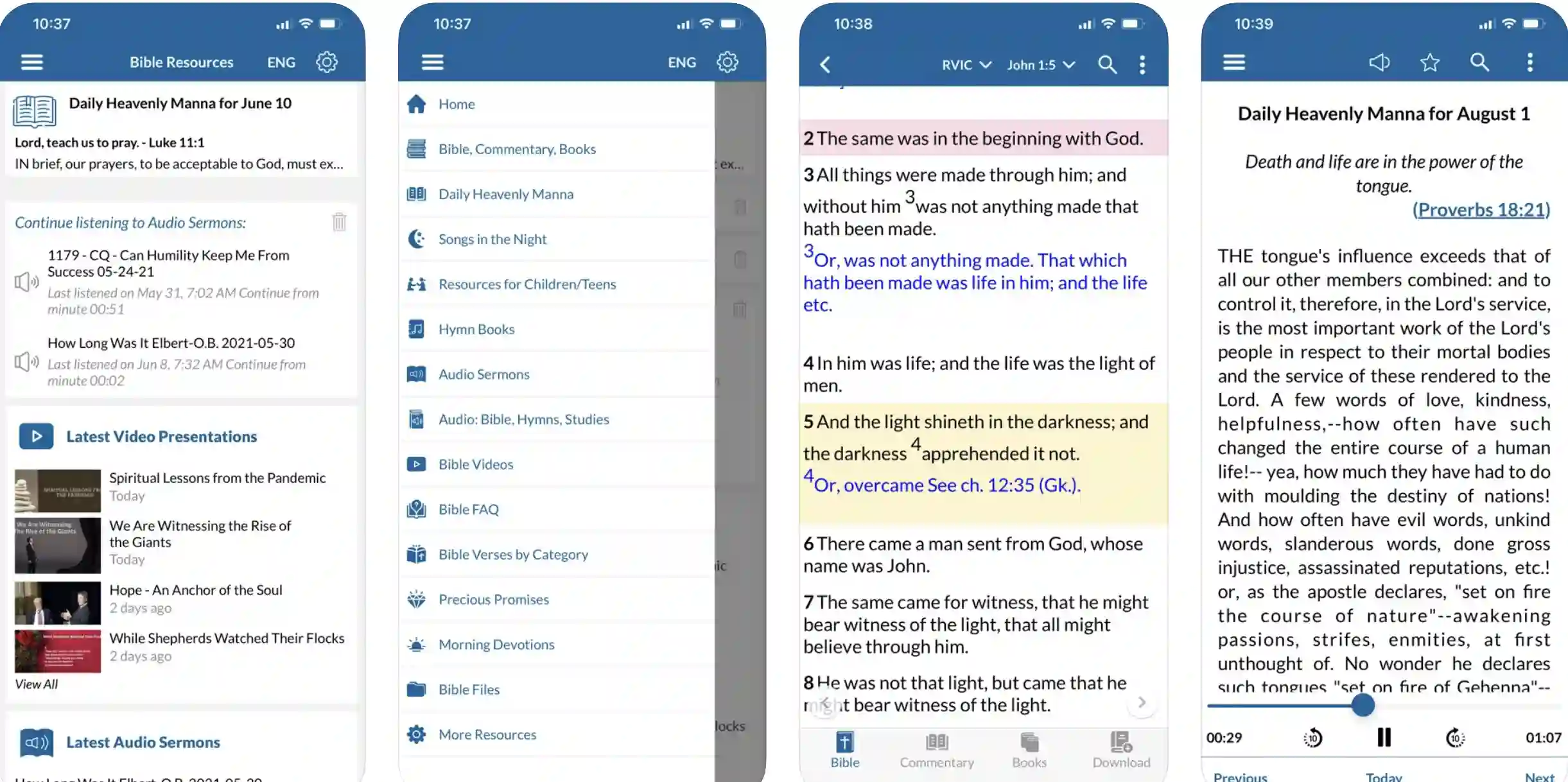
Bible study tools have also received the support of the audio Bible which helps millions of people out there in the park. Bible study tools can be accessed in full offline, and it has got easy navigation support as well.
On Bible study tools, you’ll be able to read and hear all the chapters of the Holy Bible. There are many commentaries and experts on this bible study app for your benefit.
All those Bible experts and masters will help you to read and get all the important meanings of the great and Holy book Bible.
Bible study tools also allow you to see any details of any word or any reference of any verses very easily. There are also other Bible reading tools on this app that can ease down your Bible learning.
Features:-
- The largest collection of Bible verses
- Various languages
- Bible Commentaries
- Daily Verses
- Audiobooks
- 20,000+ masters
- Stories and Incidents
- Resources for Children
Devices: Android, IOS
Ratings: 4.6/5 On Play Store, 3.8/5 On App Store
Download the App on Google Play Store
Download the App on Apple App Store
📗FAQ
What is the most comprehensive Bible study app?
YouVersion is undeniably the most comprehensive Bible study app. It offers tons of unique reading plans and videos on many important topics.
What apps will help you understand the Bible?
Spark Bible, YourVersion Bible, Blue Letter Bible, ESV Bible, and Bible Gateway are some of the best apps you can try to understand the Bible properly.
Is there a free online study Bible?
There are various sources to study the Bible online, free of cost. These include Christian Leaders Institute’s Courses, World Bible School’s Courses, International Seminary for Distance Education’s courses, Harvard’s Course on Religious Literacy, Trinity International Theological Seminary, and Bold Christian University’s Degree Programs, etc.
Is there a Bible study app for iPad?
Yes, apps like Spark Bible, YouVersion Bible, Blue Letter Bible, ESV Bible, etc. allow you to study Bible on iOS devices, including iPhone and iPad.
How should a beginner study the Bible?
First of all, you have to get the right Bible translation along with the right Bible itself. you don’t have to be afraid before writing in your Bible to understand different points.
Start small and only focus on understanding a couple of verses in the beginning. Schedule flexible studying time so that you don’t feel very bored. Get all your stuff together, and don’t worry about any fixed rules.
Is Olive Tree app free?
Yes, the Olive Tree app is available free of cost. It is packed with great features like customization options, different unique designs, easy bible translation, very useful Biblical resources, commentaries, study tools, and much more.
What is a good study Bible to have?
Compass: The Study Bible for Navigating Your Life, The ESV Study Bible, The Life Application Study Bible, CSB Ancient Faith Study Bible, Quest Study Bible, Hebrew-Greek Key Word Study Bible, etc. are some of the best study Bibles you can have in 2022.
Conclusion
So, this was the list of the 13 best Bible study apps which can help you to read and carry the Bible anywhere. There are so many Bible reading tools and features on these apps, and you can also see meanings and references on some of these apps, which can be so beneficial.
Use these Christian bible study apps and let the knowledge of the Bible flow in you.