
























Google search engine has become ubiquitous. Every day, more than 3.5 billion searches are made using the search engine. However, Google is not the most secure and private tool for browsing the internet.
In this article, I will be comparing two search engines that offer better security and privacy for browsing the internet as I discuss DuckDuckGo vs. Startpage.
We would be comparing DuckDuckGo and Startpage. These tools cover your online fingerprints and offer you privacy.
Before discussing these two search engines, let’s talk about the need to be anonymous online.
Why You Should Be Anonymous online?💁
There are various reasons why someone may prefer to keep their internet activities, interests, and discussions private. This is highly unique and personal to each individual.
The Electronic Frontier Foundation (EFF) offers a thorough explanation of why so many people choose to keep their online identities and actions hidden.
Many people do not want their internet profiles to be linked to their offline personas because they fear economic or political retaliation, harassment, or even death threats.
Another reason people hide their identity online is the fear of whistleblowers revealing information that governments and companies would rather keep hidden.
We also have human rights activists fight oppressive regimes, parents trying to provide a safe environment for their kids to enjoy, and abuse victims trying to restore their lives in ways that their offenders can not follow, all seeking to use the internet in privacy.
Your identification and personal information are extremely valuable. When you are not being anonymous or preserving your privacy, you are putting yourself in danger of:-
- Bad actors are attempting to take your identity.
- Governments will track your activities and utilize them to bring criminal accusations against you.
- Ads from Big Tech will be targeted at you.
Hackers and criminal actors are not the only ones who want to remain anonymous. You have probably done something anonymously at some point in your life. Anyone may have made an anonymous referral at work.
One may have even attended a masquerade party socially. Moreover, several people, including whistleblowers, activists, journalists, artists, and writers, have chosen to remain anonymous online. When building a social media or dating profile, one may have done the same thing.
When Mary Shelley initially published Frankenstein, for example, she did so discreetly. Banksy is currently one of the most famous artists in the world despite remaining nameless.
Advantages of Browsing With a Private Search Engine:-
- There is no such thing as search history.
- Retargeting advertising based on previous browsing history and searches is not available.
- Reduce your online footprint and the information Big Tech has on you.
- Avoid higher pricing and price trackers based on the device, your location, and previous purchases. Prevent biased material from being served to you due to your browsing and search history.
- Receive search results and news that is objective and unfiltered.
- You will have peace of mind knowing that only you know about your search.
- Startpage has the following features and applications:
DuckDuckGo vs Startpage – Privacy Search Engines Face Off
We will now discuss these two search engines. Let’s begin by looking at them individually before comparing them.
| Feature Comparison | DuckDuckGo | Startpage |
|---|---|---|
| Search Results Privacy | Fully private, does not store any personal information | Fully private, does not track or store any user data |
| Search Results Quality | Generally good, but may not be as comprehensive as Google | Uses Google’s search engine, providing comprehensive results |
| User Interface | Simple and clean, with easy-to-use search tools | Simple and clean, with advanced search tools |
| Instant Answers | Provides instant answers for many search queries | It does not provide as many instant answers as DuckDuckGo |
| Search Filters | Basic search filters available | Advanced search filters are available |
| Search Settings | Offers basic search settings | Offers advanced search settings |
| Mobile App | Available on both iOS and Android | Available on both iOS and Android |
| Anonymous View | Offers a feature called “Privacy Protection” which redirects your search through a third-party proxy | Offers a feature called “Anonymous View” which allows you to view websites anonymously |
| Location-Based Results | Does not track or use location information | Does not track or use location information |
| Search History | It does not store search history | It does not store search history |
| Advertising | It does not show targeted ads | It does not show targeted ads |
| Business Model | Generates revenue through contextual advertising | Generates revenue through contextual advertising |
DuckDuckGo
DuckDuckGo is an exciting search engine that includes a desktop extension and a mobile browser application designed to protect your personal information while you explore the internet.
It aimed to make your online footprints anonymous and private and provide built-in tracker filtering, making it more difficult for websites to gather data about you.
What’s the deal with DuckDuckGo?
DuckDuckGo doesn’t trace searches done through its mobile app or browser extension.
Other technologies, such as Chrome, offer incognito or private windows that do not track users browsing history, but on their default windows, they do. (This is the root of most awkward search history and embarrassing jokes.)
DuckDuckGo, on the other hand, does not track your search history; hence there is no need for a private or incognito version of the software.
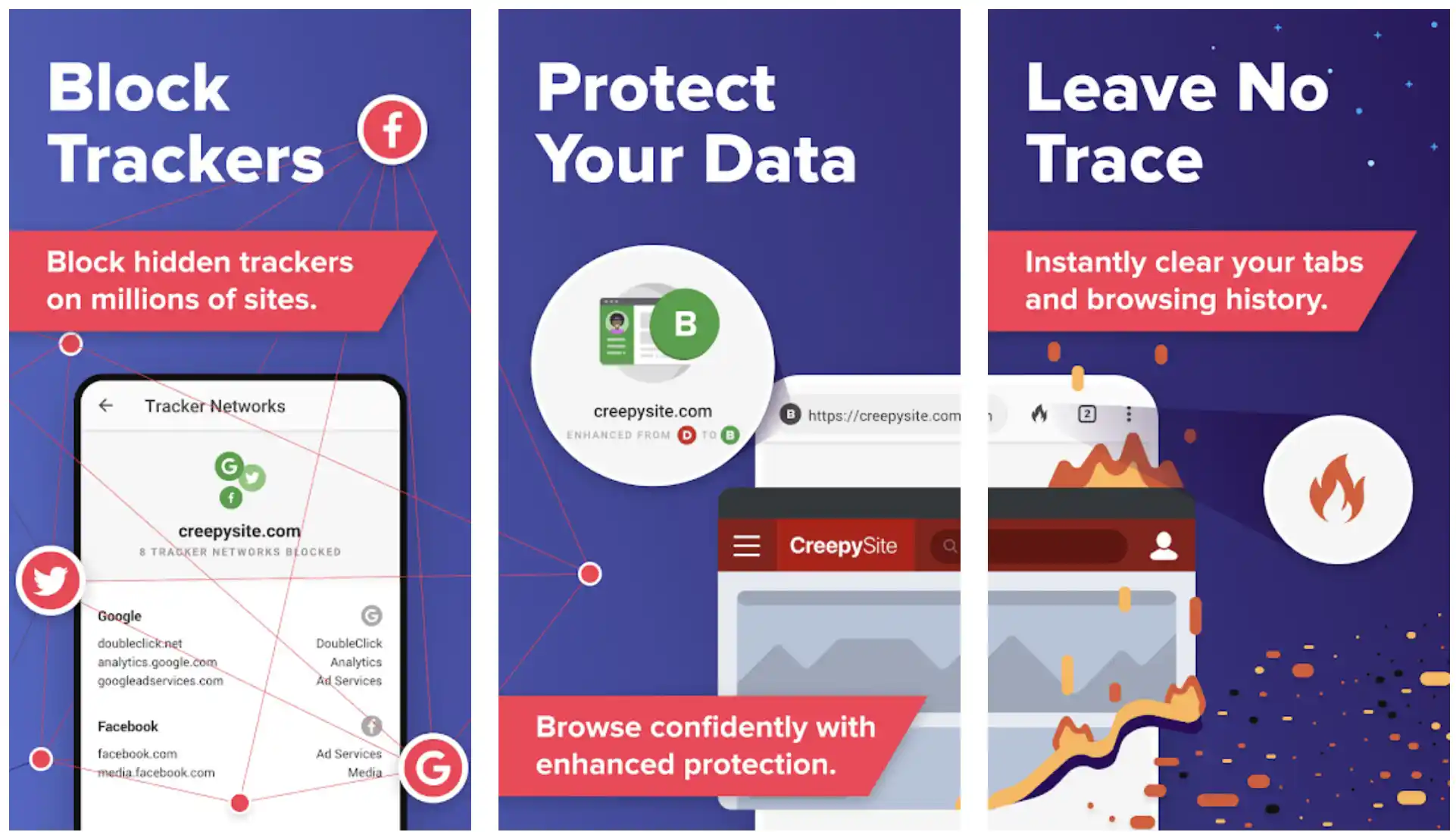
DuckDuckGo queries also link you to encrypted websites whenever possible, making it more difficult for others to see what you are looking at.
Other search engines may offer unencrypted and encrypted alternatives in this case, but the preference is not always the confidentiality one. DuckDuckGo, on the other hand, eliminates the need to navigate to the encrypted version manually.
External trackers are also aggressively blocked by DuckDuckGo when you are online.
DuckDuckGo vs Google Search: What is the Difference?
In contrast to other big internet firms like Facebook and Google, which have typically made a profit by placing ads based on their user’s data and browsing history, DuckDuckGo offers an alternative strategy.
Although Google has stated that it will no longer do so, the service still collects much information about users, including their search history and location, even while using incognito mode.
Incognito mode removes all traces of your browser experience from your computer, including history, cookies, and any data you have typed into fields. Interestingly, it does so only after you have completed your activity by closing all of your windows.
The information will still accumulate if you keep your incognito windows open for days or even hours.
Even in incognito mode, Google can save your search results, and internet service providers, companies, and governments can still monitor you across the web.

DuckDuckGo is unique in that it does not save any of your browsing habits and prevents trackers as you browse.
How can you utilize DuckDuckGo?
Search up “DuckDuckGo” in any app store on a mobile device. You can install and apply the DuckDuckGo Privacy Browser in Safari and Chrome.
You will notice a fire icon in the bottom end of the app, which you tap whenever you want to dismiss all the tabs and wipe all your private data.
Look for duckduckgo.com on the desktop to find an option to introduce DuckDuckGo to the browser; this will lead you to the Chrome Webstore page where you would download the extension at no cost if you are using Chrome.
Using Safari, you will be shown how to make DuckDuckGo the default search engine and manually trigger a DuckDuckGo search.
Download the App from Google Play Store
Download the App from Apple App Store
Startpage
Startpage claims to be the most private search engine on earth. It started in 2006 in the Netherlands and has been high-quality search results without acquiring confidential information since then.
As a company, Startpage believes that everyone is entitled to use the internet in complete privacy.
Startpage, the world’s first and most private search engine, has been trusted for over 15 years. Their goal has been to promote awareness of and, most critically, safeguard people’s right to privacy worldwide.
Startpage has been profitable from its inception and is privately controlled by Startpage BV, a Dutch corporation. The company generates money by serving contextual adverts that respect your privacy.
Compared to traditional search engines, Startpage does not sell, save, or disclose any personal data; this means that anyone globally can search without being tracked and obtain un-profiled relevant results.
Features:-
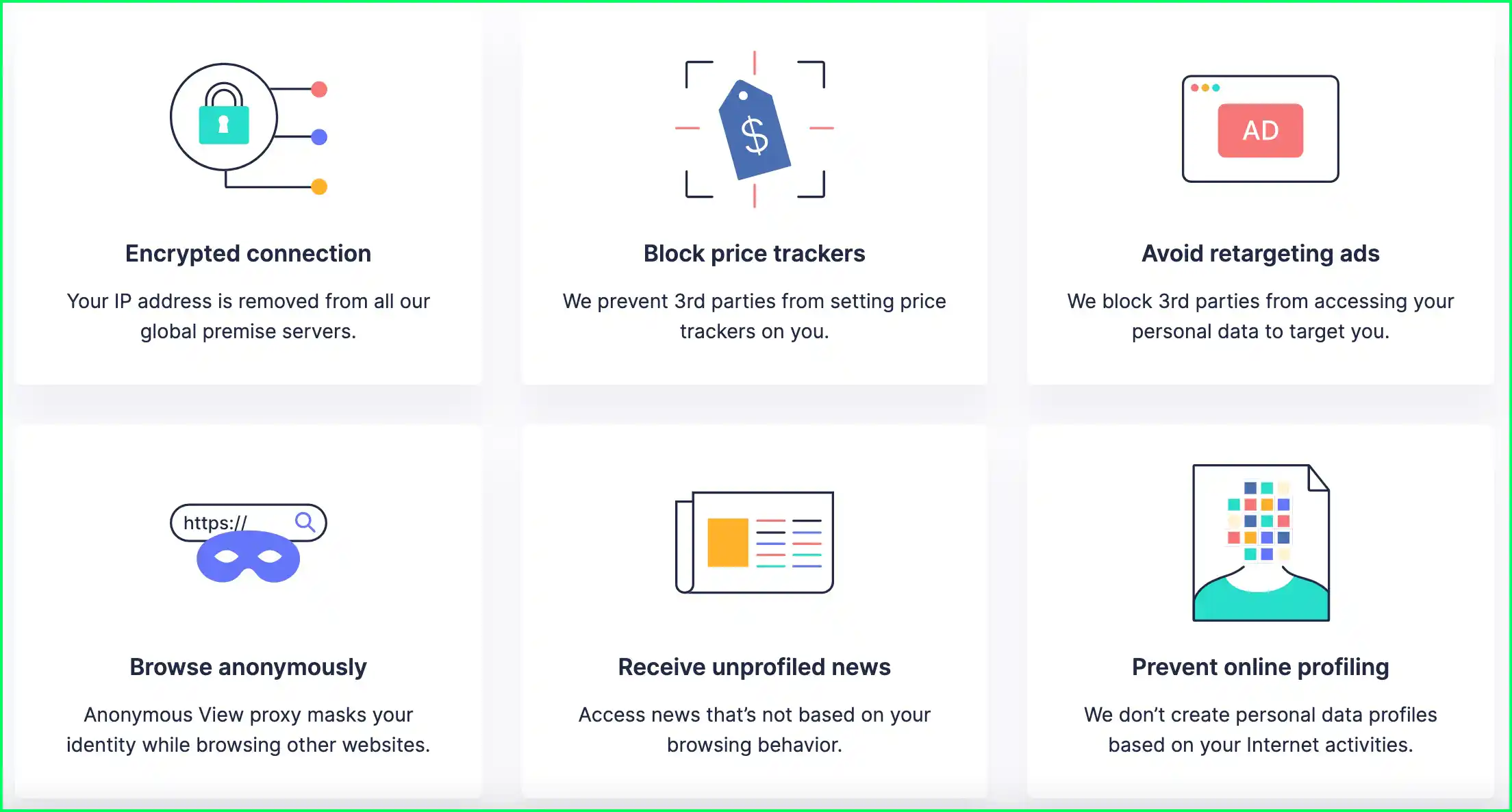
- You obtain Google results without the notorious tracking associated with them. Startpage leverages Google’s top-quality search technology and employs anonymization and privacy policies for every search.
- Anonymous View is a private browsing tool allowing you to visit websites without being noticed.
- Shopping privacy.
- Obtain private Instant replies such as weather, dictionary, currency converter, translator, dictionary, and others.
- To save your settings safely, use the private settings cookie.
- Extensions for private searches.
- New features are updated regularly!
The DuckDuckGo vs Startpage Debate
DuckDuckGo and Startpage are two of the most significant private search engines. But how do you decide which to use? Here are some things to consider while comparing these privacy-friendly search engines to see which is best for you.
DuckDuckGo vs Startpage: Privacy Policy
The service must have a firm privacy policy to protect your personal information. Put it another way, the confidentiality policy should explain how and what information the company collects or does not collect.
The search engines Startpage and DuckDuckGo both have comprehensive privacy policies in place.
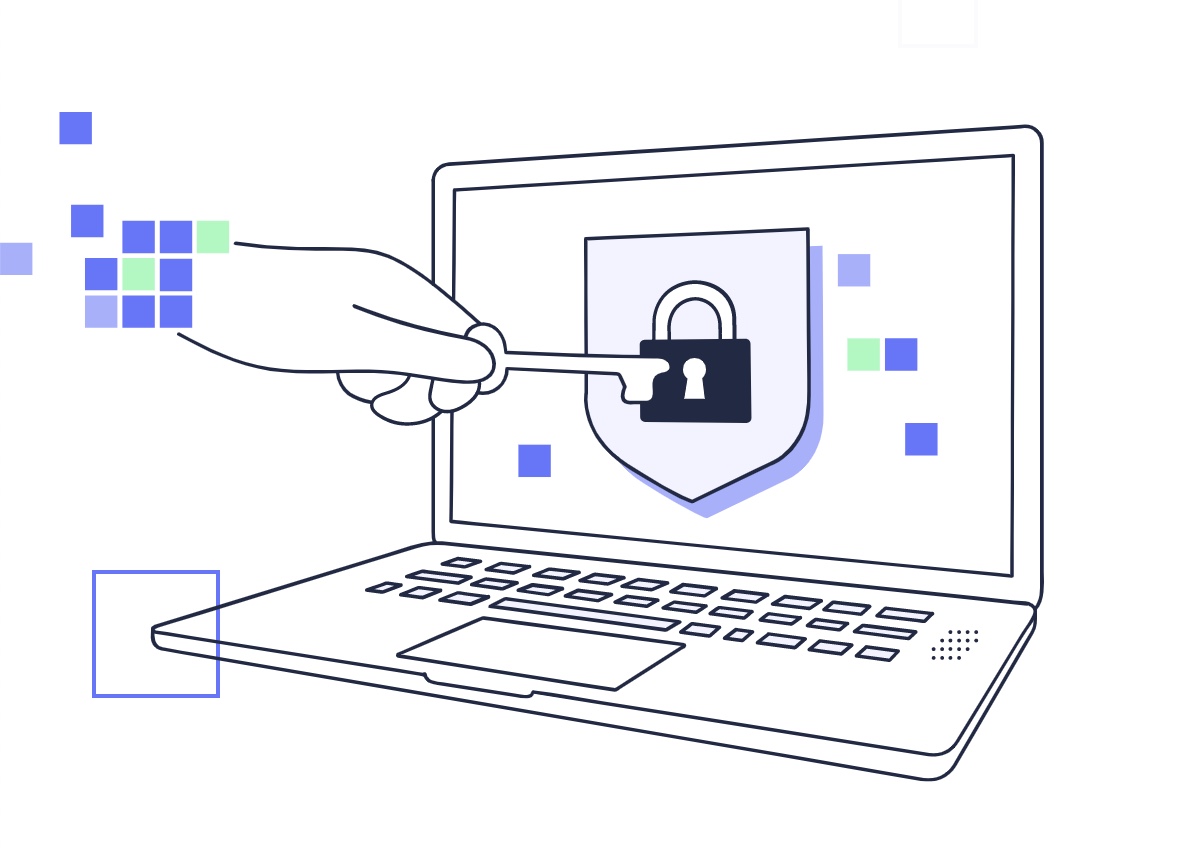
DuckDuckGo doesn’t gather users’ IP addresses; instead, it logs your search terms without exposing you individually.
The search phrases that you use are not linked to your identity in any way. If they want to optimize their results or keep track of trends, they use your search phrases.
On the other hand, Startpage does not save anything, including search queries. Startpage has an advantage here in terms of technicality.
It is essential to mention that neither gathers any information identifying users or their location. Startpage’s and DuckDuckGo’s privacy policies are available online.
DuckDuckGo vs Startpage: Advertisements
Advertising is essential to pay bills and grow a profitable business. Both DuckDuckGo and Startpage will display adverts.
Fortunately, you can turn off the advertising if you like. Using Google’s ad platform, Startpage displays relevant advertising based on your search terms.
On the other hand, DuckDuckGo places ads on the search results web page via Microsoft’s Ad platform. However, you will not see any adverts predicated on your search history.
When a user searches for something, the advertising appears based only on what the user has previously searched.
When comparing Startpage with DuckDuckGo, you may observe more adverts on Startpage. As of this writing, DuckDuckGo appears to be showing fewer advertisements.
DuckDuckGo vs Startpage: Country of Jurisdiction
Although Startpage and DuckDuckGo do not gather any search history that can be linked back to you, the nation they operate from also provides them additional advantages regarding privacy legislation.
Startpage’s headquarter in the Netherlands is subject to EU regulations and oversight. Meanwhile, DuckDuckGo is based in the United States.
In general, EU privacy rules, such as those governing GDPR compliance, are more concerned with giving users greater control over their data.
As a result, their data-gathering techniques are constantly being scrutinized, and they are continually introducing new safeguards to keep the firms in check.
For example, suppose a corporation does not provide robust data protection safeguards. In that case, it may be barred from conducting business in Europe or subject to a significant fine.
So, assuming there is a remote possibility that Startpage will gather any data, Eu privacy regulations will assist in giving people control over their data and holding the corporation accountable.
However, when it relates to the United States, if DuckDuckGo begins acquiring any data, the country’s privacy regulations may not empower consumers with the right of control over their data or make the corporation liable promptly.
While this is highly hypothetical, users must be aware of and consider that it could impact your decision so that your privacy-conscious mind would be at ease.
DuckDuckGo vs Startpage: Customizability
Not every individual wants to customize their search engine experience, but DuckDuckGo appears to be the superior alternative if you do.
The Startpage provides most critical choices, including theme selection, region selection, and the number of search results displayed per page.
To put it another way, DuckDuckGo gives you a few more features, such as map rendering, an unlimited scrolling option, and various additional cosmetic modifications.
DuckDuckGo vs Startpage: The Search Result Quality
Startpage uses Google’s search service by sending anonymous requests to the search engine. As a result, the search results are more relevant right away.
Regarding providing query results, DuckDuckGo depends on Microsoft’s Bing and a few processing partners. While it is similar to Google’s search results, it can sometimes differ for a few unique queries.
The quality of local search results for both DuckDuckGo and Startpage may not be equivalent to that of Google.
This is because they do not possess some of the location-specific capabilities that Google provides to assist you in discovering a place or business fast, which is understandable.
DuckDuckGo vs Startpage: Searching Capabilities
When users search for DuckDuckGo, if it is a current issue of interest reported by news outlets, they will see recent stories displayed in the results pages as long as it is a topic of interest covered by news organizations.
This makes it more accessible and convenient to keep up with the latest news about your search query.
While Startpage provides a distinct news section, this section is not displayed automatically in the results pages when you search for something. Instead, they may add it soon, but it is not currently available.

In a similar vein, DuckDuckGo provides the option of “Bang” shortcuts, allowing users to search using a supported site and connect to their favorite websites without clicking on the results pages.
Consider the following scenario: a user seeks something on Amazon; they write “!a” in the search area followed by the product name, such as:!a galaxy s21.
When they click on this, they are sent immediately to Amazon.com, where they will see Samsung’s S21 smartphones available for purchase.
Here are some additional bangs for Duckduckgo:
Use the command !drive to access Google Drive. Use the command !enfr to translate things from English to French through Google translate. Use the command !brown to access the library at Brown University.
On their official website, you can see a complete list of available bangs (shortcuts).
This type of shortcut makes it possible to access thousands of websites. In other words, if a user wants to filter their search results from a specific site and look for it, this option can be helpful to them.
Using Startpage, users do not have access to any of that. For this reason, if you are a heavy user of computer shortcuts, you may opt for DuckDuckGo to have access to those keys.
DuckDuckGo vs Startpage: Extra Services
DuckDuckGo provides several additional features that do not affect your search performance but may be handy in some situations.
One such service is DuckDuckGo’s browser extension, designed to prevent tracking on the sites you visit.
You have the option of using any of the various Chrome privacy addons that are accessible. DuckDuckGo’s addon, on the other hand, is valuable because it makes it simple to determine which trackers are blocked and whether any unethical privacy policies are violated.
A DuckDuckGo browser is also available, which allows you to have a protected internet experience when still using the search engine as your default.
They also provide an email tracking security service, which is currently in the trial phase at the time of this writing.
Although the additional features may not be enough to push you over the line, if you want to use a single application for various online services, DuckDuckGo is a genuine contender.
Even though Startpage does not provide any extra services or capabilities, it is one of the most effective Google search options.
Qwant vs Duckduckgo vs Startpage:-
Qwant, DuckDuckGo, and Startpage are all privacy-focused search engines that do not track users. The main differences are in their indexing algorithms and additional features.
Here’s a detailed chart comparing Qwant, DuckDuckGo, and Startpage across various criteria:-
| Criteria | Qwant | DuckDuckGo | Startpage |
|---|---|---|---|
| Search Results | Qwant combines results from its own index and Bing’s index. | DuckDuckGo combines results from its own index, Yahoo, and Bing. | Startpage combines results from Google’s index. |
| Privacy | Qwant is privacy-focused and doesn’t track users or collect personal data. | DuckDuckGo is privacy-focused and doesn’t track users or collect personal data. | Startpage is privacy-focused and doesn’t track users or collect personal data. |
| User Interface | Qwant has a modern and clean interface, with an image and news carousel on the homepage. | DuckDuckGo has a simple and minimalist interface, with a “bang” syntax for more specific searches. | Startpage has a clean and easy-to-use interface, with a “proxy” feature for added privacy. |
| Features | Qwant offers a secure email service, maps, and a social media platform. | DuckDuckGo offers a “bang” syntax for more specific searches, a “privacy grade” rating for websites, and a browser extension. | Startpage offers a “proxy” feature for added privacy, a “anonymous view” for websites, and a browser extension. |
| Availability | Qwant is available in 26 languages and has a mobile app for Android and iOS. | DuckDuckGo is available in 30 languages and has a mobile app for Android and iOS. | Startpage is available in 14 languages and has a mobile app for Android and iOS. |
| Search Speed | Qwant can be slower than other search engines due to its reliance on its own index and Bing’s index. | DuckDuckGo can be slower than other search engines due to its own index, Yahoo, and Bing. | Startpage can be slower than other search engines due to its reliance on Google’s index. |
| Customization | Qwant allows users to customize their search results by filtering by source, category, and language. | DuckDuckGo allows users to customize their search results by filtering by date, country, and language. | Startpage allows users to customize their search results by filtering by time range and type of content. |
Startpage vs Duckduckgo vs Google:-
Startpage, DuckDuckGo, and Google are all search engines, but they differ in their approach to privacy and search results.
If privacy is your main concern, Startpage and DuckDuckGo are good options. If you value personalized results and a large search index, Google may be your best choice.
Here’s a detailed comparison chart on Startpage, DuckDuckGo, and Google:-
| Features | Startpage | DuckDuckGo | |
|---|---|---|---|
| Privacy | Excellent | Excellent | Poor |
| Search Results | Good | Good | Excellent |
| Customization | Limited | Limited | Extensive |
| User Interface | Simple and intuitive | Simple and intuitive | Advanced |
| Ads and Trackers | None | None | Yes |
| Search Speed | Average | Average | Fast |
| Advanced Search | Limited | Limited | Extensive |
| Language Support | Good | Good | Excellent |
| Mobile App Availability | Yes | Yes | Yes |
| Browser Extension | Yes | Yes | Yes |
| Maps and Directions | No | No | Yes |
| Image and Video Search | Limited | Limited | Excellent |
| News and Current Events | Limited | Limited | Excellent |
| Social Media Integration | No | Limited | Extensive |
| Cloud Storage Integration | No | No | Extensive |
📗FAQ
What is the difference between DuckDuckGo and Startpage?
DuckDuckGo and Startpage are privacy-focused search engines, but they differ. DuckDuckGo is based in the US and uses its web crawler to generate search results.
Startpage is based in the Netherlands and uses Google’s search results but acts as a proxy, so your search terms and IP address are kept private.
Is Startpage actually private?
Startpage is a private search engine that does not track your searches or share your personal information with third parties.
It uses encryption to protect your searches and proxies your search requests to Google so Google does not see your IP address or search terms.
What is the downside of DuckDuckGo?
The downside of DuckDuckGo is that it may not provide as comprehensive search results as other search engines like Google.
Since DuckDuckGo does not track your searches or collect personal information, it may not have access to as much data as other search engines, which can affect the accuracy and relevance of its search results.
Is there a browser better than DuckDuckGo?
DuckDuckGo is not a browser but a search engine. However, there are privacy-focused browsers like Tor, Brave, and Firefox that prioritize user privacy and security.
Why is DuckDuckGo not popular?
DuckDuckGo is not as popular as other search engines like Google because it is a relatively new player in the search engine market and does not have the same resources for advertising and marketing. Additionally, some users may hesitate to switch from familiar search engines to a new and less-known option.
Can you be tracked on Startpage?
No, you cannot be tracked on Startpage. Startpage does not collect personal information or track your searches, and it uses encryption and proxies to keep your search terms and IP address private.
Does Startpage hide your IP address?
Yes, Startpage hides your IP address as a proxy between you and Google. Google sees Startpage’s IP address, not yours.
Can you search anonymously on Startpage?
Yes, you can search anonymously on Startpage. Startpage does not collect personal information or track searches, so your search activity remains anonymous.
Is there a completely private browser?
No browser can be completely private, but there are privacy-focused browsers like Tor, Brave, and Firefox that prioritize user privacy and security.
Can I be tracked if I use DuckDuckGo?
No, you cannot be tracked if you use DuckDuckGo. DuckDuckGo does not collect personal information or track your searches, so your search activity remains private.
Can your internet provider see DuckDuckGo?
Your internet provider can see that you are accessing DuckDuckGo, but they cannot see your search activity since DuckDuckGo does not track your searches or collect personal information.
Can the government see what you search on DuckDuckGo?
The government can potentially see what you search on DuckDuckGo through surveillance programs, but DuckDuckGo does not share or sell your personal information to government agencies.
Why do people use DuckDuckGo instead of Google?
People use DuckDuckGo instead of Google because it prioritizes user privacy and does not track or collect personal information. Additionally, some users may be concerned about Google’s data collection practices and potential privacy violations.
What is the safest browser for banking?
The safest browser for banking is one that prioritizes user privacy and security, such as Tor, Brave, or Firefox. However, it’s important also to ensure your device is secure and malware-free.
Why do most people use DuckDuckGo?
Most people use DuckDuckGo because it offers a private and secure search experience that does not track or collect personal information. Some people may also prefer DuckDuckGo’s search results, prioritizing relevancy and user experience over targeted advertising.
Can I still use Gmail with DuckDuckGo?
Yes, you can still use Gmail with DuckDuckGo. DuckDuckGo is a search engine and does not affect your ability to access and use email services like Gmail.
Does a Chinese company own DuckDuckGo?
No, DuckDuckGo is not owned by a Chinese company. It is a US-based company founded by Gabriel Weinberg in 2008.
What type of people use DuckDuckGo?
People who value privacy and security and want to avoid other search engines’ data collection and tracking practices may use DuckDuckGo. Those who prioritize user experience and relevant search results may also prefer DuckDuckGo.
What happened to Startpage?
In 2019, Startpage was acquired by System1, a company specializing in search and advertising technology. This acquisition raised concerns among some privacy advocates about Startpage’s commitment to user privacy.
How do I browse privately without anyone knowing?
To browse privately without anyone knowing, you can use a privacy-focused browser like Tor, Brave, or Firefox. Enable private browsing mode or use a virtual private network (VPN) to encrypt your internet traffic.
Can police see your private browser?
Suppose you use a private browser that does not track or collect personal information. In that case, police cannot see your browsing activity unless they have a warrant or subpoena.
What is the best website to hide IP address?
Many websites offer VPN services to hide your IP address, including NordVPN, ExpressVPN, and Surfshark.
Does StartPage use a VPN?
No, StartPage does not use a VPN. It acts as a proxy between you and Google to keep your search terms and IP address private.
What Google searches are monitored?
Google searches are monitored for advertising and data collection purposes. Google collects information about your search terms, location, device information, and other browsing activity to personalize advertising and improve its services.
What is the best browser for remaining anonymous?
There is no single “best” browser for remaining anonymous, as it depends on your specific needs and preferences. However, privacy-focused browsers like Tor, Brave, and Firefox are popular for users who prioritize user privacy and security.
Which private search engine has no history?
Startpage is a private search engine that does not track or collect personal information, so it has no search history associated with your account.
Which browser has 100% privacy?
No browser can offer 100% privacy, as there are always potential vulnerabilities and risks associated with internet use. However, privacy-focused browsers like Tor, Brave, and Firefox prioritize user privacy and security.
Which is the most private browser in the world?
The most private browser in the world is subjective and depends on your specific needs and preferences. However, privacy-focused browsers like Tor, Brave, and Firefox are popular for users who prioritize user privacy and security.
How do I browse 100% privately?
Browsing 100% privately is not possible, as there are always potential vulnerabilities and risks associated with internet use. However, you can prioritize user privacy and security by using a privacy-focused browser like Tor, Brave, or Firefox, and enabling private browsing mode or using a VPN to encrypt your internet traffic.
Do I need a VPN when using DuckDuckGo?
No, you do not need a VPN when using DuckDuckGo. However, a VPN can add more security and privacy to your online activity.
Is there a safer browser than DuckDuckGo?
There are privacy-focused browsers like Tor, Brave, and Firefox that prioritize user privacy and security. Choosing a browser that aligns with your specific privacy needs and preferences is important.
Which search engine cannot be tracked?
Startpage is a search engine that cannot be tracked, as it does not collect personal information or track your searches.
How do you know if your IP address is being monitored?
You can use a VPN or proxy server to hide your IP address and encrypt your internet traffic, preventing others from monitoring your online activity.
How much does DuckDuckGo cost per month?
DuckDuckGo is a free search engine and does not cost anything to use.
How does DuckDuckGo make money?
DuckDuckGo makes money through advertising and affiliate revenue. However, it does not use targeted advertising or collect personal information from users.
Can the FBI see DuckDuckGo?
The FBI can potentially see your search activity on DuckDuckGo through surveillance programs, but DuckDuckGo does not share or sell your personal information to government agencies.
What happens if I add DuckDuckGo to Chrome?
If you add DuckDuckGo to Chrome as a search engine, you can perform searches directly from the Chrome search bar. This does not affect your ability to use other Chrome features or extensions.
Is there a better search engine than Google or DuckDuckGo?
Many search engines are available, and the “best” one depends on your specific needs and preferences. Some popular alternatives to Google and DuckDuckGo include Bing, Yahoo!, and Qwant.
Which is better, Chrome incognito or DuckDuckGo?
Chrome incognito mode and DuckDuckGo are different tools that offer different privacy benefits. Chrome incognito mode is designed to prevent your browsing history and cookies from being saved on your device.
At the same time, DuckDuckGo is a privacy-focused search engine that does not track your searches or collect personal information.
Why is DuckDuckGo banned in schools?
DuckDuckGo is not necessarily banned in schools, but some schools may restrict access to certain websites or search engines for security or educational purposes.
What is the least safe browser?
The least safe browser is subjective and can depend on factors like the version, its installed device, and the user’s online behavior. However, outdated or unsupported browsers can be more vulnerable to security risks and cyber-attacks.
Which is the fastest and safest browser?
There is no single “fastest and safest” browser, as it depends on your specific needs and preferences. However, privacy-focused browsers like Tor, Brave, and Firefox are popular for users who prioritize user privacy and security.
What is the safest browser for a phone?
Privacy-focused browsers like Brave, Firefox, and DuckDuckGo Privacy Browser are popular choices for users who prioritize user privacy and security on mobile devices.
What is the negative of DuckDuckGo?
One potential negative of DuckDuckGo is that it may not provide as comprehensive search results as other search engines like Google.
Additionally, since DuckDuckGo does not track your searches or collect personal information, it may not have access to as much data as other search engines, which can affect the accuracy and relevance of its search results.
Another negative of DuckDuckGo is that it may not have as many advanced search features as other search engines, which can disadvantage users who require complex search queries.
Additionally, some users may not be familiar with DuckDuckGo’s search interface and may prefer the familiarity and ease of use of other search engines.
Finally, DuckDuckGo’s smaller user base means that it may not be able to provide as many personalized search results as larger search engines, which can impact the relevance of its search results.
Final Verdict
According to technical specifications, using either Startpage or DuckDuckGo will result in a more secure search experience.
For those looking for greater personalization possibilities, service options, and other capabilities, DuckDuckGo appears to be a straightforward choice to make.
But, Startpage is a no-brainer for anyone seeking the functionality of Google search results while also keeping their search information confidential.
Overall, the user experience, theme availability, functionality, and anything else that distinguishes a search engine from the competition will determine one’s preference. So decide on the one that will assist you in locating web resources quickly and comfortably.


