
























Are you tired of drowning in a sea of information while trying to stay updated on the latest news and trends?💁 Look no further!
This article unveils a comprehensive guide to Google News alternatives that will revolutionize how you consume news online.
In today’s fast-paced world, staying informed is crucial, but finding a reliable news source can be overwhelming.
Google News has long been a go-to platform for millions, delivering personalized news recommendations based on user preferences.
However, as the saying goes, “Variety is the spice of life,” exploring alternatives can open doors to new perspectives, diverse sources, and a refreshed news-reading experience.
We aim to introduce you to a range of Google News alternatives that offer unique features, curated content, and unbiased reporting.
Whether you’re a news enthusiast, an industry professional, or simply seeking a change, this guide will help you discover platforms that align with your interests and values.
Join us as we delve into a world of innovative news aggregators, independent journalism hubs, and community-driven platforms.
By diversifying your news sources, you’ll gain access to untapped information, reduce information overload, and cultivate a well-rounded understanding of the events shaping our world.
In the following sections, we will explore alternative platforms, their key features, and how they stand apart from Google News.
From decentralized news curation to specialized niche sources, you’ll find options that cater to your preferences, enabling you to break free from the homogeneity of mainstream news.
Whether you’re seeking international perspectives, niche topics, or a platform that champions independent journalism, this guide has something for everyone.
So, let’s embark on a journey of discovery, empowering ourselves to make informed choices about the news we consume.
Are you ready to plunge into the world of Google News alternatives?🧐
Let’s dive in!
Best Google News Alternatives To Find Fresh Perspectives
1. Microsoft News
Microsoft News is one of the best Google News alternatives and is very reliable. It is known to be one of the oldest news portals trusted for its genuine reports and sources worldwide.
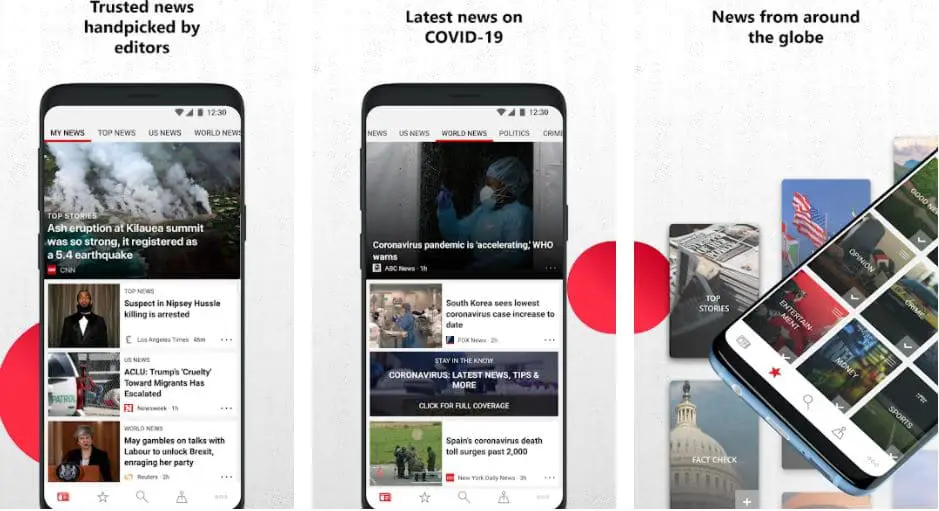
In fact, over the period, users can now download an app on their Android and iOS smartphones for free. The UI is pretty simple, as seen on the web, and for smartphones, it can be customized based on your preference.
Moving on, you can either select the MSN worldwide news or let it automatically select your location. Also, it allows you to select the language in which you wish to read the news.
From celebrity news to sports, it covers every section you can think of. On the menu panel, you can also check out the current temperature in your location.
Moreover, it even supports dark mode on the app, making it easier to use at night and reducing strain on the eyes.
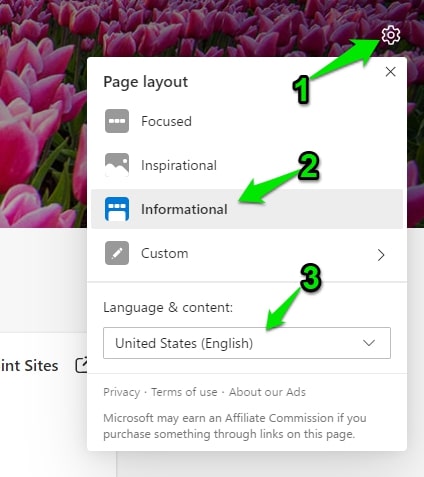
If you are using the Microsoft Edge browser, then click on the setting gear icon in the empty page screen and select the option “informational” and select your country to get the localized news.
If you are using google chrome, then use the Microsoft news chrome plugin. get it here.
Platform- Web, Android, and iOS
Google News vs Microsoft News:-
Both Google News and Microsoft News are excellent options for anyone looking for a personalized news experience.
Users may find that one platform suits their preferences better, so it may be worth trying both to see which one feels more intuitive and informative.
Here is a detailed chart comparing Google News and Microsoft News across various parameters:-
| Parameter | Google News | Microsoft News |
|---|---|---|
| Availability | Available globally in 35 languages | Available in select countries, in 28 languages |
| User Interface | Clean and intuitive interface, with customizable sections and dark mode | Customizable interface with multiple layouts and themes |
| Content Curation | AI-powered algorithms curate content from thousands of sources | AI-powered algorithms curate content from over 4,500 sources |
| Personalization | Personalized content recommendations based on browsing history | Personalized content recommendations based on user interests and history |
| Search Function | Robust search function with filters for news type, date, and location | Search function with filters for news type, topic, and publisher |
| News Sources | Aggregates content from a variety of sources, including traditional news outlets, blogs, and social media | Aggregates content from traditional news outlets and select online publishers |
| Offline Reading | Ability to save articles for offline reading | Ability to save articles for offline reading |
| Notifications | Customizable notifications for breaking news and topic alerts | Customizable notifications for breaking news and topic alerts |
| Advertisements | Displays targeted ads, but offers an ad-free subscription option | Displays targeted ads, but does not offer an ad-free subscription option |
| Integration with Devices and Apps | Integrates with Google Assistant, Google Home, and third-party apps | Integrates with Microsoft Edge, Windows 10, and Microsoft Launcher |
2. Apple News
If you are an Apple user, you cannot miss out on using the official Apple News on your smartphone. Since this is an Apple product, it is personalized only for iOS users.
This app is pre-installed on your iPhone or iPad, and you can also use it on your Apple watches conveniently.
Setting up the app to get the latest and real-time updates on worldwide events only takes a few minutes.
As an iOS user, you can even get the Apple News+ subscription with many more features than usual.
It is not free, and you must pay for its service. Some of the major aspects it covers are Audio stories, access to all local newspapers, hundreds of premium magazines from around the world, up to 6 family members can use it with zero extra cost, and much more.
If you are not sure about the News+ subscription, the tech giant allows you to get a 1-month free trial before you can make a move.
Platform- Only for iPhone, iPad, and Apple Watch.
Google News vs Apple News:-
One notable difference between the two platforms is their availability. Google News is accessible on various devices and platforms, including Android, iOS, and the web, while Apple News is only available on Apple devices.
Here is a detailed chart comparing Google News and Apple News:-
| Feature | Google News | Apple News |
|---|---|---|
| Platform availability | Android, iOS, Web | iOS, macOS, Web |
| Personalization | Yes, based on interests, location, and search history | Yes, based on interests, location, and search history |
| Content sources | Multiple sources, including news publishers and RSS feeds | Multiple sources, including news publishers and RSS feeds |
| User interface | User-friendly and easy to navigate with customizable sections | Clean and simple with a focus on visuals |
| Breaking news alerts | Yes | Yes |
| Paid subscriptions | Yes, for some publications | Yes, for some publications |
| Advertising | Yes, through Google Ads | Yes, through iAd |
| Audio news | Yes, through Google Assistant | Yes, through Siri |
| International Coverage | Yes, with local and regional editions | Yes, with local and regional editions |
| Social sharing | Yes | Yes |
3. Flipboard – Google News Alternatives For all the stories you care about
We have another brilliant app that supports every platform. Flipboard is one of the best Google News alternatives on the web.
The UI is the most interesting aspect of this platform; you can even add or delete the different categories of your choice.
This platform covers every local newspaper and top-tier magazine, so you need not subscribe to them separately.
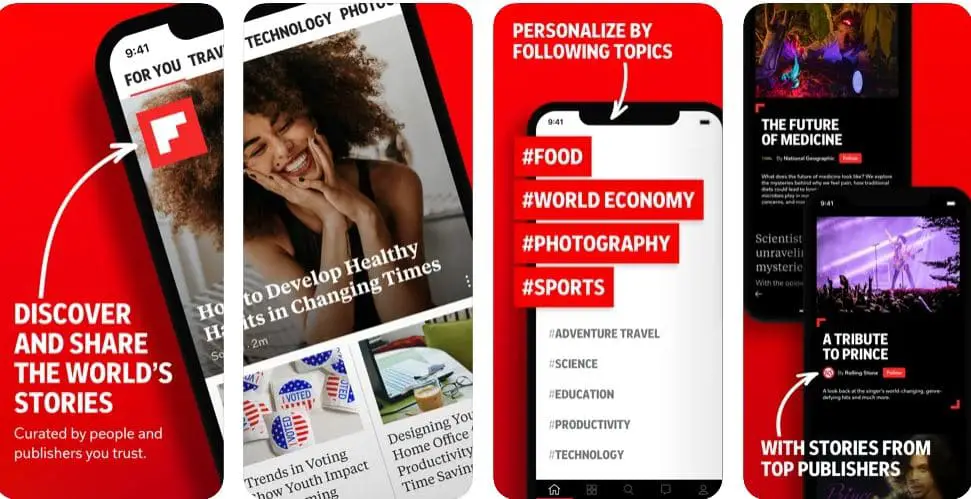
Some major publications you can find here are New York Times, Time, Atlantic, BBC, and many more.
From getting news about your weather to the latest updates on your events.
If you feel there is certain news or info worth saving to read in the future, you can use the + button on the top and add it to your list.
Moving on, it covers all the major languages so that you can read them without hassle. Some of the languages you will find here are Spanish, French, German, etc.
Also, if you are interested in Sports or if you are interested in politics, it covers every news that you need to know. Flipboard asks its users to personalize the app based on what they wish to see.
Platform- Web, iOS, and Android
Google News vs Flipboard:-
One notable difference between the two platforms is their focus. While Google News emphasizes news stories and current events, Flipboard also includes content related to other interests, such as technology, entertainment, and lifestyle.
Here’s a table comparing Google News and Flipboard:-
| Criteria | Google News | |
|---|---|---|
| Content | Aggregates news articles from various sources and publishers | Curates news articles and stories from popular publishers and social media platforms |
| Customization | Allows users to customize news feeds based on interests and preferences | Allows users to follow topics, sources, and magazines to create a personalized news feed |
| User Interface | Simple with easy navigation and search functions | Visually appealing with a magazine-style layout and scrolling interface |
| Availability | Available as a web-based service and as mobile apps for Android and iOS | Available as a mobile app for Android and iOS devices |
| Languages | Available in multiple languages, including English, Spanish, French, German, and others | Available in multiple languages including English, Spanish, French, German, and others |
| Revenue Model | Generates revenue through ads and partnerships with publishers | Generates revenue through ads and sponsored content |
| Social Features | Allows users to share articles and stories on social media platforms | Allows users to follow other users, comment on articles, and share content with others |
| Source Diversity | It provides a wide range of sources from different countries and perspectives | Provides a diverse range of sources from various categories and topics |
| Personalization | It uses machine learning to recommend articles based on user preferences and behavior | Uses machine learning to recommend articles based on user interests and activity |
| News Alerts | Sends notifications for breaking news stories and updates | Sends notifications for trending stories and personalized news updates |
4. Inshorts
If you don’t like to read massive blogs or news articles that take up much time, Inshorts might be the best option to go from here.
Since you are looking for something then Google News, you can download the app and keep yourself updated.
However, it is important to note that this app is only available for Indian users. You can view the language in Hindi as well as English.
It might be a similar app to Google News, but overall, it does serve some purpose of providing news to the general public.
This platform’s basic concept is that it creates short clips of the news for the users that do not take more than 60 seconds to read.
It is more of a news summary covering the main points that save time and space.
This platform is available for both Android and iOS users. You can read hundreds of news clips within minutes and keep yourself updated.
Rather than going through a massive chunk of unnecessary news, you can download Inshorts, where all the info is highly accurate and approved by genuine sources.
Google News vs inshorts:-
If a user wants comprehensive news coverage and is willing to invest time in reading, Google News may be a better option. On the other hand, if a user wants to stay informed but has limited time to consume news, Inshorts may be a better option.
Here’s a comparison table between Google News and Inshorts:-
| Criteria | Google News | Inshorts |
|---|---|---|
| Purpose | Aggregates news stories from various sources and presents them in one place. | Aggregates news stories from various sources and presents them in a short, summarized format. |
| Sources | Includes articles from various news organizations, both large and small | Includes articles from various news organizations, both large and small, as well as user-generated content |
| Format | Provides full-length articles with a headline, image, and byline | Presents news stories in a condensed format with a headline and summary |
| Customization | Allows users to customize their news feed based on interests and location | Offers limited customization options, such as selecting topics of interest and setting notification preferences |
| Accessibility | Available on desktop and mobile devices, as well as through a mobile app | Available on mobile devices only, through a mobile app |
| Revenue Model | Generates revenue through advertising and partnerships with news organizations | Generates revenue through advertising and sponsored content |
| Target Audience | Appeals to users who want comprehensive news coverage and are willing to invest time in reading | Appeals to users who want to stay informed but have limited time to consume news |
| Content Credibility | Sources articles from reputable news organizations, but does not verify the accuracy of each story | Sources articles from reputable news organizations, but does not verify the accuracy of each story |
| Social Features | Allows users to share articles and save them for later reading | Allows users to share articles and save them for later reading, as well as comment and react to news stories |
5. Associated Press (AP)
To add another one to our list, we have Associated Press which has been in the industry for over decades. It is one of the oldest and covers news from around the globe.
AP is the most trusted news site and provides unbiased information to the world and its readers. From covering politics to sports, you can read anything and everything accurately.
It covers all the local reports, documentaries, photo stories, and much more that you might not get on other new sites.
Apart from their web-based platform, you can even download their Android and iOS apps that are much easier to use and helps to keep you updated. Well, the interface is pretty simple and has no ads.
You do not need any subscription and are free to use. Also, the app provides you options to decide what news you are interested in and create your news feed. Simply select the categories; the app will keep you updated on those specific topics.
Platform- Web, iOS, and Android
6. Pocket
We have something pretty unique here that does not offer content to the users like any other sites we have mentioned.
Instead, it is an excellent app that you can use to save all the content and links here to read them anytime you want. All the relevant and important articles that might be useful can be added.
You might be thinking, why did we add it to this list? Well, it deserves this special mention once you have added your articles.
Pocket will now start recommending the articles based on what you have saved. Not only this, you can even save what you wish to watch later, or listen to, or even buy.
Also, it helps you highlight certain parts of the article and save it for later.
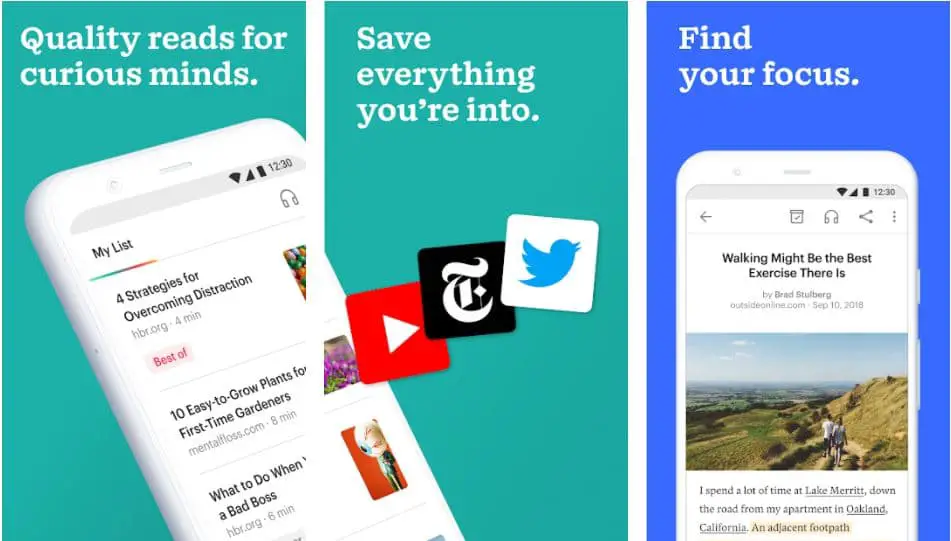
If you are using it on your browser, add it as your extension and save as much content as you need. Moreover, you can download the app on your smartphone for much easier usage and more productivity.
You can start with a free subscription and explore a bit. Furthermore, you can check out the premium version, which has many features.
Platform- Web, iOS, and Android
At the time of research on Best Google News Alternatives, we found a video on How to Spot Fake News which is worth watching if I hate google news. 😎🤩

7. Reddit – Alternatives to news
If you haven’t yet been a part of the world’s biggest community that covers every petty and major news update from around the world.
Reddit is one of the best Google News Alternatives in the internet world You are missing a lot if not yet signed up.
The platform is free of cost, and almost every user of every age group uses this platform to stay connected to the world. It might not be similar to any other news site you might have come across.
Reddit is a platform governed by the people, and everything is mostly genuine and reliable.
You can find multiple groups or a subreddit you can join with just a single click. Either you can switch directly to the news tab or stay connected as an individual to every piece of information circulated there.
It has everything from knowing about the latest stock market situation to politics. The users or the followers speak and discuss every other matter so that the spectators are well informed.
If you are part of it, you might want to try out their highly stable Android or iOS app.
Platform- Web, iOS, and Android
8. Yahoo News
Yahoo News is another trusted news website that is a great alternative to Google News. It is among the oldest on the list, including AP, Reddit, etc.
You can check out multiple aspects of the news from a trusted source. It covers news from our corner of the world. You can choose a specific site for your country and look for national news and international reports in the same place.
Although it does not support any app, you might have to use the web version. This serves as the only disadvantage over everything.
When you click on the link, some categories you can explore are politics, Science, Health, Coronavirus, Videos, documentaries, and much more. It even has a small section that displays the current weather of your location.
You can not customize your news feed in any way on Yahoo News since it is a web-based platform.
However, you can always click on the niche you wish to look at and check out the news and reports.
Platform- Web
Google News vs yahoo news:-
One of the key differences between Google News and Yahoo News is the number of sources they aggregate news from. Google News aggregates news from thousands of sources worldwide, while Yahoo News aggregates news from hundreds.
Another difference is the user interface. Google News has a simple and clean design that emphasizes headlines and images, while Yahoo News has a busier and more cluttered design that emphasizes ads and clickbait headlines.
Here’s a table comparing Google News and Yahoo News:-
| Feature | Google News | Yahoo News |
|---|---|---|
| Source Selection | Aggregates news from thousands of sources | Aggregates news from hundreds of sources |
| Customization | Allows users to personalize their news feed based on interests | Allows users to personalize their news feed based on interests |
| User Interface | Simple and clean design, with emphasis on headlines and images | Busy and cluttered design, with emphasis on ads and clickbait headlines |
| Algorithmic Bias | Uses an algorithm to prioritize news based on relevance and authority | Has been accused of bias and promoting clickbait headlines |
| International Coverage | Covers news from a wide range of countries and languages | Limited international coverage compared to Google News |
| Mobile App | Available for both iOS and Android devices | Available for both iOS and Android devices |
| Advertising | Displays targeted ads based on user data | Displays targeted ads based on user data |
| News Alerts | Sends push notifications for breaking news | Sends push notifications for breaking news |
| Subscription Options | Offers paid subscriptions to select news sources | Offers paid subscriptions to select news sources |
| Social Sharing | Allows users to share news articles on social media platforms | Allows users to share news articles on social media platforms |
9. Inoreader
Have you heard of Inoreader yet? It is one of the best Google News alternatives on the web.
Inoreader is an RSS-based platform that brings its users the latest news from different platforms.
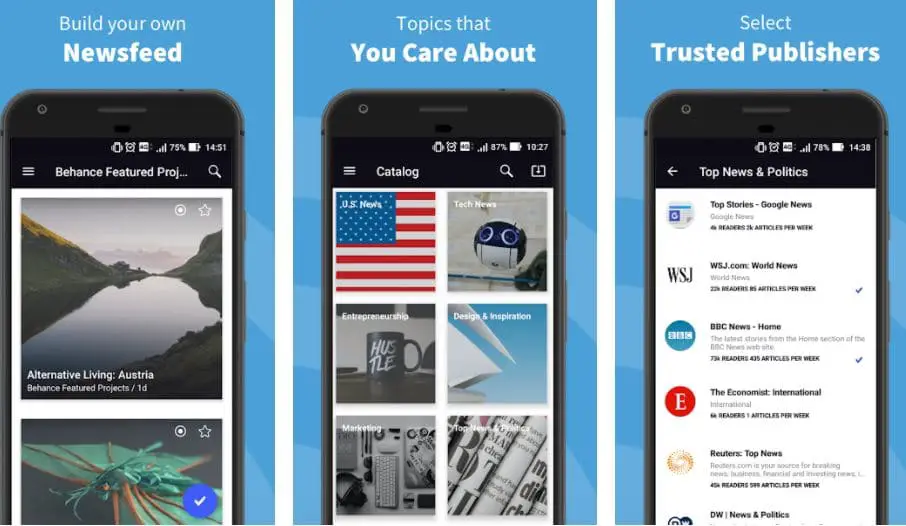
You can read and share the content on the web very easily and get genuine information worldwide.
The best aspect of this news site is that it provides you with the latest news content and social media posts, podcasts, documentaries, and much more.
You can easily download the application on Android, iOS, and Windows phones. Make sure to edit the settings through which you can get push notifications, emails, alerts, etc., marked as reading criteria to have the best experience.
Simply search the keyword you want to get info on, and then subscribe to it so that the platform can provide you with all the related news with proper alerts.
It even has a night and day mode, which you might not find in some of the most popular platforms yet.
There are millions of readers on this site that check out the news every single day and keep themselves updated.
Furthermore, the app lets you filter out the topics you need to know more about.
Platform- iOS, Android, and Windows
10. Feedly – Google news aggregator
We have another news aggregator application or a website based on RSS feeds. If you do not know how it works, RSS feeds allow users to keep track of multiple websites simultaneously to avoid many hassles.
Similarly, Feedly is one such platform available for all devices. The unique aspect of this platform is that it is integrated with an AI assistant named Leo.
Well, Leo helps users to filter out the content they need. Simply put on the keyword you hope to get the updates for on your news feed.
Leo will curate all the content on the web from different resources on that particular topic and list it on your feed so that you can read it anytime.
You can choose different niches, such as marketing, blogging, or anything, and the assistant will curate the application with relevant content.
To add more, you can share the content you read on multiple social media platforms with a single click. It is also a highly secure space and takes care of your privacy as its priority.
You can start with a free plan with over 100 sources to follow and only three feeds to filter. For anything above this, you need to buy a subscription.
Platform- Web, iOS, and Android
Google News vs Feedly:-
Google News may be more suitable for users who prefer a simple and personalized news experience. At the same time, Feedly is ideal for users who want more control over their content and are willing to spend time curating their feeds.
Here’s a comparison table of Google News and Feedly:-
| Feature | Google News | Feedly |
|---|---|---|
| Source Selection | Aggregates news from a variety of sources | Allows users to choose and curate their own sources |
| User Interface | User-friendly and easy to navigate | It can be overwhelming and cluttered, with too many options |
| Customization | Limited customization options | Highly customizable with the ability to create custom feeds |
| Personalization | Uses AI to personalize news based on user interests | Allows users to prioritize and filter content by topic |
| Ads | Includes ads within the app and on articles | Offers an ad-free version for paid users |
| Platforms | Available on desktop and mobile platforms | Available on desktop and mobile platforms |
| Price | Free to use | Offers both free and paid versions, with additional features for paid users |
| Social Integration | Offers social sharing options within the app | Offers integration with social media platforms for easy sharing |
11. Bundle Breaking News
There is no denying that Bundle is one of the best-designed news applications on the web.
The stunning use of colors and UI is beyond anything. It is something unique that any user would love to use.
Simply put, this, too, acts as a news aggregator that covers news stories from all around the world and gathers them from multiple platforms to you.
Some categories you will find here are Technology, Science, Finance, Sport, and Art & Culture.
The platform is believed to be gathering over a million readers each month. You can find every single feature you have used on Google News.
Download the app on your smartphone and create your profile. Similar to other RSS feeds-based apps, this also gives you complete liberty to choose what you wish to read.
The bundle keeps you notified about all the local news, breaking news, and updates on your devices.
If the local news is too disturbing, you can only read content useful to you or for your learning purpose.
Platform- Web, iOS, and Android
12. Nuzzel
If you are looking for a platform-specific to business news and information, Nuzzel is an excellent choice. It was named one of the best apps in the year 2016.
Readers and professionals from some of the top names in the media and technology have been a part of this platform for authentic news.
It even allows curating a newsletter that hardly takes a few minutes. Nuzzel offers a personalized news experience to its readers so that they read what you want.
If you do not wish to be involved in politics, but only in sports, there are multiple options to filter out all the news you do not want to be a part of. You can download the app on both Android and iOS smartphones.
The UI is pretty basic, but the content is real. There are options to work on dark and light themes, whichever fits you the best.
You can start with the free version and if you need more features that it offers, get a highly affordable subscription.
Platform- Web, iOS, and Android
13. Inside
Lastly, another very popular news site delivers newsletters to its subscribers. Inside isn’t exactly similar to Google News. However, you can easily keep yourself updated through this platform.
The main focus here is it breaks the barrier between the audience and the reporters. Well, there are way too many platforms providing the same content repeatedly.
To reach more readers Inside provides a platform through which you can subscribe to the newsletter on multiple topics. Inside posts all the content you wish to read and reaches you via email.
All of these are available free of cost. However, you can apply for the premium version to get the maximum benefits and get more features.
You can unlock all the exclusive news, podcasts, insights, and much more on your premium service. There are multiple plans to choose from based on the number of newsletters you can get in your mail.
Also, there are options to even go for the team plan, where your entire team can access the content and update each other.
Platform- Web, iOS, and Android
Google News API alternatives
One notable Google News API alternative is the NewsCrawler API. Its advanced web scraping capabilities allow developers to gather real-time news articles from various sources, providing a more comprehensive and customizable news feed.
Additionally, the NewsCrawler API offers a range of filtering options, enabling users to focus on specific topics, languages, or regions of interest.
Another compelling alternative is the Feedly API. Renowned for its powerful content aggregation and RSS feed capabilities, Feedly API empowers users to curate personalized news streams tailored to their unique preferences.
By leveraging its extensive collection of sources, users can access a wealth of information from diverse publishers and domains.
The Aylien News API stands out as an exceptional choice for developers seeking a comprehensive news analysis tool.
With its natural language processing capabilities, sentiment analysis, and entity recognition features, the Aylien News API enables in-depth insights into news content.
It facilitates data-driven decision-making by extracting valuable metadata, categorizing articles, and identifying key trends.
In conclusion, while Google News API remains a prominent player in news data access, exploring Google News API alternatives opens up new avenues for customization, diversity, and enhanced analysis.
By considering alternatives like the NewsCrawler API, Feedly API, or Aylien News API, you can harness the power of alternative solutions and unlock a world of possibilities in your news consumption and analysis endeavors.
Apple News vs google news vs Flipboard
Apple News is best suited for those deeply integrated with Apple’s ecosystem, while Google News is ideal for those using Google services and devices.
Flipboard is a good option for those who want more control over the news sources, and content is shown and enjoys a magazine-style layout.
Here’s a comparison table for Apple News, Google News, and Flipboard:-
| Feature | Apple News | Google News | |
|---|---|---|---|
| Available Platforms | iOS, iPad, macOS | iOS, Android, Web | iOS, Android, Web |
| Personalization | Yes, using “For You” section and user feedback | Yes, using AI and user feedback | Yes, using AI and user feedback |
| News Sources | Multiple sources from different categories | Multiple sources from different categories | Multiple sources from different categories |
| Curated Content | Yes, using human editors | Yes, using human editors and AI | Yes, using human editors and AI |
| User Control | Limited control over news sources and content shown | Limited control over news sources and content shown | More control over news sources and content shown |
| Ads | Yes, but limited and not intrusive | Yes, but limited and not intrusive | Yes, but limited and not intrusive |
| Integration | Deep integration with Apple devices and services | Deep integration with Google services and devices | Integration with social media platforms and messaging apps |
| User Experience | Clean and easy-to-use interface | Clean and easy-to-use interface | Magazine-style layout with a personalized feed |
| Accessibility | Good accessibility features | Good accessibility features | Good accessibility features |
| Cost | Free | Free | Free |
📗FAQ’s
What is the best alternative to Google News?
In the ever-evolving digital landscape, where information flows relentlessly, finding a reliable alternative to Google News has become a quest for many news enthusiasts.
While Google News offers comprehensive news aggregation from various sources, some individuals seek alternative platforms to break free from the potential filter bubble and gain diverse perspectives.
One noteworthy alternative is Feedly. With its intuitive interface and customizable features, Feedly allows users to curate their news feeds based on specific topics and interests.
Its powerful algorithm ensures users receive relevant, up-to-date content from many trusted sources.
Another compelling option is Flipboard. This visually captivating platform offers a personalized news experience by curating articles, videos, and social media content based on user’s preferences.
It’s magazine-style layout and interactive interface create an engaging reading experience.
Reddit can be an excellent alternative for those interested in a community-driven news platform. With its vast network of communities known as “subreddits,” users can find niche news communities tailored to their interests.
The upvoting and downvoting system ensures that the most valuable and reliable news rises to the top.
Additionally, Apple News provides a seamless news experience for users, delivering personalized news recommendations across all devices.
Its curation team selects top stories from trusted sources, offering a balanced and diverse range of content.
If you prefer a decentralized and blockchain-powered news platform, Civil might pique your interest.
Built on blockchain technology, Civil aims to promote transparency and accountability in journalism by allowing users to support journalists and newsrooms they trust directly.
| Alternative to Google News | Description |
|---|---|
| 1. Feedly | Feedly is a popular RSS reader and news aggregator that allows users to customize their news feeds and follow their favorite sources. It offers a clean and intuitive interface for browsing and discovering news articles. |
| 2. Flipboard | Flipboard is a personalized news aggregator app that curates content based on your interests. It provides a visually appealing magazine-style layout and allows users to create customized news magazines. |
| 3. Apple News | Apple News is an app available on iOS devices that aggregates news articles from various sources. It offers personalized news recommendations based on your preferences and allows users to explore a wide range of topics. |
| 4. Microsoft News | Microsoft News is a news aggregator app available on various platforms, including Windows, iOS, and Android. It provides curated news articles from popular publishers and offers personalized news based on your interests and reading habits. |
| 5. News360 | News360 is a news aggregator app that delivers personalized news based on your interests and preferences. It gathers news articles from various sources and provides a comprehensive and balanced view of the latest news stories. |
| 6. Inoreader | Inoreader is a feature-rich RSS reader and news aggregator that allows users to subscribe to their favorite websites and blogs. It offers advanced features like rules and filters, allowing for better organization and customization of news feeds. |
| 7. Pocket | Pocket is primarily a read-later app that lets you save articles, videos, and other content for later consumption. It also offers a “Recommended” section where users can discover new articles and topics based on their interests. |
| 8. NewsBlur | NewsBlur is an open-source RSS reader and news aggregator that offers both web and mobile apps. It allows users to subscribe to RSS feeds, categorize their news sources, and provides features like filtering and highlighting to enhance the reading experience. |
| 9. SmartNews | SmartNews is a news aggregator app that aims to provide a fast and efficient news reading experience. It curates news articles from various sources and uses machine learning algorithms to personalize the content based on user preferences. |
| 10. Taptu | Taptu is a customizable news aggregator app that allows users to create their own news streams based on their interests. It supports RSS feeds, social media integration, and offers a unique “DJ your News” feature for further personalization. |
| 11. News Republic | News Republic is a news app that brings together articles from various sources and offers personalized news recommendations. It covers a wide range of topics, including news, sports, entertainment, and more, allowing users to stay updated on their areas of interest. |
| 12. DuckDuckGo News | DuckDuckGo, a privacy-focused search engine, also provides a news section that aggregates news articles from various sources. It emphasizes user privacy by not tracking personal information, making it a suitable alternative for those concerned about data privacy. |
| 13. Opera News | Opera News is a news app that provides personalized news articles based on user preferences. It covers a wide range of topics and offers a clean and easy-to-use interface for browsing and discovering news content. |
| 14. News360 | News360 is a news aggregator app that delivers personalized news based on your interests and preferences. It gathers news articles from various sources and provides a comprehensive and balanced view of the latest news stories. |
What is the best free news feed?
Feedly is a popular RSS feed reader. You can use it to organize and read top blogs conveniently. Apart from Feedly, Inoreader, Feeder, Good News, etc., can be used for free news feeds.
What is the most reliable news app?
Different news apps are popular for various reasons. Apple News is known for its affordable access, while Google News is appreciated for providing many free articles. Flipboard has a customized news app.
Is Flipboard any good?
If you are looking for an excellent layout to get top news stories, Flipboard can be a perfect option. The customized magazine feature adds a personal touch.
Is Google News any good?
Google News can be a great way to get daily news. You will also get the local weather update on the top of the screen. It is excellent for both consumers and content producers.
What is the best free news app for android?
Google News tops the race of best free apps for android users. However, Flipboard is not far behind and has been used by many to stay updated with the latest news.
Is Flipboard better than Google News?
If you are looking for a friendly UI and like following others, Flipboard can be significant. However, if getting in-depth research or downloading articles is the purpose, Google News is the accurate match.
Do Flipboard cost money?
One can use Flipboard for free. There are no charges for either displaying or curating content on the platform. You can also become a publisher on Flipboard without paying money.
What is the best free News app for iPhone?
Flipboard is the best option for iPhone users. Apart from Flipboard, Zite, CNN Mobile, Breaking News, Pulse, AP Mobile, etc., are popular alternatives.
Is Apple News a free app?
Apple News+ is limited to Apple devices only. You cannot use Apple News on Android or PC. Apple News costs $9.99 after the free trial is over.
Is Flipboard better than Google News?
Whether Flipboard is better than Google News depends on your personal preferences. Flipboard is known for its visually appealing and customizable interface, while Google News is praised for its comprehensive news coverage and ability to personalize content based on your interests.
How can I get rid of Google News?
To remove Google News from your phone, you can either uninstall the app or disable it in your phone’s settings.
If you’re using Google News on your computer, you can remove it from your Google Account by going to your Google Account settings and clicking on “Data & Personalization.”
How do I get old Google News format?
Google News has undergone several redesigns over the years, and it’s not always possible to revert to an old format. However, you can try clearing your browser cache or using a different browser to see if that brings back an older site version.
What are the disadvantages of Google News?
Some users have criticized Google News for its algorithmic approach to news selection, which can lead to a “filter bubble” and limit exposure to diverse viewpoints. Additionally, the site has been accused of promoting clickbait and sensationalized headlines.
What is the difference between Google News and Discover?
While both Google News and Google Discover offer personalized news content based on your interests, Google News is focused on traditional news sources and current events.
At the same time, Google Discover is designed to showcase a wider range of content, including articles, videos, and social media posts.
Who is the target audience of Flipboard?
Flipboard’s target audience is people who want to stay informed on news and trends while having a visually appealing and customizable reading experience.
Why do people use Flipboard?
People use Flipboard because it offers a personalized news experience that can be tailored to their interests and preferences. The app also offers a visually appealing and customizable interface that many find engaging.
What are the pros and cons of Flipboard?
Some pros of Flipboard include its visually appealing and customizable interface, personalized news content, and ability to save articles for later reading. Some cons include occasional glitches and bugs and a tendency to feature articles from less reputable sources.
Why can’t I get Google News?
If you’re having trouble accessing Google News, it could be due to several factors, such as connectivity issues, app updates, or regional restrictions.
Can I uninstall Google News app?
Yes, you can uninstall the Google News app from your phone like any other app. Simply go to your phone’s settings, find the app, and select “uninstall.”
Why has Google News changed?
Google News has changed over the years to adapt to changing user preferences and to improve the user experience. These changes have included redesigns, algorithmic updates, and new features such as personalized news content.
How far back does Google News go with archived newspapers?
The availability of archived newspapers on Google News varies depending on the source and the date range. Some sources may have articles dating back several years, while others may only go back a few months.
What is not good about Google?
Critics of Google have pointed out concerns related to privacy, the company’s advertising practices, and the potential for monopoly power in the tech industry.
How long does news stay on Google?
The time that news stays on Google depends on several factors, such as the source, the date, and the story’s popularity.
Some articles may remain available on the site for several weeks or even months, while others may be removed after just a few days.
Do people use Google News?
Yes, Google News is a popular news source for many people, with millions of users worldwide.
Does everyone see the same Google News?
No, not everyone sees the same Google News content. To personalize the news content displayed, the site’s algorithm considers a user’s browsing history, location, and other factors.
Is Google Discover free?
Yes, Google Discover is free and available to anyone with a Google account.
Why Google News is better than Apple News?
Whether Google News is better than Apple News depends on your preferences. Google News is praised for its comprehensive news coverage and ability to personalize content, while Apple News is known for its visually appealing interface and easy-to-use design.
Is Flipboard still relevant?
Yes, Flipboard is still a relevant and popular news app, offering a personalized and visually engaging reading experience.
How does Flipboard make money?
Flipboard makes money through advertising and by offering sponsored content in its app.
Who are mostly the target audience?
Flipboard’s target audience includes anyone wanting to stay informed on news and trends while having a visually appealing and customizable reading experience.
What is the best news app like Flipboard?
Several news apps offer similar features to Flipboard, including Feedly, News360, and Apple News.
What is better than Flipboard?
Whether there is a news app that is better than Flipboard depends on your preferences. Some popular alternatives include Google News, Apple News, and News360.
Is Flipboard a reliable news source?
Flipboard aggregates news content from various sources, so the reliability of the news depends on the sources themselves. However, Flipboard does have editorial standards in place to ensure that the content it features is accurate and trustworthy.
What does Flipboard cost?
Flipboard is free to use, although it offers a premium version called Flipboard Plus, which offers additional features for a monthly fee.
How much does Flipboard cost?
Flipboard Plus costs $2.99 per month or $29.99 per year.
Who is Flipboard owned by?
Flipboard is owned by Flipboard Inc., a privately held company based in California.
How do I get more news on Google?
To get more news content on Google, you can broaden your search terms or explore different news categories on the site. You can also customize your news feed by selecting topics of interest in your Google News settings.
How do I get Google News back on my phone?
If you’ve uninstalled the Google News app from your phone, you can re-download it from the Google Play Store or the App Store on iOS.
Should I delete news apps?
Whether or not to delete news apps depends on your personal preferences and news consumption habits. Some people find that news apps are useful for staying informed, while others prefer to get their news from other sources.
How do I reinstall Google News app?
To reinstall the Google News app, go to the Google Play Store or the App Store on iOS and search for “Google News.” Select the app, then select “Install.”
Can I change Google News back to old version?
Changing Google News back to an old version may not be possible, as the site undergoes frequent updates and redesigns. However, you can try clearing your browser cache or using a different browser to see if that brings back an older site version.
What is the biggest news archive?
The Library of Congress is often considered the largest news archive in the world, with a collection of over 170 million items, including newspapers, photographs, and recordings.
Where can I view old newspapers for free?
Several websites offer free access to old newspapers, including the Library of Congress’s Chronicling America, the National Archives’ Digital Collections, and Google News Archive.
Will Google remove a news article?
Google will remove a news article if it violates the company’s policies on hate speech, harassment, or copyrighted material.
In some cases, Google may also remove an article at the publisher’s request or the article’s subject.
Final Thoughts
In conclusion, exploring alternative platforms to Google News can give you a fresh perspective and diverse news sources.
By stepping outside the Google News bubble, you can discover lesser-known but highly informative platforms catering to your interests and preferences.
These alternatives offer many features, including customizable news feeds, niche-specific content, and unique perspectives from independent publishers.
Embracing these alternatives broadens your information horizons and fosters a more balanced and unbiased understanding of the world.
So, take the plunge and venture beyond Google News to uncover the hidden gems that await you in the vast landscape of alternative news platforms.
Expand your news consumption options, stay informed, and empower yourself with a broader perspective on current affairs.
With the plethora of Google News alternatives available today, it’s time to break free from the familiar and embark on an exciting journey of discovery.


