
























Kali Linux has long been regarded as a premier operating system in cybersecurity.
Its comprehensive suite of tools and utilities specifically designed for penetration testing, ethical hacking, and network security analysis has made it a favorite among cybersecurity professionals.
However, as technology advances and new players emerge, exploring alternative options that can complement or surpass Kali Linux’s capabilities is essential.
This article will delve into a curated selection of Kali Linux alternatives that offer unique features, functionalities, and advantages for cybersecurity experts.
What is Kali Linux?💁
Kali Linux, renowned for its prowess in ethical hacking, combines cutting-edge tools and a user-friendly interface to provide security professionals and enthusiasts with a robust platform for penetration testing and vulnerability assessments.
This Debian-based Linux distribution, developed and maintained by Offensive Security, has become the go-to operating system for individuals seeking to safeguard networks and uncover potential security vulnerabilities.
Kali Linux boasts a comprehensive toolset specifically curated for ethical hacking purposes, offering an array of powerful utilities for information gathering, network scanning, password cracking, and exploiting known vulnerabilities.
From the industry-standard Metasploit Framework to the versatile Nmap network scanner, Kali Linux equips users with an extensive arsenal to simulate real-world attacks and identify system weaknesses.
One of the key aspects that set Kali Linux apart is its active community support and dedicated team of developers, constantly working to improve the platform by incorporating new tools and fixing existing bugs.
Regular updates ensure that security professionals stay at the forefront of the ever-evolving threat landscape, making Kali Linux an invaluable resource for staying one step ahead of potential adversaries.
By providing a specialized environment for ethical hacking, Kali Linux empowers individuals to enhance their skills legally and responsibly.
Its significance in ethical hacking cannot be understated, as it catalyzes fostering cybersecurity awareness and expertise, ultimately contributing to the overall resilience of digital infrastructures.
Criteria For Evaluating Kali Linux Alternatives
Several factors come into play when evaluating Kali Linux alternatives to ensure a suitable alternative is chosen. These criteria serve as benchmarks to assess the compatibility, functionality, and effectiveness of alternative platforms for penetration testing and ethical hacking purposes.
Compatibility with different operating systems is a crucial aspect to consider. A versatile alternative should be compatible with various operating systems, allowing users to integrate it into their existing infrastructure seamlessly.
Whether it’s Windows, macOS, or other Linux distributions, cross-platform support enhances flexibility and accessibility.
A user-friendly interface and ease of use are essential, as they contribute to efficient workflows and reduce the learning curve. A well-designed alternative should prioritize intuitive navigation and streamlined access to tools, enabling users to focus on tasks without unnecessary complications.
The comprehensive toolset provided by an alternative is another crucial consideration. A robust collection of reconnaissance, scanning, exploitation, and post-exploitation tools is essential for conducting thorough security assessments.
Active community support and frequent updates are vital for staying updated with the latest security vulnerabilities and techniques. An engaged community and frequent updates ensure that the alternative remains relevant and can effectively address emerging threats.
Lastly, customization options and flexibility empower users to tailor the alternative to their needs. Configuring and personalizing the environment enhances productivity and allows users to optimize their workflows.
By evaluating alternatives against these criteria, security professionals and enthusiasts can make informed decisions, selecting the alternative that best aligns with their requirements and facilitates their ethical hacking endeavors.
Here, we have prepared a list of some of the best ones –
Kali Linux Alternatives To Enhance Your Security Arsenal
1. Parrot Security OS: A Versatile Alternative
In the realm of cybersecurity, Parrot Security OS stands out as a top alternative to Kali Linux, offering a comprehensive suite of tools and functionalities.
Parrot Security OS has earned its reputation as a powerful and reliable operating system for cybersecurity professionals with a strong focus on security auditing, ethical hacking, and digital forensics.
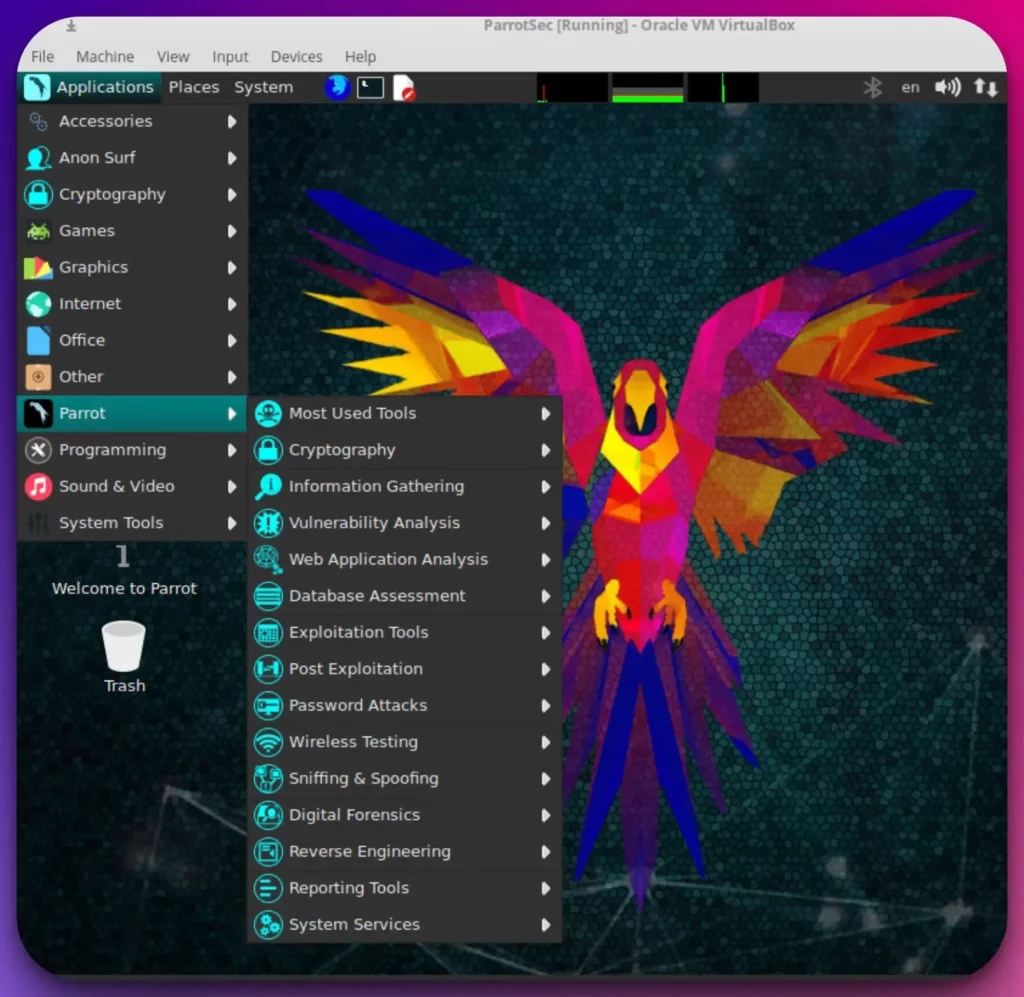
Parrot Security OS provides a versatile platform equipped with an extensive array of pre-installed tools that cater to the diverse needs of cybersecurity experts.
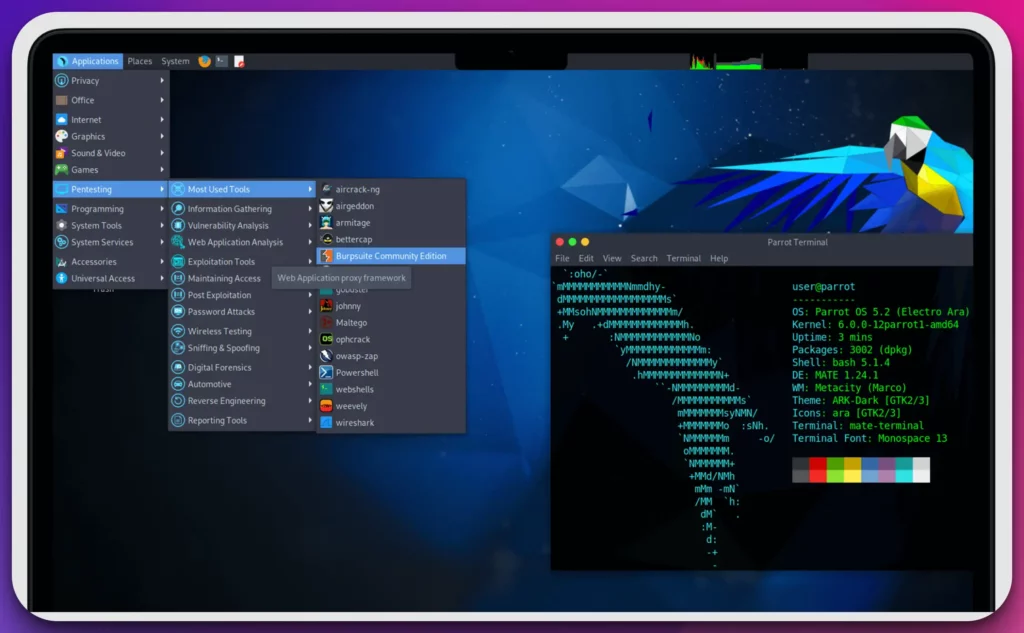
Whether it’s network analysis, vulnerability assessment, or reverse engineering, Parrot Security OS offers a robust toolkit that enables professionals to tackle complex cybersecurity challenges.
What sets Parrot Security OS apart is its emphasis on anonymity and privacy, incorporating anonymization tools such as Tor and anonymous web browsers into its system. This allows users to maintain high privacy and anonymity while conducting security operations, an essential consideration in today’s digital landscape.
The flexibility and adaptability of Parrot Security OS are evident in its choice of different editions, including the Home, Security, and IoT editions. This enables users to select the edition that aligns best with their goals and objectives, ensuring a tailored experience.
Parrot Security OS continuously receives updates with a rolling release model, providing users with the latest security patches, bug fixes, and feature enhancements. This ensures that the system remains up-to-date and resilient against emerging security threats.
In conclusion, Parrot Security OS has emerged as a top Kali Linux alternative, offering a comprehensive suite of tools, an emphasis on privacy, flexibility in editions, and a rolling release model. It is a worthy choice for cybersecurity professionals seeking a robust and reliable operating system for their security endeavors.
2. BlackArch Linux: The Penetration Tester’s Arsenal
In cybersecurity, BlackArch Linux has emerged as a formidable alternative to Kali Linux, offering many specialized tools and an extensive repository for penetration testers and security professionals.
BlackArch Linux, derived from Arch Linux, is a Kali Linux alternative with a vast repository of over 2,800 cybersecurity tools.
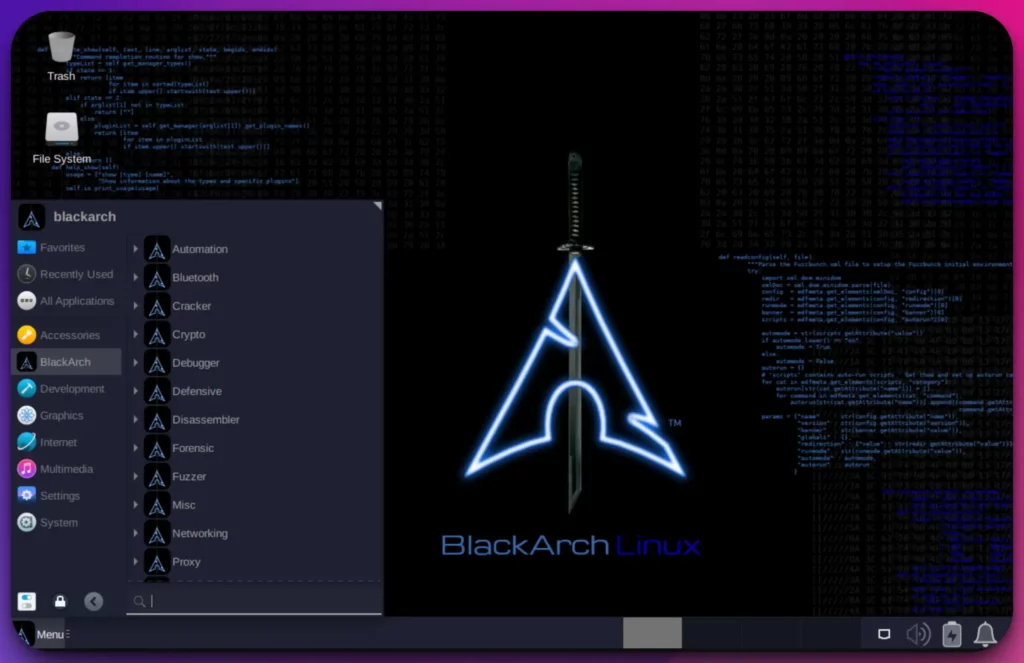
This extensive collection provides professionals with various options for conducting penetration testing, vulnerability assessment, and network security analysis.
What sets BlackArch Linux apart is its unwavering focus on being a penetration tester’s arsenal. The operating system is specifically designed to cater to the needs of security researchers, ethical hackers, and information security enthusiasts. It empowers professionals to tackle complex security challenges with precision and efficiency.
The lightweight nature of BlackArch Linux ensures optimal performance even on resource-constrained devices, making it a versatile option for desktop and embedded systems. Its intuitive interface allows users to navigate seamlessly through the extensive collection of tools, enabling a streamlined workflow.
One of the standout features of BlackArch Linux is its commitment to a rolling release model. This ensures that users have access to the latest and most updated cybersecurity applications, eliminating the need for full system upgrades and enabling professionals to stay ahead of emerging threats.
In conclusion, BlackArch Linux offers an impressive array of specialized tools, a focus on penetration testing, lightweight performance, and a commitment to staying up-to-date.
It has rightfully earned its place as a top Kali Linux alternative, empowering cybersecurity professionals to unleash their full potential in the ever-evolving world of cybersecurity.
Kali Linux vs BlackArch Linux:-
Regarding cybersecurity, two prominent contenders, Kali Linux and BlackArch Linux, vie for the attention of professionals seeking powerful and feature-rich operating systems.
Let’s explore the differences between these two and understand how they cater to the distinct needs of cybersecurity experts.
Kali Linux has gained immense popularity due to its comprehensive suite of tools and utilities. It is a versatile operating system explicitly designed for security auditing, ethical hacking, and digital forensics.
With a wide range of pre-installed tools, Kali Linux offers professionals an extensive toolkit for network analysis, vulnerability assessment, and more.
On the other hand, BlackArch Linux distinguishes itself as a specialized penetration testing distribution derived from Arch Linux.
It boasts an impressive repository of over 2,800 cybersecurity tools, specifically tailored to meet the needs of security researchers, ethical hackers, and information security enthusiasts.
BlackArch Linux’s focus on penetration testing makes it a robust and specialized alternative to Kali Linux. While both operating systems share the goal of empowering cybersecurity professionals, they adopt different approaches and cater to different requirements.
Kali Linux offers a broader scope, covering various security aspects, while BlackArch Linux zooms in on penetration testing with its specialized tools and repository.
In conclusion, the choice between Kali Linux and BlackArch Linux depends on the specific needs and preferences of the user.
Whether one seeks the versatility and comprehensive toolkit of Kali Linux or the specialization and depth of BlackArch Linux, both options provide valuable resources for professionals navigating the intricate landscape of cybersecurity.
Here’s a comparison table highlighting the main differences between Kali Linux and BlackArch Linux:-
| Aspect | Kali Linux | BlackArch Linux |
|---|---|---|
| Purpose | Penetration testing and ethical hacking | Penetration testing and security research |
| Base Distribution | Debian | Arch Linux |
| Target Audience | Security professionals, hackers, and forensics experts | Security professionals, hackers, and forensics experts |
| Pre-installed Tools | Comes with a wide range of pre-installed tools | Comes with over 2,500 pre-installed penetration testing tools |
| Repository | Kali repositories contain a curated set of tools | Utilizes Arch Linux repositories with community-driven tools |
| Release Cycle | Major releases every few years (long-term support) | Rolling release model (frequent updates and newer packages) |
| Customization | Highly customizable with various desktop environments | Highly customizable with a minimal and lightweight interface |
| Documentation | Extensive documentation and official training courses | Documentation available, but not as comprehensive |
| User-Friendliness | Designed for experienced users and security experts | Designed for experienced users, may require advanced knowledge |
| Learning Curve | Steeper learning curve due to advanced features | Moderate learning curve, especially for Arch Linux beginners |
| Support | Active community support and official forums | Community support through forums and online communities |
| Stability | Stable and reliable for most tasks | Frequent updates may introduce occasional instability |
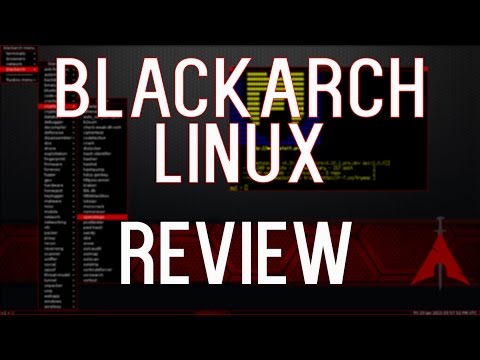
3. BackBox: Simplicity and Efficiency Combined
Having the right tools and a reliable operating system is paramount for cybersecurity.
Enter BackBox, a compelling alternative to Kali Linux that offers a range of cutting-edge features and capabilities for cybersecurity professionals. As a Kali Linux alternative, BackBox provides a powerful platform that combines simplicity with advanced functionalities.
With its user-friendly interface and streamlined design, BackBox allows professionals to navigate seamlessly through its diverse tools and utilities.
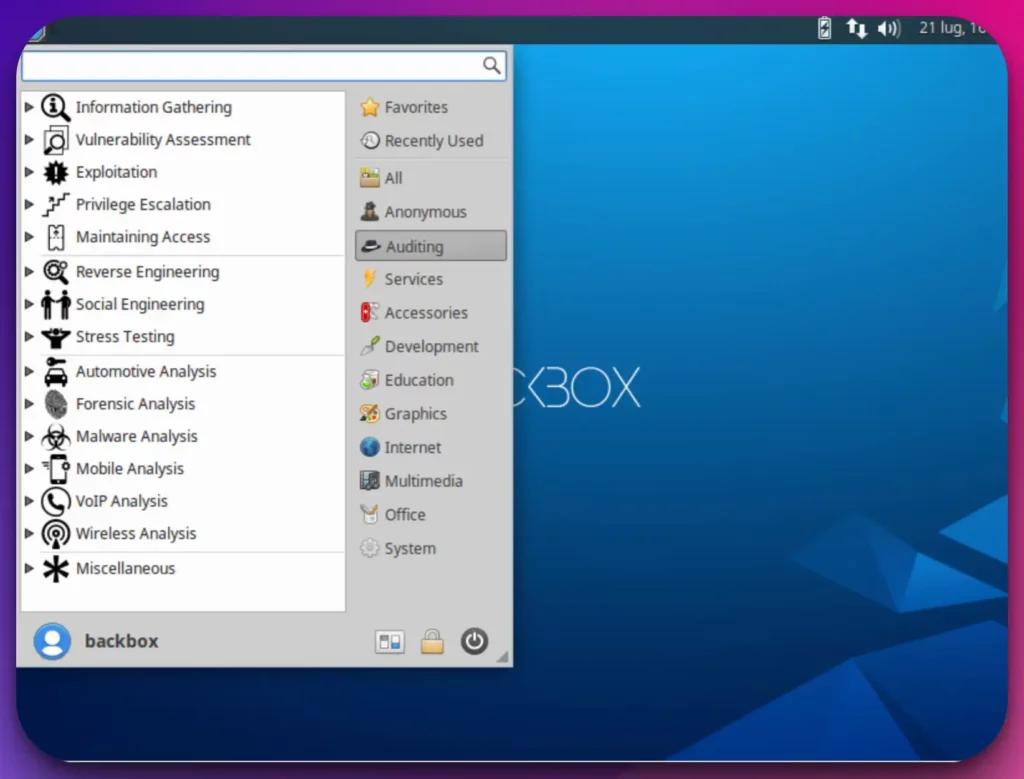
What sets BackBox apart is its focus on efficiency and effectiveness in addressing cybersecurity challenges.
The operating system is specifically tailored to meet the needs of security professionals, offering a range of specialized features for tasks such as penetration testing, vulnerability assessment, and network analysis.
BackBox empowers users with a rich selection of advanced tools to tackle complex security scenarios. From industry-standard utilities to unique and specialized applications, BackBox equips professionals with the necessary resources to enhance their cybersecurity efforts.
Moreover, BackBox ensures that professionals stay ahead of the curve with its commitment to regular updates and enhancements. By adopting a rolling release model, the operating system provides timely security patches, bug fixes, and feature upgrades, ensuring that users have access to the latest advancements in cybersecurity.
In conclusion, BackBox stands out as a formidable Kali Linux alternative, offering a user-friendly interface, specialized features, a comprehensive range of advanced tools, and a dedication to staying up-to-date.
It is a dynamic and reliable operating system that empowers cybersecurity professionals to effectively protect their systems and networks.
Kali Linux vs BackBox:-
In cybersecurity, two prominent contenders, Kali Linux and BackBox, vie for the attention of professionals seeking robust and feature-rich operating systems.
Let’s delve into the distinctions between these two platforms and understand how they cater to the unique needs of cybersecurity experts.
Kali Linux, known for its comprehensive suite of tools, has become the go-to choice for many professionals in the field. It offers a versatile platform explicitly designed for security auditing, ethical hacking, and digital forensics.
With a vast collection of pre-installed tools, Kali Linux provides professionals with an extensive toolkit for network analysis, vulnerability assessment, and more. On the other hand, BackBox stands out as a focused and streamlined alternative. It offers a user-friendly interface without compromising essential security tools.
BackBox is tailored to meet the needs of professionals engaged in penetration testing, vulnerability assessment, and network analysis tasks.
While Kali Linux offers a broader scope, covering various aspects of security, BackBox distinguishes itself with its efficiency and effectiveness in addressing cybersecurity challenges. BackBox provides professionals with a curated selection of specialized tools that enable them to tackle complex security scenarios precisely.
Ultimately, the choice between Kali Linux and BackBox depends on the specific requirements and preferences of the user.
Whether one seeks the comprehensive toolkit and versatility of Kali Linux or the focused approach and streamlined experience of BackBox, both platforms offer valuable resources for professionals navigating the intricate landscape of cybersecurity.
Here’s a comparison table highlighting some key differences between BackBox and Kali Linux:-
| Features | BackBox | Kali Linux |
|---|---|---|
| Purpose | Penetration testing and security auditing | Penetration testing and digital forensics |
| Target Audience | Beginner to intermediate users | Intermediate to advanced users |
| User Interface | Sleek and user-friendly | Customizable and highly configurable |
| Preinstalled Tools | Selective set of tools | Vast collection of tools |
| Stability | Stable and reliable | Frequent updates and potentially less stable |
| Documentation | Limited documentation | Extensive documentation and community support |
| Forensics Support | Limited | Extensive |
| Community Support | Smaller community | Large and active community |
| Customization | Less customizable | Highly customizable and modular |
| Hardware Support | May have limited driver support | Extensive hardware support |
| Release Cycle | Less frequent updates | Frequent updates and new releases |
4. Cyborg Hawk Linux: Feature-Rich Cybersecurity Distribution
In cybersecurity, Cyborg Hawk Linux has emerged as a powerful and feature-rich alternative to Kali Linux.
With its extensive range of specialized tools and advanced capabilities, Cyborg Hawk Linux is a formidable choice for cybersecurity professionals.
Positioned as a Kali Linux alternative, Cyborg Hawk Linux offers a comprehensive suite of cybersecurity tools and utilities.
This operating system is specifically designed to cater to the needs of ethical hackers, penetration testers, and information security enthusiasts.
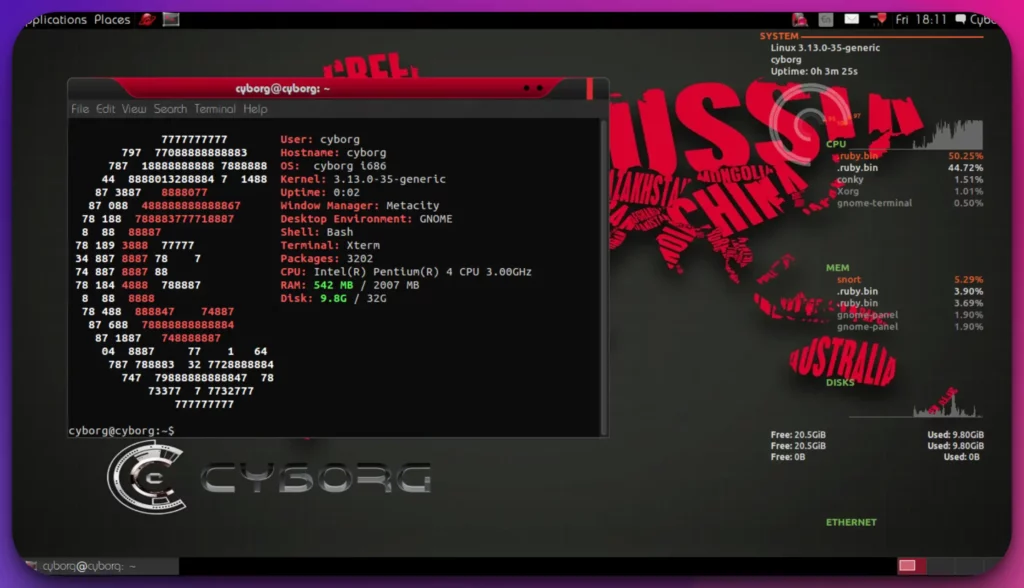
What sets Cyborg Hawk Linux apart is its commitment to providing a feature-rich environment. With over 750 pre-installed tools, it empowers professionals to conduct various cybersecurity tasks, including network analysis, vulnerability assessment, and digital forensics.
Cyborg Hawk Linux combines the power of the Ubuntu base with regular updates, ensuring enhanced performance and the latest advancements in cybersecurity. It enables professionals to avoid emerging threats and leverage the most up-to-date tools and techniques.
Moreover, Cyborg Hawk Linux stands out with its focus on regular updates and a growing repository of tools. This ensures that cybersecurity professionals have access to a continuously evolving suite of resources, allowing them to adapt to the ever-changing cybersecurity landscape.
In conclusion, Cyborg Hawk Linux offers a robust and feature-rich alternative to Kali Linux, catering to the specific needs of ethical hackers, penetration testers, and information security enthusiasts.
Its extensive range of specialized tools, commitment to regular updates, and focus on performance make it a compelling choice for professionals seeking to elevate their cybersecurity capabilities.
Kali Linux vs Cyborg Hawk Linux:-
Let’s delve into the distinctions between these two platforms and understand how they cater to the unique needs of cybersecurity experts.
Kali Linux has long been revered as a comprehensive and versatile platform for security auditing, ethical hacking, and digital forensics. With its vast collection of pre-installed tools, Kali Linux offers professionals a wide array of network analysis, vulnerability assessment, and more options.
On the other hand, Cyborg Hawk Linux presents itself as a formidable alternative, catering to the needs of ethical hackers, penetration testers, and information security enthusiasts. With over 750 pre-installed tools, Cyborg Hawk Linux equips professionals to tackle various cybersecurity tasks, from network analysis to digital forensics.
While Kali Linux offers a broader scope, covering various security aspects, Cyborg Hawk Linux distinguishes itself by focusing on specialized tools. This operating system empowers professionals with a comprehensive suite of resources tailored to their specific needs and expertise.
Ultimately, the choice between Kali Linux and Cyborg Hawk Linux depends on the specific requirements and preferences of the user.
Whether one seeks the versatility and breadth of Kali Linux or the specialized arsenal of Cyborg Hawk Linux, both platforms offer valuable resources for professionals navigating the intricate landscape of cybersecurity.
Below is a comparison table between Kali Linux and Cyborg Hawk Linux:-
| Feature | Kali Linux | Cyborg Hawk Linux |
|---|---|---|
| Purpose | Penetration Testing | Penetration Testing and Forensics |
| Based on | Debian | Ubuntu |
| Default Desktop | GNOME | XFCE |
| Preinstalled Tools | Extensive collection | Extensive collection |
| Forensics Tools | Limited | Extensive collection |
| User-Friendly | Yes | Yes |
| Community Support | Strong community support | Active community support |
| Release Frequency | Regular updates and releases | Less frequent updates and releases |
| Documentation | Comprehensive documentation | Comprehensive documentation |
| Virtual Machine Support | Supported | Supported |
| Wireless Support | Extensive wireless toolset | Extensive wireless toolset |
| Stability | Generally stable | Generally stable |
| Customization Options | High | High |
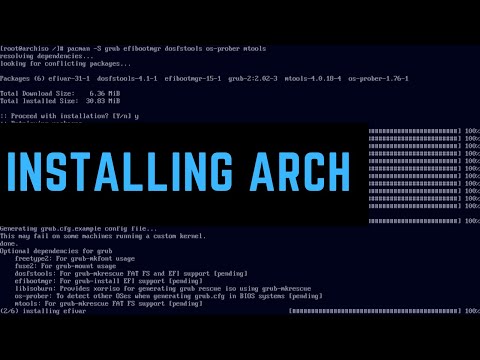
5. ArchStrike: An Arch Linux Spin for Security Professionals
ArchStrike has emerged as a formidable alternative to Kali Linux, offering security professionals a specialized and powerful platform in the ever-evolving cybersecurity landscape.
With its unique features and capabilities, ArchStrike is a compelling choice for those seeking an alternative to Kali Linux. Derived from Arch Linux, ArchStrike caters specifically to the needs of security professionals, ethical hackers, and penetration testers.
It provides a robust selection of specialized cybersecurity tools for network security analysis, penetration testing, and digital forensics. What sets ArchStrike apart is its focus on being a streamlined and efficient platform for security experts.
Built on the lightweight Arch Linux, it offers a performance-optimized environment, ensuring that professionals can conduct their cybersecurity tasks precisely and quickly.
One of the standout features of ArchStrike is its rolling release model, which ensures that users have access to the latest and most updated cybersecurity applications.
This allows security professionals to stay ahead of emerging threats and leverage the cutting-edge tools and techniques offered by ArchStrike.
In conclusion, ArchStrike is a powerful Kali Linux alternative, offering a specialized set of cybersecurity tools, a performance-optimized environment, and a commitment to staying up-to-date. It empowers security professionals to unleash their full potential and confidently tackle complex cybersecurity challenges.
Kali Linux vs ArchStrike:-
Kali Linux has long been recognized as a comprehensive and versatile platform for security auditing, ethical hacking, and digital forensics. With its extensive collection of pre-installed tools, Kali Linux provides professionals with a wide range of options for network analysis, vulnerability assessment, and more.
On the other hand, ArchStrike sets itself apart as a specialized cybersecurity platform derived from Arch Linux. It caters to the needs of security professionals, ethical hackers, and penetration testers.
ArchStrike offers a robust selection of specialized cybersecurity tools, providing professionals with a streamlined and efficient work environment. While Kali Linux offers a broader scope, covering various security aspects, ArchStrike distinguishes itself with its focused approach and optimized performance.
The lightweight architecture of ArchStrike ensures that professionals can conduct their cybersecurity tasks with precision and speed.
Here’s a comparison table highlighting some key differences between Kali Linux and ArchStrike:-
| Feature | Kali Linux | ArchStrike |
|---|---|---|
| Purpose | Penetration Testing and Ethical Hacking | Penetration Testing and Security Research |
| Based on | Debian | Arch Linux |
| Release Cycle | Periodic major releases | Rolling release |
| Default Desktop | GNOME | Openbox |
| Package Manager | APT (Advanced Package Tool) | Pacman |
| Repository Size | Extensive, with a wide range of tools and utilities | Focused on security-related tools and packages |
| Documentation | Comprehensive and user-friendly | Less comprehensive, more targeted towards experienced users |
| Community Support | Strong community with extensive online resources | Smaller community with a more specialized focus |
| System Customization | More beginner-friendly with pre-configured tools | Highly customizable and requires manual configuration |
| Learning Curve | Steeper learning curve due to a vast array of tools | More technical and requires familiarity with Arch Linux |
6. NST: Network Security Toolkit
Regarding network security analysis, NST (Network Security Toolkit) is a compelling alternative to Kali Linux.
NST is a bootable live CD/DVD that transforms any system into a powerful network security analysis platform.
It offers an array of network monitoring and diagnostic tools, making it an invaluable asset for cybersecurity professionals.
7. Pentoo: A Gentoo-Based Pentesting Distribution
Pentoo emerges as a compelling alternative to Kali Linux in cybersecurity, providing security professionals with a specialized platform equipped with advanced features and tools.
With its unique capabilities, Pentoo offers a powerful option for those seeking an alternative to Kali Linux. Positioned as a Kali Linux alternative, Pentoo caters to the needs of security experts, penetration testers, and ethical hackers.
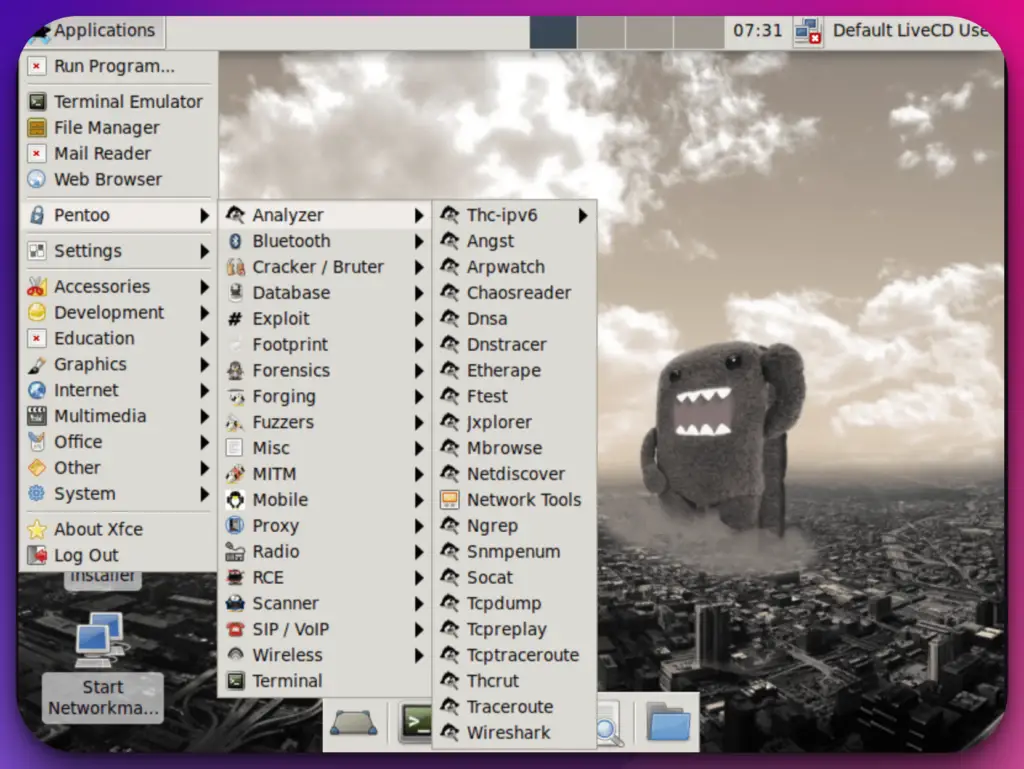
Built on the Gentoo Linux distribution, Pentoo allows for highly customizable installations and optimized performance, enabling professionals to tailor the environment to their specific requirements.
One of the standout features of Pentoo is its comprehensive selection of specialized cybersecurity tools. From network analysis and vulnerability assessment to digital forensics and penetration testing, Pentoo provides a robust toolkit to address the intricate challenges of the cybersecurity landscape.
Pentoo’s focus on specialization and customization distinguishes it as a preferred choice for security professionals. Pentoo ensures users can access the latest cybersecurity advancements and cutting-edge tools with regular updates and a dedicated community.
In conclusion, Pentoo is a formidable Kali Linux alternative, offering specialized expertise, customization options, and a wide array of cybersecurity tools. It empowers security professionals to enhance their capabilities, tackle complex security tasks, and safeguard digital assets precisely and confidently.
Kali Linux vs Pentoo:-
Pentoo emerges as a specialized alternative, catering specifically to the needs of security experts, penetration testers, and ethical hackers.
Built on the Gentoo Linux distribution, Pentoo provides a highly customizable environment that allows professionals to tailor the operating system to their specific requirements.
It offers a comprehensive selection of specialized cybersecurity tools for network security analysis, digital forensics, and penetration testing.
While Kali Linux presents a broader scope, covering various security aspects, Pentoo differentiates itself with its focused approach and emphasis on specialization.
It allows professionals to finely tune their environment finely, optimizing their workflows and tackling specific cybersecurity challenges with precision.
Here’s a comparison table highlighting the main differences between Kali Linux and Pentoo:-
| Feature | Kali Linux | Pentoo |
|---|---|---|
| Purpose | Penetration testing and ethical hacking platform | Penetration testing and security assessment platform |
| Distribution Type | Debian-based | Gentoo-based |
| Package Manager | APT (Advanced Package Tool) | Portage |
| Default Desktop | GNOME | Xfce |
| Target Audience | Beginner to advanced users | Advanced users and Gentoo enthusiasts |
| Preinstalled Tools | Extensive collection of security tools | Focused on wireless tools and exploit development |
| Customizability | Limited | Highly customizable |
| Learning Curve | Moderate | Steeper learning curve due to Gentoo’s complexity |
| Release Schedule | Regular releases | Rolling release |
| Community Support | Large and active community | Smaller community, primarily Gentoo-based |
| Documentation | Extensive and well-documented | Good documentation, but not as extensive as Kali |
8. DEFT: Digital Evidence and Forensics Toolkit
In cybersecurity, DEFT emerges as a compelling alternative to Kali Linux, offering a specialized platform with advanced features and tools. With its unique capabilities, DEFT provides security professionals with a powerful option for their cybersecurity endeavors.
Positioned as a Kali Linux alternative, DEFT caters specifically to the needs of digital forensics and incident response professionals.
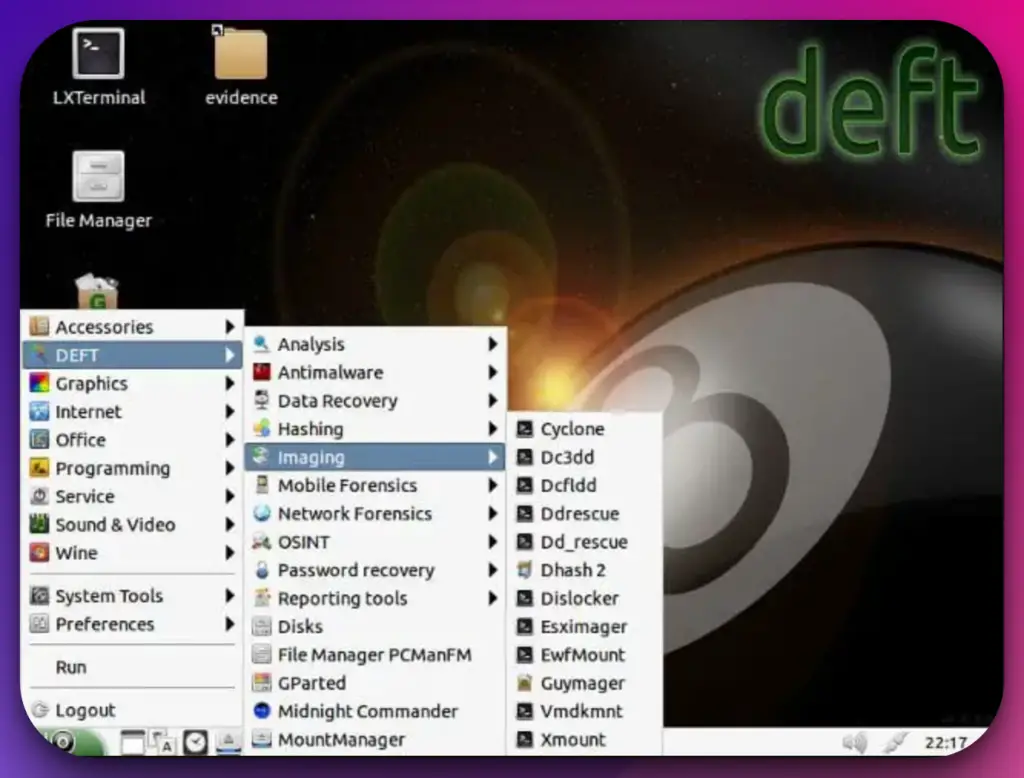
It offers a comprehensive suite of specialized tools and utilities that empower users to perform in-depth analysis, data recovery, and evidence collection in the digital forensic domain.
What sets DEFT apart is its emphasis on ease of use and accessibility. With its intuitive interface and user-friendly design, DEFT allows professionals to navigate its vast array of tools seamlessly. This ensures efficient workflow and quick access to the necessary resources for effective forensic investigations.
DEFT’s specialized focus enables professionals to conduct incident response activities precisely and efficiently. It provides various tools for live analysis, memory forensics, and network monitoring, empowering professionals to identify and respond to security incidents effectively.
In conclusion, DEFT is a formidable Kali Linux alternative for digital forensics and incident response professionals. Its specialized capabilities, user-friendly interface, and comprehensive suite of tools make it a compelling choice in cybersecurity.
9. Garuda Linux
In cybersecurity, Garuda Linux has emerged as a dynamic and innovative alternative to Kali Linux. With its focus on cutting-edge features and user-friendly design, Garuda Linux offers a compelling platform for security professionals seeking a Kali Linux alternative.
Positioned as a Kali alternative, Garuda Linux showcases a commitment to innovation and performance. Built on the Arch Linux distribution, Garuda Linux provides a highly customizable environment that allows professionals to tailor the operating system to their needs and preferences.
Garuda Linux embraces innovation by offering a variety of unique features and optimizations. Its use of the Btrfs filesystem, the inclusion of performance-enhancing tweaks, and the integration of bleeding-edge software packages set it apart from traditional Linux distributions.
Furthermore, Garuda Linux provides an intuitive and visually appealing desktop environment, allowing users to easily navigate its features and tools.
Including a comprehensive software repository and user-friendly package management system ensures a seamless experience for security professionals.
With its unique features, performance optimizations, and user-friendly design, Garuda Linux enables professionals to tackle cybersecurity challenges confidently and efficiently.
Factors To Consider When Choosing a Kali Linux Alternative
Selecting the most suitable Kali Linux alternative requires careful consideration of several crucial factors. By evaluating these factors, security professionals and enthusiasts can make an informed decision, ensuring their chosen alternative aligns with their specific requirements and objectives.
Individual skill levels and familiarity with Linux distributions significantly affect the selection process. Different alternatives may have varying levels of complexity and learning curves. Choosing an alternative that matches the user’s expertise is essential to maximize productivity and effectiveness.
Specific requirements and project goals must be taken into account. Different alternatives, such as wireless network penetration testing or web application security, may excel in specific areas.
Assessing the scope of the project and the intended use cases helps identify an alternative that best addresses those needs.
The availability of community support and documentation is crucial for a smooth experience. A vibrant community ensures access to valuable resources, forums, and tutorials, aiding users in troubleshooting and expanding their knowledge.
The stability and reliability of the alternative are paramount. A solid foundation with regular updates and a well-maintained codebase ensures a secure and stable operating environment for ethical hacking activities.
Considering these factors when choosing a Kali Linux alternative allows security professionals to find a platform that aligns with their skill level, fulfills project requirements, provides robust community support, and delivers stability and reliability.
By making a well-informed decision, users can leverage the power of an alternative that enhances their ethical hacking capabilities and contributes to their overall success.
📗FAQ’s
What can we use instead of Kali Linux?
Alternative options to Kali Linux include Parrot OS, BlackArch Linux, and BackBox.
These operating systems offer similar penetration testing and ethical hacking capabilities, providing viable alternatives to Kali Linux depending on individual preferences and specific requirements.
Which OS do hackers use?
Hackers use various operating systems based on their preferences and needs. While Kali Linux is popular among penetration testers and ethical hackers, other options include Parrot OS, BlackArch Linux, and BackBox.
Ultimately, the choice of OS depends on the hacker’s familiarity, the tools they require, and the target they are focusing on.
Do real hackers use Kali Linux?
Real hackers may use Kali Linux as one of their preferred operating systems for penetration testing and ethical hacking.
However, it’s important to note that hackers can use various operating systems depending on their expertise and objectives.
Kali Linux’s comprehensive suite of pre-installed tools and its focus on security makes it a popular choice among many hackers.
Why hackers don’t use Kali Linux?
While hackers widely use Kali Linux, it’s not the only option available. Some hackers may prefer alternative operating systems or custom setups that suit their needs better.
Factors such as personal preferences, familiarity with other OSs, and the nature of the target or objective can influence why hackers might choose not to use Kali Linux.
What Is the Replacement of Kali Linux?
Although Kali Linux is highly regarded in the field of cybersecurity, alternatives do exist. Parrot OS and BlackArch Linux are notable distributions that can replace Kali Linux.
Parrot OS emphasizes privacy and anonymity, while BlackArch Linux specializes in providing a vast array of penetration testing tools.
These alternatives offer different features and toolsets, allowing users to choose the best distribution for their needs and preferences.
Is BlackArch Better Than Kali?
BlackArch and Kali Linux serve similar purposes as penetration testing and ethical hacking distributions. However, the choice between the two depends on individual preferences and requirements.
BlackArch Linux is renowned for its extensive collection of over 2,000 tools specifically focused on penetration testing.
On the other hand, Kali Linux provides a broader range of pre-installed tools and has a larger community following. Ultimately, the better option depends on the user’s familiarity with the toolset and the specific goals of their security assessments.
Why Do Hackers Use Parrot OS?
Hackers may choose Parrot OS as an alternative to Kali Linux due to its emphasis on privacy and anonymity.
Parrot OS provides built-in privacy-oriented features, such as Tor integration and sandboxed applications, which can help conceal the hacker’s identity and activities.
Additionally, Parrot OS offers a variety of security-oriented tools and a user-friendly interface, making it an attractive choice for hackers who prioritize privacy and ease of use.
Why Use Kali Instead of Ubuntu?
Kali Linux and Ubuntu are popular Linux distributions but serve different purposes. Ubuntu is a general-purpose operating system designed for everyday use, while Kali Linux is specifically tailored for penetration testing and ethical hacking.
Kali Linux has a comprehensive set of pre-installed security tools, making it more suitable for individuals or organizations focused on cybersecurity activities. On the other hand, Ubuntu is better suited for general computing needs and software development.
Is Kali Linux the Best?
Kali Linux is considered one of the best operating systems for penetration testing and ethical hacking. Its vast collection of pre-installed tools, regular updates, and strong community support contribute to its reputation.
However, “best” is subjective and depends on individual requirements. Other distributions like Parrot OS and BlackArch Linux offer alternative toolsets and features that may better suit specific use cases.
Evaluating the strengths and weaknesses of each distribution will help determine the best choice for a particular situation.
Why Do Hackers Prefer Kali Linux?
Hackers may prefer Kali Linux due to its extensive pre-installed security tools and its focus on penetration testing and ethical hacking.
Kali Linux simplifies the setup and configuration process, allowing hackers to quickly access a comprehensive suite of tools for various hacking activities.
Its active community and documentation also provide valuable resources for hackers to enhance their skills and knowledge. However, it is crucial to differentiate between ethical hackers who abide by legal boundaries and malicious hackers who engage in illegal activities.
Why Arch Linux Is So Popular?
Arch Linux’s popularity can be attributed to its unique simplicity, minimalism, and user-centric customization philosophy. Arch Linux gives users full control over their system’s configuration, allowing for a tailored computing environment.
Its rolling-release model ensures access to the latest software updates and releases. Arch Linux’s active and supportive community contributes to its popularity by providing extensive documentation and a wide range of user-contributed packages and customizations.
Do White Hat Hackers Use Kali Linux?
White hat hackers, also known as ethical hackers, may use Kali Linux as one of their tools for conducting security assessments, penetration testing, and vulnerability analysis.
Kali Linux’s comprehensive set of pre-installed security tools and its focus on security testing and auditing makes it a valuable resource for white hat hackers.
However, white hat hackers also use other distributions and tools based on their specific requirements and expertise.
What Are the Disadvantages of Kali Linux?
While Kali Linux is a powerful and popular penetration testing distribution, it does have certain disadvantages.
One major drawback is its learning curve, as using the wide range of included tools effectively requires a solid understanding of cybersecurity concepts.
Kali Linux’s focus on security testing may also limit its suitability for general computing needs. Furthermore, the extensive collection of tools can consume significant storage space, which may pose challenges for resource-constrained systems.
What Computer Do Hackers Use?
Hackers can use various computer systems, depending on their preferences and requirements. Many hackers prefer using custom-built machines or high-performance systems with ample processing power, memory, and storage.
These systems often have advanced graphics capabilities for password cracking or cryptographic analysis tasks. However, the choice of computer ultimately depends on the hacker’s specific hacking activities and individual preferences.
Is Kali Linux Traceable?
Like any other operating system, Kali Linux can leave traces of its usage. When connected to networks or engaging in online activities, traceability is possible through various means, such as IP address tracking or monitoring network traffic.
Hackers often employ additional tools and techniques to maintain anonymity and avoid traceability, such as anonymizing networks like Tor or using virtual private networks (VPNs) to mask their identity and location.
Can You Get Viruses on Kali Linux?
While Kali Linux is designed for security testing and ethical hacking, it is not immune to malware or viruses. Like any operating system, Kali Linux can be susceptible to malicious software if proper precautions are not taken.
However, due to its specialized usage and security-focused community, Kali Linux users are typically more security-conscious and follow best practices to mitigate the risks of malware infection.
How Much RAM Is Required for Kali Linux?
The minimum RAM requirement for Kali Linux is 1GB, but it is recommended to have at least 2GB or more for optimal performance.
Additional RAM allows for smoother multitasking and running resource-intensive security tools. Depending on the specific tasks and tools used, more RAM may be beneficial to ensure a responsive and efficient experience while conducting security assessments.
Why Do Hackers Prefer Linux Over Windows?
Hackers often prefer Linux over Windows for various reasons. Linux, an open-source operating system, offers greater flexibility and customization options.
It provides a robust command-line interface and access to powerful tools and scripting languages. Also, Linux has a reputation for better security and stability, which can benefit hackers seeking a secure and reliable environment.
Which Is Better: Parrot or Ubuntu?
The choice between Parrot OS and Ubuntu depends on individual needs and preferences. Parrot OS is designed for security testing, privacy, and anonymity, making it suitable for ethical hacking and penetration testing.
On the other hand, Ubuntu is a general-purpose operating system with a vast user base and extensive software support. Ubuntu is better suited for everyday computing tasks and software development.
Conclusion
While Kali Linux has established itself as a leading operating system for ethical hacking and penetration testing, exploring alternative options that cater to specific needs is essential.
The Kali Linux alternatives mentioned in this article, such as Parrot Security OS, BlackArch Linux, Pentoo, BackBox Linux, Samurai Web Testing Framework, and Caine, offer powerful toolsets and distinctive features.
By evaluating these alternatives, professionals in the realm of cybersecurity can expand their arsenal of tools and find the perfect fit for their specific requirements.
Whether it’s lightweight performance, user-friendly interfaces, or specialized functionalities, these alternatives provide a range of options to suit various use cases and enhance the efficiency of security practitioners.

