
























Whether you are a professional cab driver, or you are a trucker, or even simply someone who drives daily for commuting to the workplace, tracking your mileage and expenses is very important.
You will require that information while filing tax to ensure you avoid even a bit of extra deductions. Standard mileage rate deduction usually applies to all types of vehicles, including those used for medical purposes, move for charity, and a lot of vehicles used for various other purposes.
Gone are the days when one had to pull a crumpled notebook for tracking mileage. There is a mobile application for literally everything, including mileage tracking!
Yes, if you are not completely aware, you can easily find and download at least half a dozen of mileage tracker apps to effortlessly and effectively track the mileage of your vehicle, and that too, very, very affordably. Let’s have an in-depth look at some of the leading applications available for tracking mileage.
Best Mileage Tracker Apps – Our Top Pick👌👌
1. Stride: Mileage & Tax Tracker
Stride is a free expense and mileage tracking tax application that makes it easier for you to save thousands of bucks on your tax bill, almost all year round.
The app smartly maximizes your mileage deductions, imports all the expenses, supports you to find valuable money-saving write-offs, and eases out the entire process of filing.
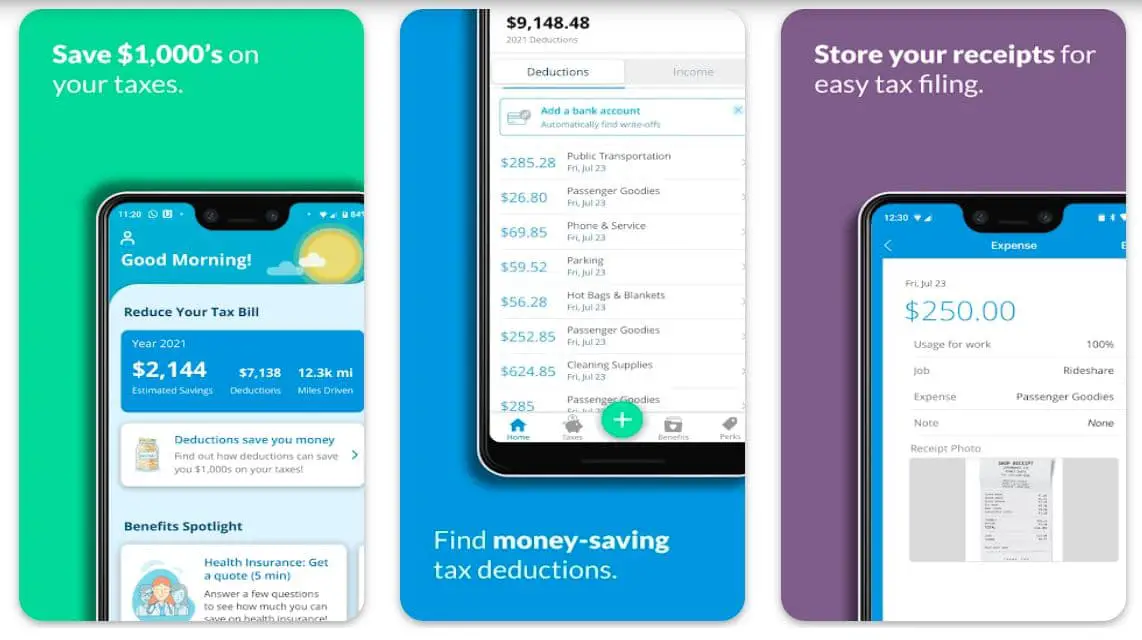
The app is expertly designed for people who are dedicated to working for themselves. It even helps you discover all types of business expenses you can successfully claim as an independent worker, and get the best out of your tax filing.
A lot of people save up to $4000, and even more when it is time to file tax using the app! Stride helps you save big on taxes, track miles automatically and accurately, and maintains log expenses like cell phone bill and car washes, etc.
In short, the app successfully takes out all the hassle related to tax filing. What do you have to do to get the best out of this app?🤔
Simply press start in the app every time you leave your house, and it will smartly maximize your deductions related to mileage, and even capture them in an IRS-ready standard mileage tracking log format.
Features of Stride:-
- Automatic, GPS-powered mileage tracking
- Timely reminders to ensure you never miss out on logging miles
- Standard IRS-ready mileage logs to effectively audit-proof all your deductions
- Allows you to record unlimited drives
- Helps you estimate your tax withholdings
Devices – Android and iOS
Ratings on Apple Store – 4.8 / 5 | Ratings on Google Play Store – 4.7 / 5
2. Everlance: Mileage Tracker
Everlance is one of the most popular mileage tracker apps and has been trusted by more than 1 million drivers. According to the records maintained by the developers, the app helps an average severance user save $6,500 only on taxes every year, simply by smartly maximizing their deductions.
And, there is no reason, why you can’t be the next! With the app, you can track your expenses including miles automatically while saving a lot of money and time.
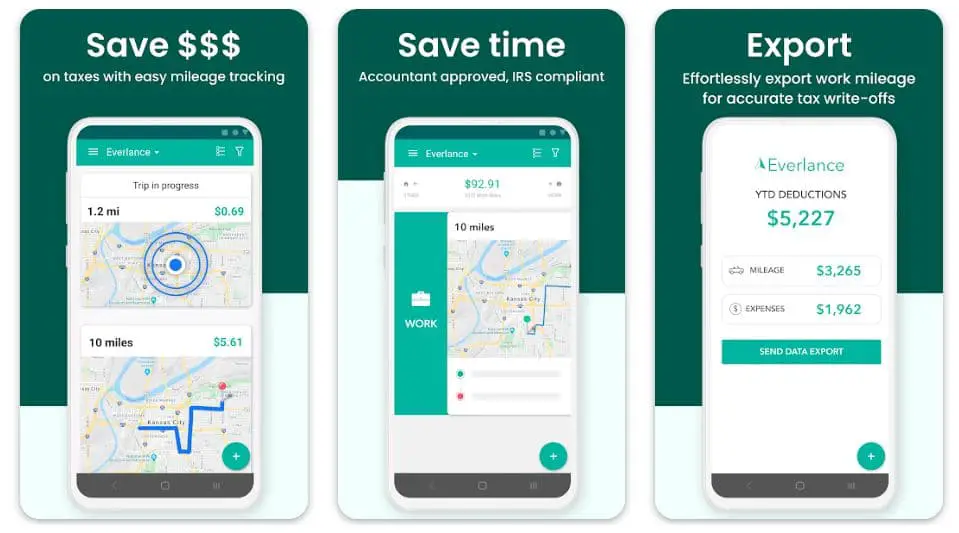
Having this app on your phone, you can finally say goodbye to those tough-to-handle paper mileage logs added to tracking your expenses manually.
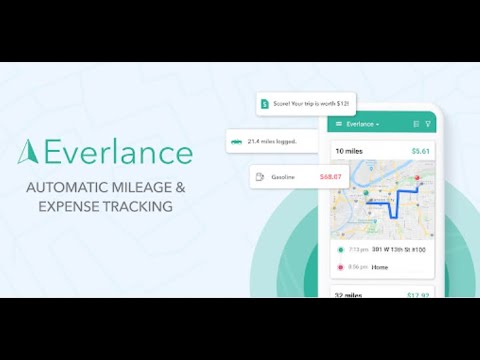
Everlance smartly uses your device’s GPS, add creates IRS complaint mileage logs, and also syncs with your credit card or bank account to maintain a record of business expenses as well as receipts. You can successfully save thousands of dollars as well as hours of time during the tax season with the help of Everlance.
Thanks to the auto-detect technology, you can rely on the app to automatically track all your drives. You don’t even have to worry about tapping the start-on-stop button before each trip!
Simply swipe to classify your trips as personal, professional, business, medical, or charity. The app will smartly take care of all other things.
Features of Everlance:-
- Helps you save a lot of time and money with automatic tracking
- Syncs your logs with a credit card or bank to record everything
- IRS compliant as well as accountant approved
- Accurate tax write-offs with effortless export of work mileage
- Allows you to submit mileage and expenses records for reimbursement
Devices – Android and iOS
Ratings on Apple Store – 4.8 / 5 | Ratings on Google Play Store – 4.4 / 5
3. Hurdlr – Best free mileage tracker app for android
Whether you are a self-employed person, an agent, a contractor, or even a freelancer, have a part-time gig, or are an Uber or Lyft driver, here is an extraordinarily simple mileage tracker app for you!
Hurdlr’s powerful mileage and business expenses tracker helps you save thousands of dollars while filing IRS tax deductions. Additionally, you can also create expense reports as well as capture receipts without any problem.
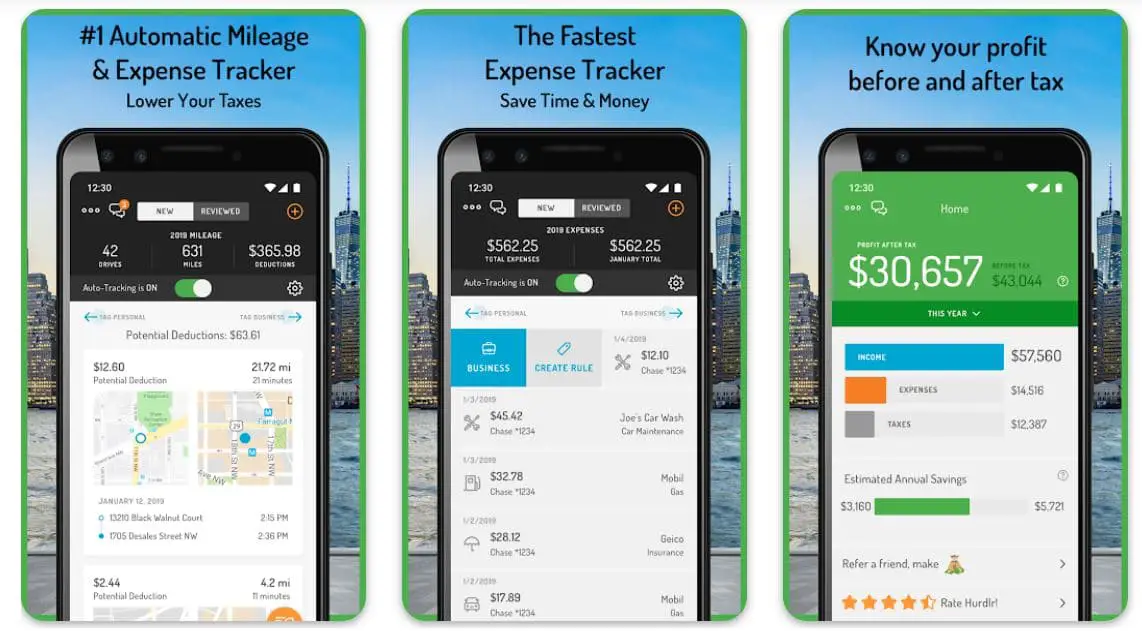
The app smartly connects you with thousands of leading merchants including banks, Stripe, Uber, Square, FreshBooks, as well as PayPal to import your expenses and income automatically to completely transform your tax calculations.
You are only one step away from getting rid of those hard-to Carrie and expensive mileage logs and receives. The free version of the app offers a lot more than those average mileage tracker apps.
You can effectively track your expenses, semi-automatic mileage, as well as income tax – all in one place! The premium version is featured more robust automation processes, and the best part is, that it is available at way less than a lot of other average competitors.

Features of Hurdlr:-
- An extraordinary app for automatic tracking of mileage and expenses
- Helps you save a lot of time and money
- You can analyze your profit before and after-tax payment
- Allows you to link with your financial accounts
- Real-time and accurate tax estimates
Devices – Android and iOS
Ratings on Apple Store – 4.7 / 5 | Ratings on Google Play Store – 4.5 / 5
4. MileWiz 2022 – Car Mileage Log
MileWiz makes mileage tracking think of fun by easing out the entire process. The app is not only fully automated, but is highly affordable, and helps you save a lot of money daily!
With the app on my, you can save a lot of your time, avoid mileage-related confusion, add, more importantly, save a lot of money, simply by starting with this tiny but very powerful tool.
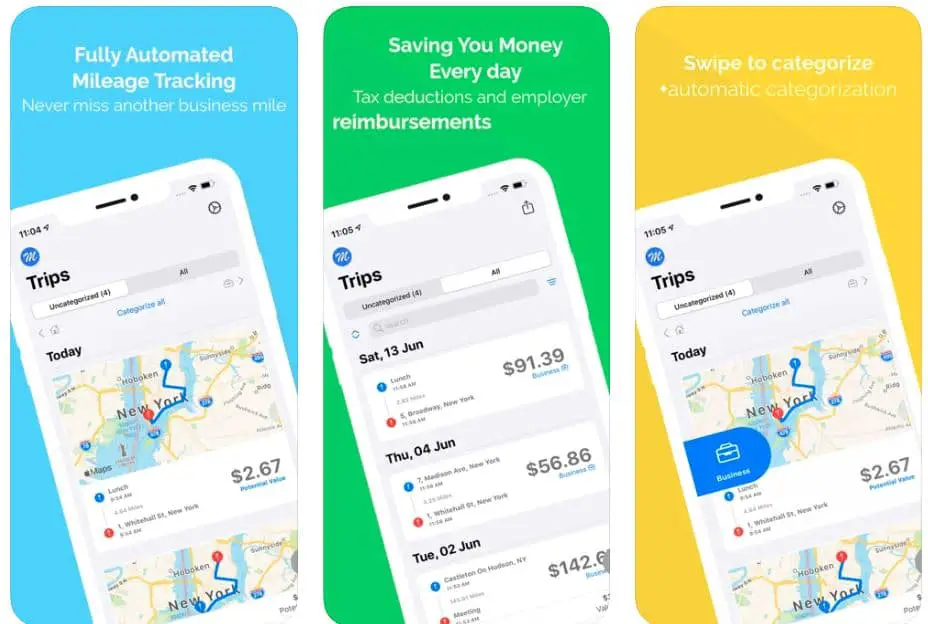
Whether you are a freelancer, a business owner, an employer, or even prefer working on part-time gigs, this app has got you covered! MileWiz is one of the most accurate mileage trackers with a handsome 95% of accuracy rate.
The unique tracking technology used in this app makes it more than just possible to protect against hefty IRS audits.
You can’t only track your mileages automatically with the app, but can also check it out during your trips on a map. It uses an advanced algorithm, which, reduces the phone’s battery usage while being connected with the GPS.
You can finally start optimizing your tax deductions as well as reimbursements by effectively tracking all your trips with maximum accuracy and automation.
And, when it is out about automation, the app means it! No additional hardware required, no need to press buttons, and neither you have to enter the address is repeatedly! In short, tracking your mileage will become easier than you can imagine.
Features of MileWiz:-
- Fully automated mileage tracking with extraordinary accuracy
- Helps you save a lot of money on tax deductions and reimbursements
- Multiple categories to explore with only a simple swipe
- Allows you to record various additional expenses
- Comfortable dark mode with a beautiful user interface
Devices – iOS Devices Including iPhone and iPad
Ratings on Apple Store – 4.7 / 5
5. TripLog – Best free mileage tracker app for iPhone
Here is one of the most effective mileage tracker apps that allows you to automate mileage tracking for maintaining reports as well as for IRS-compliant logs.
TripLog makes the entire process of mileage tracking surprisingly simple, add helps you save a lot of time and money. Now is the time to ditch those expensive manual mileage logbooks, and replace them with an excellent mileage tracker app.
The app has been trusted by more than 5 million users worldwide and has been helping drivers save a lot of time.
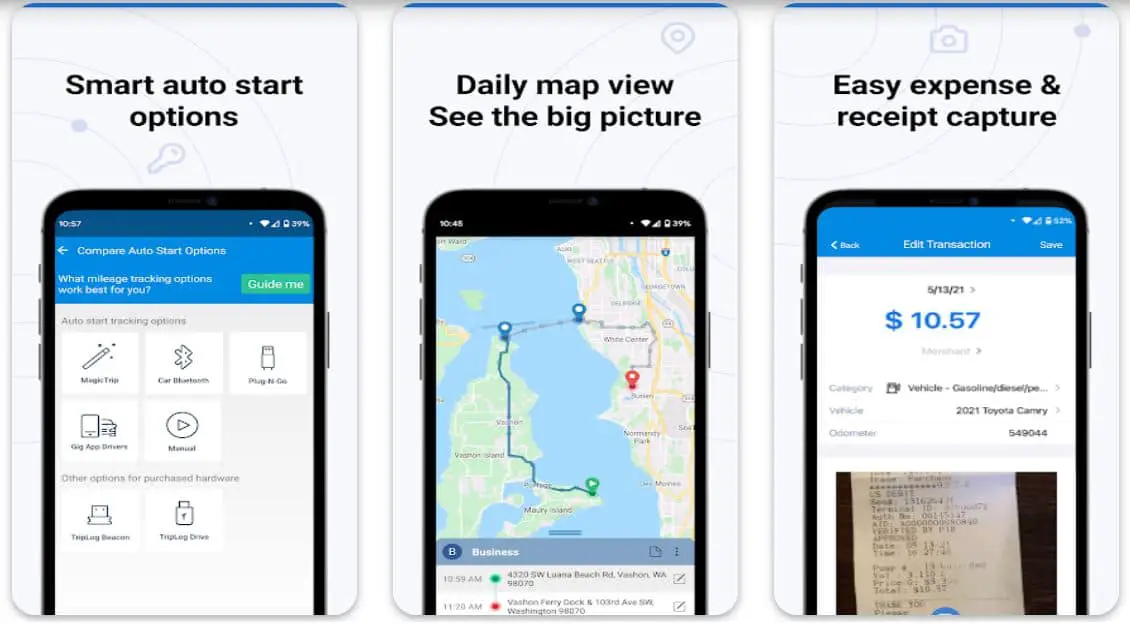
The app can help you save an average of a whopping $7,200 annually! You can save significant time by completely automating your tracking process with the app. How does it work? It uses your device’s GPS and ensures you never miss out on a mile while maintaining your mileage.
With as many as six different tracking options to select from, you can find the most suitable method that works perfectly for you. If you want to capture your expenses, all you have to do is to upload your paper receipts, fuel receipts, and tolls for quick and easy reimbursement.
The app also allows you to scan gas and fuel receipts for OCR text recognition. Movie The daily driving overview, multiple stop route planning, most visited locations, frequently traveled heat map, real-time fleet tracking, longest stayed places, etc., you are always in for having better map views with the app.
And, lastly, you can enjoy the calendar integration feature to read meetings from Google Calendar, Salesforce, as well as outlook calendar, add import them directly into the app.

Features of TripLog: Mileage Tracker & Log:-
- A powerful tool for tracking mileage, expenses, and time
- Uses your device’s GPS for accurate tracking
- Appreciated by leading business insider platforms
- Smart automatic options for effective tracking
- Supports you with a daily map view to check out the big picture
Devices – Android and iOS
Ratings on Apple Store – 4.6 / 5 | Ratings on Google Play Store – 4.6 / 5
6. QuickBooks Self-Employed
It doesn’t matter, whether you are a freelancer, independent contractor, or even a self-employed worker, organizing your mileage and finances will become easier than ever with QuickBooks self-employed app!
The app smartly lets you find your tax deductions and get the best out of your tax returns in time for this upcoming tax season! With this convenient expense tracker, mile tracker, and tax deductions estimator, you can successfully save a lot of time and money.
Thousands of users of this app have received billions in potential tax deductions by getting the best out of the features of this app.
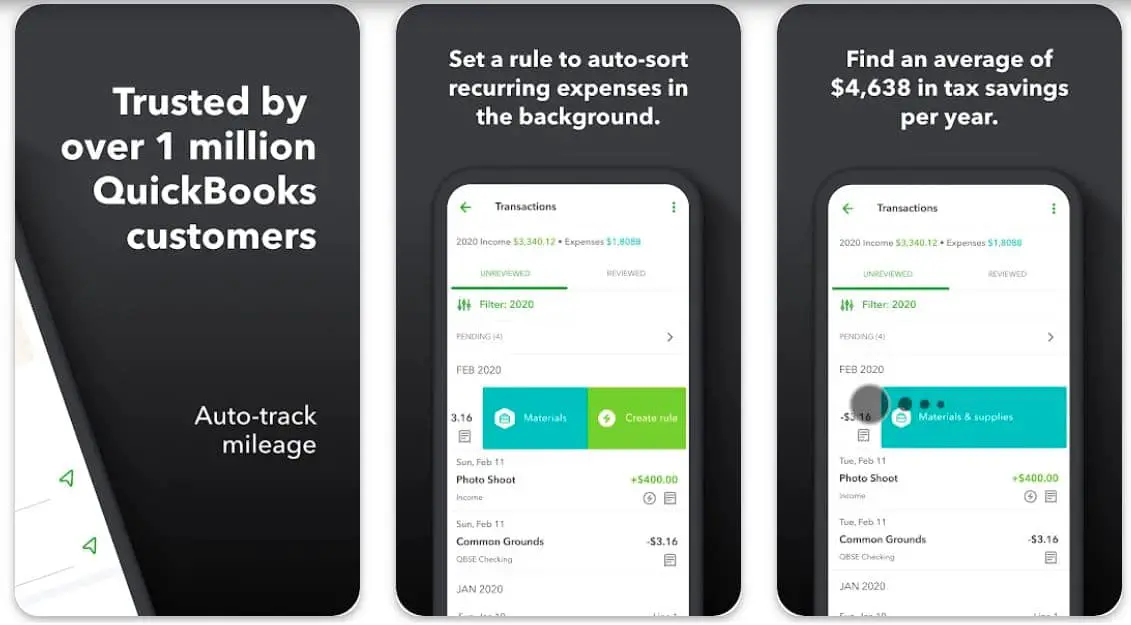
The app enables you to organize your business expenses as well as automatic tracking of mileage not only by category but also by attaching receipts do all transactions.
The app automatically uses your phone’s GPS and works in the background without even disrupting your phone’s battery. All the trip mileages are saved automatically and categorized accordingly to maximize all the mileage tax deductions.
The app is also featured with a receipt scanner that beautifully extracts all the important transaction information and matches your business expenses.
With this feature, you are always more than just ready for tax season! Worried about losing your mileage records? The app also allows you to store a digital copy of your received directly to the cloud!

Features of QuickBooks Self-employed:-
- Trusted by more than one million QuickBooks customers
- Auto-sorts recurring expenses for you in the background
- Helps you save a lot of time and money every tax season
- Allows you to capture receipts directly from the app
- Uploads all the important data to the cloud for future references
Devices – Android and iOS
Ratings on Apple Store – 4.7 / 5 | Ratings on Google Play Store – 3.7 / 5
7. MileCatcher Mileage Tracker
What if all your trips are recorded automatically? MilesCatcher just does that in a very innovative way! Trips recorded by the app are sorted into easily accessible status folders with different categories including personal, business, unclassified, etc.
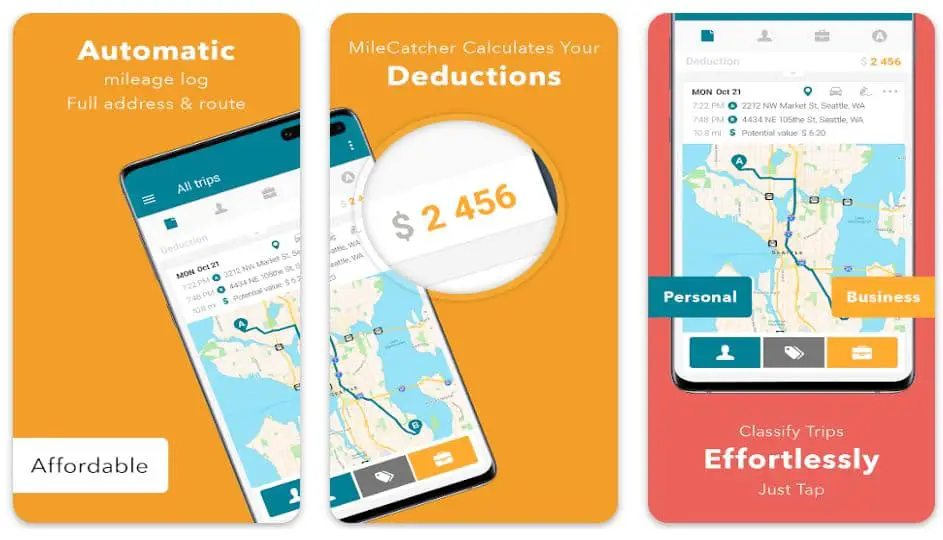
Trip logs include all the important details like actual route taken, deduction amount, start and end street addresses, and more. You can enjoy the free trial of the app for 30 days, before deciding whether you want to purchase the premium version or not.
With the app, you can easily build your own, customizable address library, custom business rate, and multiple reports in various formats including CSV, Excel, and PDF.
The app automatically classifies repeat trips and helps you save a lot of time by enabling work hours. The app also supports different categories of companies, multiple vehicles, as well as multi-rate reporting.
If you face any trouble using the app, you always have the option of reaching out to the MileCatcher admin team.

Features of MileCatcher:-
- Available in more than 40 countries
- Supports both individual as well as corporate deployment
- Automatic logging of mileage, full address, and route
- Helps you accurately calculate all the deductions
- Simplifies classifying trips with only a few taps
Devices – Android and iOS
Ratings on Apple Store – 4.5 / 5 | Ratings on Google Play Store – 4.6 / 5
8. Mileage Tracker by MileIQ
MileIQ is also one of the most trusted mileage tracker apps that helps you ditch your paper mileage logbooks in favor of accuracy and great convenience.
If you are a freelancer, self-employed, or anyone looking for a better way of logging miles, for personal reasons or business purposes, you can completely rely on the app for some extraordinary results.
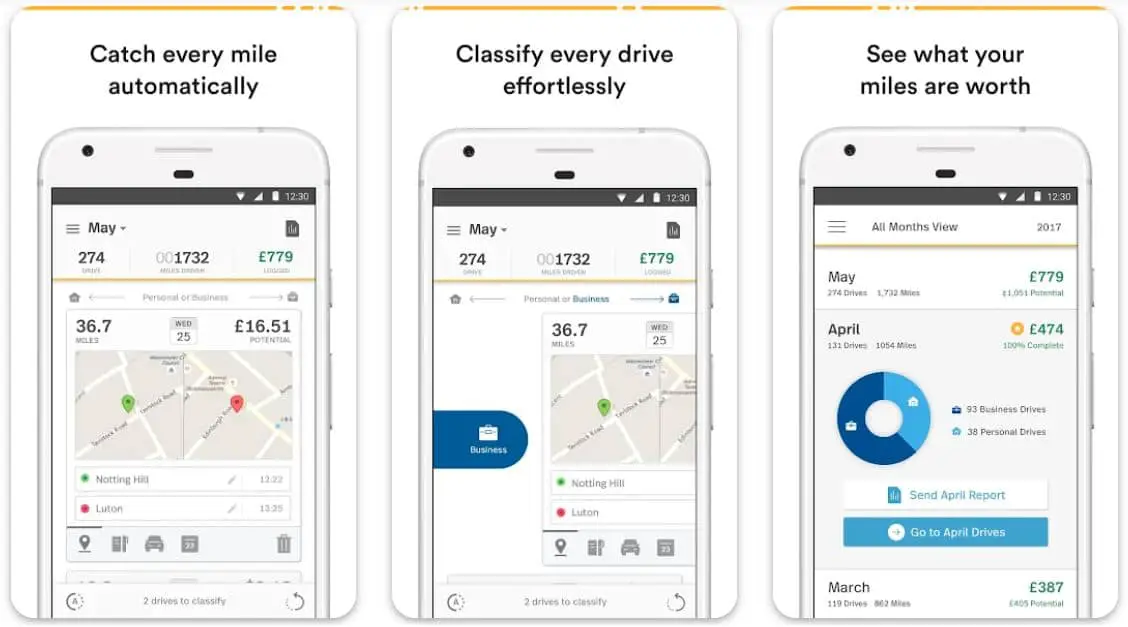
With the app, you can successfully maximize your tax returns and can save a handsome amount. The app easily organizes all your drives including personal and business trips with only a few swipes.
The app smartly uses advanced drive-detection technology, logs miles, and calculates the overall value. Thousands of users have already saved some surprising amounts in taxes by using Mileage Tracker by MileIQ.
What makes this app special? It automatically tracks your miles, add helps you categorize personal and business drives. All the mileage logs in the app are always under HMRC guidelines.
The app also allows you to export all the mileage logs, so that, you can effortlessly manage all your business expenses and reimbursements.
Features of Mileage Tracker by MileIQ:-
- Already saved 60 million hours by logging 18 billion miles
- Catches every mile automatically and accurately
- Effortlessly classifies all your drives
- More than suitable for recording repeated drives
- Helps you manage your expenses and reimbursements
Devices – Android and iOS
Ratings on Apple Store – 4.6 / 5 | Ratings on Google Play Store – 4.3 / 5
9. Mileage Expense Log & Tracker
More than just suitable for both personal and business mileage tracking. The mileage expense log & Tracker app is packed with multiple features that can completely transform the way you have been logging your miles.
The app tracks mileage with the help of different methods, including direct manual entry, via odometer, or simply by using the GPS of your smartphone.
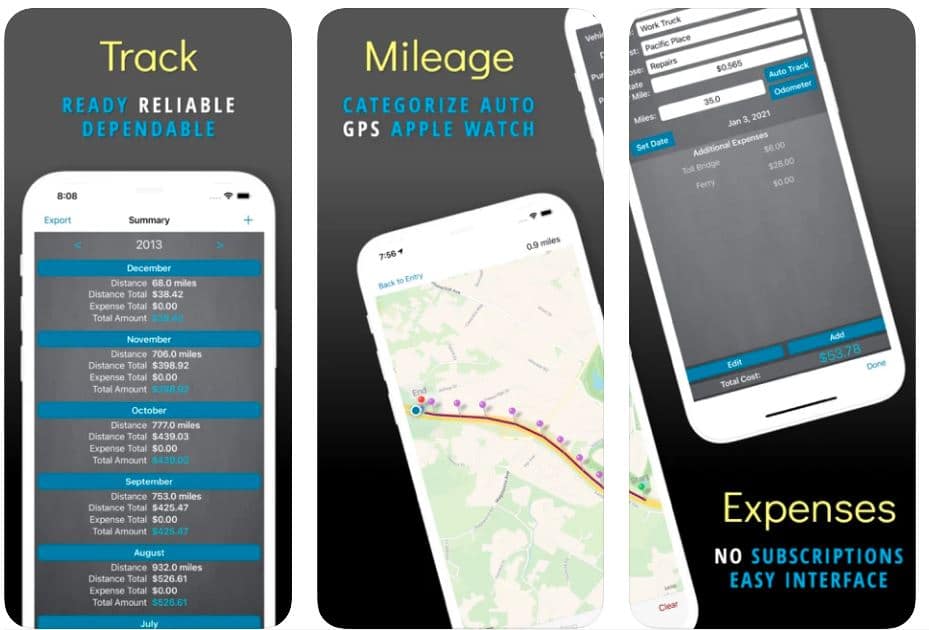
You can effortlessly add all your trip expenses including meals, tolls, gas, fuel, and more with the app. It also allows you to view reimbursement rates by IRS, submit your reports via email, and sort all the results by date, purpose, destination, or vehicle.
You don’t have to worry about recurring or hidden charges while using the app, as it ensures complete transparency for users.
With a simple and interactive user interface, automatic mileage tracking makes things so easy for you. Once your vehicle is connected with the app, all you have to do is to drive, and the app will take care of the rest other things. You can also add as many additional expenses as you want without any problem.
Features of Mileage Expense Log & Tracker:-
- Reliable and accurate mileage tracking on your fingertips
- Automatic tracking with the help of GPS
- Helps you smartly manage your expenses
- Allows you to export all the data in multiple formats
- Supports both iCloud and Dropbox
Devices – iOS Devices Including iPhone and iPad
Ratings on Apple Store – 4.5 / 5
10. Mileage Tracker – DriApp
Mileage Tracker by DriApp is designed for your great convenience, especially when you are planning to move.
The app is an effective and easy way for tracking your trips to avoid mileage compensation as much as possible for the stop it is easy to use, highly accurate, and makes it more than just possible to track your mileages with the help of a private or work button.
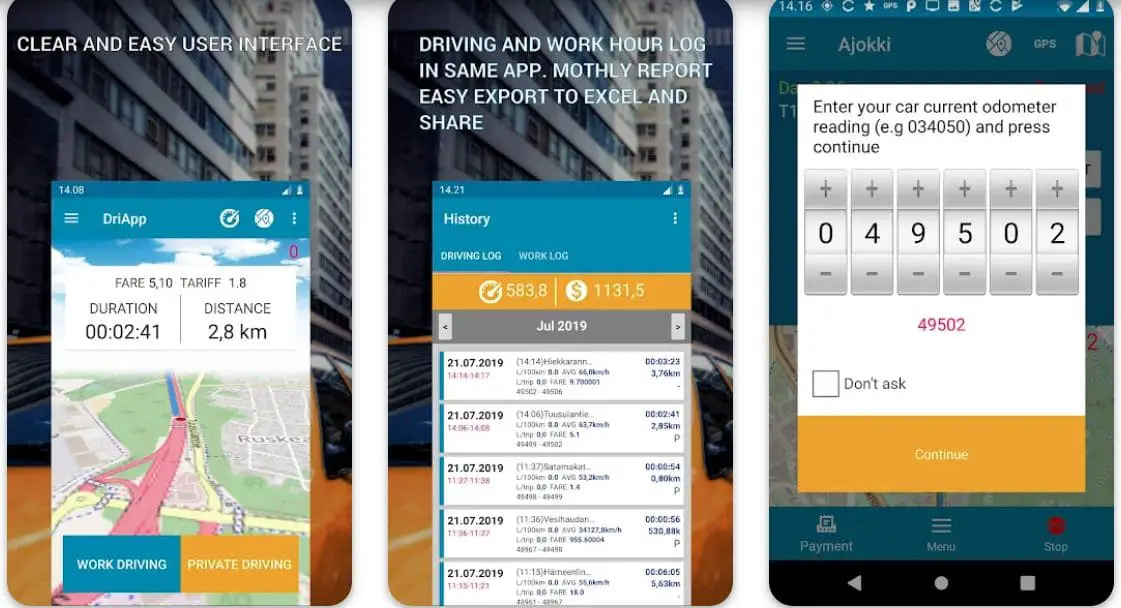
Whenever you have to stop tracking the mileage, all you have to do is to push the stop button. If you are not interested in manual work, you can always enable automatic mileage tracking in the app.
With a simple working diary feature, the app makes the entire process a lot easier than you can think. It also operates in the background, especially, when you allow it on your phone. The app works perfectly with both GPS and OBD.
Want to export or send your mileage records? You can do that as well without much fuss. The app is also integrated with advanced Google navigation as well as Waze tracking and ensures maximum accuracy.
Features of Mileage Tracker – DriApp:-
- Simple, clear, and easy user interface
- A monthly report in easy to share excel format
- Helps you choose between work and personal driving
- Google navigation and Waze integration
- Optional automatic tracking mode
Device – Android
Ratings on Google Play Store – 4.6 / 5 | 10,000+ Downloads
11. GPS Tracker & Mileage Log
Last, but surely not least on my list of the best mileage tracker apps is GPS Tracker & Mileage Log. It is a very well-proven service that has been helping companies and individuals track the locations of their vehicles without putting in an extra penny. The app is also featured an automatic mileage tracker with smart battery-friendly drive detection.
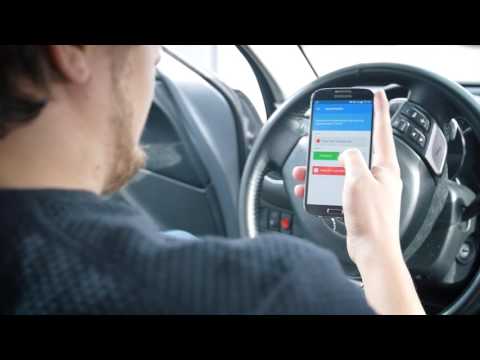
You only have to start the app once, and put your phone in your pocket! The app will automatically record your trips throughout the day, and you don’t have to worry about logging your mileages manually.
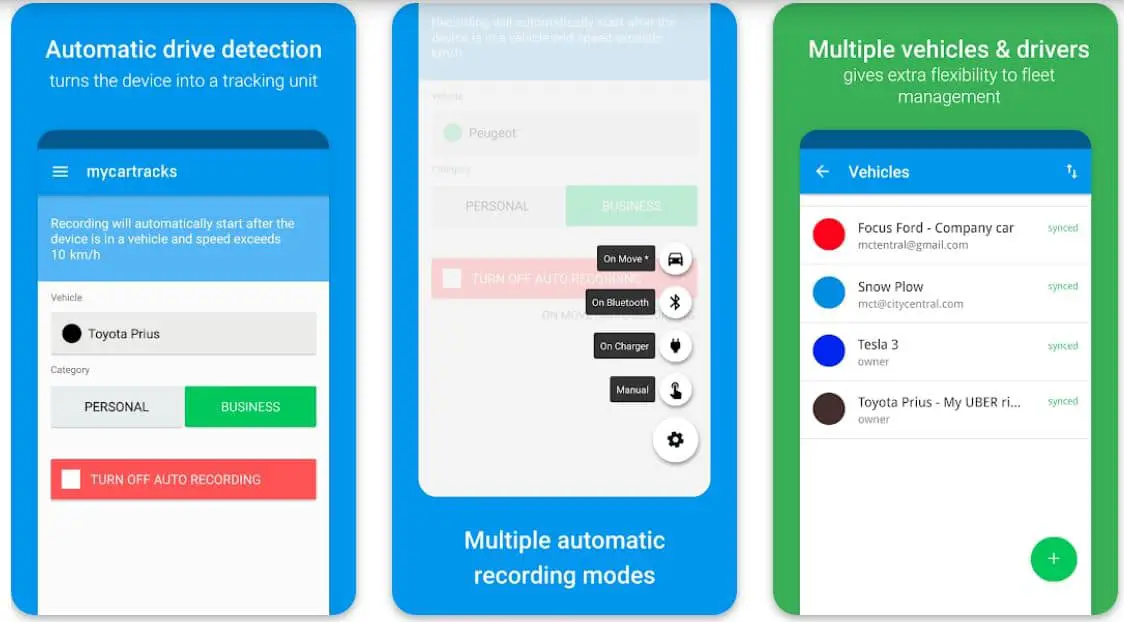
The app is more than suitable for freelancers, real estate agents, Uber or Lyft drivers, photographers, sales representatives, handymen, and a lot of other taxpayers. With the app, you can successfully claim your business miles and can get significant returns an empty tax deduction.
According to an estimation, the app helps an individual save approx. $560 on every 1000 miles related to business purposes. You don’t have to worry about your mile’s records, as the app automatically secures them to the cloud.
Irrespective of the purpose, you can easily download printable logbooks as well as IRS-compliant reports in multiple formats, and show them wherever required. The best part about the app is, that it is also featured a HUD speedometer for some extra safety while driving.
Features of GPS Tracker & Mileage Log:-
- Automatic mileage tracking without affecting your battery
- Helps you share your location faster with great safety
- Secures all the recorded data in the cloud
- HUD speedometer for extra safety during drive
- Allows you to download and print records in multiple formats
Device – Android
Ratings on Google Play Store – 4.5 / 5 | 500,000+ Downloads
📗FAQ
What is the best app to track mileage?
Stride, Everlance, Hurdlr, MileWiz, TripLog, QuickBooks, etc. are some of the best applications to track mileage and offer a wide range of features including automatic mileage tracking, timely reminders to log miles, standard mileage logs, as well as accurate estimation of tax withholdings, and much more.
What is the most accurate mileage tracker?
TripLog is right on top as far as accurate mileage tracking is concerned. It is a very powerful tool for tracking mileage, expenses, as well as your riding time.
The app also helps you with effective tracking through smart automation, and it is also packed with the ability to check your logs through a map view. Other highly accurate mileage tracker applications are Hurdlr, Everlance, QuickBooks, MileIQ, etc.
Can an iPhone track mileage?
You don’t get any default application to track mileage on an iPhone. And you cannot track miles via Google Maps either.
However, you always have the option of downloading and using some of the best mileage tracking applications including, Stride, Hurdlr, MileWiz, TripLog, etc. to effortlessly track mileage on your iPhone as well.
What’s the best free mileage tracker app?
Everlance, Stride, TripLog, QuickBooks Self Employed, etc. are among the best free mileage tracking applications, and offer a wide range of features including accurate mileage tracking, easy-to-use and customize log books, automatic records of your distances, and also give you complete control on your expenses while being on the road.
Can I track my mileage on my phone?
Yes, you can track your mileage on your phone using a wide range of mileage tracking applications like Mileage Tracker by DriApp, Mileage Expenses Log & Tracker, MileCatcher, QuickBooks, etc.
Does Google Maps have a mileage tracker?
No, unfortunately, Google Maps doesn’t feature a mileage tracker. However, if you want to use it to track your mileage, you can do it by calculating distances in miles and kilometers and finding out the mileage yourself.
But that’s not the best of ideas, as there are some amazing mileage tracker applications readily available on both the App Store and Google Play Store.
How do I track mileage on Android?
You can easily track mileage on your Android using one of the easily available mileage tracking applications like MyCarTracks, Mileage Tracker by MileIQ, TripLog, Everlance, Simply Auto, etc.
How much does MileIQ cost?
You get three pricing options with MileIQ. the free application offers 40 drives per month. If you go with the monthly plan, you will get unlimited drive tracking along with mileage logging at $5.99 per month.
And, if you want to go with the more affordable option, you can opt for the annual package which is available add $59.99. With this package, you can save $12 per year.
Is there a free version of MileIQ?
Yes, you can download the free version of MileIQ, and enjoy using a basic account, in which you get 40 drives per month without any additional charges.
Conclusion
Automatic mileage tracking can be proved mighty handy if you look at the broader spectrum. It can help you save a lot of time and money, especially when it is time to pay your taxes.
These are some very valuable mileage tracker apps packed with some extraordinary features, and make your life surprisingly easier while driving. All of these apps ensure you don’t have to rely on those outdated manual logbooks, and can efficiently track your mileages! Try them out, and find out, which one is perfect for you.


