
























Scrapbooking is a wonderful art of not only designing some extraordinary gifts for your loved ones, but it’s also a photogenic way of creating memories and capturing the moments for cherishing in the future. You can do a lot of different things with a scrapbook with a bit of creativity and art.
An attachment of your creativity to a gift or a postcard can easily touch people and they will always want to keep them forever because throwing such gifts away is not easy for anyone!
Such a present with a personal touch and customization will surely give a special sense of happiness to that special person in your life.
Yes, there is a completely different sense of satisfaction when you put in a bit of hard work for preparing those beautiful scrapbooks.
But, if you don’t have enough time for a handmade, customized scrapbook, here is the best possible alternative for you! You can use some very unique, and creatively developed scrapbook apps and use your phone to put a smile on people you love.
Here are some of the best scrapbook apps available on both Google Play Store and Apple Store. You can download and install them easily, use them without any glitches, and can create some of the most appealing scrapbooks!
So, what are we waiting for? Let’s start enjoying scrapbooking in a completely different way!
Best Scrapbook Apps – Our Top Pick👌👌
1. Photo Collage Maker Scrapbook
Creating memories without collages is not the best thing. Photo albums and scrapbooks are almost incomplete without photo collages. You can easily arrange multiple photos in one frame, and that too, without putting in a lot of effort!
With Photo Collage Maker Scrapbook, you can create beautiful collages for combining the best of memorable photos. You can use different types of tools in the app when creating memories in a completely different way!
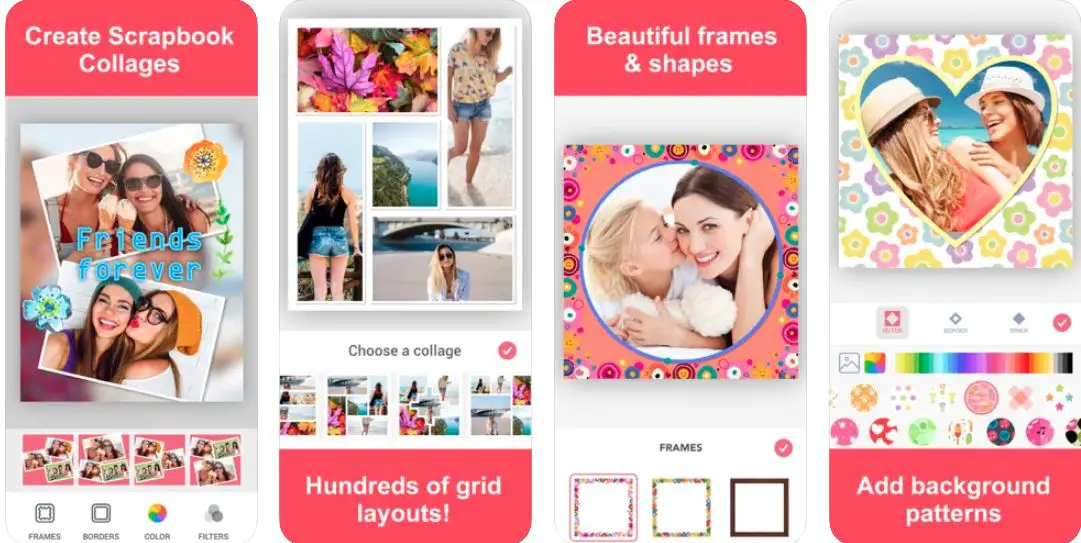
Changing backgrounds, different types of patterns, changing pages, etc. can help you to do scrapbooking as you have never done! You can also use the app as a very handy tool to create different types of flyers to give a bit of edge to your memorable moments.
Easy to use, lot s of amazing features, tons of fonts, borders, powerful adjustment capabilities – all are available at no cost!
Some Useful Features of Photo Collage Maker Scrapbook:-
- More than 1000 layout conditions at no cost
- Over 150 different types of beautiful designs, patterns, and color borders with shadows
- Custom typography with a large variety of fonts
- You can easily save all your scrapbooking progress on the app
- Unlimited Premium features with premium subscription
Device – IOS Devices including iPhone and iPod
Ratings on Apple Store – 4.9 / 5
Subscriptions:- Unlimited Premium Subscription @ $13.5
Download the App on Apple App Store
2. Journi Print: Photo Books in 5 Minutes
Your own, personal helper to assist you in all your creative works including scrapbooking! Easily create scrapbooks, polaroid prints & calendars with one of the best scrapbook apps on the market!
Scrapbooking, photo editing, and printing get so much easier and more fun with this wonderful, multi-featured app.

The crazy smart algorithms of the app can easily and quickly as many as up to 1,200 photos, designs, clip arts, and emojis, etc. to your photo book with beautiful collages and attractive full-page pictures.
You can easily select the pictures of your choice from the app’s database, your device, Google Photos, and all other major social media platforms. Insert automated maps, add notes, personalize the design, and create your own, unique, and personalized scrapbooks.
The app smartly detects the resolution of the images, and ensures, that no part of your photos is cut or cropped. So, you don’t have to worry about your head or toes when you create the scrapbook with the best of your photos!
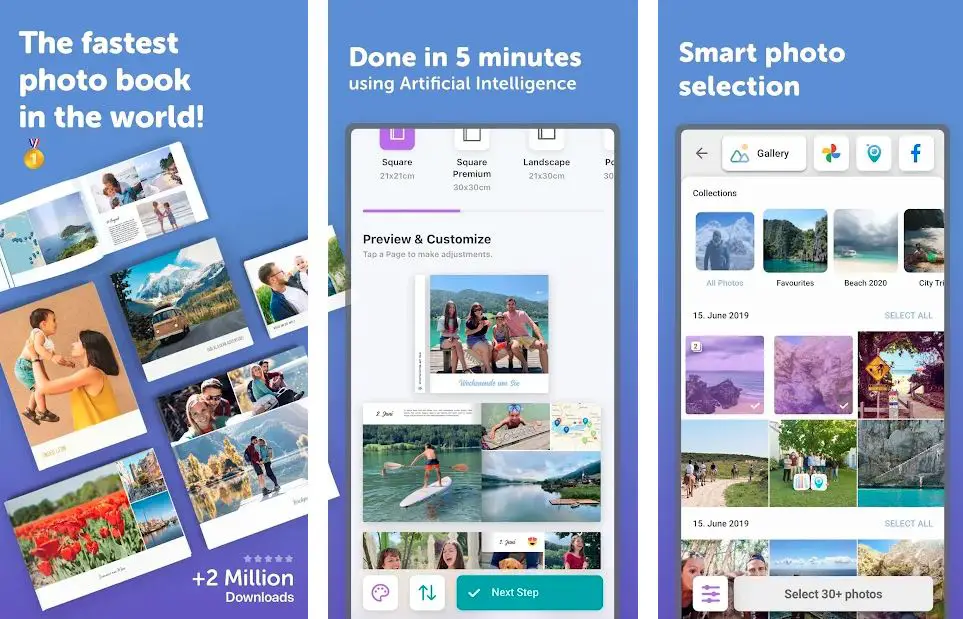
What more? The app also prints high-quality photos for you too! All you have to do is to choose the photos from any source, including the internet!
And believe us, any of your photos or data won’t fall into the hands of fraudsters and scammers – the Journi Print is one of the best scrapbook apps, and safe as far as your data is concerned.
It gives you some very quick, yet satisfying results. And if you are not even at your home, but still want to make beautiful scrapbooks on the move, the app is more than ready to get some ready-made, but really appealing results!
In short, a scrapbook app you definitely should give a try!
What Makes Journi Print a Great Scrapbook App?
- Personalized printing and scrapbooking options
- Authentic Polaroid images
- Easy and quick photo calendars
- Smart algorithms for perfect adjustment of the photos
- Easily generates the maps from your uploaded photos – Allows you to track the traces of your memories anytime and from anywhere!
Devices – Android and IOS
Ratings:- Google Play Store – 4.6 / 5 | Ratings on Apple Store – 4.7 / 5
Download the App on Google Play Store
Download the App on Apple App Store
3. Scrapbook with Photo Collage
An excellent scrapbooking app that also allows you to share the best memories with your family and friends!
You can portray your love and tender emotion and share the special moments with your loved ones through the album book feature of the app. And, if you want to keep your scrapbook safe, sturdy, and secure, you can do that with a classy, beautiful, and hardcover.
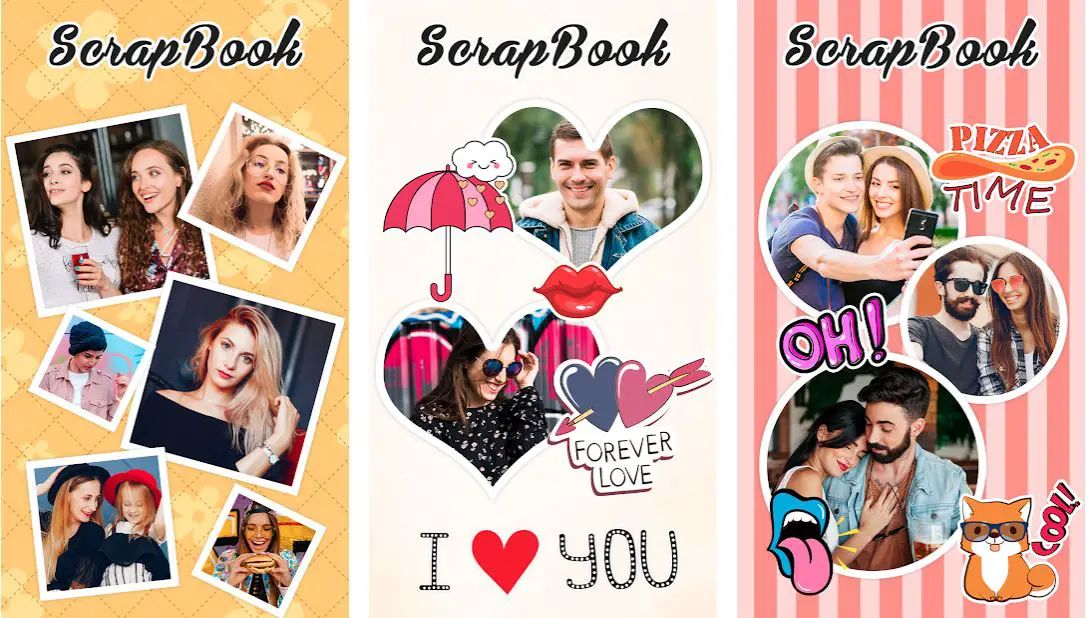
The app works like a perfect, reliable guardian for all your beautiful memories, and also ensures that they are secure for a very, very long time.
The combination of a photo book with a hardcover is designed magnificently for keeping your moments remain as lively as you capture them on the first day. What more?
The app also ensures they keep splattering the essence of beauty, love, and togetherness for many years.
Pictures are something that always helps us to revisit, experience, and enjoy the beautiful memories created with the people we love! You can treasure and cherish all your moments forever with a wide range of photo book printing options.
You can’t only transform your memories into mesmerizing art, but can secure them for as long as you want!
Features that Make Scrapbook with Photo Collage the Best Scrapbook App:-
- Free to download, one of the easiest best free scrapbook apps for android
- Allows you to select any photo from your phone’s gallery
- Scrap photo maker for decorating the photos
- Scale, rotate, zoom in, zoom out or drag the photos in many different ways
- Add text, text color, text style, or picture using the scrapbook background
- Very easy and simple to add different types of filters and effects to your photos
Device – Android
Ratings:- Google Play Store – 4.5 / 5 | 5,000+ Downloads
Download the App on Google Play Store
4. Diary with Lock Password & Scrapbook Notes Editor
Probably one of the cutest scrapbook apps with a personal diary with a scrapbook journal and notes editor. The scrapbook app is free to download and is packed with some great features including note safety and password lock pattern security.
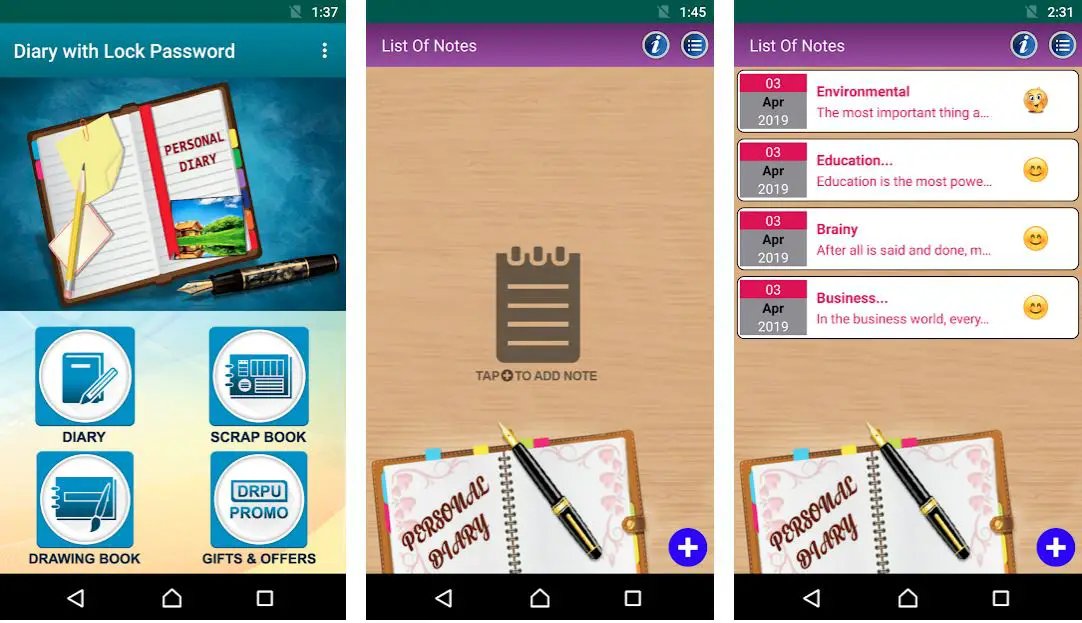
You can use the app in various ways including a scrapbook, drawing book, and diary. In addition to adding some beautiful memories, you can also use this app to add different types of data.
Save your memories only with a few clicks, and cherish them anywhere and anytime. The drawing canvas feature of the app allows you some beautiful options for showing your creativity and skills.
Want something more? The multi-featured app also gives you an option of saving your work routine and setting reminders in some very unique ways.
The personal Diary Note is an excellent feature with Cool Clip arts, attractive Text Styles, and Creative Fonts, etc. Besides, there are some other cool features including Notes Personalization, Stationary, and DayBook journal
Some Great Features:-
- Scrapbook, Diary, and Drawing Book in one place
- Easily edit the previous scrapbook data, and work on drawing book, and diary
- Cute, creative, and funny stickers to make things interesting
- Easy to use and compatible with all your Android devices
- Allows you to share your work on social media
Device – Android
Ratings:- Google Play Store – 4.4 / 5 | 50,000+ Downloads
Download the App on Google Play Store
5. SimplePrints Photo Books
Transform the simple and average photos into special wall art or special keepsakes through SimplePrints.
Creating memorabilia, photo books, metal print, and canvas print becomes very simple, easy, and funny with one of the most exciting apps. The app gives you some extraordinary ways of celebrating the best moments of your life.

You can capture family vacation stories through the photo book, share your wedding day photos, and showcase your baby’s memorable progress in a stunning canvas print. Add a bit of creativity and liveliness to the photos with ever-impressive metal print.
All you have to do is to select your best photos and inject some life into them in only a few, very simple steps. The app is designed to maintain the quality of your photos and also provides long-term support to your scrapbooking projects to make things easy for you.
Highlights of SimplePrints Photo Books:-
- Caption feature for telling your stories in the way you want
- Make the collage of your best photos using up to 9 images
- Dedicated texts for conveying personalized messages in a very special and unique way
- Allows you to select your photos from different sources
- Easy for creating and designing custom photos for gifts
Devices – Android and IOS
Ratings:- Google Play Store – 4.3 / 5 | Ratings on Apple Store – 4.9 / 5
Download the App on Google Play Store
Download the App on Apple App Store
6. Love Photo Scrapbook Romantic: the romantic album
If you are someone who is both romantic and creative, this app is definitely made for you! The app gives you some innovative ways of showing your love for that special person in your life.
“Love Photo Scrapbook Romantic Collage Maker” is one of the most useful apps that allows you to create beautiful love memories, and gives you a perfect platform to showcase your romantic side.
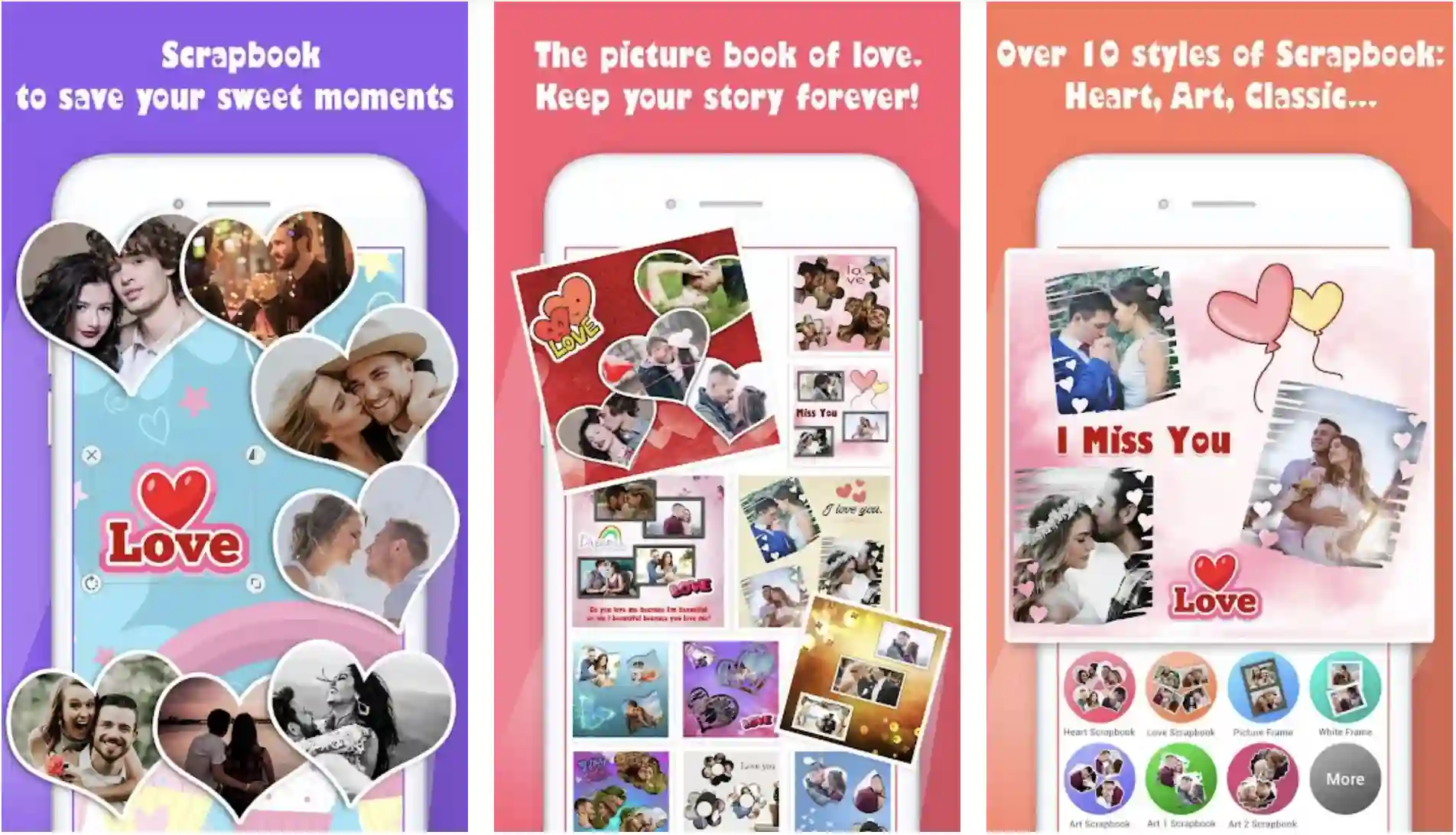
This one is definitely not a simple photo editing app. It is packed with some exciting features including love picture frames and a wide range of options to add stickers to the pictures you want to use for creating memories.
You can take images directly from the camera or upload them from the phone’s gallery. There are so many cute photos already available in the app’s database as well!
Whether you want to wish your partner on birthday, or you want to make your valentine’s day a bit more special, the app is simply the perfect destination for you.
Use love templates in your social media stories, edit pictures just the way you want, and create some lovely wallpapers for your phone’s screen – all in one place!
The scrapbook feature of the app is loaded with a wide range of beautiful texts you can use for editing and designing your collages and scrapbooks.
Some Cool Features of Love Photo Scrapbook Romantic Collage Maker
- Free scrapbook, photo collage with coolest of templates
- “Love collage maker” for cute, lovely, and romantic photography
- Scrapbook backgrounds with attractive colors
- The option of adding love photo frames and photo stickers
- Edit your best photos and share them in a few clicks on social media
Device – Android
Ratings:- Google Play Store – 4.1 / 5 | 1,00,000+ Downloads
Download the App on Google Play Store
7. Rhonna Designs
Love the scrapbooking and adding some personality to your photos? Here is a wonderful app for you!
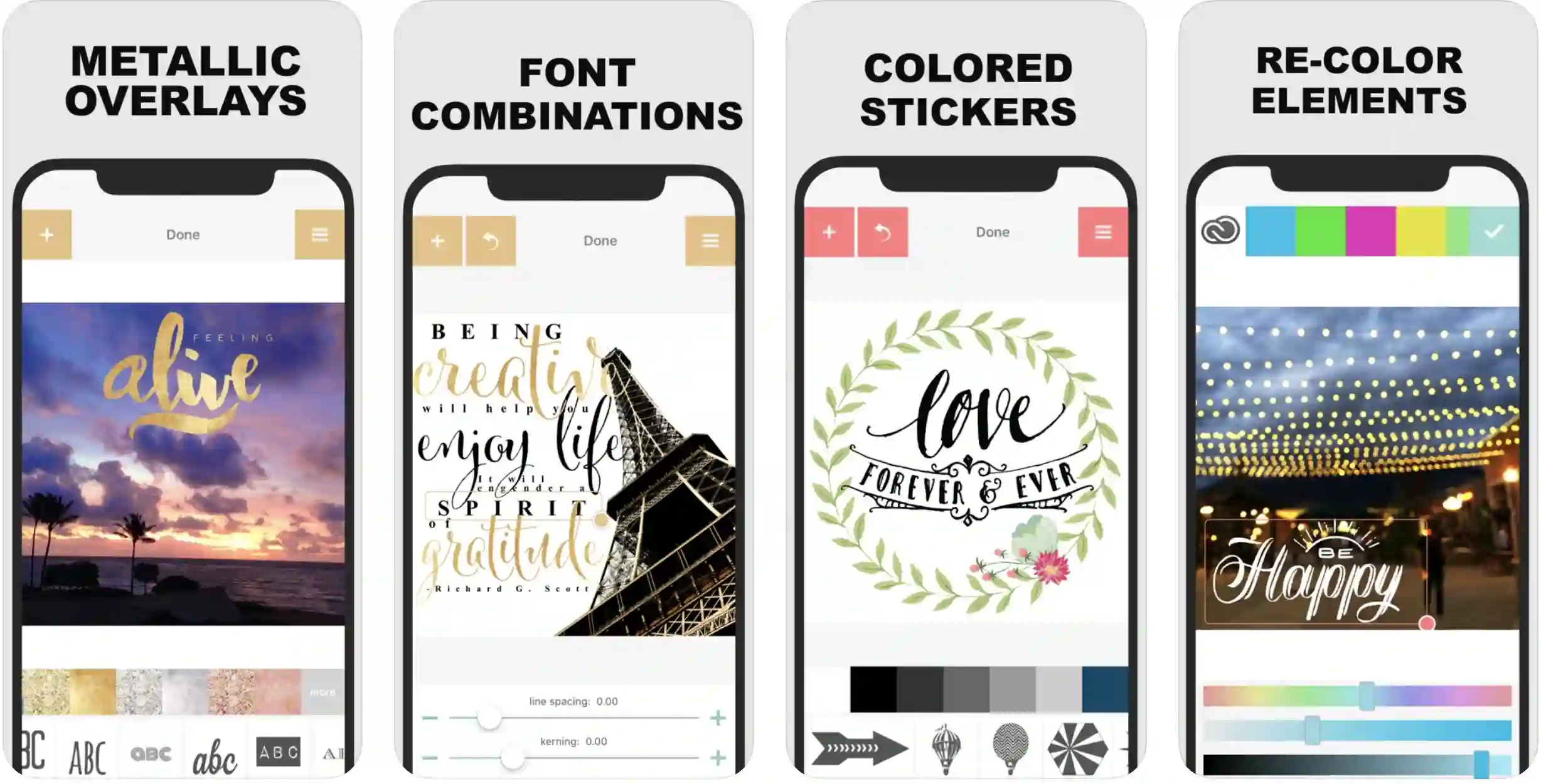
You work as a professional graphic designer when you embellish and edit photos, make memorable posts, and create word art with original fonts and beautiful and unique designs.
Sometimes, applying creativity and personality to photos and collages can be very difficult as well as time-consuming even if you are using photo editing apps. Selecting the best frames, backgrounds, photos, and fonts is not as easy as it looks.
And, if you are also finding these things challenging, here is one of the most exciting apps for your inspiration. With Rhonna Designs, you get a lot of tools and features that are more than helpful for implementing your ideas, thoughts, and imaginations only with a few clicks.
From adding a bit of personality to your scrapbooks and collages to printing them after processing, the app just gives you everything you expect from a photo editor!
What more? The app also allows you to add logo overlay, watermark, powerful mask, and erasing tools, and predesigned collage templates for time-saving collaging and scrapbooking,
Features of Rhonna Designs:-
- A wide range of fonts, designs, and backgrounds update every month
- Allows you to adjust color, transparency, shadow, size, outlines, and angles.
- Add adjustable, editable masks to any photo
- Detailed video tutorials for easy and productive usage
- Clever, attractive memes for making your scrapbooks a bit humorous and funny
Devices – Android and IOS
Ratings:- Google Play Store – 4.1 / 5 | Ratings on Apple Store – 4.1 / 5
Download the App on Google Play Store
Download the App on Apple App Store
8. Photo Collage Grid And Scrapbook
Make your own, customized scrapbook collage with a photo editor, beautiful effects, and attractive frames!
Do you love art, craft, and creativity? Do you want to design some beautiful scrapbooks featuring some memorable moments of your life?
Here is an app to do the same, and free of cost! There are hundreds of romantic collages to make your partner feel happy and special as well!
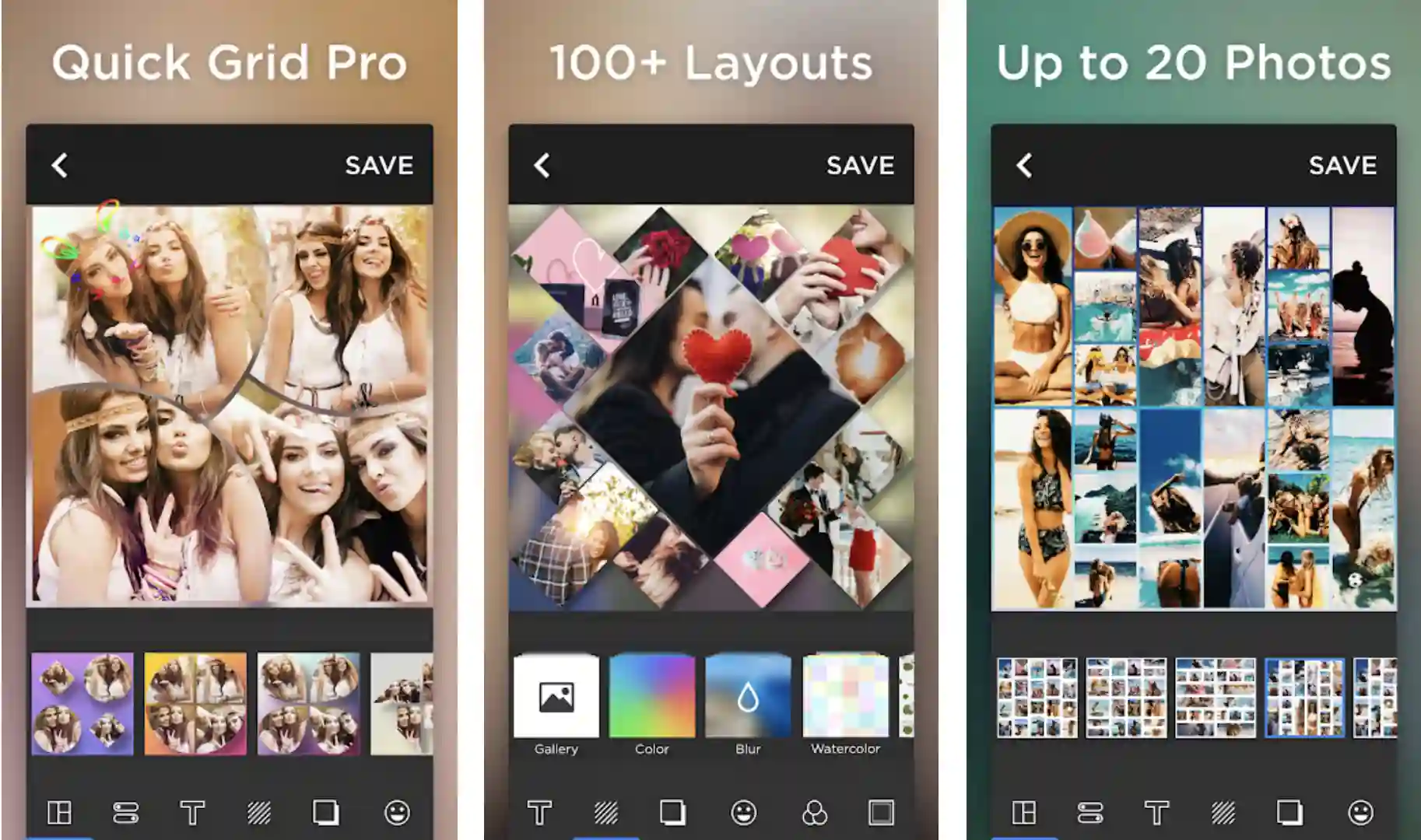
Download one of the most convenient apps if you want to make scrapbooks of your choice, upload as many as 30+ photos from your device, drive, or even from the internet!
Choose your best photos and edit them with collage maker and flower editor, rotate, move, and zoom in and out to get the best possible results!
Want something more? Select from a wide range of background options including teddy bear wallpaper, flower background, and love background to make your scrapbooks look more attractive. And, of course have the option of sharing all your beautiful works on social media!
Features of Photo Collage Grid And Scrapbook:-
- DIY photo collage grid and scrapbook
- Allows you to create some amazing and long-lasting memorabilia
- Easily select photos from different sources
- Choose from a wide range of frames, backgrounds, and clip arts
- Use camera filters and a scrapbook editor to design scrapbooks of your dreams
- Save all your work quickly and share it on social media
Device – Android
Ratings:- Google Play Store – 4.9 / 5 | 5, 00, 000+ Downloads
Download the App on Google Play Store
9. Scrapbook by Wizardy Catcher
Decorate and beautify your favorite photos with a wide range of scrapbook layouts.
Scrapbook collage maker is one of the most promising apps for creating scrapbooks and collages using your gallery’s photos, scrapbook backgrounds, patterns, stickers, and frames.
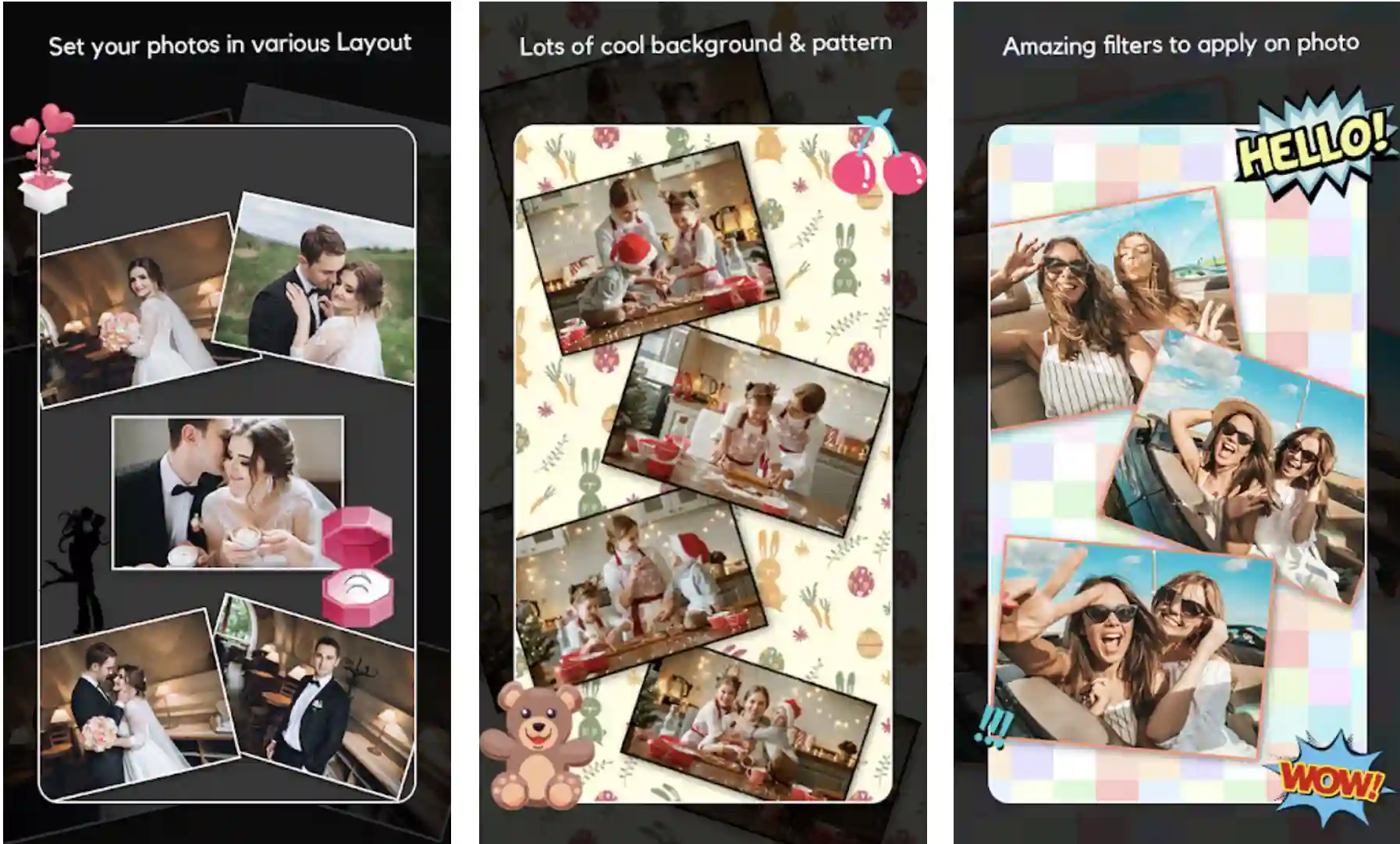
The app helps you to collage multiple photos and apply some very attractive layouts available free in the app.
A wide range of stickers is available for backing your creativity and imagination with different categories including festivals, expressions, love, and a lot more.
Whether you want to add stickers to your scrapbooks, or you want to add some appealing texts, filters, frames, or customized clip arts, the app allows you to do everything you want from a scrapbook app.
Features of Scrapbook by Wizardy Catcher:-
- Easy, nice, and attractive user interface
- Simple yet very powerful material design
- The app is also available and usable without an internet connection
- A huge range of backgrounds and patterns is available
- Simple and easy touch gestures for scaling, resizing, rotating, zooming in, zooming out, or dragging the photos you are adding to the scrapbook or editing
Device – Android
Ratings:- Google Play Store – 3.9 / 5 | 1,000+ Downloads
Download the App on Google Play Store
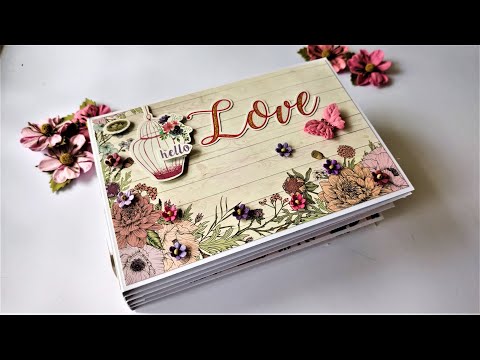
While exploring Best Scrapbook Apps To Personalize Your Memories to our readers, I found an awesome video on “How to Make Beautiful Scrapbook for FRIEND | Special Scrapbook Ideas” which is worth watching.😍😍😎
10. Project Life – Scrapbooking
Surprisingly simple and ultra-stylish scrapbooks and photo collages right on your devices.
How about scrapbooking without gluing your hands? Or without printing your favorite photos? Project life is one of the easiest and multi-featured scrapbook apps that make scrapbooking as easy and simple as you have ever experienced before! The app takes ease of use, simplicity, and creativity to a completely different level!
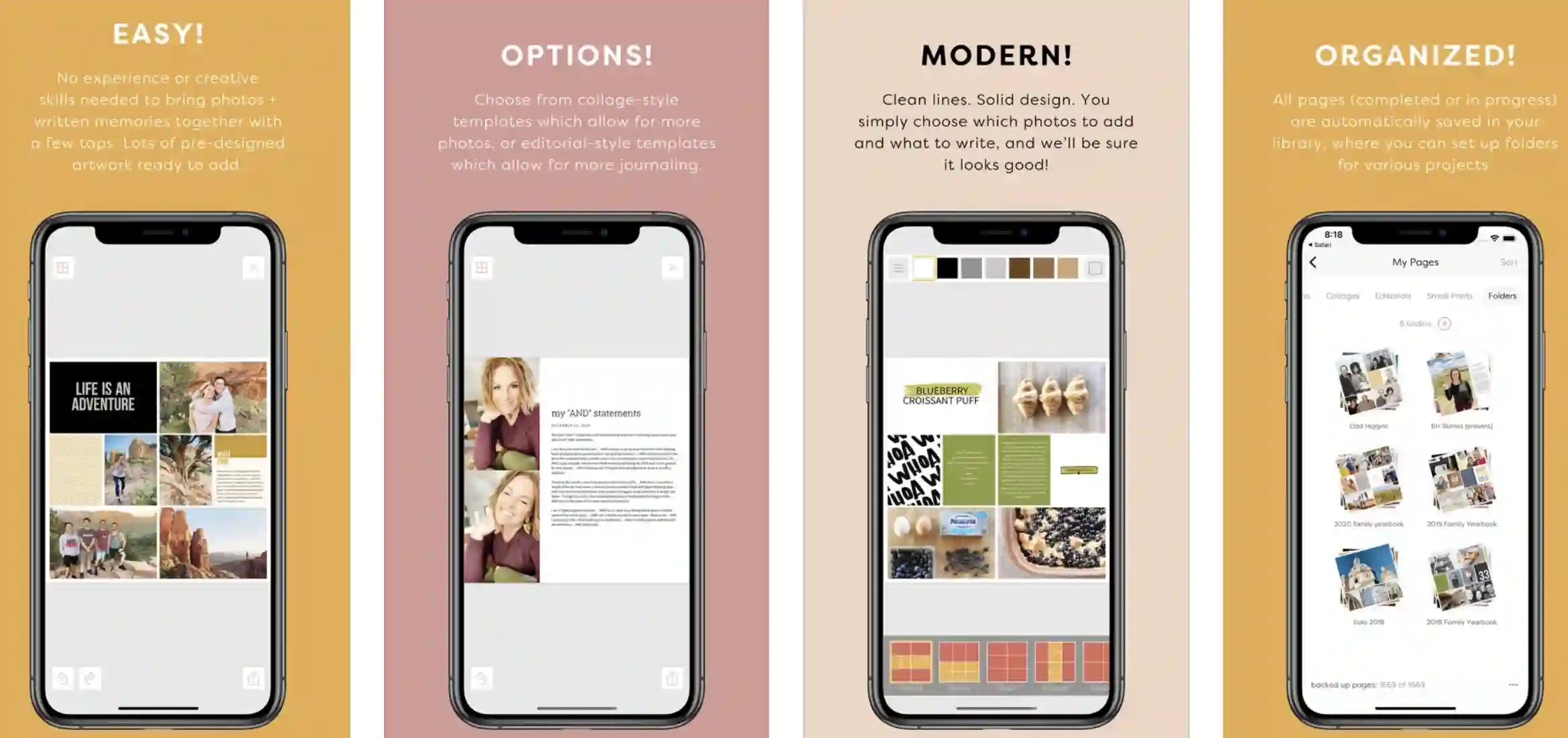
Bring your stories, memories, and photos into a very meaningful, beautiful format, and that too, without printing your photos! Pre-designed artwork and collage-style templates in the app allow bringing the photos and pages to come together in a jiffy!
Simply pull in your favorite photos from the camera roll, Dropbox, or Photo Stream, and let the app do the magic!
The app is packed with hundreds of attractive designer card collections to make things easier, and at the same time, very interesting for you! What more?
You can also add some very quick and appealing, engaging journaling notes to your scrapbooks and collages. Colorful and editorial-style templates are there for creating stunning journaling entries and engaging social media stories.
Features of Project Life:-
- Easily import photos from various sources
- Rearrange, crop, zoom, drag, and drop photos for an easy and engaging scrapbooking experience
- Lots of backgrounds and page layout options are available
- A whole range of card designs and kits are available to choose from
- Print, export, and share your work without any problem.
Devices – Android and IOS
Ratings:- Google Play Store – 3.8 / 5 | Ratings on Apple Store – 4.5 / 5
Download the App on Google Play Store
Download the App on Apple App Store
11. ScrapBook
Turn some ordinary photos on your device into masterpieces of art, creativity, and imagination by creating scrapbooks and photo collages.
ScrapBook is one of the most popular apps if you want to capture special moments to enjoy in the future!
From collaging the photos to making the best of the college diaries, and writing the stories beautifully, the ScrapBook app is one destination for all your fun with photos.
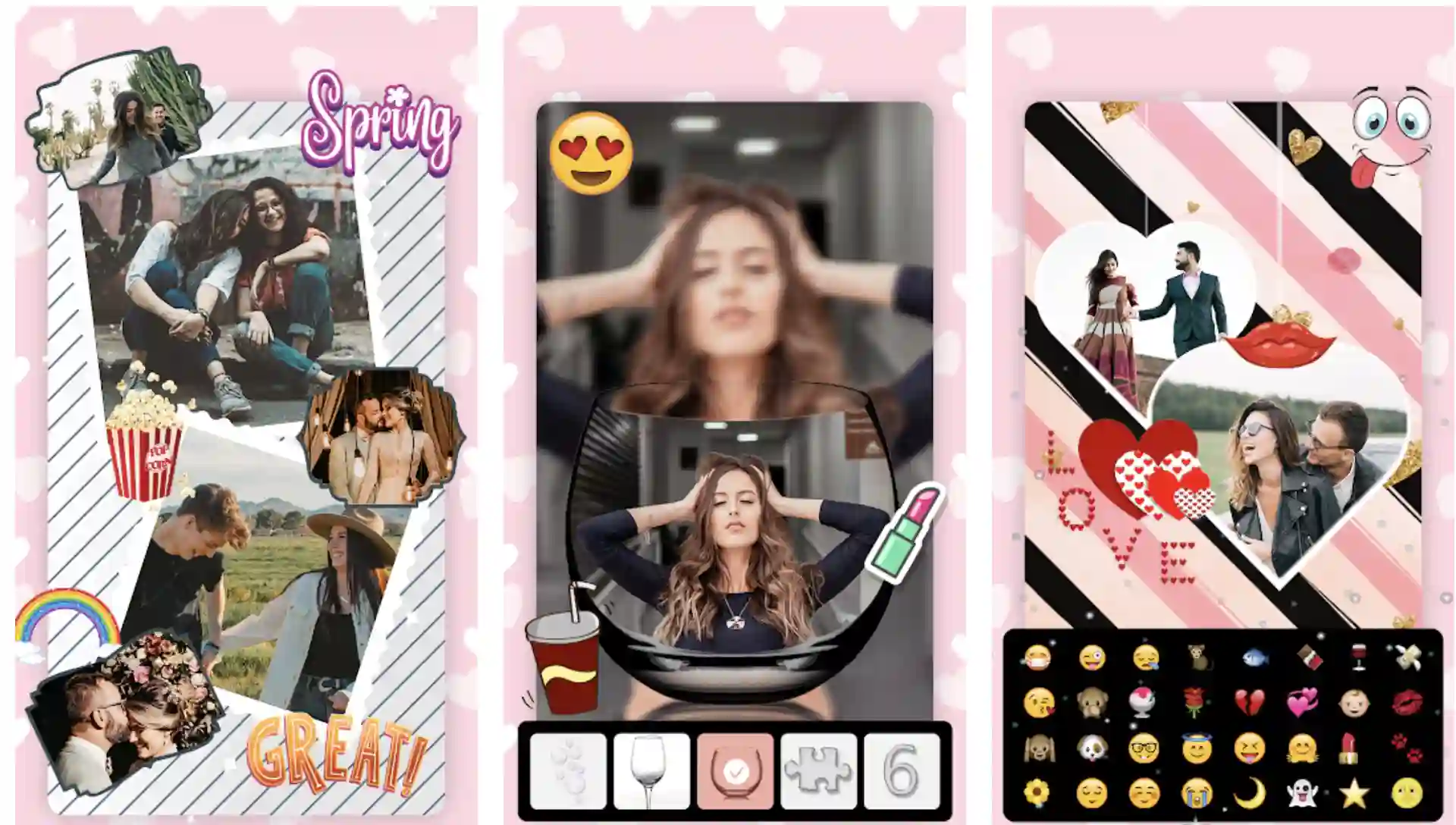 The app easily unites more than a dozen of photo frames, scrapbook backgrounds, collage templates, and some other very special features in one place!
The app is packed with everything you need to convert your photos into some memorable esthetics. And then, add some texts to the photos before making terrific collages! You can create, print, save, and share some magnificent scrapbooks with the help of this app!
The tiny software allows you to bring all your photos under the art collection for innovatively conveying all your imaginations and thoughts.
Employ a bit other additional features, this app is more than ready to accomplish some extraordinary scrapbooking results!
Some Great Features of ScrapBook:-
- Allows you to create scrapbooks of all types
- A whole range of built-in clip arts for giving special effects to any scrapbooking project
- Dozens of collage templates, scrapbook backgrounds, and text styles to make things easy and full of fun for you!
- An ultimate app for editing, mixing and beautifying your photos
- Some hilarious shapes and icons for adding a bit of fun to your scrapbooking efforts
Device – Android
Ratings:- Google Play Store – 3.8 / 5 | 5,00,00+ Downloads
Download the App on Google Play Store
📗FAQ
What apps use to make scrapbook?
Photo Collage Maker Scrapbook, Journi Print, Scrapbook with Photo Collage, and SimplePrints Photo Books etc. are some of the best scrapbook applications available on the App Store and Google Play store to make unbelievable scrapbooks without much effort.
Can you do digital scrapbooking on an IPAD?
Yes, you can easily do digital scrapbooking on your iPad using a wide range of scrapbook applications available for iOS devices, including Photo Collage Maker Scrapbook, Journi Print, and SimplePrints Photo Books etc.
How do you do digital scrapbooking?
You can use different types of applications and software including, Photoshop, Canva, Journi Print, Rhonna Designs, and ScrapBook etc. to enjoy an amazing experience of digital scrapbooking.
Is scrapbooking still popular 2022?
Yes, it is quite popular in 2022 as well! Although the instance of his scrapbooking has declined significantly in last 20 years, a lot of people still love scrapbook and take participation in all types of paper crafting things.
Is scrapbooking a waste of time?
Yes, after an unbelievable advancement in Internet and application technology, we have to admit that scrapbooking is definitely a waste of time as well as money. If you really need to preserve your families and friends precious memories, there are so many applications how did digital albums easily available these days. Scrapbooking, especially by the conventional method needs a lot of time as well as money, and it definitely not worth it.
What is the best type of scrapbook?
Digital scrapbooking through scrapbook applications is the best type of scrapbooking these days, as it helps you save a lot of time and money. If you are still interested in exploring other options, self-adhesive scrapbook, paper junkie hard cover scrapbook, pioneer jumbo scrapbook etc. are some great options.
What are the 3 most common types of scrapbooks?
Post bound scrapbook with the top loading pages, 3 ring binder scrapbook, scrapbook bound with non-removable pages, without any sheet protectors are three most common types of scrapbooks.
How do I start scrapbooking?
You can easily start scrapbooking through some of the easily available scrapbooking applications like ScrapBook, Photo Collage Grid And Scrapbook, Rhonna Designs, and Scrapbook with Photo Collage.
How do I make a digital scrapbook for free?
Canva is the best application to make a digital scrapbook for free. Open the application, search for “scrapbook”, select the design of your preference, and kick start your project! Once you are done with designing, find the right template, personalize your design, and you are more than ready to go!
What is hybrid scrapbooking?
Hybrid scrapbooking is an interesting combination of traditional scrapping supplies with the use of computer. There are various methods of hybrid scrapbooking, including, alternating different photos in Photoshop and printing for use in various paper layouts.
The Takeaway
Scrapbooking is undoubtedly a very exciting and interesting art that you can do from anywhere and anytime.
Yes, doing it with your hands is more satisfying and helps you to convey a special, personalized message to the person you are scrapbooking for.
But manual scrapbooking does take time and a lot of it! And, we haven’t talked about expensive materials yet!
However, digital scrapbooking is an excellent alternative! These are some of the best scrapbook apps we have found on Google Play Store and Apple Store and decided to make it easy for our readers to choose the best!
Beautify your favorite photos, capture the best moments of your life, make some extraordinary memorabilia, and of course, have a lot of fun with scrapbooking!
These apps are more than useful to do all this without much fuss! So, try a few of them, choose the best one, and show your love for your favorite people in the most scintillating way!


