
























Are you tired of searching for a reliable and efficient computational knowledge engine? Look no further!
In this article, we delve into the realm of “Wolfram Alpha Alternatives” to help you discover powerful tools that can revolutionize the way you explore and interact with information.
Wolfram Alpha has long been revered as a groundbreaking computational knowledge engine, providing users with answers and insights across various domains.
However, as technology evolves and user needs to diversify, exploring alternative platforms becomes imperative.
Whether you’re an avid learner, a professional in a specific field, or a curious mind seeking accurate and instant knowledge, several remarkable alternatives to Wolfram Alpha offer unique features and functionalities.
In this comprehensive guide, we’ll walk you through a selection of top-notch alternatives to Wolfram Alpha, showcasing their distinct advantages and capabilities.
From powerful data computation and analysis tools to specialized subject-focused platforms, we’ve curated a list that caters to a wide range of requirements and preferences.
Get ready to embark on a journey of discovery as we unveil the remarkable alternatives that can empower you to find answers, gain insights, and uncover the depths of knowledge intuitively and efficiently.
Let’s explore the “Wolfram Alpha Alternatives” world and open up a universe of possibilities!
So, without further ado, let’s dive into the exciting realm of computational knowledge engines that can serve as viable alternatives to Wolfram Alpha.
Join us as we unlock the power of knowledge and uncover the tools that will reshape how you explore and interact with information.
Best Wolfram Alpha Alternatives – Our Pick 👌
1. SYMBOLAB MATHS SOLVER
If you are a school or a college student, you should try Symbolab Math Solver.
It is an Israel-based company developed by EqsQuest Ltd. that aids you with step-by-step solutions to various mathematical problems for various topics and subjects.
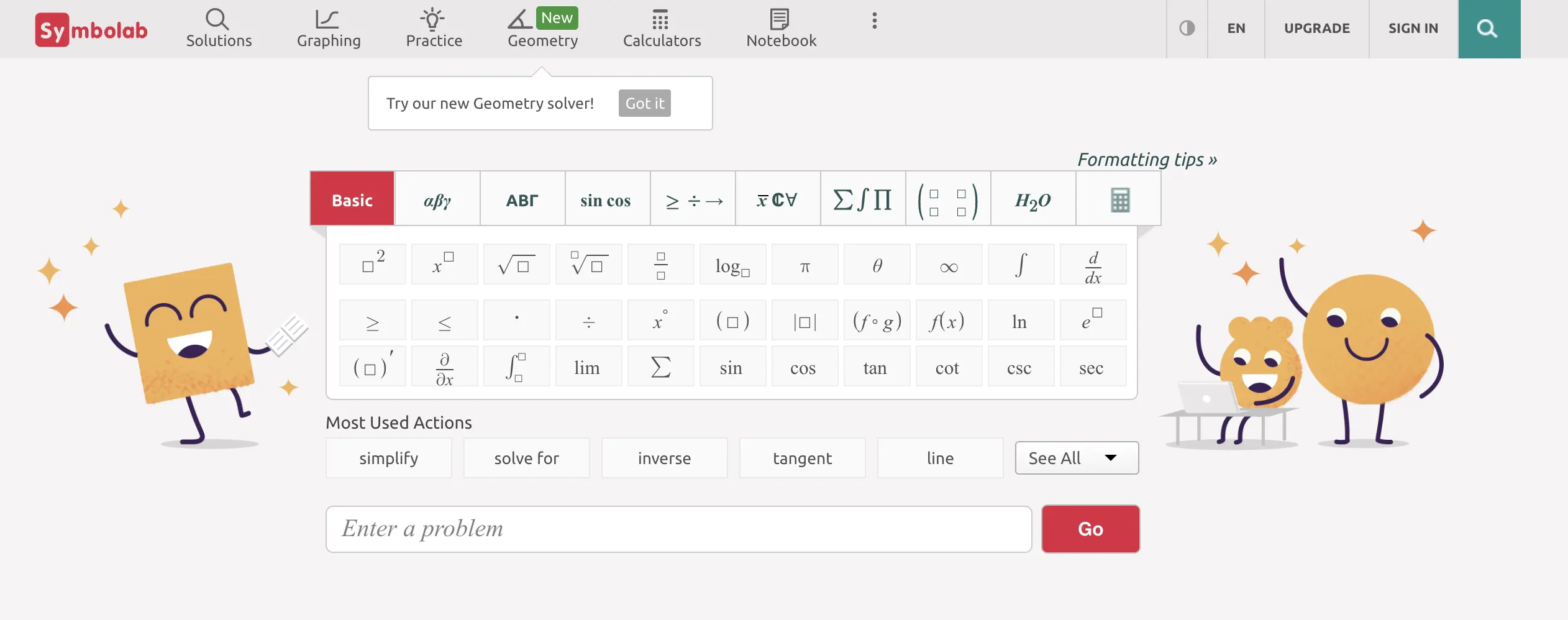
It covers many topics such as Algebra, Trigonometry, Geometry, Calculus and Pre-Calculus, Statistics, etc. Besides the abovementioned topics, you could also get your solutions right for subjects like Chemistry, Physics, and Finance.
This app is a splendid Wolfram Alpha alternative that can be used on Android and iOS devices. You can get the paid version for a wider range of features.
Learning without testing your progress remains incomplete; hence, Symbolab Maths Solver lets you access some practice questions and prepare a test by yourself.
You only need to select the correct category of question you are looking for and choose the appropriate formulae—and you will get your problem solved in a few seconds at once!
2. fxSolver
The major advantage of choosing fxSolver as an alternative to Wolfram Alpha is that it is a free platform.
Here, you can start with various categories such as Aerospace Engineering, Economics and Finance, Medical, Geoscience, Biology, and more.
It also has a category that provides a few standard formulae to prepare you for your examinations.
If you fail to find the formula you have been looking for, you could even create your one!
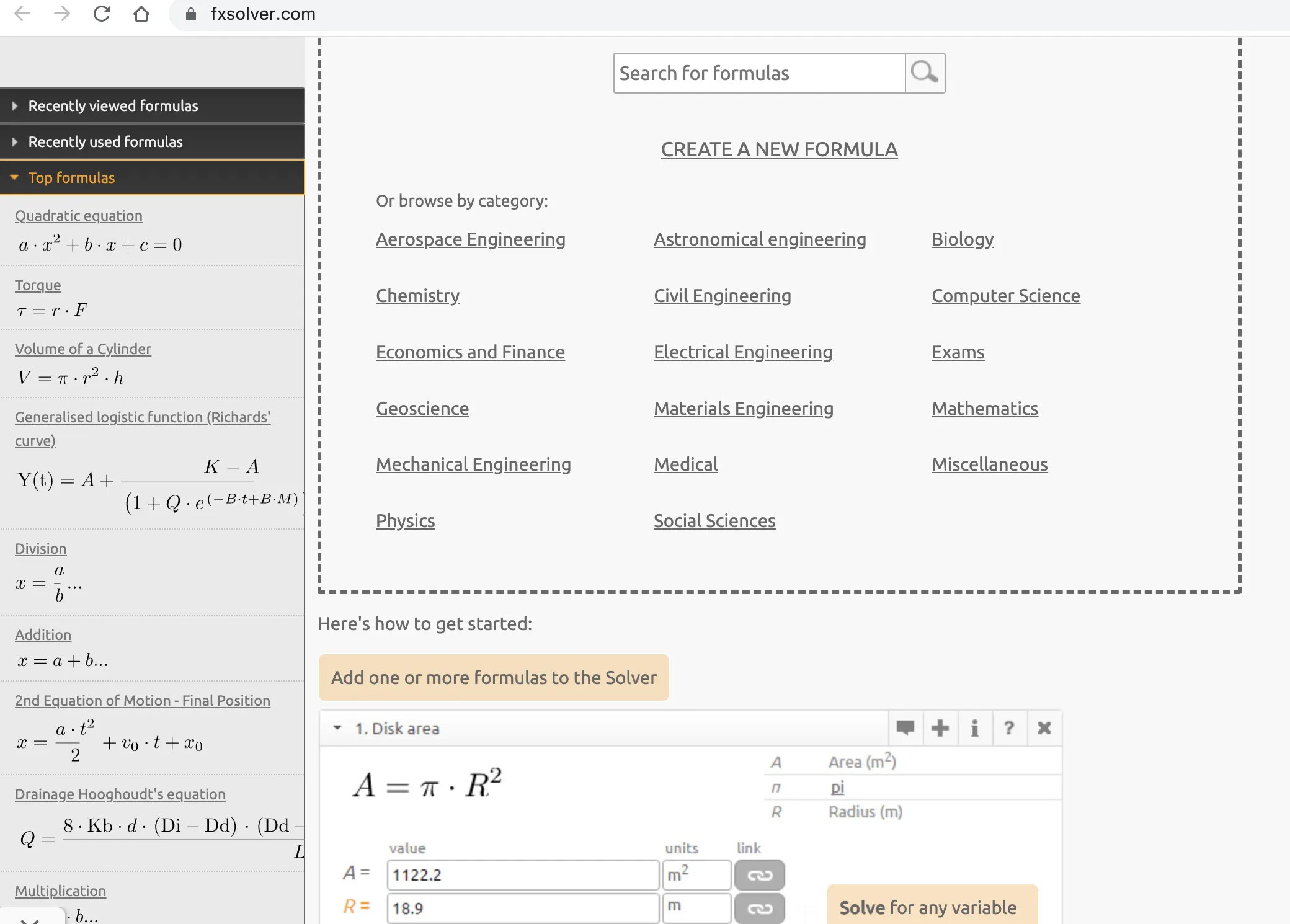
fxSolver is an excellent platform where you can make graphs, and for your clarification, the website even provides steps on how to get started if you are a newbie here and gives you access to a promo video too.
An amazing unique feature is their option to share the results with your friends or acquaintances.
On the extreme left portion of their website, you could look up the recent formulae you have used and viewed and the top formulae that all users worldwide search for.
They also have a formula library, where you can contact formulae for all educational degrees or qualifications.
3. MATHWAY
If you are a high school or a college student, Mathway shall guide you through all your math problems, especially Algebra. It is an extremely handy platform where you get stepwise solutions to your problems.
Sadly enough, the latter-mentioned feature is only available to paid users but is cost-effective compared to Wolfram Alpha.
The application provides a calculator where you get to type your problem with the help of symbols for fractions, logarithmic equations, integration, etc.
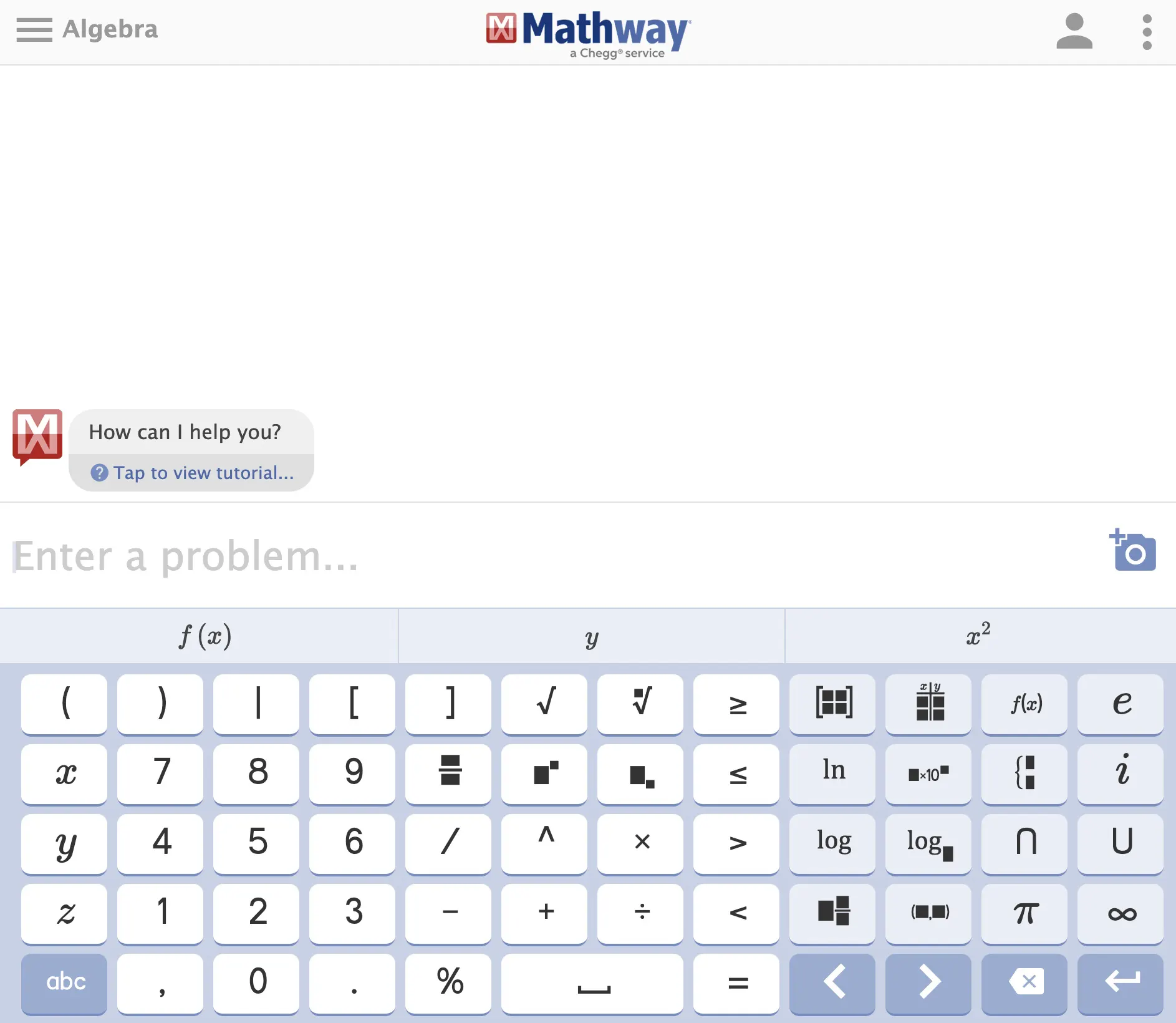
Even though non-math users might not find this platform useful to a great extent, you could still get a few chemistry-related numerals solved and your graphs plotted.
Besides Algebra, you could even get solved questions related to Trigonometry, Calculus, Finite Math, and many more.
One of the very useful features of this application Is the access to upload a picture of your problem and solve it immediately.
You could even type out words which in turn get incorporated as a problem by the app itself. This makes the app very much user-friendly.
wolfram alpha vs Mathway:-
Wolfram Alpha is a more comprehensive tool that can help you with a wider range of subjects, while Mathway is more focused on math problem-solving and offers a convenient mobile app.
Both tools can be useful for students and professionals who need help with math and other subjects.
| Feature | Wolfram Alpha | Mathway |
|---|---|---|
| Problem solving | Yes | Yes |
| Graphing | Yes | Yes |
| Step-by-step | Yes (Pro) | Yes (Premium) |
| Mobile app | Yes (iOS, Android) | Yes (iOS, Android) |
| Pricing | Free and paid options | Free and paid options |
| Subjects covered | Mathematics, Physics, Chemistry, Engineering, Astronomy, and more | Mathematics |
| User interface | Text input with natural language processing | Text input and clickable buttons |
4. eMathHelp
When learning and having fun go hand in hand, the experience is one of a kind. eMathHelp makes learning easier for topics such as Algebra, Geometry, Calculus, Linear Algebra, Linear Programming, Discrete Mathematics, and Probability/ Statistics.
eMathHelp has over 2000 notes with explanations on the different topics provided and comes with several types of calculators, such as online graphing calculators, derivative calculators, integral calculators, and much more.
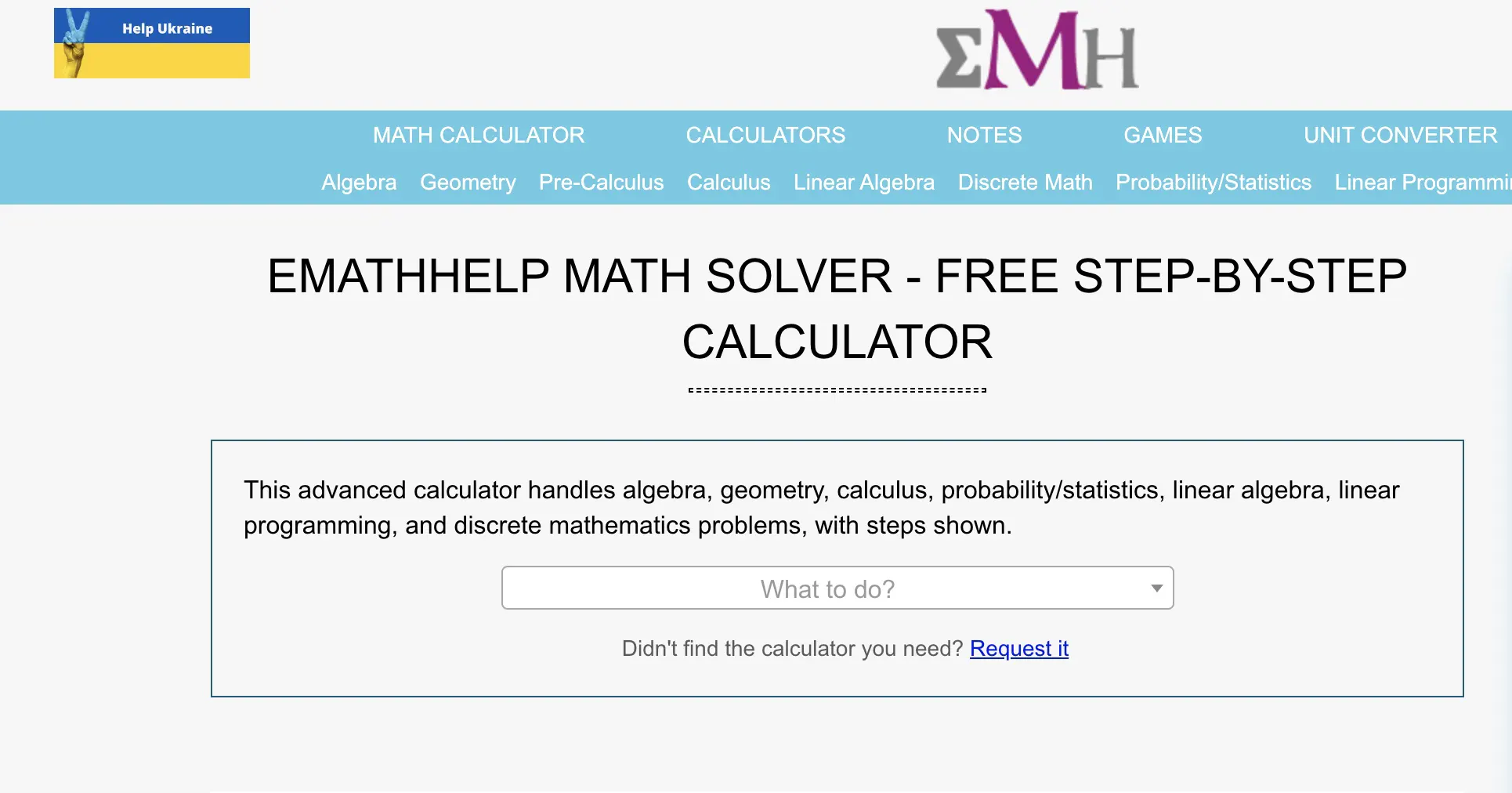
If you cannot find the calculator you have been looking for, you can request your desired calculator by clicking the ‘Request it’ button on the website.
Through their website, you also get access to a unit converter which makes your tasks simpler undoubtedly.
You can also get stepwise solutions for your queries and even check the accuracy of the same. One of the most interesting parts of this website is the ‘Games’, where you can solve logic puzzles such as RGBW, ProductSum, and KnightScore.
You can find the instructions for the game right there, which helps you learn the game faster.
These games improve your logical thinking and make your mind more open to new ideas and analytical thinking.
5. CYMATH
Cymath is an excellent choice for the audience with high computational knowledge and idea about concepts regarding Artificial Intelligence, knowledgebase, computational intelligence, and many more related terms.
Using this platform, you can access a search bar that helps you look up your query or even lets you choose by clicking the ‘Choose Topic’ button from a list of maths topics.
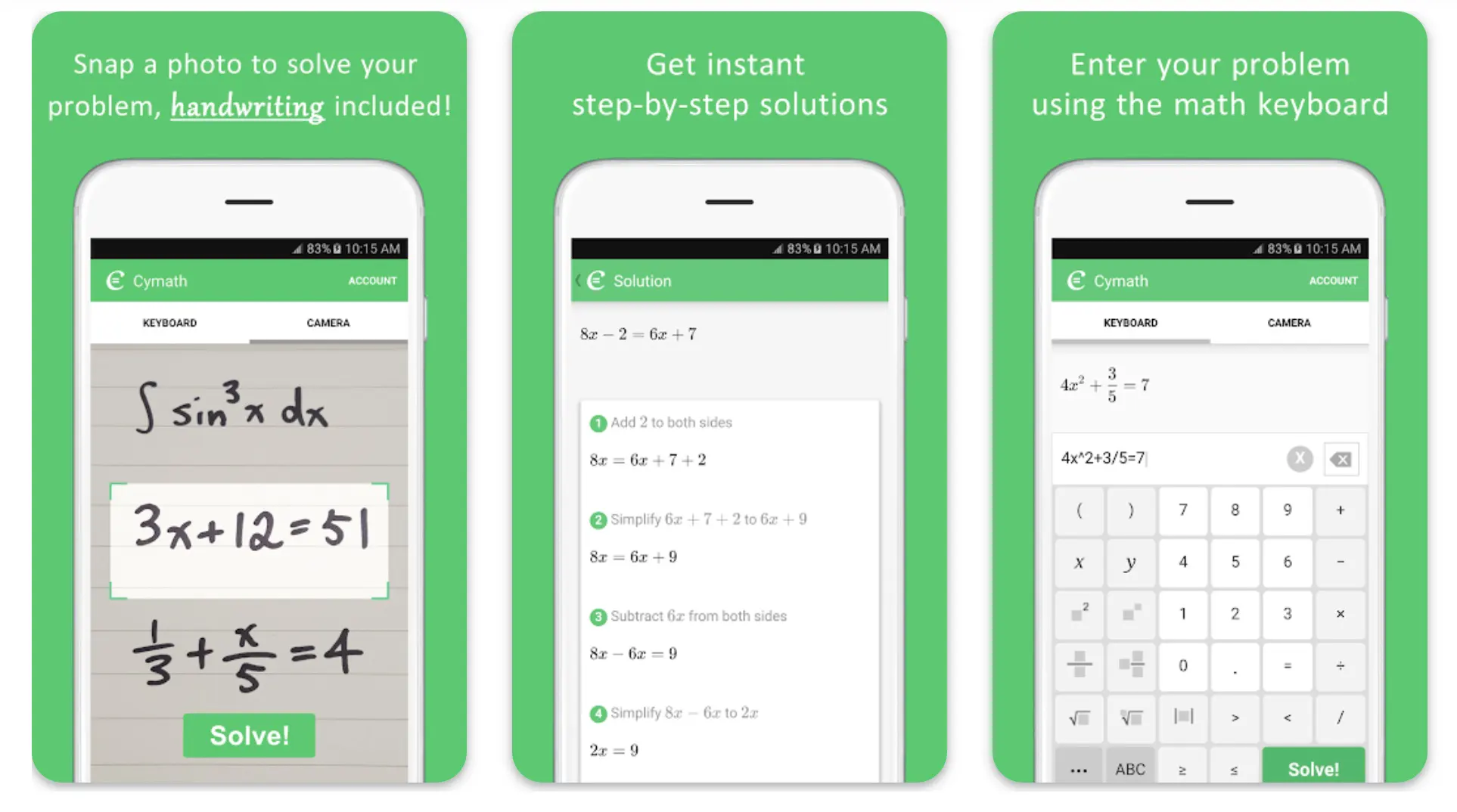
Users can make their formulae by clicking the keyboard sign below the search bar. You could even use your equations and examples for practice.
You even get a stepwise analysis for every problem you are solving, a few reference materials for better understanding, and another few examples to explore.
Cymath lets you have access to their mobile applications as well, on both iOS and Android devices; however, the website is always open for use to everyone.
Cymath lets you explore the website in a few languages other than English, viz—Spanish, Japanese, and Chinese. You could also get a Premium package whenever you feel like it.
Download the App from Google Play Store
Download the App from Apple App Store
6. INSECT
Insect, created by a German software engineer, David Peter, is an amazingly useful alternative to Wolfram Alpha.
In this platform, if you are good at programming, you will have the upper hand; but if you do not, Insect won’t disappoint you much and will surely aid you in solving your math problems.
The insect is an open-source, highly specific calculator equipped with full support for physical units.
It includes features inclusive of exponential notations, multiple functions, and operators to help you solve your mathematical expressions.
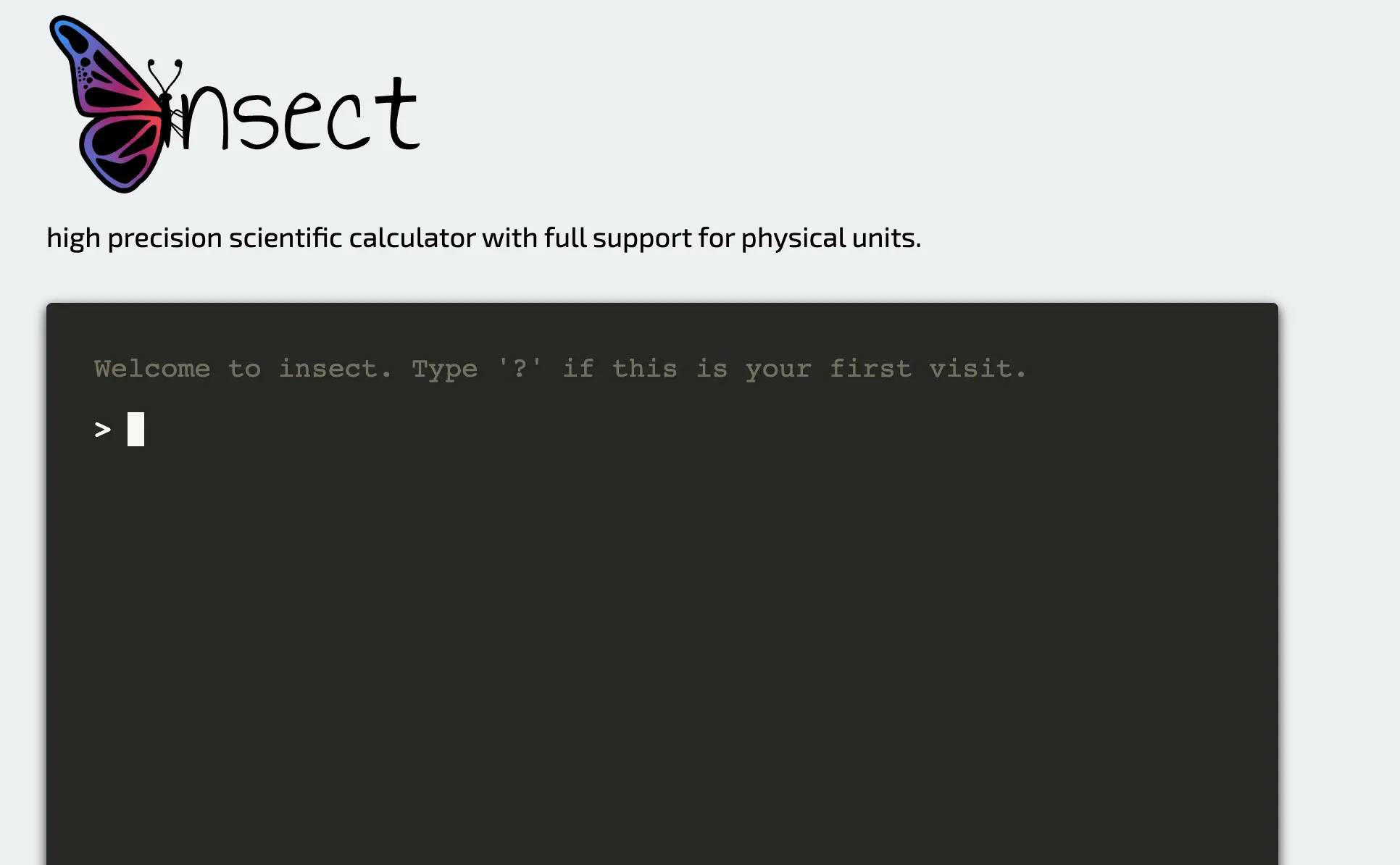
Even though Insect does not provide users with a step-by-step explanation of the enquired sum, one could still solve their high school or college level math problems with assured accuracy.
Through the reading-based interface available in command-line and web versions, one could connect with operations such as unit conversions, functions with multiple arguments, Unicode support, and variable assignments with predefined constants.
If you are a potent programmer, you could modify the source code according to your needs.
7. MAPLE
Maple, a mathematics-based software developed by the Canadian software company, Maplesoft around 1982, can serve as an advanced alternative to Wolfram Alpha because of its specialized education, engineering, and research services.
Through the calculator, you can get the solutions of high-level mathematics ranging from fields like differential equations, calculus, algebra, group theory, and many more to count.
You could get your customizable 2D and 3D plot animations through Maple’s graphing feature.
On their website, you get a few options, such as Products and Solutions, right at the tip of your fingers, which helps you get a simplified approach to the website.
You can get in touch with many helpful options, from Maple Calculator to e-books.
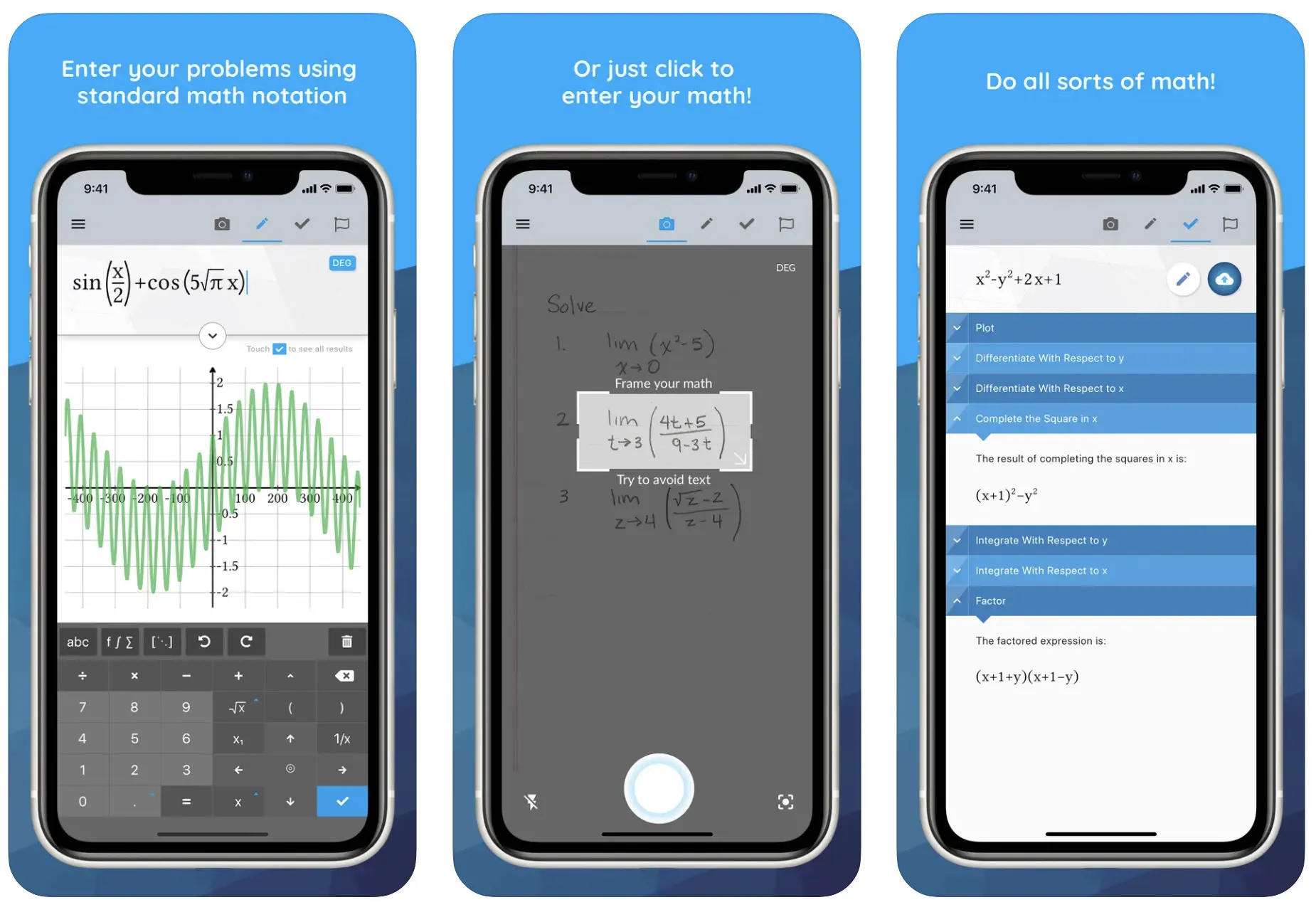
Maple’s software has an added advantage over Wolfram Alpha, where it can make the platform extensively user-friendly by letting its users create answers and solutions to complicated problems.
As a result of this feature, the users get exposed only to the answer from the software’s immense knowledge platform.
One of the most intriguing facts lies in Maple’s ability to be available on all three major operating systems. You can even use it as a mobile calculator to solve your math doubts.
The platform lets you enter your problems through text or even an image format of your problem through your device, be it iOS or Android.
Download the App from Google Play Store
Download the App from Apple App Store
8. SOULVER
Soulver is an impressive alternative to Wolfram Alpha because of its simple approach and the language used by the software.
Even though the application’s usability is limited to Mac users only, it can be a jackpot for you to experiment with numbers and get a taste of several situations and happenings.
One of the major plus points that this app comes with is that the system accepts words and numbers side-by-side while entering the data, and the app shall be able to comprehend the same.
You do not need to worry if you’ve forgotten to save your last input, as the app already saves that by default. You could come back anytime and make any changes that you feel like making in your calculations.
This app makes unit conversions simple for various ranges of metric units, cryptocurrencies, fiat, etc.
Your note for the calculations can be made way more appealing and noticeable using headings, labels, syntax coloring, comments, and automatic formatting features.
It uses simple natural languages, making it easier to work on common operations.
An advantage of Soulver over Wolfram Alpha is that you could add a reference to previous lines in your calculations, just like how you would do in the case of a spreadsheet.
Another fun aspect of using this platform is the names you give to the numbers and utilizing them as variables while calculating processes.
SOulver shall act as a great choice for solving such problems and is already trusted by tens of thousands of users daily; some have been using it for over ten years.
So, you could try out its 30-day free trial once and then experience a useful journey.
9. MAXIMA
If you’re searching for a website or an application that could provide you with solutions to some professional or standard-level problems or queries, Maxima might help you end your search for the same.
Added to that, if you have your hands strong in programming, you wouldn’t like to miss out on trying this out once
Developed at the Massachusetts Institute of Technology (MIT) in the 80s, Maxima is a product of Macsyma ( a computer-based algebra system ), which had taken its place as a US government project.
This platform is open to everyone for use, sharing, and modification. Maxima, like other algebra-performing computer systems, allows you to solve complex algebraic expressions and problems.
This platform can easily perform functions such as converting trigonometric expressions and sums to their exponential forms, derivation of closed-form series explanation, and symbolic anti-derivatives.
You can get your queries clarified within almost no time by an active user community that takes care of the maintenance of the software and keeps the program up-to-date. So, a quick response can often be expected when asking a question.
Maxima is accessible on many platforms: Windows, Mac, Linux, and iOS. Added to that, it is also functional on Debian-based systems.
By visiting their website, you can gain additional knowledge regarding more of the software’s history and even get a list of the recent releases that have been made.
Apart from these features, they also produce a multi-lingual approach through their website.
10. SPEEDCRUNCH
SpeedCrunch is considered one of the most powerful ones on the list of calculators. It has over 80 built-in mathematical functions and an on-screen keyboard, making it extremely handy for some users.
It emphasizes precision and accuracy and produces results of the same kind. You can perform calculations limited to 50 digits of precision with the help of complex numbers, unit conversions, numeral bases, and much more.
SpeedCrunch gives equal priority to every little or big input made to enhance the user experience.
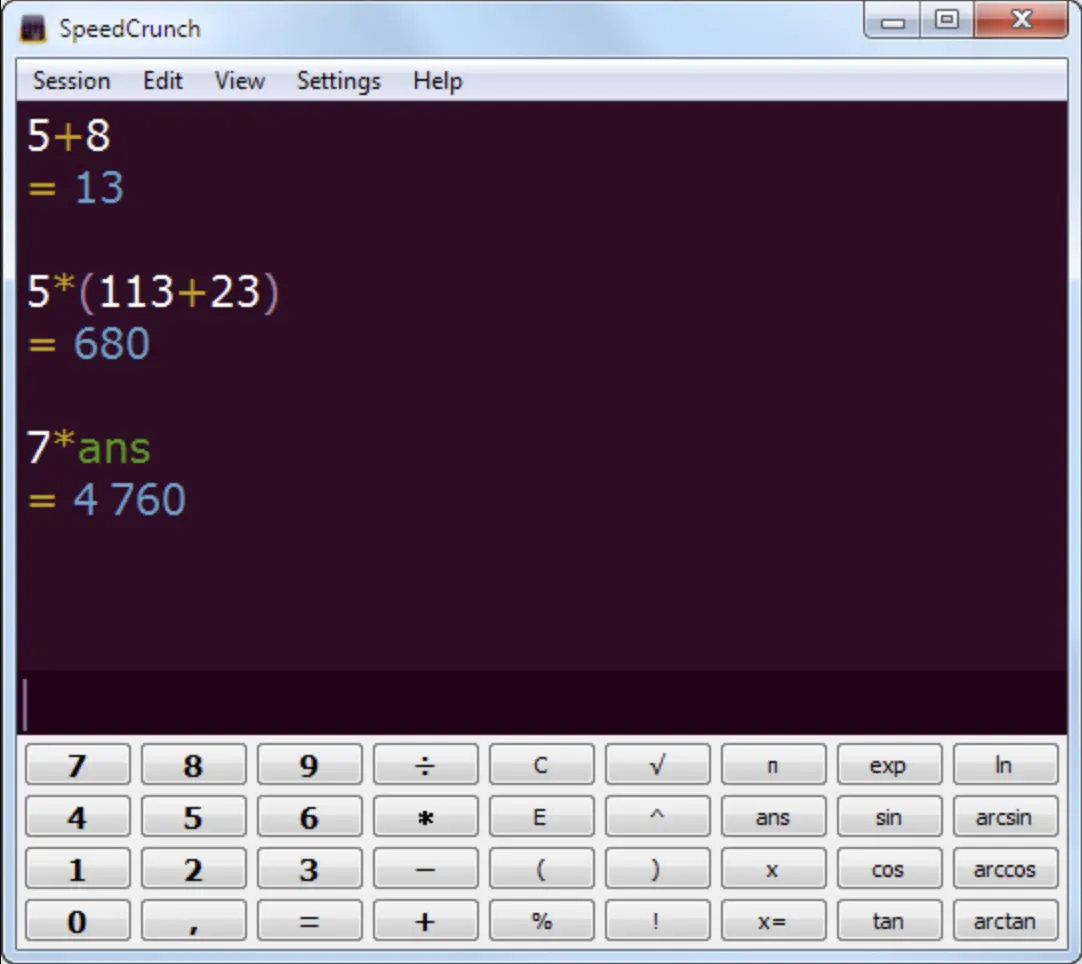
You can easily keep track of your previous inputs and outputs and re-visit them anytime you feel necessary through the available scrollable history.
Pointing out the mistakes has become even simpler through syntax highlighting, which you could change as per your choice, i.e., customizable.
An amazing feature of SpeedCrunch is its built-in library of formulae! It is a location where you could take a glance or even insert formulae as per your need from the list of commonly-used formulae or even put in one out of the 150 specific constants.
You could get your hands on this software through the respective Stores of Windows, macOS, Linux, and many more. Similarly, like Maxima, you could explore SpeedCrunch’s software or website in some other languages other than English as well!
This open-source program has a GPL License, which indicates that you have access to the source code, and if you have valuable programming skills will act as a cherry on top.
11. MICROSOFT MATH SOLVER
Microsoft has developed this amazing technology that high school and college students could easily use to solve their queries or doubts.
You could search or type down questions from a bunch of categories: Pre-Algebra, Algebra, Trigonometry, and Calculus. Under these categories, you are going to find a lot of topics concerned as well.
Suppose you are a newbie to this website. In that case, you could easily go through several videos of Key Features, Checking Answers for math worksheets, Algebra Calculator, Graphing Calculator, and many more.
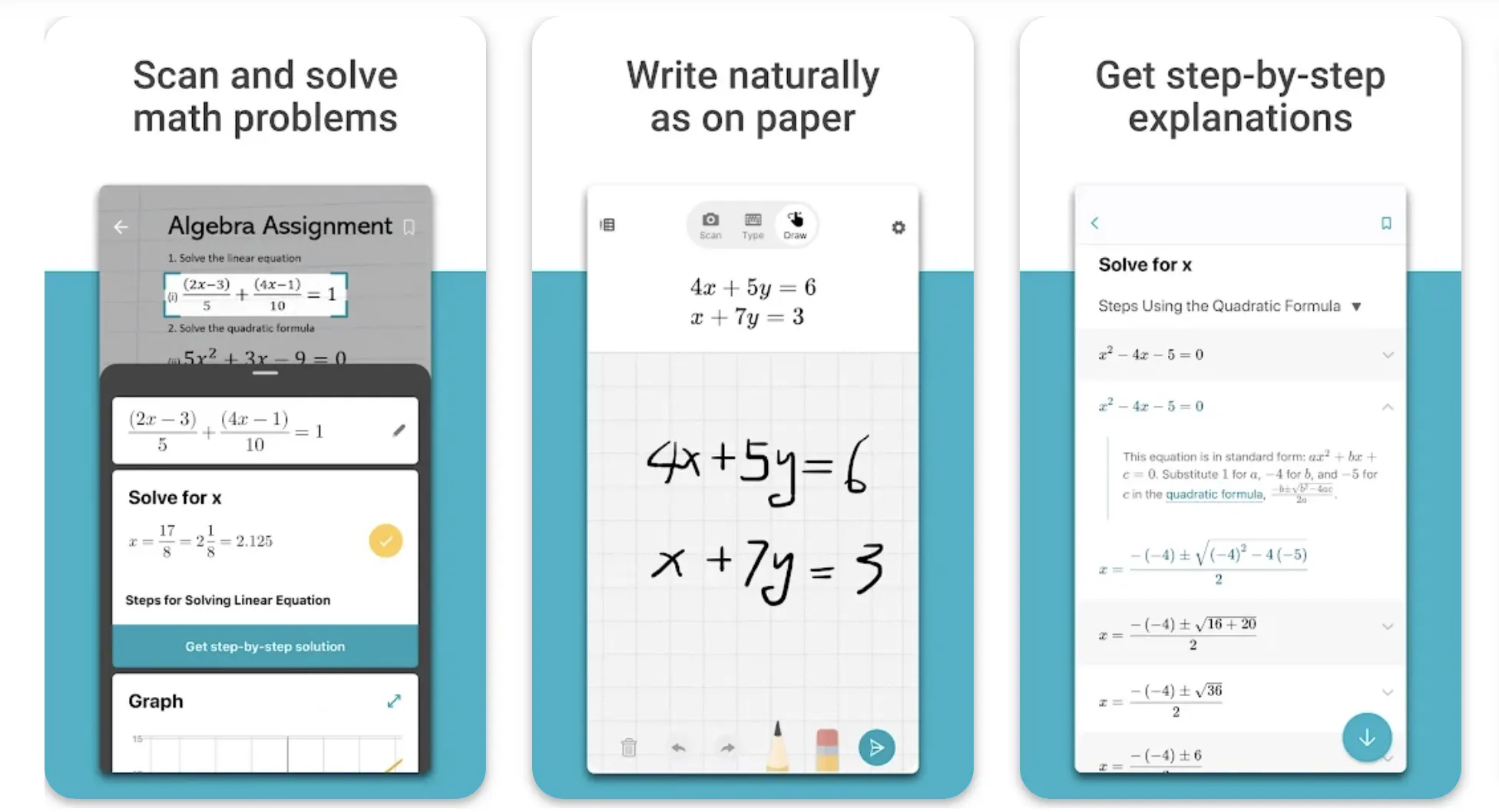
On an additional note, you can get a step-wise explanation and analysis of your problems for FREE, unlike Wolfram Alpha, where you had to pay a premium subscription fee for the same purpose.
Getting definitions of the various mathematical concepts is a major learning hack you could unlock here.
To get your desired solutions, you could type out the problem manually or scan the problem in the app version of Microsoft App Solver.
Tutorials and worksheets and a lot of practice sheets are an added advantage. Plotting graphs for various questions has become easy because of platforms like this.
Multi-language accessibility is also endured for many languages to understand the audience better. Besides being available on your mobile phones and other devices, you can also find this software in Microsoft Edge.

Download the App from Google Play Store
Download the App from Apple App Store
12. Photomath
Your hunt for an answer engine is probable to end when you learn about one of the leading brands in the educational technology world, named Photomath.
Photomath is a useful platform for high school students to solve math questions and problems. You could also search for math topics related to geometry, Algebra, Trigonometry, Statistics, and more.
Unlike Wolfram Alpha, whose scanning of questions is a paid feature, Photomath lets you scan the questions without any premium or paid subscription. Thus, you might have guessed the significance of the name by now!
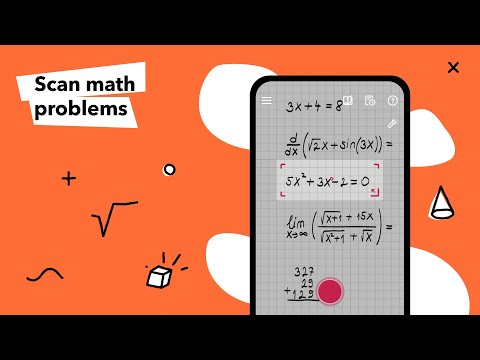
However, not all features provided are meant to be free of cost though; some features of Photomath can be used only after you have paid the minimum cost required for availing of that particular feature.
The application shows the answer and the detailed stepwise analysis on capturing your answer.
Besides students, teachers and parents can also use this platform to help their little ones out in their studies, and the app aids this through their 24/7 availability for help.
The app is available on iOS and Android devices and has had over 300M downloads, with a rating of 4.7 from the Store!
Download the App from Google Play Store
Download the App from Apple App Store
13. Symbolab
Symbolab and Wolfram Alpha are popular online math tools with distinct approaches and features. Symbolab is a viable alternative to Wolfram Alpha, offering affordability and accessibility as key benefits.
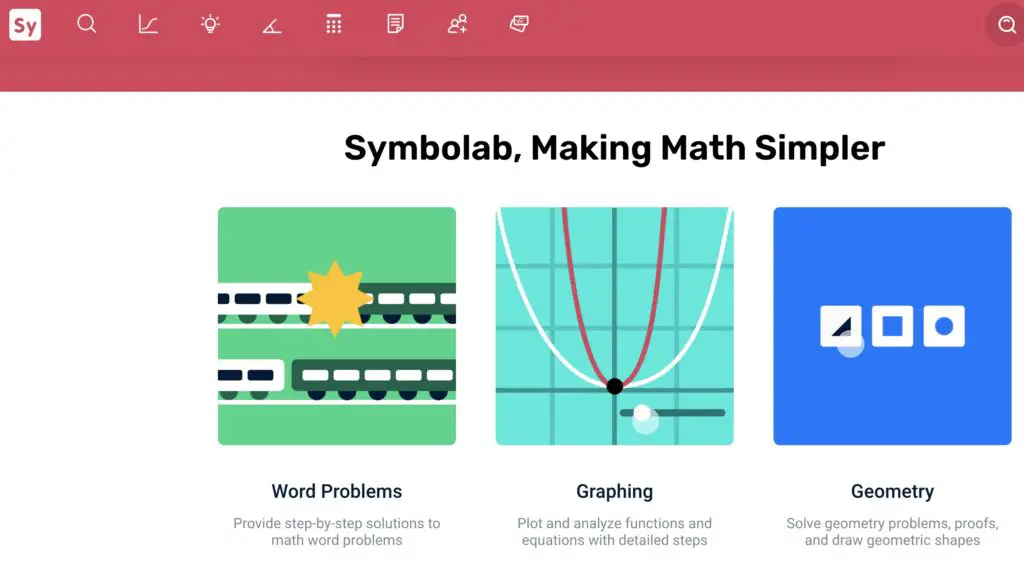
Symbolab is a web-based platform that provides step-by-step solutions to algebraic, calculus, and trigonometric problems.
Its user-friendly interface and intuitive design make it easy to use, and it offers a graphing calculator, math solver, and practice tool. Symbolab also has a mobile app for iOS and Android.
Wolfram Alpha, on the other hand, is a computational knowledge engine with broader features, such as language processing, machine learning, and image recognition.
It can solve complex equations like differential equations, linear algebra, and statistics. Wolfram Alpha also has a vast database of information on various subjects, including science, technology, and history.
While Wolfram Alpha has more features and capabilities, it comes with a higher cost than Symbolab. Wolfram Alpha provides a free trial, but a subscription fee is required to access all features.
Symbolab, in contrast, offers a free basic version and a premium version with more features at a much lower cost.
Symbolab vs Wolfram Alpha:-
Symbolab and Wolfram Alpha are excellent computational resources due to their wide feature sets and intuitive designs. Each has a premium, paid edition with more bells and whistles.
Wolfram Alpha is well-known for its enormous knowledge base and learning materials, while Symbolab is renowned for its user-friendly step-by-step solution feature.
Both tools integrate with other tools, such as Google Drive and LaTeX, and offer mobile apps for on-the-go use.
The following chart compares and contrasts Symbolab and Wolfram regarding their features, user interface, pricing, and availability.
| Criteria | Symbolab | Wolfram Alpha |
|---|---|---|
| Price | Free with limited functionality, subscription-based. | Free with limited functionality, subscription-based. |
| Interface | User-friendly, intuitive, and easy to navigate. | Advanced, professional, and complex. |
| Computation Speed | Fast calculations for standard mathematical problems. | Extremely fast, complex computations for all fields. |
| Coverage | Covers mostly high school and undergraduate math. | Covers all fields of math, science, and engineering. |
| Input Methods | Supports text input and handwriting recognition. | Supports text input, handwriting, and voice input. |
| Output Formats | Provides step-by-step solutions, graphs, and charts. | Provides detailed solutions, graphs, and animations. |
| Learning Resources | Offers practice problems, video tutorials, and quizzes. | Offers vast libraries of textbooks and academic papers. |
| Programming Language | Supports limited programming with Javascript. | Supports Wolfram Language, an advanced programming language. |
| Customer Support | Provides a help center, FAQ, and email support. | Offers a dedicated customer support team. |
| Mobile Support | Has a mobile app available for iOS and Android. | Has a mobile app available for iOS and Android. |
Wolfram alpha vs Mathematica:-
Wolfram Alpha is better suited for quick and simple data queries and provides easy-to-read results.
Conversely, Mathematica is a powerful tool for advanced computation, modeling, and data analysis that requires structured code input and provides complete control over computations.
Here is a detailed chart comparing Wolfram Alpha and Mathematica:-
| Feature | Wolfram Alpha | Mathematica |
|---|---|---|
| User Interface | Web-based interface, accessible via any modern web browser | Desktop application with a notebook interface, installed on user’s device |
| Computational Power | Provides access to a vast amount of precomputed data | Offers complete control over computations and allows user-defined algorithms |
| Data Input | Handles natural language queries and can infer user intent | Requires structured code input |
| Data Output | Returns human-readable results in a variety of formats | Provides output in various formats including graphical and tabular data |
| Computation Types | Limited to precomputed data and simple mathematical functions | Supports symbolic and numerical calculations, graphics, and more |
| Pricing | Offers free access to a basic version, paid subscription for additional features | Commercial software, licenses available for purchase |
| Application | Designed for quick and easy access to facts and data | Used for complex calculations and data analysis by mathematicians, scientists, and engineers |
Wolfram alpha vs Matlab
Wolfram Alpha is a useful tool for quick calculations and obtaining instant answers to factual questions. Conversely, Matlab is a more powerful tool for numerical computing and data analysis that requires more expertise in programming.
Wolfram Alpha and MATLAB share some similarities; they serve different purposes and have different strengths and weaknesses. Wolfram Alpha is great for quickly solving mathematical problems and accessing a vast library of mathematical knowledge.
At the same time, MATLAB is more suitable for developing and implementing complex mathematical algorithms and models.
Here’s a table comparing some key features of Wolfram Alpha and MATLAB:-
| Feature | Wolfram Alpha | MATLAB |
|---|---|---|
| Purpose | Online computational knowledge engine | Desktop programming language and development environment |
| User interface | Web-based with natural language input | Desktop-based with code-based input |
| Mathematical capabilities | Extensive, including symbolic computation and equation solving | Extensive, with a focus on numerical computation |
| Non-mathematical capabilities | Limited, primarily focused on science and engineering | Limited, primarily focused on science and engineering |
| Learning curve | Relatively low, due to natural language input and step-by-step solutions | Steep, due to code-based input and complex programming concepts |
| Community and support | Large community with access to Wolfram Community and Wolfram Knowledgebase | Large community with access to MathWorks Community and MATLAB Central |
| Cost | Free for basic use, with paid options for additional features | Commercial software with various licensing options |
| Platforms | Web-based, with apps for mobile devices | Desktop-based, with support for Windows, macOS, and Linux |
Wolfram alpha vs Chatgpt
Wolfram Alpha is a computational knowledge engine that provides factual answers based on data and algorithms. At the same time, ChatGPT is a conversational AI model that provides human-like responses to text-based queries, which may be more nuanced or subjective.
Here’s a table comparing Wolfram Alpha and ChatGPT:-
| Feature | Wolfram Alpha | ChatGPT |
|---|---|---|
| Purpose | Computational knowledge engine | Conversational AI model |
| Functionality | Performs complex mathematical calculations, generates graphs and charts, provides scientific and technical data, and more | Uses natural language processing to understand and generate human-like responses to text-based queries |
| Best used for | Specific, fact-based answers to questions that can be answered using available data and algorithms | Nuanced, subjective, or open-ended answers to questions that may require interpretation or opinion |
| Data sources | Data and algorithms | Wide range of written materials, including books, articles, and other sources |
| Strengths | Provides factual answers based on available data and algorithms | Can generate more nuanced or subjective responses |
| Limitations | Limited to available data and algorithms | May not always provide precise or accurate answers |
| Examples | What is the boiling point of water? | What is the meaning of life? |
✅FAQ
Is there anything better than Wolfram Alpha?
Many tools are available similar to Wolfram Alpha, such as Mathway, Symbolab, and Desmos. Some users may prefer Wolfram Alpha’s extensive database and ability to provide step-by-step solutions, while others may prefer the interface of another tool.
Here’s a table comparing some popular wolfram alpha alternatives:-
| Alternative | Description |
|---|---|
| Mathway | Provides step-by-step solutions to various math problems and covers a wide range of topics. |
| Symbolab | Offers comprehensive step-by-step solutions for math problems, including algebra and calculus. |
| Desmos | A graphing calculator with advanced features and a user-friendly interface. |
| MATLAB | A programming and numerical computing software used for data analysis, modeling, and simulation. |
| Maple | A powerful mathematics software with features for symbolic computation, numeric analysis, and visualization. |
| GeoGebra | A dynamic mathematics software for geometry, algebra, calculus, and other mathematical areas. |
| Octave | A free and open-source alternative to MATLAB that provides a similar environment for numerical computing. |
| SageMath | An open-source mathematics software system that covers various areas of mathematics and includes a programming language. |
| Maxima | A free and open-source computer algebra system that supports symbolic and numerical calculations. |
| Jupyter Notebook | A web-based interactive environment for creating and sharing documents that contain live code, equations, visualizations, and narrative text. |
Is there a free alternative to Wolfram Alpha?
Several free alternatives to Wolfram Alpha exist, such as Mathway, Symbolab, and Desmos. These tools may not have all of the features of Wolfram Alpha, but they can still provide helpful solutions to math problems.
What site is like Wolfram Alpha?
Several sites are similar to Wolfram Alpha, such as Mathway, Symbolab, and Desmos.
What can I use instead of Wolfram Alpha offline?
If you need an offline alternative to Wolfram Alpha, you may want to consider using a math software program like Maple or Mathematica.
These programs can be downloaded and installed on your computer, providing many of the same features as Wolfram Alpha.
Is Mathematica better than Wolfram Alpha?
Mathematica is a powerful math software program, while Wolfram Alpha is an online tool that can be used for math problem-solving.
They serve different purposes, so it’s difficult to say which is “better.” Mathematica is designed for more advanced mathematical analysis and modeling, while Wolfram Alpha focuses on solving specific math problems.
Is Wolfram better than Mathway?
Wolfram Alpha has a larger database and can provide step-by-step solutions, while Mathway has a simpler interface and can be easier to use.
How to get Wolfram Pro for free?
Wolfram Pro is a paid service and cannot be obtained for free without violating copyright laws. However, students and educators may be eligible for discounts or free access to Wolfram tools through their educational institution.
Why is Wolfram Alpha so smart?
Wolfram Alpha’s intelligence comes from its extensive database and algorithms that can analyze and interpret mathematical input. The tool can recognize patterns and relationships in the input and provide relevant solutions based on its knowledge base.
What are the pros and cons of Wolfram Alpha?
Pros of Wolfram Alpha include its extensive database, ability to provide step-by-step solutions, and ability to handle complex mathematical expressions.
Cons include that it is not always free and may not be as user-friendly as other tools.
| Pros | Cons |
|---|---|
| Comprehensive data and knowledge | Limited interactivity |
| Provides results for complex mathematical equations and problems | Inability to provide contextual understanding |
| High accuracy in calculations and computations | Not a search engine, so it may not return desired results |
| Ability to interpret natural language queries | A paid subscription is required for advanced features |
| Extensive collection of data sets and visualization tools | Limited to the types of data and information it has access to |
| Accessible on multiple platforms, including desktop and mobile devices | It may not be as useful for non-mathematical or scientific inquiries |
| Generates dynamic and interactive visualizations | Limited in scope to factual and scientific inquiries |
| Provides step-by-step solutions for mathematical problems | It may not be as intuitive for non-experts or beginners |
Why Wolfram Alpha is better than Google?
Wolfram Alpha and Google serve different purposes, with Wolfram Alpha being focused specifically on math problem-solving. Wolfram Alpha has a larger database and can provide more detailed solutions to math problems than Google.
Is Wolfram Alpha better than Google?
It’s difficult to say which tool is “better” since they both serve different purposes. Wolfram Alpha focuses on math problem-solving, while Google is a more general search engine.
Does anyone use Wolfram?
Yes, many people use Wolfram Alpha for math problem-solving and other related tasks.
How is Wolfram Alpha so powerful?
Wolfram Alpha’s power comes from its extensive database and sophisticated algorithms that can analyze and interpret mathematical input. The tool can recognize patterns and relationships in the input and provide relevant solutions based on its knowledge.
What is the difference between Wolfram Alpha app and Web?
The Wolfram Alpha app is a mobile application that can be downloaded and installed on your device, while Wolfram Alpha Web is the online version of the tool that can be accessed through a web browser.
The app may have some additional features or functionality, but the core functionality of the two versions is the same.
What is the point of Wolfram Alpha?
The point of Wolfram Alpha is to provide a powerful tool for math problem-solving, data analysis, and other related tasks. The tool can recognize and interpret mathematical input and provide relevant solutions based on its extensive knowledge base.
Is there a free version of Mathematica?
There is no free version of Mathematica, but students and educators may be eligible for discounts or free access through their educational institution.
Is Mathematica license forever?
Mathematica licenses are typically valid for one year, but purchasing a perpetual license that does not expire is possible.
What is Mathematica best for?
Mathematica is a powerful math software program for advanced mathematical analysis, modeling, and computation. It can handle complex calculations and visualizations, making it a valuable tool for researchers and professionals.
What is the most popular math website?
Popular math websites, such as Mathway, Symbolab, and Desmos, provide math problem-solving and other related tools. The most popular site may depend on the user’s specific needs and preferences.
What are the disadvantages of Mathway?
Some of the disadvantages of Mathway include that it may not be as comprehensive or accurate as other tools and that it is not always free. Additionally, some users may find the interface confusing or difficult to navigate.
Is there a free alternative to Mathway?
Yes, several free alternatives to Mathway, such as Symbolab and Desmos, can provide helpful solutions to math problems.
Is Wolfram Alpha Pro free for students?
Wolfram Alpha Pro is a paid service, but students and educators may be eligible for discounts or free access through their educational institution.
How does Wolfram Alpha make money?
Wolfram Alpha makes money through various sources, including licensing fees for its software products, sales of Wolfram Alpha Pro subscriptions, and consulting services.
Can Wolfram Alpha solve anything?
Wolfram Alpha is a powerful tool for math problem-solving and data analysis, but it may not be able to solve every problem or answer every question.
The tool is designed to handle a wide range of mathematical expressions and computations, but its capabilities may be limited.
Is Wolfram Alpha still being used?
Yes, Wolfram Alpha is still a popular tool for math problem solving and other related tasks.
Does Apple use Wolfram Alpha?
Apple has incorporated Wolfram Alpha technology into some of its products, such as Siri, to enhance voice recognition and natural language processing capabilities.
Does Alexa use Wolfram Alpha?
Yes, Amazon’s Alexa virtual assistant uses Wolfram Alpha technology to provide answers to math and science questions.
Does Wolfram Alpha have a limit?
There may be some limits to the complexity and size of the calculations that Wolfram Alpha can handle. Still, the exact limitations may depend on the specific task and the resources available.
Does Wolfram Alpha use a supercomputer?
Wolfram Alpha does not use a supercomputer but uses a large network of servers and computing resources to power its calculations and data analysis.
Does Wolfram Alpha have practice problems?
Wolfram Alpha does not have practice problems but can provide step-by-step solutions to math problems and other related tasks.
What companies use Wolfram?
Many companies and organizations use Wolfram technology in various fields, including finance, technology, and research. Some notable examples include Microsoft, NASA, and JPMorgan Chase.
Is Wolfram Alpha a Web3?
Wolfram Alpha is not a Web3 application, but it does use web technologies to provide its online tools and services.
How many people use Wolfram Alpha?
It is difficult to determine exactly how many people use Wolfram Alpha, but the tool is used by students, educators, researchers, and professionals in many fields.
Is Mathematica the same as Wolfram?
Mathematica is a powerful math software program developed by Wolfram Research, which created Wolfram Alpha. While they are related, they serve different purposes and have different features and capabilities.
What programming language does Wolfram use?
Wolfram Research has developed its programming language, called Wolfram Language, which is used in its software products and tools.
Does Wolfram use Python?
While Wolfram Language is the primary programming language used by Wolfram Research, the company has also developed tools to support the integration of Python with its software products.
Does Wolfram Alpha cost money?
Wolfram Alpha is available in both free and paid versions. The free version provides basic functionality, while the paid version, Wolfram Alpha Pro, provides additional features and capabilities for a fee.
Is Wolfram a genius?
Stephen Wolfram, the creator of Wolfram Alpha, is widely regarded as a genius in mathematics and computer science. He has made significant contributions to the development of computer algorithms and the study of complex systems.
Why is Wolfram in Raspberry Pi?
Wolfram Research has partnered with the Raspberry Pi Foundation to provide its software products and tools on the Raspberry Pi platform, allowing users to access powerful math and computation tools on a low-cost, portable device.
How much is Wolfram app?
The price of the Wolfram app depends on the specific product and the features included. Prices can range from a few dollars for some mobile apps to several thousand dollars for advanced software products.
Is Wolfram Alpha an expert system?
Wolfram Alpha can be considered an expert system, as it is designed to recognize and interpret mathematical input and provide relevant solutions based on its extensive knowledge base.
What is Wolfram better known as?
Wolfram Research, the company that created Wolfram Alpha, is also known for developing the powerful math software program Mathematica.
Where does Wolfram Alpha get its data?
Wolfram Alpha gets its data from various sources, including public databases, scientific literature, and curated data sets.
Who runs Wolfram Alpha?
Wolfram Alpha is developed and maintained by Wolfram Research, a company founded by Stephen Wolfram.
Wolfram alpha alternatives For Algebra
Several alternatives to Wolfram Alpha for algebra problem solving, such as Mathway, Symbolab, and Desmos.
Mathway and Symbolab are similar to Wolfram Alpha in that they can provide step-by-step solutions to algebra problems, while Desmos is focused more on graphing and visualization.
It’s important to choose a tool that can handle the specific algebra problems you are working on and has a user-friendly interface that suits your preferences.
Wolfram alpha calculator alternative
Several options are available if you’re looking for an alternative to the Wolfram Alpha calculator. Mathway and Symbolab are popular calculator tools that can solve various mathematical problems, including algebra, calculus, and trigonometry.
Both tools have free and paid versions, with the paid versions providing additional features and capabilities. Another alternative is the Desmos calculator, which is focused more on graphing and visualization but can still handle basic mathematical calculations.
Ultimately, the best calculator alternative for you will depend on your specific needs and preferences.
Which is better, Wolfram Alpha or Mathway?
Wolfram Alpha is more thorough than Mathway. In addition, everything is displayed for free! You may be wondering why someone would prefer mathway.com over WolframAlpha because mathway has a better user interface and sample problems.
How do I get Wolfram Alpha for free?
Wolfram Alpha is available free of cost for personal, noncommercial use. Therefore, you can get access to the platform without much problem. However, getting a premium subscription for enhanced features and commercial benefits would be best.
Do Wolfram Alpha Show steps?
A wide range of problems can be solved step-by-step using Wolfram|Alpha. In addition, this functionality will automatically add steps for solutions in additional mathematical disciplines.
How do I cancel my Wolfram Alpha subscription?
- Use your Wolfram ID to log in. The home page is displayed.
- Pick your products and services.
- The product with the subscription you want to cancel should be chosen.
- To discontinue this subscription after your current billing cycle, select “Stop billing.”
Conclusion
In conclusion, if you’re searching for viable alternatives to Wolfram Alpha, you’ve come to the right place. You can find alternative solutions that cater to your specific needs by exploring a range of powerful tools and resources.
Remember, each alternative mentioned in this article offers unique features and strengths, making it crucial to evaluate them based on your requirements.
Whether you seek a more affordable option, enhanced computational capabilities, or a different approach to problem-solving, the alternatives presented here provide you with various choices.
Take the time to delve into these alternatives, weigh their pros and cons, and determine which aligns best with your goals.
With these Wolfram Alpha alternatives, you can continue to delve into data analysis, problem-solving, and knowledge acquisition with confidence and precision.
Embrace the power of alternative tools and unlock a world of possibilities today.


