
























With a base of 50 million+ speakers, Thai is currently one of the most popular languages globally. Only Thailand’s 85% doesn’t speak the Thai language of the population; some people in Singapore, the USA, and UAE also speak this language. Because of its charm and uniqueness, Thai is attracting many people globally to learn it.
Thai is a popular language to learn; your learning reason can be anything; maybe you’re planning to visit Bangkok, you’re working with a Thai client, or you’re a language nerd.
While most people would agree that it’s easier to learn Thai words than in many other languages (especially Mandarin Chinese), the grammar of the Thai language is equally tough.
To make your learning easier and faster, we’ve found some cool apps to learn Thai that can help you speed up the process.
Here’s a list of 11 favorite apps that you can use to learn Thai –
Best Apps To Learn Thai – Our Top Pick👌👌
1. Duolingo
Duolingo is one of the most popular language-learning apps, and it’s available for free on Android and iOS. Duolingo is one of the rarest gems for language learners.
Duolingo is considered one of the best apps to learn Thai. Its beautiful design and unique teaching method make it the best app to learn Thai.
Duolingo has a very user-friendly interface that makes language learning easy and fun.
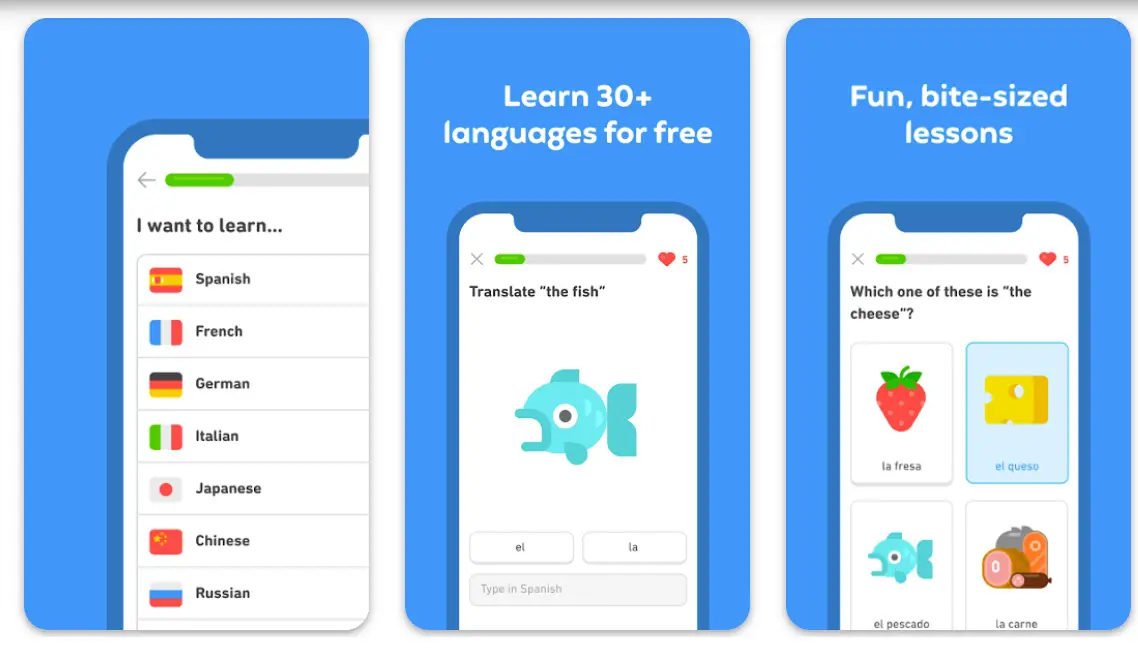
The lessons are broken up into manageable chunks, which helps you stay motivated when learning with Duolingo on your phone or computer at home or at work during your spare time!
Duolingo offers a variety of courses that teach Thai, including beginner and more advanced courses. The app uses a gamified teaching method to make learning fun and engaging for its users.
You progress through each lesson by completing simple tasks such as translating sentences or answering questions about grammar concepts.
With over 200 million active users worldwide, there’s always someone to speak with if you ever get stuck while practicing your Thai language skills!
Features:-
- Variety of methods to teach you the Thai language.
- It involves games, graphics, images, and listening.
- You can also learn through speaking, writing, reading, and creating.
Subscription:- The app’s premium version is available for $9.99 per month or $79.99 per year.
Devices:- Android, IOS
Ratings:- 4.7/5 On Play Store, 4.7/5 On App Store
2. italki
itaki is one of the great apps to learn Thai. iTalki’s online-teaching service offers live one-on-one lessons in 90+ languages for as little as $7/hour.
iTalki works with language professionals from all over the world who are paid for each lesson they teach. They provide quality instructions that are hard to find at a better price.
Italki has a free service that allows you to find teachers or tutors to help you learn a certain language. The teachers are independent contractors from all over the world, so there are plenty of options.
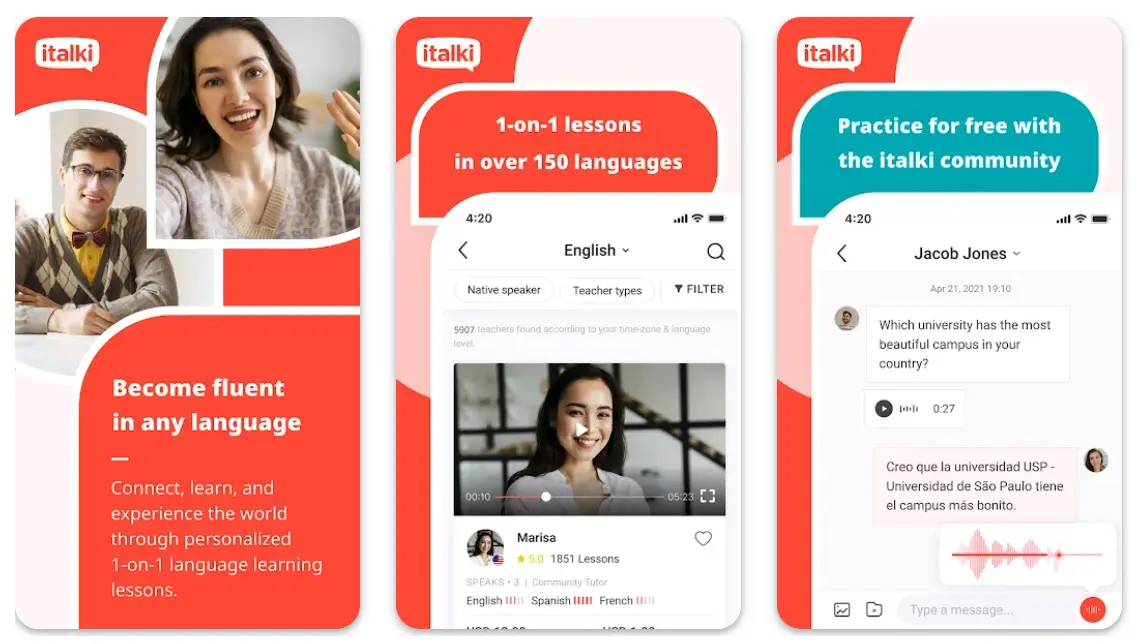
You can find someone who teaches according to your needs and schedules lessons at times that suit you. This site also has an integrated payment system so it’s easy for students to pay their fees and for teachers to get their fees.
If you want to take things further than just lessons, then this site offers an option where they match up learners who want to practice with each other in real life rather than just online!
This means you can meet people interested in the same thing as you are and make friends while learning something new together!
Italki also has some nice features, such as being able to record yourself speaking the target language so that instructors may give feedback on how well your pronunciation was coming across; or sharing music-related content (such as songs), which helps bring out emotions through music which can help boost motivation levels when studying alone at home!
Features:-
Learn with Native Speakers, and get matched with a native speaker who is fluent in the language you want to learn. You’ll be able to speak freely, exchanging thoughts and opinions on any topic.
Learn with Tutors:- Have your private tutoring sessions one-on-one or in groups. They’re great for helping build fluency, vocabulary, and understanding grammar rules in small increments over time.
Learn with Language Partners:- These individuals have similar goals as you do when learning the language—you’ll help each other practice conversation skills while doing so! If you’re looking for someone with similar interests (such as cooking), this is your best bet!
Language Exchanges:- In this type of lesson style, there will be two students with different proficiency levels in their first language but share common interest areas such as hobbies or sports etc.”
Subscription:- One monthly subscription is $19.99. The annual plan is $99.99
Devices:- Android, IOS
Ratings:- 4/5 On Play Store, 4.7/5 On App Store
3. HelloTalk
HelloTalk is considered among the best apps to learn Thai language. It’s a free app that lets you connect with people around you and start practicing your language skills immediately.
The best part about it is that you can use it for any language (e.g., Thai, Mandarin, German, Spanish).
HelloTalk has over 15 million users and has received widespread media attention from various sources such as TechCrunch, VentureBeat, Forbes, Time Magazine, and many more! So check out HelloTalk today if you want a fun way to improve your Thai communication skills with native speakers!
Features:-
- Learn with a native speaker who is fluent in the Thai
- Learn vocabulary, and understand grammar rules
- Get Fluent with advanced technology
Subscription:- One monthly subscription is $6.99. The annual plan is $45.99
Devices:- Android, IOS
Ratings:- 4.3/5 On Play Store, 4.5/5 On App Store
4. Mango Languages
Another great app to learn Thai is Mango Languages. Due to its learn-while-you-play design, it stands out in the language-learning app crowd. It’s a great way for you and your kids (or students) to explore another language in a more fluid, visual.
This Language app has over 70+ languages, and most of the lessons are in games. These game lessons will help you to engage more and maintain your attention while practicing any language (in this case, Thai language).
If you’re trying out a new language and looking for an easy-to-access interactive lesson plan at home, this app may be just what you need.
The services come with instant messaging functionality so you can stay connected while communicating with native speakers of other languages through Mango’s app.
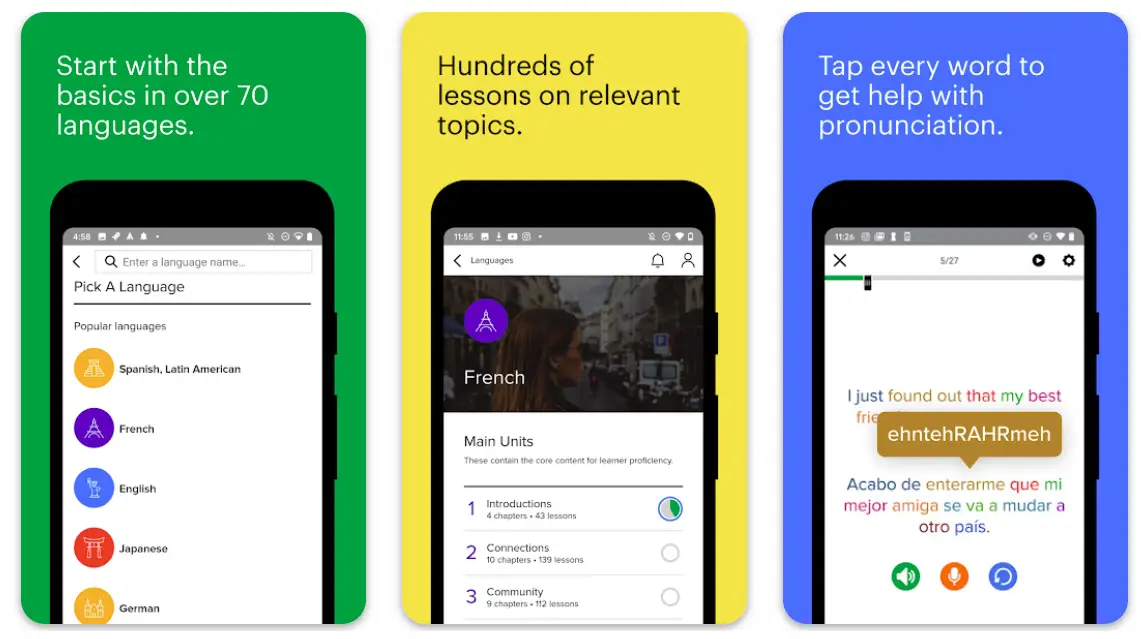
Mango Languages is a free app you can use on Android, iPhone, and iPad. It’s one of the best apps to learn Thai because it offers audio, video, text, and flashcard lessons which is a huge bonus for beginners. It also has quizzes, challenges, and speaking practice to help you improve your Thai.
There are four different levels available in Mango Language,- Beginner (A1), Elementary (A2), Intermediate (B1), and Advanced (B2).
Each level has its lessons covering different topics such as greetings in various situations, ordering food at restaurants, or speaking about time management.
You can also take advantage of the subscription service if you want access to even more content–including an advanced dictionary with over 2 million words!
Features:-
- Mango Languages offers over 80 languages and dialects.
- Flashcards – Vocabulary building – Interactive exercises – Audio lessons
- Voice recognition
- Four different levels are available
- Quizzes, challenges, and speaking practice
- Offers audio, video, text, and flashcard lessons
Subscription:- $17.99 per month
Devices:- Android, IOS
Ratings:- 4.5/5 On Play Store, 4.7/5 On App Store
5. Rosetta Stone
Rosetta Stone is a popular language learning program that uses an immersion method to teach you words, phrases, and sentences.
It works best for people who know the language and want a deeper understanding of their native tongue or another language.
This app has been around for decades and still attracts many new users yearly. Rosetta Stone uses a mix of repetition and visualization to help you quickly pick up on new language skills.
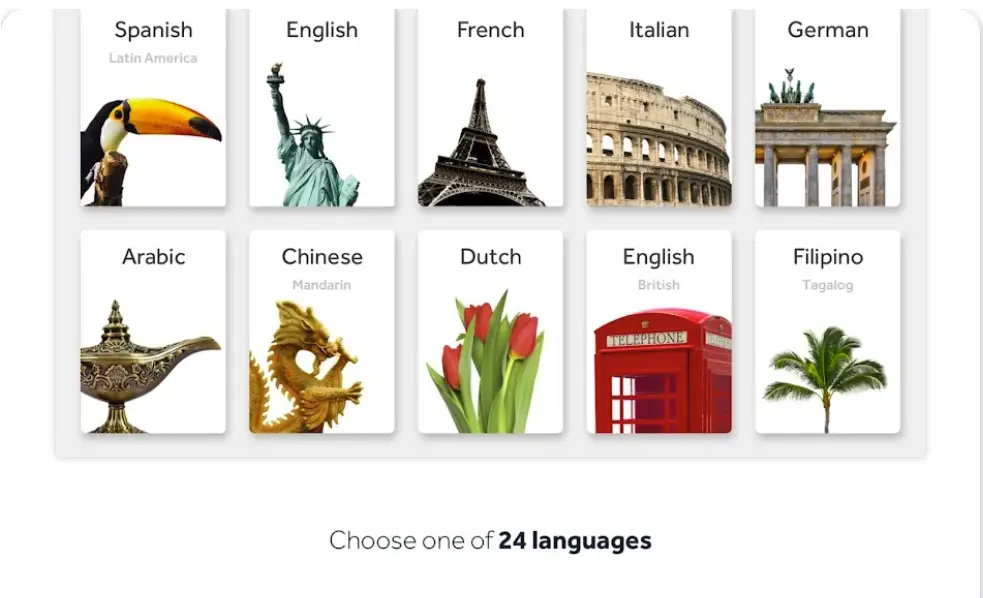
More than 30 different language options are available, including English and Thai, so it wouldn’t be hard to find one that fits your needs.
The only real issue with Rosetta Stone is its price; at $230 per year, it can get pretty pricey.
You can download Rosetta Stone from Google Play Store if you have an Android device; App Store if you have an iPhone or iPad; Windows Store if you are using Windows 10 PC/laptops & Surface tablets; App store if you are using Mac OS X Yosemite 10 version of the operating system – all versions after this will work fine as well!
You’ll need an internet connection to use this app, so make sure before purchasing any subscriptions for your chosen language course, as there are no offline packages available.
Features:-
- Rosetta Stone has many features, including adaptive learning and speech recognition technology.
- It also offers an online chat function with other users who are learning the same language as you.
- 30 different language options are available
- It uses a mix of repetition and visualization to help you learn fast
Subscription:- $96 annually
Devices:- Android, IOS
Ratings:- 4.6/5 On Play Store, 4.8/5 On App Store
6. Mondly
One of the best apps to learn Thai is Mondly. Besides offering free courses in 30 languages (including Thai), Mondly also hosts over 4,000 video lessons covering dozens of everyday situations for those learning a language.
Each level has about 100 lessons that give you plenty of exposure and repetition—the key factors for true mastery.
Also, Mondly includes an interactive translator that can help translate phrases and words on the go when you don’t have access to WiFi or data.
Because of its UI and UX, Mondly has become an engaging app for learning a new language like Thai.
Their lessons are short, they deliver directly through the app so you can fit them into your schedule without any hassle, and they cater to core vocabulary, essential introductory phrases, and grammar for various categories.
Of course, every lesson also comes with practice and study tools if you get stuck or want to build up your knowledge further.

Its fluent and engaging interface makes learning Thai vocabulary and pronunciation easy. The app features more than 4000 lessons, including many topics such as numbers, time, food, animals, directions, and more.
It also includes a personal coach who will help you practice your speaking skills in real-world situations like ordering at restaurants or asking for directions on the streets of Thailand!
The app offers unlimited access to all premium features, which means that you don’t have to pay anything once you download it – although if you’d like to have some extra features such as voice recognition technology or progress tracking tools (which are cool), you can get the premium subscription.
Features:-
- The app includes lessons that come with a helpful audio feature.
- With the interactive interface, you can learn interesting facts and new vocabulary while having lots of fun with this clever learning companion.
- Offers free courses in 30 different languages (including Thai)
- Over 4,000 video lessons that cover dozens of everyday situations
- Includes an interactive translator
- Personal coach
- Extra features such as voice recognition technology or progress tracking tools
Subscription:- The premium plan costs $9.99/month.
Devices:- Android, IOS
Ratings:- 4.6/5 On Play Store, 4.8/5 On App Store
7. Memrise
Memrise is a free language-learning platform that uses an advanced algorithm to help you to master any language. With Memrise’s free Thai language course, you can easily get a hold of the Thai Language.
Memrise is an app and website that uses spaced repetition to help users learn languages. The goal of spaced repetition is to review the information just before you forget it and then again when your memory starts to slip.
This means you’ll never be studying or repeating the same thing twice but instead working on new material pre-selected by the app based on your previous performance.

Memrise regularly adds new content to its library, so if you’d like to focus on something specific, there’s a good chance it will be available soon enough!
Memrise shows you words on your screen and uses your device’s audio system to get you the pronunciation. Using audio and video, Memrise ensures you don’t forget whatever you’ve learned, which is a great technique.
If you are looking for an engaging and exciting way to learn Thai without paying anything extra, try Memrise.
Features:-
- French, Spanish, German, and Italian language lessons
- A variety of grammar-based courses for English speakers
- Vocabulary learning for all kinds of topics
- Many publications have hailed the platform as one of the best places to learn new languages.
Subscription:- $8.49 per month
Devices:- Android, IOS
Ratings: – 4.7/5 On Play Store, 4.8/5 On App Store
8. Simply Learn Thai
Simply Learn Thai is an app that allows you to learn the basics of Thai, including phrases and vocabulary.
You can also practice your pronunciation with their interactive lessons. There are even interactive games to help you learn how to speak, read and write like a native Thai speaker!
This app is perfect for beginners and those with some experience speaking and understanding Thai. The app offers over 800 lessons in various subjects, including food, clothing, and more!
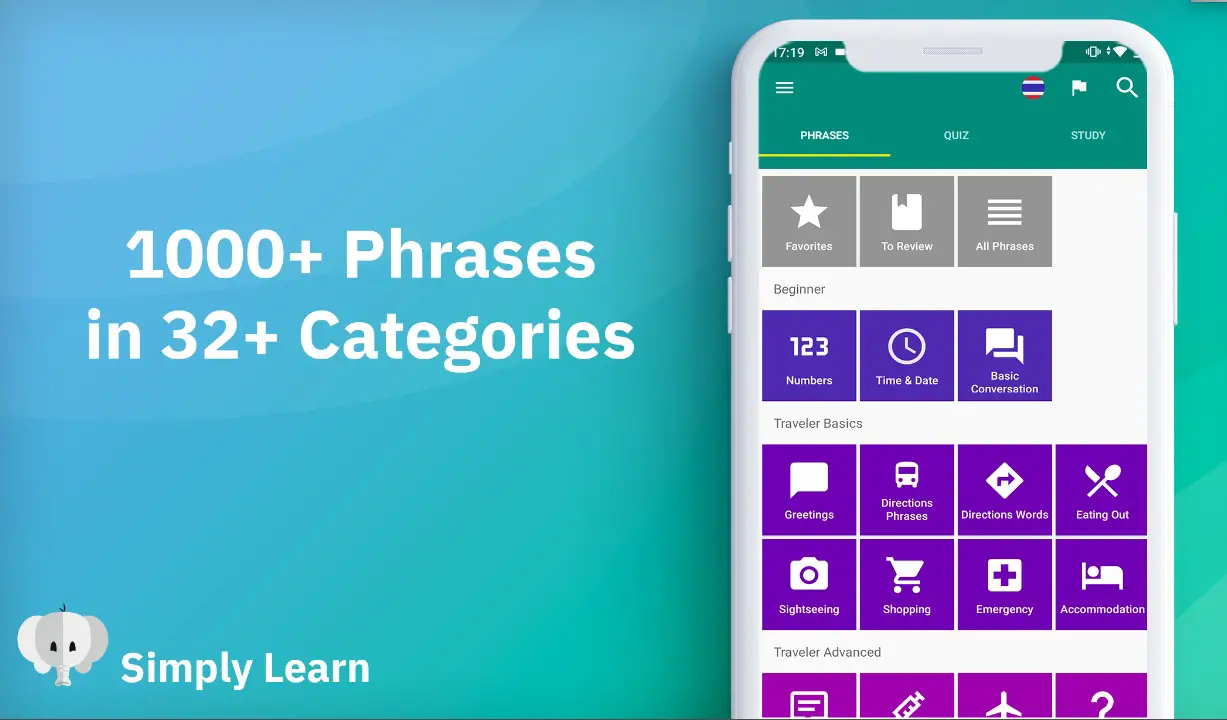
All lessons come with audio recordings so you can hear the correct pronunciation of each word or phrase you encounter while learning the language. Altogether this app has become an excellent choice for learning the Thai language.
Features:-
- A comprehensive course for learning Thai
- over 800 lessons
- learn thai by speaking, reading, writing, listening, and watching
- interactive lessons
Subscription: – $9/month
Devices: – Android, IOS
Ratings:- 4.6/5 On Play Store, 4.4/5 On App Store
9. Learn Thai phrasebook – Apps to learn thai through reading and listening
One of the best ways to learn Thai is through reading and listening, and Learn Thai Phrasebook does the same.
This app provides you with a phrasebook that contains over 1,000 common phrases in Thai on topics such as introducing yourself, asking for directions, shopping, and other daily life scenarios.
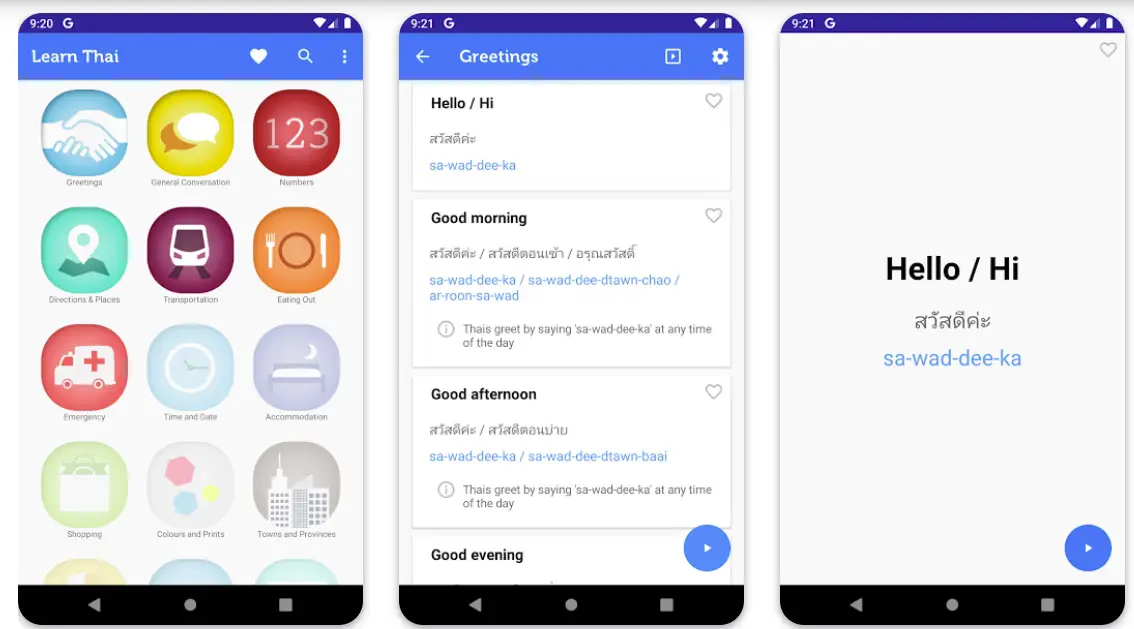
You can also listen to native speakers speak those same phrases to hear how they sound.
The audio is accompanied by a visual transcript of what’s being said and an English translation so it’s easy to follow along with what people are saying when you’re listening to them speak.
It also includes a dictionary feature that allows you to look up words while reading along with their definition, making it easier for you to understand.
Features:-
- Learn Thai Phrasebook is easy to use, user-friendly and has many features.
- It’s great for beginners or advanced learners.
- It’s also a good resource for people traveling to Thailand, learning Thai, or studying the language.
- over 1,000 common phrases
- listen to native speakers speak
- Includes a dictionary feature
Subscription: – $50 per month or $450 annually.
Devices:- Android, IOS
Ratings:- 4.4/5 On Play Store, 4.2/5 On App Store
10. SayHi – Offline apps to learn thai
The SayHi app is a pretty cool apps to learn thai and translate Thai. SayHi doesn’t need an internet connection to operate.
SayHi uses a human translator (or two) at various levels of expertise, and they record their speech which can then be translated back into the text and shown in your app.
This method ensures accurate translations because we all know how badly word-to-word translators usually turn out!
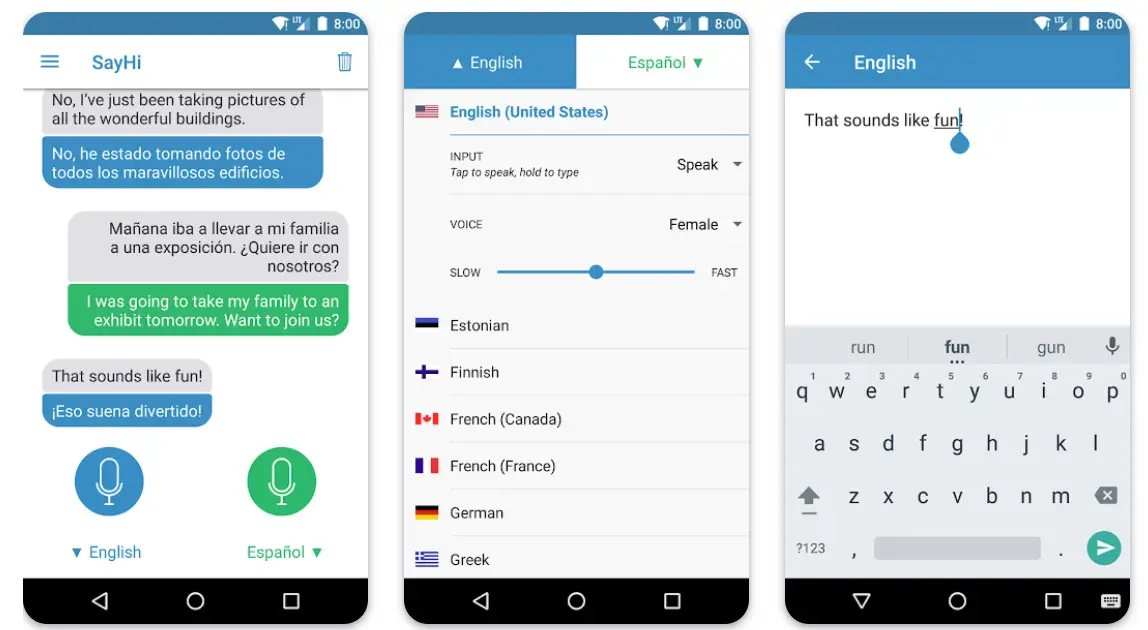
The interface is clean and simple, too, making it easy to pick up! One of our top picks for the best app to learn Thai. Some plans offer free access, but they aren’t as good as what you get with paid plans.
SayHi Translate is a free app that translates words, phrases, and sentences. It supports English, Thai and Chinese. You can translate offline, and it supports text, voice, images, and more.
Features:-
- Translate & Speak: instantly convert your language into speech with the best voice recognition technology.
- Customize Your Learning Experience: Set customized flashcards for each language pair to easily learn phrases!
- Explore New Words With Word Lists: Learn new words through our word lists to help you expand your vocabulary!
- Translate text, voice, and images. You can translate anything you want into Thai or English.
- Translate in real-time. Your translation will come up immediately as you type or speak your phrase.
Subscription:- The paid version costs $5.99 per month, while the free version is limited to 100 translations per month.
Devices:- Android, IOS
Ratings:- 4.6/5 On Play Store, 4.5/5 On App Store
Best app to learn Thai alphabet:-
You can learn the Thai alphabet using one of the many available apps. Several well-liked choices include:-
Thai Alphabet:- This program provides a range of courses and activities to assist you in learning the Thai alphabet, as well as audio recordings of local speakers to aid in pronunciation.
Learn Thai Alphabet:- This app has a quiz mode to check your knowledge and several interactive games and activities to assist you in learning the Thai alphabet.
Thai Alphabet for Beginners:- With audio recordings and interactive exercises to help you hone your skills, this app provides a step-by-step tutorial for learning the Thai alphabet.
Thai Alphabet Flashcards:- Flashcards for learning the Thai alphabet is included in this program, along with pronunciation aids in the form of audio recordings of native Thai speakers.
The perfect app for you depends on your preferences and learning style. To find the best app for you, it may be useful to test out a few different ones.
✅FAQ on the Apps To Learn Thai List
Can you learn Thai on Duolingo?
Thai courses aren’t available on Duolingo right now. Many experts do not, however, advise using it specifically for Thai, even if it did. To converse with Thai speakers, Duolingo only teaches random vocabulary.
What is the best way to learn Thai?
Studying with a language app is the simplest way to learn Thai. Apps for learning languages simplify complex ideas into brief, simple courses.
Additionally, they aid in your practice of speaking, listening, reading, and writing in the language. Italki, HelloTalk, Rosetta Stone, Learn Thai, and other top apps are available for learning Thai.
Is Thai an easy language to learn?
That is a challenging language. But, although learning it may take some time, it is not the most difficult language in the world.
Thai falls into category III of language complexity, according to FSI’s research. So while it is difficult, it is not as difficult as the languages of East Asia. However, to reach an advanced level, it takes approximately 2200 hours (1:1 for classroom time and independent study).
It could be challenging to learn Thai at first. Study a new script first. Second, become accustomed to new noises and tones.
Like Chinese and Vietnamese, Thai is a tonal and analytical language where word meaning varies according to tone.
Is Ling a good app for learning Thai?
Ling is one of the top Thai language learning apps and is an underappreciated gem.
Ling embodies joyfully studying Thai, in general. It offers engaging, enjoyable lessons on various subjects, including the Thai alphabet, vocabulary, grammar, writing, pronunciation, and more.
So while feeling like you’re just playing your favorite mobile game, you’ll be learning Thai!
Is the Ling app safe?
It is truly the case that the Ling App is encrypted to safeguard its users and cannot be broken.
However, be cautious if you find websites offering a cracked version of the Ling App since they can contain malware, spyware, or viruses that can steal your data.
Is Thai hard to learn?
According to the Foreign Service Institute, learning Thai requires an average of 44 study weeks.
It is considered a Level IV difficulty language (with languages like Vietnamese and Hungarian, for example). It’s an excellent justification for visiting Thailand for a while!
What’s the hardest language?
Mandarin is universally acknowledged as the most difficult language to master! For speakers of languages that use the Latin writing system, the language spoken by more than a billion people globally can be quite difficult.
Which is harder, Mandarin or Thai?
While Mandarin and Thai appear similar to Europeans because they are isolating, analytical languages, they are unrelated and come from different language families.
Along with several Old Chinese and Khmer words, Pali/Sanskrit is the source of a large portion of the Thai lexicon. That has many sounds that are not present in English and are far more difficult to pronounce.
Because they are tonal languages, studying Mandarin may offer you little advantage over learning Thai, and vice versa, but not by much. They come from several language families and get their vocabulary from various places.
How can I teach myself Thai?
If you want to teach yourself Thai, there are several steps you can take to get started:-
Find resources:- Books, websites, apps, and online classes are just a few of the materials available to learn Thai.
Find materials appropriate for your level of expertise and concentrate on the abilities you wish to acquire.
Build your vocabulary:- Thai is a tonal language, meaning that the way a word is said can alter its meaning.
Learn the most frequently used Thai words and phrases first, and pay attention to how they are spoken.
Practice speaking:- The greatest way to hone your Thai speaking abilities is to converse with native Thai speakers.
You can use online tools like language exchange websites or applications to discover conversation partners if you don’t have access to native speakers.
Study grammar:- There are many rules and exceptions in the intricate grammar structure of Thai.
Spend some time studying Thai grammar’s foundational rules and working on incorporating them into your writing and speech.
Immerse yourself in the language:- Immersion in a language is the most effective learning method.
Look for opportunities to read Thai books, see Thai movies and TV shows, and listen to Thai spoken. Your familiarity with the language’s sounds and rhythms will increase.
Conclusion on apps to learn thai
So, this was the list of the 10 apps to learn thai that you can use. These apps stand out among the crowd based on ratings and user reviews. Millions of people are using these top language learning apps to learn various languages, be one of them and start your Thai journey.
The first step is always the hardest, but with these handy tools, you’ll find learning the Thai language much easier and more effective.
Download any of these apps to learn Thai and start your language-learning journey. We hope you enjoyed this article and found it useful.


