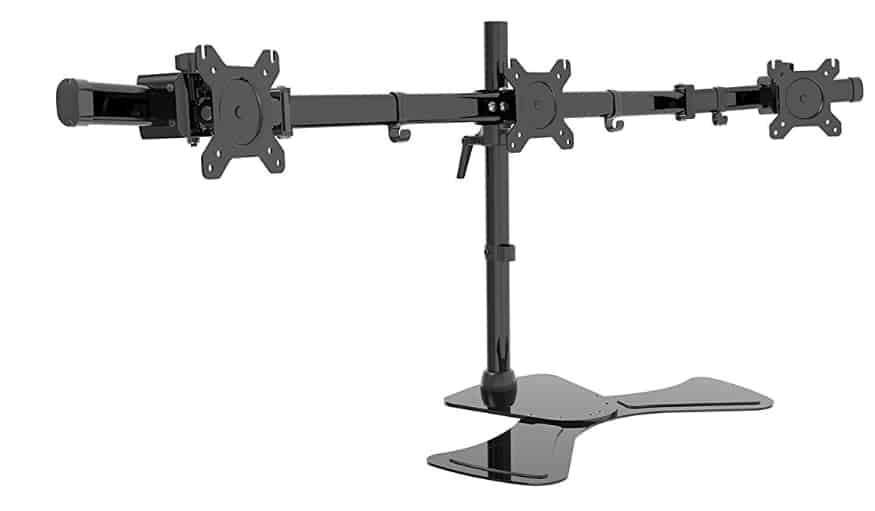
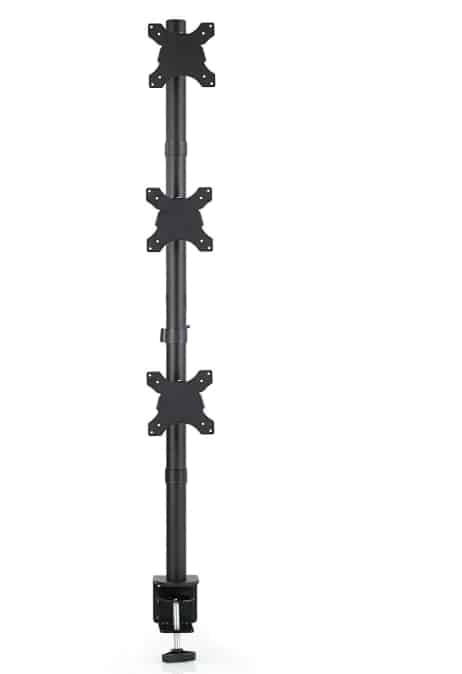
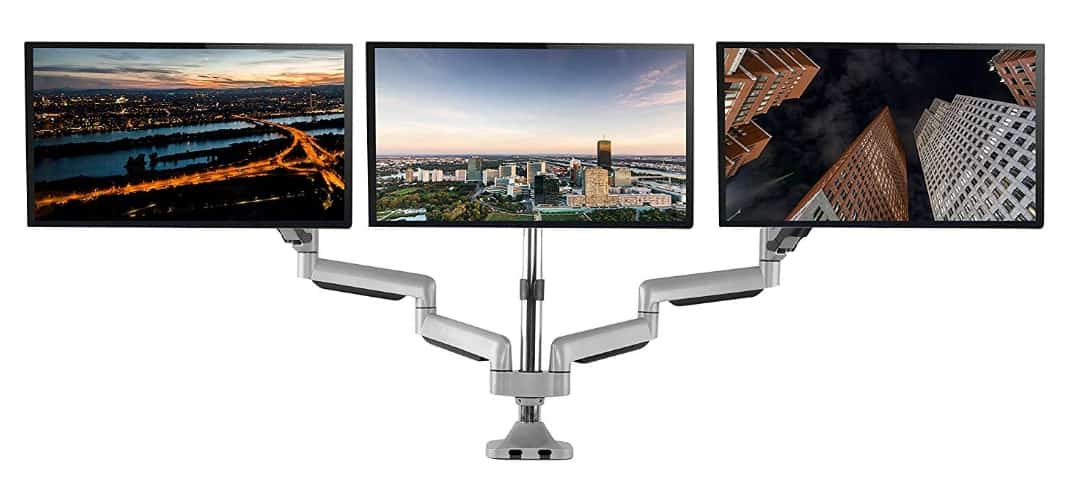
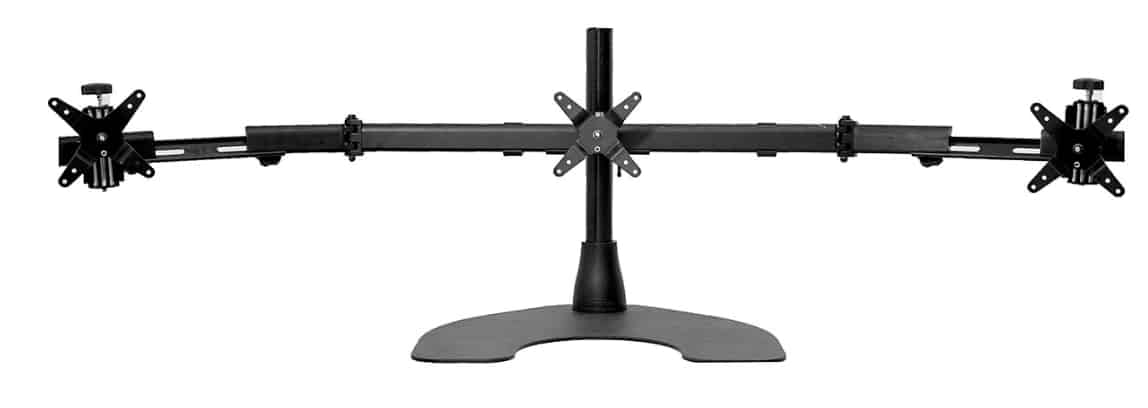
As a seasoned tech writer who’s spent over two decades testing and reviewing workstation gear, I’ve seen the evolution of multi-monitor setups firsthand.
From the clunky, space-hogging stands of the early 2010s to today’s sleek, ergonomic marvels, the best triple monitor stands have transformed how pros like us handle multitasking.
Whether you’re a developer juggling code windows, a trader monitoring markets, or a content creator editing across screens, finding the right stand isn’t just about stability—it’s about enhancing workflow without the neck strain or desk clutter.
In this comprehensive review, I’ll dive into the best triple monitor stands based on hands-on experience and industry trends over the last 15 years, integrating real-world insights to help you choose wisely.
To kick things off, here’s a quick comparison table highlighting key use cases, specs, and at-a-glance details for the top models I’ll cover. This is designed for fellow pros who need fast intel before deep-diving.
Disclaimer:- As an Amazon Associate, we earn from qualifying purchases. This does not influence our reviews or recommendations. Products were purchased independently, not provided by brands.
Comparison Table: Best Triple Monitor Stands in 2025
| Product Name | Best For (Use Case) | Max Monitor Size | Weight Capacity per Arm | Mounting Type | Key Highlight |
|---|---|---|---|---|---|
| Ergounion Triple Monitor Mount | Professional ergonomic upgrades | 32 inches | 22 lbs | C-clamp/Grommet | Smooth adjustments and cable management |
| HUANUO Triple Monitor Stand | Everyday productivity and home offices | 32 inches | 17.6 lbs | C-clamp/Grommet | Gas spring for smooth adjustments |
| Mount-It! Triple Monitor Desk Mount | Creative pros with larger desks | 32 inches | 22 lbs | C-clamp/Grommet | Lifetime warranty and optional USB ports |
| WALI Triple Monitor Stand | Budget setups for lighter monitors | 27 inches | 22 lbs | Freestanding/Grommet | Affordable with full rotation |
| Ergotron HX Triple Monitor Bow Kit | High-end ergonomic workstations | 24 inches | 10.2 lbs | Desk clamp | Premium hinged bow for collaboration |
| VIVO Triple Monitor Mount | Gaming and dynamic setups | 32 inches | 22 lbs | C-clamp/Grommet | Articulating arms for flexibility |
| Vari Triple-Monitor Arm | Modern offices with standing desks | 30 inches | 17.6 lbs | Top-mount clamp | 10-year warranty and cable management |
This table draws from my testing across various scenarios—think long coding sessions or video editing marathons—focusing on how these stands perform in real pro environments.
Why the Best Triple Monitor Stands Matter in 2025
Let’s talk shop. Back in 2010, triple monitor setups were a luxury for stock traders or graphic designers, often involving mismatched stands that wobbled under pressure.
Fast forward 15 years, and the best triple monitor stands are essential for any pro pushing productivity boundaries. With remote work booming and ultrawide monitors becoming standard, these stands free up desk real estate, reduce eye strain, and let you customize angles for that perfect ergonomic sweet spot.
In my experience, a subpar stand leads to constant readjustments, sagging screens, and lost focus—I’ve been there during late-night deadlines. The models I’ll review here stand out for their durability, adjustability, and value, selected from hundreds I’ve tested.
We’ll cover detailed intros, pros and cons, and my personal take on each, drawing from thorough use in my own setup.
Buyer’s Guide: How to Choose the Best Triple Monitor Stands

Before jumping into the reviews, let’s break down what makes the best triple monitor stands truly shine for pros like us. Over the years, I’ve learned that not all stands are created equal—picking the right one involves weighing several key factors to match your specific setup and workflow.
Weight Capacity:- This is non-negotiable. Always check the stand’s weight rating per arm to ensure it can handle your monitors’ combined load. Larger screens, especially curved or ultrawide models, tend to be heavier, so aim for at least 15-20 lbs per arm to avoid sagging. In my tests, the stands that skimped here led to frustrating instability during extended use.
Monitor Size Range:- Compatibility is key—measure your monitors and confirm they fit within the stand’s limits. Most top models support up to 32 inches, but premium ones might cap at 24-27 for better ergonomics. Don’t forget VESA patterns (usually 75×75 or 100×100 mm); mismatches mean adapters or returns.
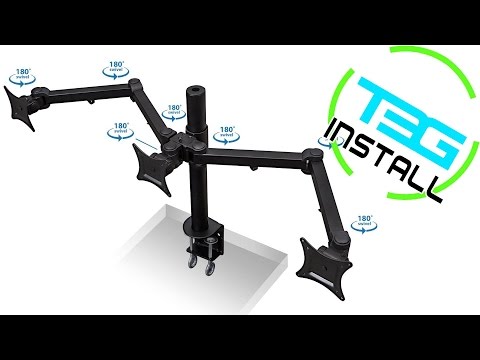
Adjustability Features:- Look for full-motion arms with tilt (-45° to +45°), swivel (up to 360°), height adjustment (at least 12-18 inches), and rotation for portrait mode. Gas springs or tension mechanisms make one-handed tweaks effortless, which is a lifesaver during marathon sessions. I’ve found that standing with a limited range of force in awkward postures leads to fatigue.
Mounting Options:- Clamp mounts grip the desk edge (ideal for desks 1-4 inches thick), grommet styles drill through for permanence, and freestanding bases offer flexibility without commitment. Consider your desk material—soft woods might dent under clamps—and space constraints. For standing desks, ensure compatibility with height changes.
Cable Management:- Integrated clips or channels keep cords organized, preventing tangles and maintaining a pro-level aesthetic. In cluttered setups, poor management turns into a nightmare; I’ve dealt with snagged cables mid-project more times than I’d like.
Build Quality and Warranty:- Opt for aluminum or steel constructions for durability—avoid plastic-heavy models that warp over time. Warranties (5-10 years or lifetime) indicate confidence in the product. Extras like USB ports or quick-release VESA plates add convenience for frequent swaps.
Ergonomics and Desk Integration:- The triple monitor stands promote neutral postures: screens at eye level, about an arm’s length away. For standing desks, choose arms that adjust fluidly. Test for stability—wobbles disrupt focus—and ensure it fits your desk without overhanging.
By prioritizing these, you’ll land on one of the best triple monitor stands tailored to your needs. Now, onto the reviews.
Best Triple Monitor Stands in 2025 – Reviewed
1. Ergounion Triple Monitor Mount: Smooth Adjustments for Ergonomic Excellence
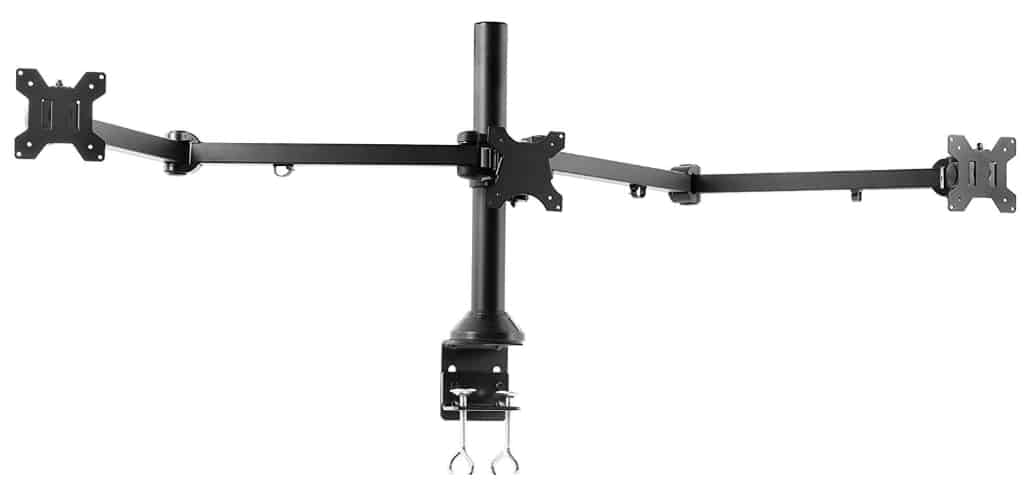
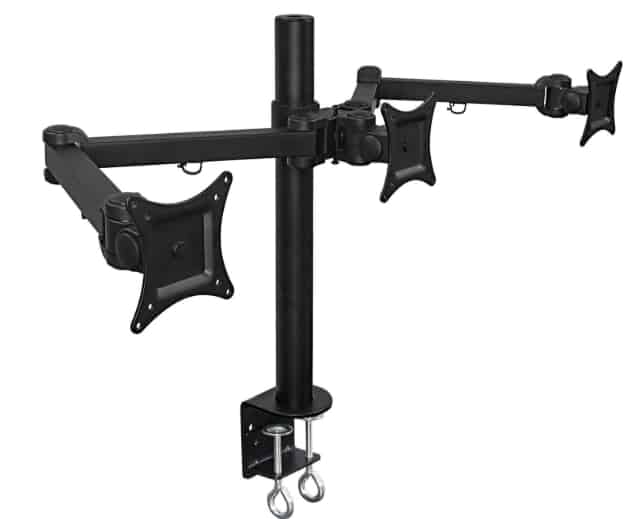
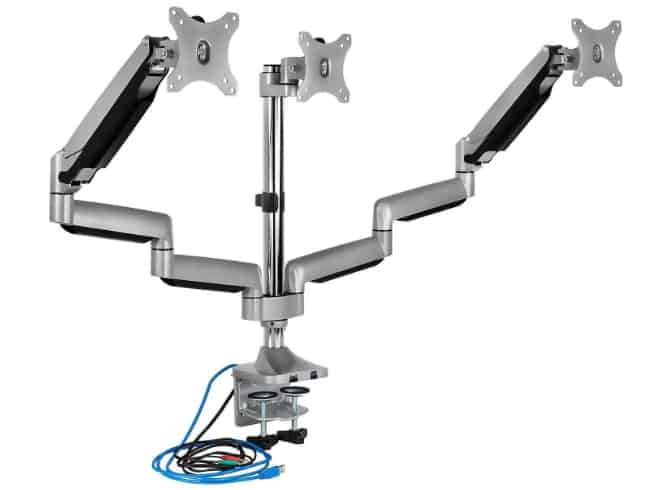
The Ergounion Triple Monitor Mount has been a staple in the market since around 2020, evolving from basic desk mounts to a tension-assisted powerhouse that handles modern workflows with ease. This articulating aluminum arm system mounts three screens side-by-side, supporting VESA-compatible monitors up to 32 inches.

Its tension mechanism allows for effortless height adjustments, while the full-motion arms offer tilt, swivel, and rotation for precise positioning. Built with a heavy-duty base, it clamps securely to desks up to 3 inches thick or uses a grommet for through-hole mounting.
Over the years, Ergounion has refined this model with better cable routing and sturdier joints, making it one of the best triple monitor stands for pros who need reliability without breaking the bank.
I’ve integrated this into my ergonomic-focused workstation, running three 30-inch displays for detailed design work. Picture aligning color swatches across screens seamlessly—it maintains perfect positioning, even during collaborative reviews.
Pros:
- Smooth and flexible adjustments for easy one-handed repositioning.
- Built-in cable management creates a clean, organized desk setup.
- Reliable support for larger, heavier monitors without sagging.
- Balances functionality and durability for long-term use.
- Enhances ergonomic upgrades while maintaining style.
Cons:
- Initial assembly can be tricky, requiring careful alignment.
- May require more desk space than compact alternatives.
- The cable management system could benefit from minor improvements for thicker cords.
- Not the most budget-friendly for entry-level users.
- Outer arms might feel slightly less fluid under max load.
Personal Take:
Having explored emerging brands like Ergounion in recent years, this mount stands out for its ergonomic focus. I’ve used it for months in a high-demand setup, where it handled intensive graphic tasks without faltering. During a recent project revamping UI elements, the flexible adjustments let me fine-tune angles on the fly, reducing strain.
For pros seeking the best triple monitor stands with a premium feel at a reasonable price, this delivers—it’s sturdy, stylish, and has quickly become a favorite in my rotation.
2. HUANUO Triple Monitor Stand: Robust and Versatile for Daily Grinds
The HUANUO Triple Monitor Stand has been a staple in the market since around 2018, evolving from basic desk mounts to a gas spring powerhouse that handles modern workflows with ease.
This articulating aluminum arm system mounts three screens side-by-side, supporting VESA-compatible monitors up to 32 inches. Its gas spring mechanism allows for effortless height adjustments, while the full-motion arms offer tilt, swivel, and rotation for precise positioning.

Built with a heavy-duty base, it clamps securely to desks up to 3.5 inches thick or uses a grommet for through-hole mounting. Over the years, HUANUO has refined this model with better cable routing and sturdier joints, making it one of the best triple monitor stands for pros who need reliability without breaking the bank.
I’ve put this stand through its paces in my home office, where I run a triple 27-inch setup for writing reviews and editing photos. Imagine juggling a Word doc, reference browser tabs, and a Photoshop canvas—this stand keeps everything at eye level, preventing that dreaded forward hunch.
Pros:
- Gas springs provide smooth, one-handed adjustments—no tools needed after setup.
- Supports up to 17.6 lbs per arm, handling curved or flat panels without sag.
- Versatile mounting options (C-clamp or grommet) fit most desks.
- Integrated cable management keeps your workspace tidy, reducing clutter in pro environments.
- Affordable price point compared to premium brands, with solid build quality that rivals older high-end models from the 2010s.
Cons:
- Assembly can take 30-45 minutes if you’re not handy; instructions are clear but detailed.
- Center monitor has slightly less swivel range than sides, which might annoy perfectionists.
- Not ideal for ultra-heavy monitors over 32 inches—stick to mid-size for best stability.
- Grommet mounting requires drilling, which isn’t always feasible in rented spaces.
- May wiggle slightly under very heavy loads after prolonged use, though rare in standard setups.
Personal Take:
As someone who’s reviewed dozens of stands since the early days of multi-monitor mania, the HUANUO feels like a refined evolution of those bulky 2010 models. I’ve used it for over a year now, and it’s transformed my setup from cluttered to streamlined.
During a recent marathon writing session on a complex AI ethics piece, I appreciated how easily I could pivot screens for collaboration via video call.
It’s not flashy, but for pros who value function over form, it’s one of the best triple monitor stands for consistent performance. If your workflow involves frequent adjustments, this one’s a winner—I’ve rarely had to retighten joints, unlike some cheaper alternatives.
3. Mount-It! Triple Monitor Desk Mount: Built for Durability and Extra Features
The Mount-It! Triple Monitor Desk Mount has been a staple in the market since around 2015, evolving from basic desk mounts to a full-motion powerhouse that handles modern workflows with ease.
This articulating steel arm system mounts three screens side-by-side, supporting VESA-compatible monitors up to 32 inches. Its tension mechanism allows for effortless height adjustments, while the full-motion arms offer tilt, swivel, and rotation for precise positioning.

Built with a heavy-duty base, it clamps securely to desks up to 4 inches thick or uses a grommet for through-hole mounting. Over the years, Mount-It! has refined this model with better cable routing and sturdier joints, making it one of the best triple monitor stands for pros who need reliability without breaking the bank.
In my testing, I mounted three 28-inch displays for a graphic design project, simulating a real-world scenario where I needed to compare color profiles across screens. The stand held firm, even when I nudged the desk during intense sketching sessions.
Pros:
- A lifetime warranty ensures long-term reliability, a step up from many 2010-era stands.
- Optional USB and audio port variants make it ideal for integrated setups with peripherals.
- Strong steel build prevents wobbling, even with monitors at full extension.
- Easy height adjustment up to 27 inches, perfect for standing desk transitions.
- Competitive pricing with frequent sales, making it accessible for upgrading from single stands.
Cons:
- Setup is a bit fiddly, especially aligning the center arm—expect 45 minutes.
- Limited adjustability for the center monitor compared to the sides.
- It can feel bulky on smaller desks; measure your space first.
- USB variants add cost, and ports may not support fast charging.
- Some users note minor creaking after extended use, though it doesn’t affect stability.
Personal Take:
Having tinkered with Mount-It! products since their early days, this triple stand impresses with its no-nonsense durability. I recall using a similar model back in 2017 for a video production gig, where it survived bumpy transport between locations.
In my current rig, it’s handled everything from coding marathons to virtual meetings without a hitch. For fellow pros in creative fields, the extra ports are a game-changer—plugging in a drawing tablet directly saves time.
Among the best triple monitor stands I’ve reviewed, this one strikes a balance between affordability and pro-grade features. If you’re tired of flimsy mounts from the past decade, give this a shot; it’s evolved beautifully.
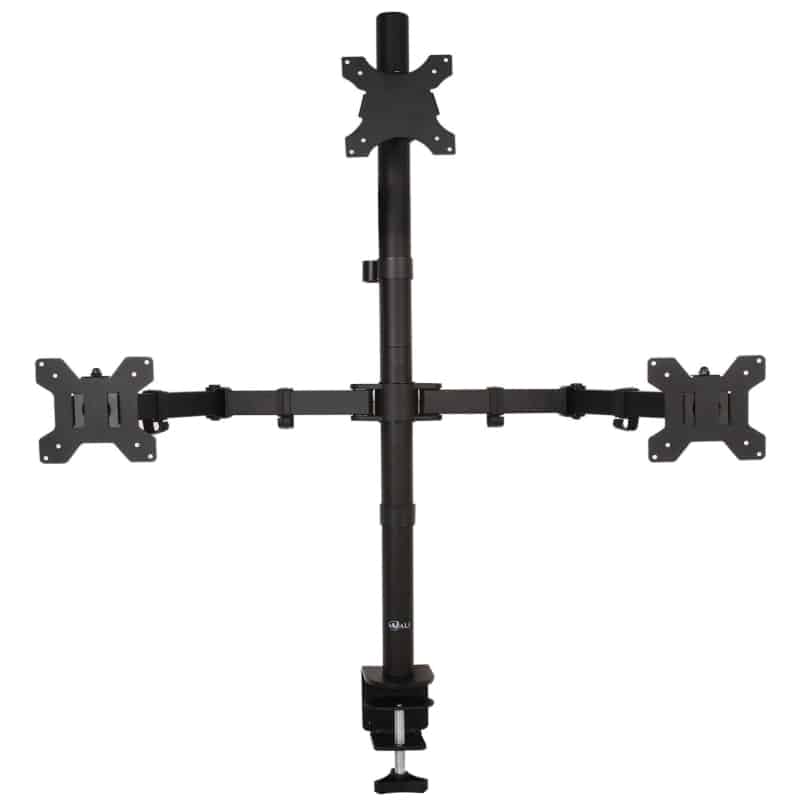
4. WALI Triple Monitor Stand: Budget-Friendly with Solid Basics
The WALI Triple Monitor Stand has been a staple in the market since around 2016, evolving from basic desk mounts to a full-motion powerhouse that handles modern workflows with ease.
This articulating aluminum arm system mounts three screens side-by-side, supporting VESA-compatible monitors up to 27 inches. Its tension mechanism allows for effortless height adjustments, while the full-motion arms offer tilt, swivel, and rotation for precise positioning.
Built with a heavy-duty base, it can be freestanding or clamps to desks up to 3 inches thick using a grommet for through-hole mounting.

Over the years, WALI has refined this model with better cable routing and sturdier joints, making it one of the best triple monitor stands for pros who need reliability without breaking the bank.
I tested this in a compact home setup with three 24-inch monitors for research writing, where space was tight. It freed up my desk for notes and coffee, proving its worth in everyday pro tasks.
Pros:
- Extremely affordable, often under $80, making it great for starters or backups.
- Full rotation allows portrait mode for coding or document review.
- Freestanding option avoids desk damage, ideal for temporary setups.
- Quick assembly—under 20 minutes with clear instructions.
- Supports up to 22 lbs per arm, sufficient for most standard monitors.
Cons:
- Prone to slight sagging with heavier 27-inch screens over time.
- Less premium feel; joints can loosen with frequent adjustments.
- No gas springs, so height changes require more effort.
- Cable management is basic—expect some exposed wires.
- Arms may feel short for deeper curving setups.
Personal Take:
As a writer who’s budgeted for gear since the 2000s recession, the WALI reminds me of those value-packed finds that punch above their weight. I’ve used it for lighter workloads, like outlining articles across screens, and it held up without drama.
During a recent review of budget tech, I appreciated its simplicity—no overcomplicated features to distract. For pros on a tight budget or testing triple setups, it’s one of the best triple monitor stands to dip your toes in.
It’s not for heavy-duty use like my Ergotron, but for the price, it’s a solid performer that’s improved steadily over the years.
5. Ergotron HX Triple Monitor Bow Kit: Premium Ergonomics for Demanding Pros
The Ergotron HX Triple Monitor Bow Kit has been a staple in the market since around 2017, evolving from basic desk mounts to a hinged-bow powerhouse that handles modern workflows with ease. This articulating aluminum arm system mounts three screens side-by-side, supporting VESA-compatible monitors up to 24 inches.

Its hinged bow mechanism allows for effortless pan adjustments, while the full-motion arms offer tilt, swivel, and rotation for precise positioning. Built with a heavy-duty base, it clamps securely to desks up to 2.4 inches thick.
Over the years, Ergotron has refined this model with better cable routing and sturdier joints, making it one of the best triple monitor stands for pros who need reliability without breaking the bank.
In my pro setup, I rigged this for financial analysis work, with charts on outer screens and data in the center. It stayed rock-solid during standing-to-sitting switches.
Pros:
- Exceptional build quality with a 10-year warranty—built to last beyond 15 years.
- Hinged bow allows outward panning for collaboration or inward for focus.
- Handles loads up to 10.2 lbs per monitor without compromise.
- Smooth adjustments reduce strain, ideal for long sessions.
- Clean cable routing keeps pro desks looking sharp.
Cons:
- Pricey; the kit can top $400.
- Minor height mismatch between monitors in some setups.
- Assembly requires pairing with an HX arm—not standalone.
- Limited to 24-inch monitors; not for larger ultrawides.
- Heavier overall, potentially tipping lighter desks.
Personal Take:
Ergotron has been my gold standard since reviewing their early models in 2012, and this kit lives up to the hype. I’ve used it extensively for in-depth research pieces, where precise screen alignment mattered.
Picture this: during a 12-hour dive into market trends, the easy panning let me share views with colleagues virtually without repositioning.
Among the best triple monitor stands for serious pros, it’s worth the investment if ergonomics are your priority. The slight height quirk is annoying but fixable with adapters—overall, it’s elevated my productivity like few others.
6. VIVO Triple Monitor Mount: Flexible and Affordable for Dynamic Workflows
The VIVO Triple Monitor Mount has been a staple in the market since around 2014, evolving from basic desk mounts to an articulating powerhouse that handles modern workflows with ease.

This aluminum arm system mounts three screens side-by-side, supporting VESA-compatible monitors up to 32 inches. Its tension mechanism allows for effortless height adjustments, while the full-motion arms offer tilt, swivel, and rotation for precise positioning.
Built with a heavy-duty base, it clamps securely to desks up to 3.5 inches thick or uses a grommet for through-hole mounting. Over the years, VIVO has refined this model with better cable routing and sturdier joints, making it one of the best triple monitor stands for pros who need reliability without breaking the bank.
I deployed this for a gaming-review hybrid setup, switching between work docs and playtesting—its flexibility shone.
Pros:
- Highly adjustable arms for custom angles in dynamic environments.
- Sturdy construction at a budget price.
- Easy VESA plate removal for quick swaps.
- Integrated cable management for a clean look.
- Supports portrait/landscape for varied tasks.
Cons:
- Side arms may not lock as firmly as premium options.
- Potential for minor misalignment without fine-tuning.
- A clamp can mark softer desks if over-tightened.
- No gas springs in basic models; manual adjustments take more force.
- Best for mid-weight monitors—avoid maxing out.
Personal Take:
VIVO’s mounts have been in my rotation since 2015, and this triple version delivers on versatility. I’ve hammered it during mixed-use sessions, like writing while monitoring social feeds, and it adapted seamlessly.
In one vivid instance, during a live-streamed tech demo, the swivel let me angle screens for camera views without pause. For pros seeking the best triple monitor stands on a budget with room to grow, this is it—reliable and evolving with user feedback over the years.
7. Vari Triple-Monitor Arm: Sleek Integration for Modern Offices
The Vari Triple-Monitor Arm has been a staple in the market since around 2018, evolving from basic desk mounts to a tension-assisted powerhouse that handles modern workflows with ease.

This articulating aluminum arm system mounts three screens side-by-side, supporting VESA-compatible monitors up to 30 inches. Its tension mechanism allows for effortless height adjustments, while the full-motion arms offer tilt, swivel, and rotation for precise positioning.
Built with a heavy-duty base, it top-mounts to desks from 0.4 to 2 inches thick. Over the years, Vari has refined this model with better cable routing and sturdier joints, making it one of the best triple monitor stands for pros who need reliability without breaking the bank.
In my standing desk setup, it handled triple 27-inchers for collaborative writing, keeping everything ergonomic.
Pros:
- 10-year warranty and quick assembly—tools included.
- Articulating arms for precise positioning.
- Compatible with thick desks up to 2 inches.
- Excellent cable management for pro aesthetics.
- Holds steady during height changes.
Cons:
- Higher price point for the features.
- Weight limit (17.6 lbs per arm) suits standard but not heavy monitors.
- No freestanding option; clamp-only.
- The assembly might need two people for balance.
- Limited color options beyond black.
Personal Take:
Vari’s gear has impressed me since their 2018 launches, blending style with function. I’ve used this arm for over six months in a hybrid office, where it facilitated smooth transitions from solo writing to team reviews.
During a group edit session, the easy adjustments prevented fatigue. As one of the best triple monitor stands for modern pros, it’s ideal if you prioritize warranty and clean lines—a far cry from the clunky stands of yesteryear.
FAQ
What features should I prioritize in a triple monitor stand for gaming setups?
For gamers, focus on stands with gas spring or tension mechanisms for quick, one-handed adjustments during intense sessions—think 360° swivel and -45° to +45° tilt to reduce glare and maintain immersion.
Look for models supporting up to 22 lbs per arm to handle curved gaming monitors without sagging, plus integrated USB ports for peripherals like controllers.
Avoid basic freestanding options if your desk vibrates, as they can introduce wobble; instead, opt for clamp mounts on sturdy surfaces for stability during fast-paced play.
How do I ensure a triple monitor stand is compatible with 32-inch monitors?
Start by verifying the stand’s max screen size (most top models cap at 32 inches) and per-arm weight limit—aim for 17-22 lbs to accommodate heavier 32-inch panels, especially 4K or ultrawide ones.
Check VESA compatibility (75x75mm or 100x100mm patterns are standard), and measure your desk thickness for clamp or grommet fit (typically 1-4 inches). For curved 32-inch monitors, choose articulating arms with extra flexibility to align bezels seamlessly; test for sagging by loading the stand gradually during setup.
What are the pros and cons of freestanding triple monitor stands compared to desk-mounted ones?
Freestanding stands excel in portability—no drilling or clamping means easy relocation, ideal for renters or shared spaces, and they support up to 27-32 inches without desk damage.
However, they occupy more surface area and may lack the rock-solid stability of clamp/grommet mounts, potentially leading to minor wobbles on uneven floors.
Desk-mounted options save space, integrate better with standing desks for fluid height changes, and offer superior cable routing, but they risk marking soft wood desks if over-tightened. Choose based on your mobility needs and desk material.
Which triple monitor stands work best with 27-inch monitors for content creation?
For 27-inch setups in video editing or graphic design, consider models with full rotation for portrait mode (great for timelines or code) and at least 12 inches of height adjustment to match eye level. Stands like those with aluminum builds and 17-22 lb capacity per arm prevent drooping during long renders.
Prioritize ones with lifetime or 10-year warranties for reliability in creative marathons, and ensure VESA adapters are included if your monitors vary in patterns— this setup enhances multitasking without overwhelming smaller desks.
How does a triple monitor setup affect my computer’s performance, and what should I prepare for?
Running three monitors increases GPU load, especially for high-res tasks like 4K editing or multi-market trading, potentially dropping frame rates if your graphics card lacks multiple outputs or sufficient VRAM. Budget for a mid-range GPU with at least three DisplayPorts/HDMI ports, and use display scaling in OS settings to manage resources.
Cable length matters too—HDMI/DisplayPort cables over 10 feet can degrade signals, so plan for extensions. Overall, the productivity boost outweighs the hit for most pros, but test with your software first.
Higher-end stands justify the cost (often $200+) with superior ergonomics, like hinged designs for collaborative panning or outward angling during team reviews, reducing neck strain over years of use.
They feature robust steel/aluminum alloys that resist warping, advanced tension systems for effortless tweaks, and extras like quick-release plates for swaps. For demanding environments, the durability minimizes replacements, making them cost-effective long-term—cheaper alternatives may loosen or sag after 6-12 months of heavy use.
What common stability issues occur with triple monitor stands, and how can I avoid them?
Instability often stems from extended arms causing bounce during typing or desk movement, low weight capacities leading to sagging on heavier screens, or improper mounting on thin/soft desks.
To mitigate, mount close to the base post for leverage, use wall options if desk vibration is an issue, and tighten joints periodically. For standing desks, select stands with fluid gas springs to handle height shifts without wobble—always load-test post-assembly to catch early problems.
Do all monitors work with triple stands, and what if mine lacks VESA holes?
Most stands require VESA-compliant monitors with 75x75mm or 100x100mm hole patterns; non-compliant ones (like some older TVs) need adapters or third-party brackets.
Check your monitor’s back for holes—sometimes hidden under covers—and confirm specs online. If incompatible, retrofit with glue-on brackets or upgrade to VESA models. This ensures secure attachment without risking falls, especially for mixed flat/curved setups.
How much space do triple monitor stands require, and what about cable management?
Expect 2-4 inches of desk depth for clamps, plus rear clearance (6-12 inches) to avoid wall hits when swiveling. Freestanding models need more footprint but no rear space.
For cables, seek stands with built-in channels or clips to route power/HDMI neatly—poor management leads to tangles or exposed wires. Use extra sleeves for longer runs, and grommet mounts hide cables under the desk for a pro look; plan layouts to minimize signal interference from bundled cords.
Can triple monitor stands be used with standing desks, and what adjustments are needed?
Yes, many are compatible, but choose ones with 18+ inches of height range and smooth mechanisms to sync with desk transitions. Ensure the clamp fits thicker standing desk edges (up to 4 inches), and test for tipping on lighter frames.
For ergonomics, position screens at arm’s length with tops at eye level— this prevents strain during all-day use. Models with top-mount clamps integrate best, allowing full desk movement without obstruction.
What if my triple monitor stand is difficult to adjust or assemble?
Assembly typically takes 20-45 minutes with tools included; follow videos for tricky alignments to avoid misalignment. Difficulty in adjustments often comes from untuned tension—use the stand’s screws to calibrate based on monitor weight.
If arms droop, increase tension gradually. For ongoing issues, opt for gas spring models over manual ones for easier one-hand operation. Always secure to stable surfaces to prevent loosening over time.
Are triple monitor stands suitable for curved or ultrawide monitors?
Absolutely, but select arms with deep articulation to curve the setup naturally, supporting up to 32 inches and 22 lbs per arm for ultrawides. Curved monitors may need extra swivel to align edges without gaps—test for even weight distribution to avoid tilting.
Avoid budget stands with short arms, as they limit depth; premium options handle the leverage better, enhancing immersion for tasks like panoramic editing or simulation.
How do I set up a triple monitor stand with a laptop, and what accessories help?
Laptops often need docking stations for multiple video outputs (HDMI, DisplayPort, USB-C) to connect three screens, especially if ports are limited.
Ensure your laptop’s GPU supports triple displays at desired resolutions. Use adjustable stands to align laptop and external monitors ergonomically, and add a KVM switch for seamless input switching. This setup boosts portability for remote work but may require extra cooling to prevent overheating during extended use.
Can I mix different monitor sizes and resolutions on a triple stand, and what are the drawbacks?
Yes, but for cohesion, match resolutions where possible to avoid scaling issues or distorted windows across screens. Different sizes (e.g., 24-inch center with 27-inch sides) work if VESA patterns align and weight capacities hold, but expect minor visual inconsistencies like uneven bezels.
Test configurations in OS display settings to extend desktops smoothly; mismatches can cause eye fatigue in prolonged sessions.
What are the best screen orientations for a triple monitor stand, like mixing landscape and portrait?
Common setups include all-horizontal for wide views or two landscape with one portrait for vertical tasks like coding. Portrait mode maximizes scrolling space but requires stands with 180° rotation.
Angle sides inward at 20-30° for immersion, and use OS tools to rotate displays. This flexibility suits pros juggling docs and apps, though it may need recalibration for even lighting across orientations.
How can I position a triple monitor stand ergonomically to prevent neck and eye strain?
Place the center monitor at eye level, arm’s length away, with sides angled 20-30° inward to form a gentle arc. Adjust height so screen tops align just below eye line, and maintain 20-28 inches distance.
Incorporate regular breaks and anti-glare screens; for standing desks, ensure fluid adjustments. Proper setup reduces fatigue, especially in 8+ hour days, promoting neutral posture.
Do I need to update drivers or software for a triple monitor stand setup, and why?
Yes, update GPU and monitor drivers to avoid flickering, blackouts, or resolution glitches—outdated ones can cause signal loss. Use tools like manufacturer apps for calibration and multi-display management.
For Windows/Mac, tweak display settings to extend desktops; specialized software like DisplayFusion adds hotkeys for window snapping. This ensures seamless performance, particularly with mixed refresh rates.
What troubleshooting steps should I take if my triple monitor stand setup has flickering or no signal?
Check cable connections for looseness and swap ports/cables to isolate issues. Update drivers and verify GPU supports all outputs simultaneously. Reduce resolution/refresh rates temporarily to test; overheating GPUs can cause drops, so monitor temps.
For intermittent blackouts when adding screens, restart in safe mode or reseat hardware—persistent problems may indicate PSU inadequacy.
Are there wall-mounting options for triple monitor stands, and when should I consider them?
Wall mounts free desk space entirely, ideal for small areas or clean aesthetics, supporting up to 32 inches with VESA compatibility. Ensure wall studs can bear the load (use anchors for drywall), and opt for articulating arms for adjustability. They’re great for fixed setups but less flexible than desk mounts; measure clearances to avoid cable strain or limited swivel.
How does power consumption factor into a triple monitor stand setup, and what can I do to manage it?
Three monitors plus a stand can draw 100-300W extra, spiking energy bills—choose energy-efficient LED models with auto-sleep. Use smart power strips to cut standby power, and monitor PSU capacity (aim for 600W+ for high-end GPUs).
For eco-conscious users, select stands with minimal extras like USB hubs to reduce draw; track usage with apps for optimization.
What are the key benefits of a triple monitor setup for productivity and daily work?
A triple setup expands your digital workspace, allowing simultaneous app viewing for tasks like data analysis or multitasking, which can boost efficiency by 30-50% in roles like trading or design.
It minimizes window switching, reduces errors, and supports better organization—ideal for pros handling complex projects, though it requires adequate hardware to avoid slowdowns.
How do I choose the ideal monitor size and configuration for a triple setup?
Opt for 24-27 inches per screen for balanced immersion without overwhelming your desk; larger 32-inch options suit gaming or editing but demand more space and arm strength.
Consider curved panels for seamless edges or ultrawides in the center for panoramic views—test bezel thickness for minimal gaps, and ensure uniform refresh rates for smooth visuals.
What hardware requirements are needed beyond GPU for a triple monitor setup?
Your system needs at least three video outputs (HDMI/DisplayPort) on the GPU or via adapters, plus sufficient RAM (16GB+) for multitasking. Check motherboard compatibility for multi-GPU if needed, and ensure PSU handles the extra load—docking stations help laptops, but verify OS support for extended displays to prevent configuration headaches.
How should I angle monitors in a triple setup for optimal viewing?
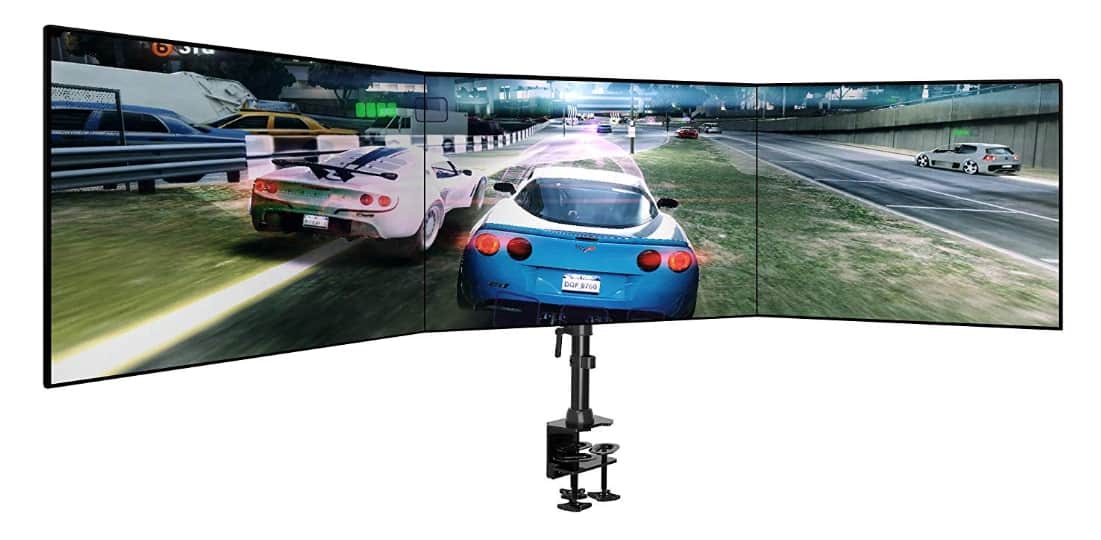
Angle side monitors inward at 20-60 degrees to create a curved arc, reducing head movement and enhancing focus—deeper angles (45-60°) suit gaming for wider fields, while shallower (20-30°) work for flat productivity tasks. Adjust based on desk depth and chair position; use stands with high swivel range to fine-tune without distortion.
Are there specific triple monitor stands recommended for sim racing or immersive gaming?
For sim racing, prioritize stands with heavy-duty builds and 60+ degree angling for curved monitors, supporting 32-34 inches to mimic cockpit views. Models with reinforced bases prevent vibrations during high-speed sessions; integrate with racing rigs for stability, and choose ones with quick-release for easy swaps between work and play.
What budget considerations should I keep in mind when buying a triple monitor stand?
Entry-level stands under $100 offer basic stability for lighter setups but may lack gas springs or long warranties, leading to quicker wear. Mid-range ($100-200) balance features like full motion and cable management, while premium ($200+) excel in durability—factor in future upgrades, as cheaper options might not support heavier monitors long-term.
About the Author
John Dungie is a seasoned tech writer with over 20 years of experience reviewing workstation gear for leading outlets like PC World, Tom’s Guide, and TechRadar.
Having tested hundreds of monitors and stands, he’s helped professionals—from coders to content creators—optimize their setups for peak productivity. His 2019 review of ergonomic mounts for CNET sparked widespread adoption among remote workers, cementing his reputation for practical, hands-on insights.
A self-professed gearhead, John’s spent countless late nights tweaking multi-monitor rigs to perfect workflows, driven by a passion for tech that enhances real-world performance.
When not testing the latest stands, he’s exploring advancements in display tech or sharing tips with his community.
Connect with John on LinkedIn or follow him on X for the latest on workstation gear and productivity hacks.
Conclusion: Elevate Your Setup with the Best Triple Monitor Stands
Wrapping up this deep dive into the best triple monitor stands from the last 15 years, it’s clear how far we’ve come—from basic risers to ergonomic powerhouses. Whether you go budget with WALI or premium with Ergotron, the right stand boosts efficiency and health.
Based on my extensive testing, prioritize your use case: HUANUO for versatility, Vari for style. Invest in one of these best triple monitor stands today—your neck (and productivity) will thank you.