
























We capture photos all the time. However, we don’t want others to have access to all our photos. Some photographs are meant to be kept private. However, what if someone gets into your Gallery? Well, you’ll say it’s password-protected, so you have nothing to worry about!
However, you inadvertently give away your Gallery password to your friends, just in case they want to look at the pictures they clicked on your mobile phone. So, leaving your private photos in your mobile gallery is never safe.
A much better option is to hide these photos in your device where only you can access them. Photo Vault Applications are built for this very purpose.
With a photo vault application, you can keep all your private photos secure just for your access. However, which photo vault application is going to work the best for you?🤷♂️
Well, there’s no one answer to this. There are many applications available out there in the market. Some work, some don’t. So, the selection is pretty challenging.
However, we’ve got you covered for the matter. With extensive research, we have compiled this article containing detailed reviews of some of the best photo vault apps you could use to keep your photos secure and hidden from unauthorized access.
Let’s move on to the list.
Best Photo Vault Apps – Our Top Pick 👌👌
With the need to control security on your devices and prevent unauthorized access to private and confidential data, vaults are becoming very popular.
However, with so many vault applications available, finding the perfect one to hide your private photos is difficult.
It can be frustrating to download an application to hide your photos only to find that it hides your chats, calls, or something else. Well, we’ve compiled this article to save you from irritable situations like this.
Here, you can find some of the best photo vault apps for your Android and iOS devices to maintain the privacy and security of your photographs by ensuring that they’re well hidden from any person who gets access to your mobile phone or even its gallery.
1. Secret Photo Vault
What could be better than a vault that doesn’t even let others know it’s a vault? Well, that’s the beauty of this Secret Photo Vault app built for Apple users.
This application icon is designed as a disc. So, anyone who sees it would believe that it’s some application for audio and music and would hardly want to open it.
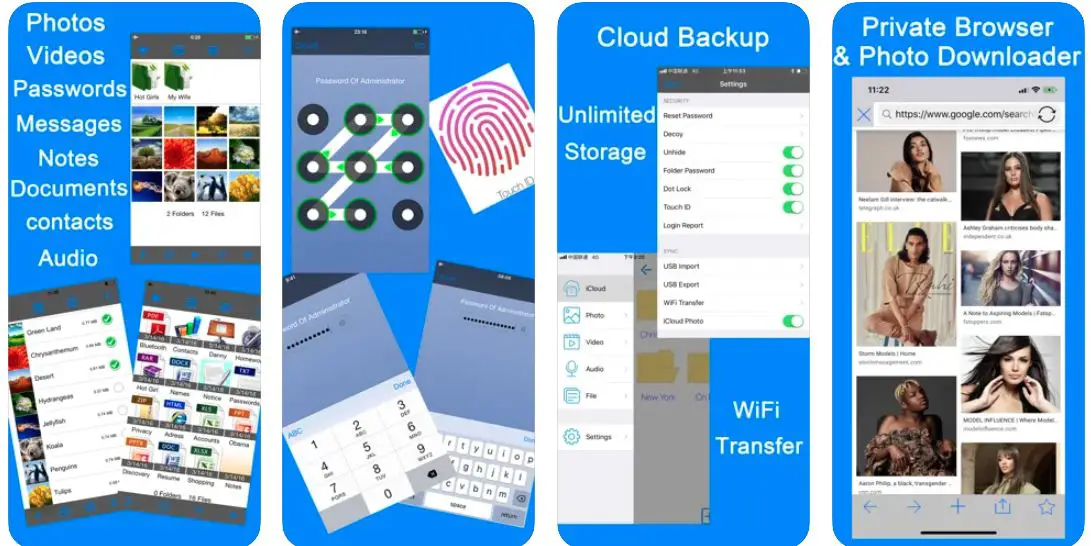
In addition to being disguised so well, this application comes with password protection which can’t even be reset. Now, you may wonder what to do if you forget the password.
Well, you can get your password mailed while you launch the application. Since the mail comes from your email id and never mentions the application, you’re also saved there.
Moreover, there’s another password setting known as “decoy password” in this application. With this setting, you can put some fake data in your application.
If someone tried to break in, the decoy password feature would take that person to that fake data, and he/she wouldn’t find anything in the application.
Furthermore, you can even put passwords in separate folders within this vault. So, that’s another layer of protection. With these many privacy and secrecy features in the application, it’s the perfect vault to maintain your security.
Moreover, besides helping you hide your private photos, this application supports audio, videos, documents, and other media files. So, it’s a very feature-rich and useful vault that is hard to find on iOS devices.
The vault is free to use, but you can get more features with its paid version, such as no advertisements, sync with the cloud, alerts of a security breach, and much more.
Pros:-
- Multiple layers of password protection.
- Disguised icon.
- Support for a wide range of data and media files.
Cons:-
- Too many ads and limited features in the free version.
Download the App on Apple App Store
2. Keepsafe Photo Vault
Keepsafe has been a very prominent name when it comes to protecting the privacy of users. Generally known for its VPN services, Keepsafe also comes with one of the best photo vault apps for iOS and Android phones.
It’s one of the best in its class, and the best part is no one would ever even know that it’s a photo vault. On the face of it, it will just look and even function as a calculator. That’s how secretive this photo vault is.
Coming to the password-protection, the application provides a significant degree of ease in setting your passwords. You can set your passwords as patterns, pins, and a fingerprint scanner.
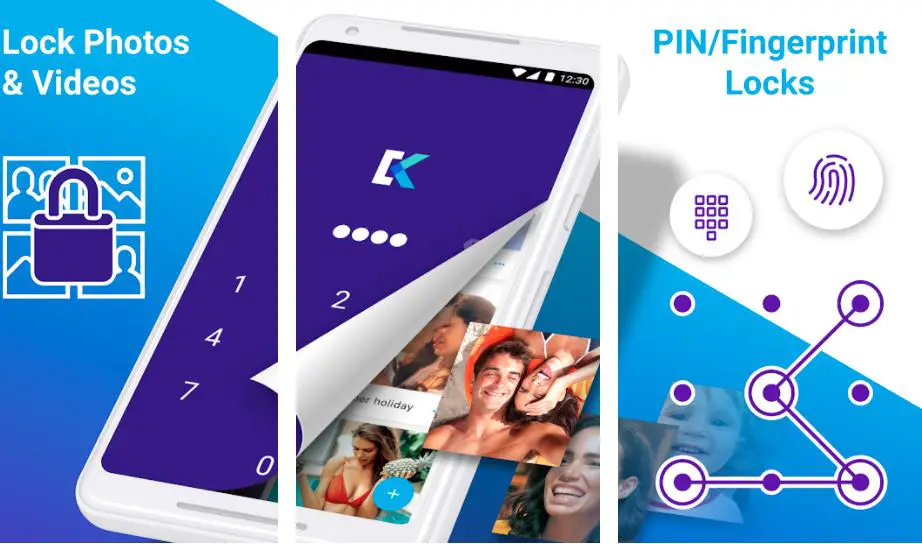
Additionally, you can enter decoy passwords too so that if anyone attempts to break in, they get redirected to a fake data storage where they’ll find none of your private files and confidential information.
Another great thing about the break-in attempts is that the application will notify you about the same, along with the details of the person who tried to break in.
This happens because the application automatically takes the selfie of an intruder and sends it along with the entire break-in alert.
Besides this, the application has a clean and sleek interface where you can easily manage your photos in different folders. In a separate folder, you can keep your private and personal ids safe and secure in this vault.
However, all of this comes for a price. The application does provide a free trial, but after that, you’ll have to purchase a plan. Moreover, the plans limit the number of photos you can save, so you must also consider those limits.

Considering that, this is an application for those who’re in dire need to prevent and protect their data and are willing to spend a lot of money for the same.
Pros:-
- Disguises and functions as another application through a secret door.
- Decoy password settings.
- Break-in alerts
- Easy and manageable interface.
Cons:-
- It’s a very costly application.
Download the App on Google Play Store
Download the App on Apple App Store
3. Best Secret Folder
This is another disguised photo vault application for iPhones. It looks like a travel application, and whoever opens it would never believe that there’s so much private stuff hidden inside.
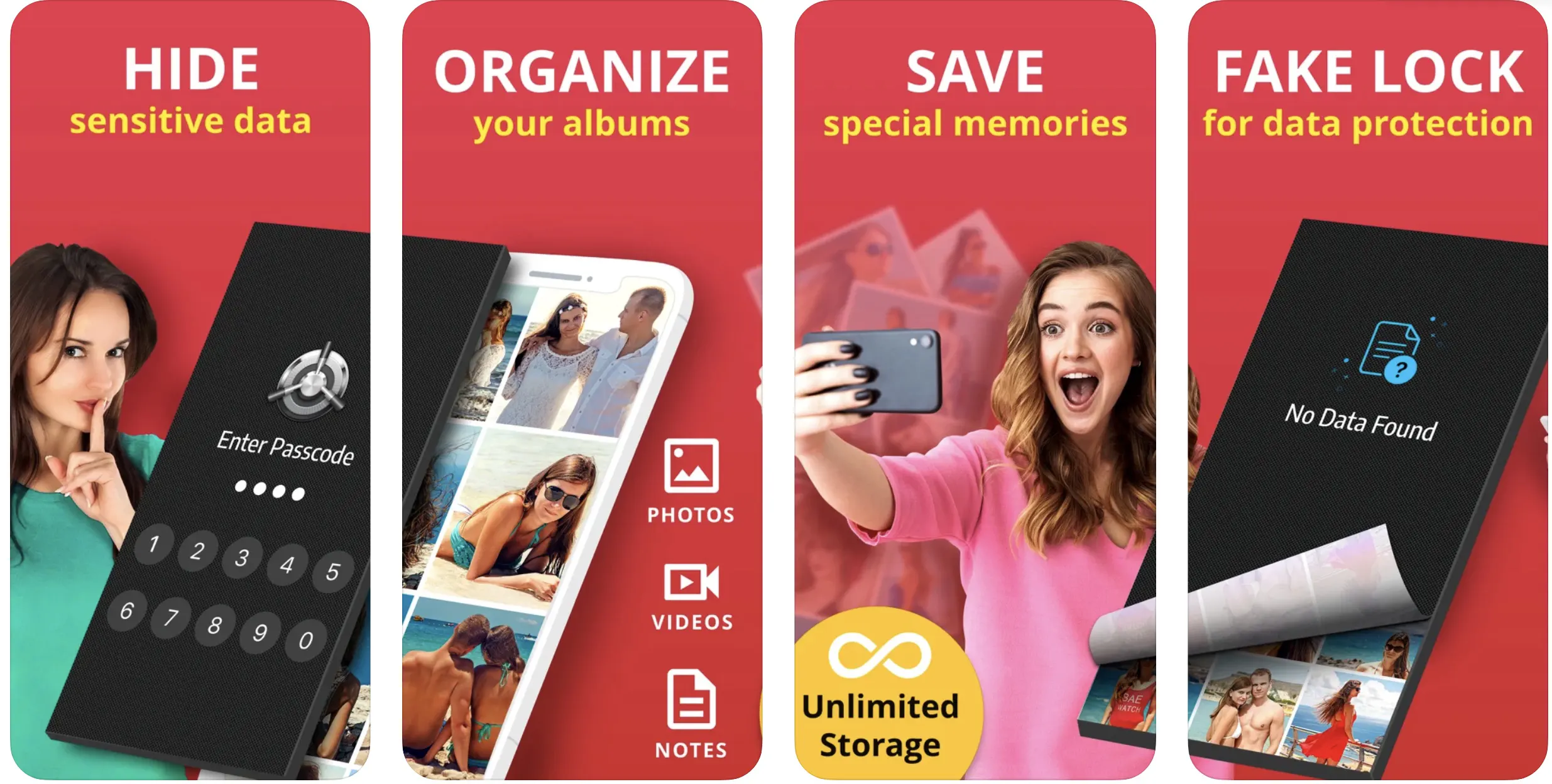
Even if someone figures out what the application is all about, there’s no way they’d be able to get into it because you’ll secure it well with a strong password.
If someone tries to breach the password, you’ll know who that person is because the application will deliver their selfie to you along with its break-in alert notification.
Also, if you accidentally leave your phone with the application open, you need not worry. When face down, the application automatically closes itself, adding another protection layer to your private photos.
Moreover, in addition to the initial interface, even the application interface after entering the passwords is very secretive. Rather than a photo vault, the interface looks like a bank vault. Moreover, you can add a cover to the application.
It’s just like taking an intruder to a fake vault, except that, in this application, the cover will make the entire vault look empty. Whatever happens, your private data remains private in this application.
Additional protection is added from the fact that no one, not even you, can reset the password of this application once you set it.
So, there’s no way someone would be able to play with your passwords and breach your privacy.
With all these features, this is an application you’d love to keep on your iPhone to securely keep your private data to yourself.
Pros:-
- Break-in alerts with intruder selfies.
- Cover for the application and disguised interface make it secretive.
- Non Resettable passwords.
Cons:-
- Since you cannot reset the password and sending them over emails is quite risky, you cannot afford to forget the password for this application.
Download the App on Apple App Store
4. Secret Photos KYMS
With a double password protection feature, this application can be one of the vault apps that you would ever use for protecting your privacy and keeping secret data secret at its best.
Not only does it password protect your photos, but you can even use this application to hide videos, documents, contacts, and other passwords.
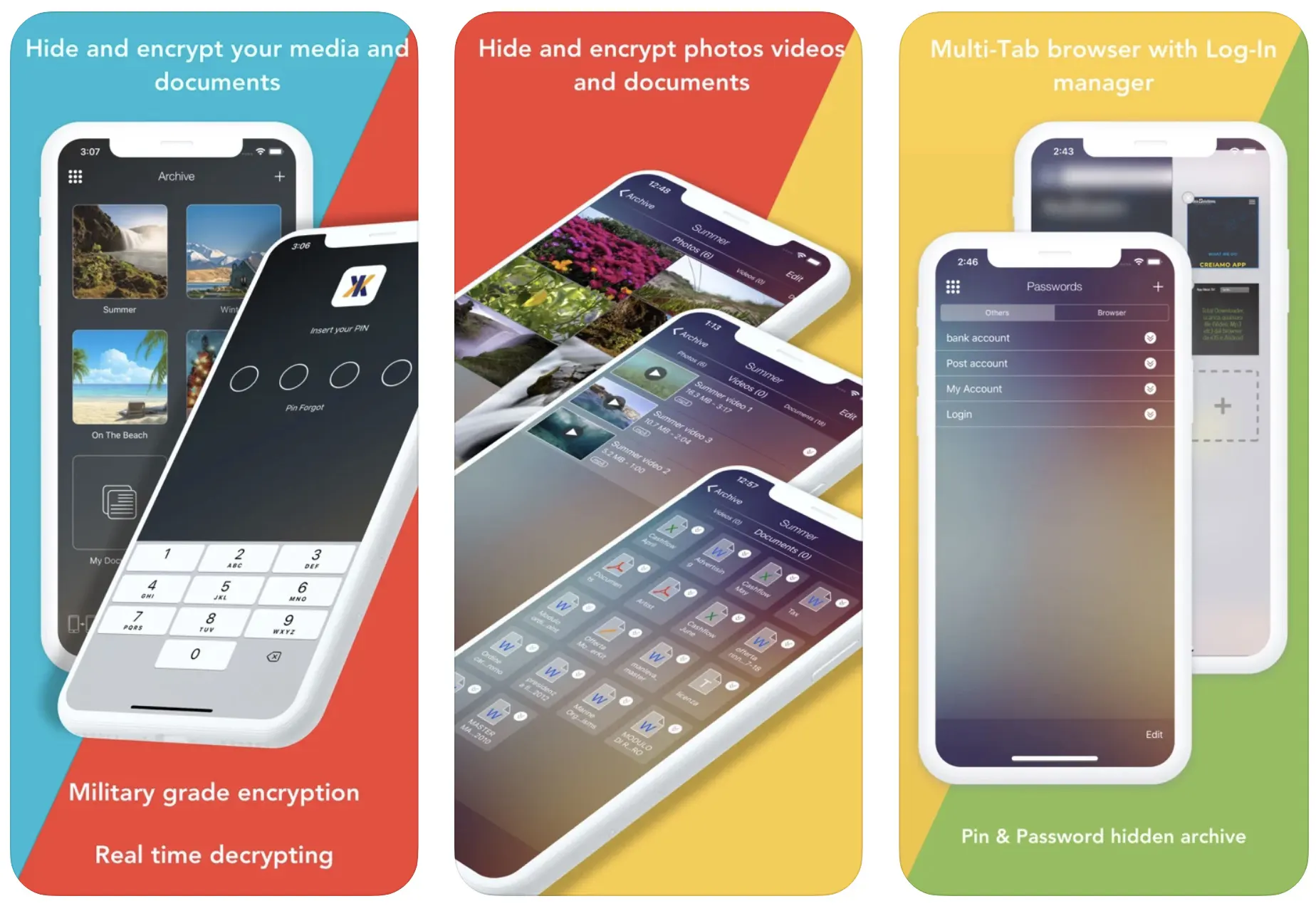
Talking more about the double password protection feature, the application allows you to set a pin for opening the application at first.
Once you enter the pin, the application asks for yet another password. You can set this another password as a long-form alphanumeric code or have it unlocked through a fingerprint scanner or face recognition.
With these multiple password layers, your data remains highly safe and secure in this application.
In addition, to password-protecting your photos, you can also use this application to encrypt your important files and data. This way, even if someone can intrude, they won’t be able to make out any meaning from your scrambled data.
The only possible issue with this application is its high cost. This is no free application and does not come with a free trial either.
You need to take a subscription to start using the application, and that subscription doesn’t feel much worth it, especially when you’ve not got something too private and confidential to hide.
Pros:-
- It comes with double password protection features.
- It provides a space to hide and protect your other passwords so you never forget them.
- It provides other advanced features, such as encryption for files and documents.
Cons:-
- It’s not a free application.
Download the App on Google Play Store
Download the App on Apple App Store
5. Secret Calculator – photo vault
You may wonder what a calculator is doing in the vault apps list. But, trust us, it’s here because it’s meant to be. Even its name is confusing, so imagine how protective its functionalities would be.
This photo vault application on its face looks exactly like it sounds – a calculator. Moreover, it doesn’t just look like that. It functions like that too. But what’s behind it is something only you would know.
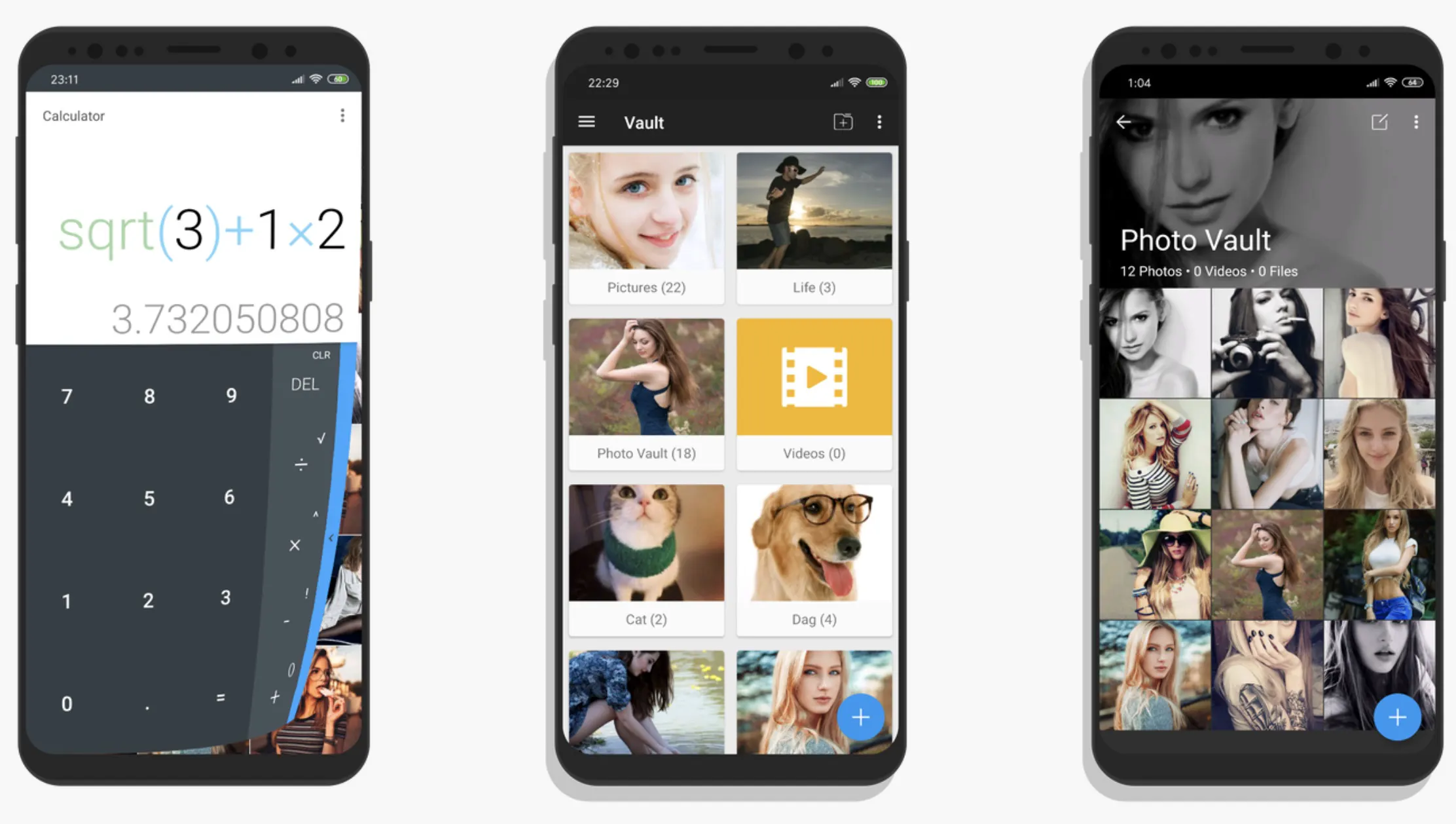
You can enter all your secretive and hidden photos and data with a simple pin. You can also put pattern lock, alphanumeric password, and fingerprint protection for passwords.
Besides being a completely disguised application, this photo vault also comes with a fake vault which takes any intruder to a different photo vault with just some general pictures and data.
This happens with a decoy password. So, even if someone figures out what lies behind this simple-looking calculator, they won’t exactly get access to that data you’re hiding.
Moreover, besides being a secret place for keeping your photos, this vault also helps you edit your photos, videos, and other data.
So, you need not move the photos or any other data out of the vault to edit them. You can have the entire data management in the vault in its security settings.
Pros:-
- Completely disguised and secret application.
- Multiple options for setting the passwords.
- It has features for editing and managing photos and data within the application.
Cons:-
- It doesn’t have a free version.
Download the App on Google Play Store
6. Hide It Pro
This photo vault, available on the play store in the name of Hide It Pro, appears on your mobile as Audio Manager after installation. It’s another disguised application just like Secret Calculator, except that while Secret Calculator is for iOS, Audio Manager is for Androids.
The application looks like a music and audio setting and management application on the face of it.
But as you hold the “Audio Manager” written at the top of the application, it takes you to a vault where you can seamlessly store your photos, videos, audio, documents, contacts, and other data with strong password protections.

The application provides multiple options for setting a password. You can set a pin code, an alphanumeric password, or a pattern lock. Additionally, you can even set a fingerprint lock in the application.
Besides that, the application has other advanced features like automatically getting closed if you press the power button.
Moreover, you can even have the functionality to quickly close the application by giving a simple shake to your mobile phone. Just go into the settings and make sure to turn on this functionality.
This is very useful and provides for some close shaves. Additionally, you can directly edit your photos and other data within the application.
Moreover, you can even share the photos directly from the application, not that there may be any reason for that, but just in case if you need to share something private with a confidant, the application won’t restrict you for the same.
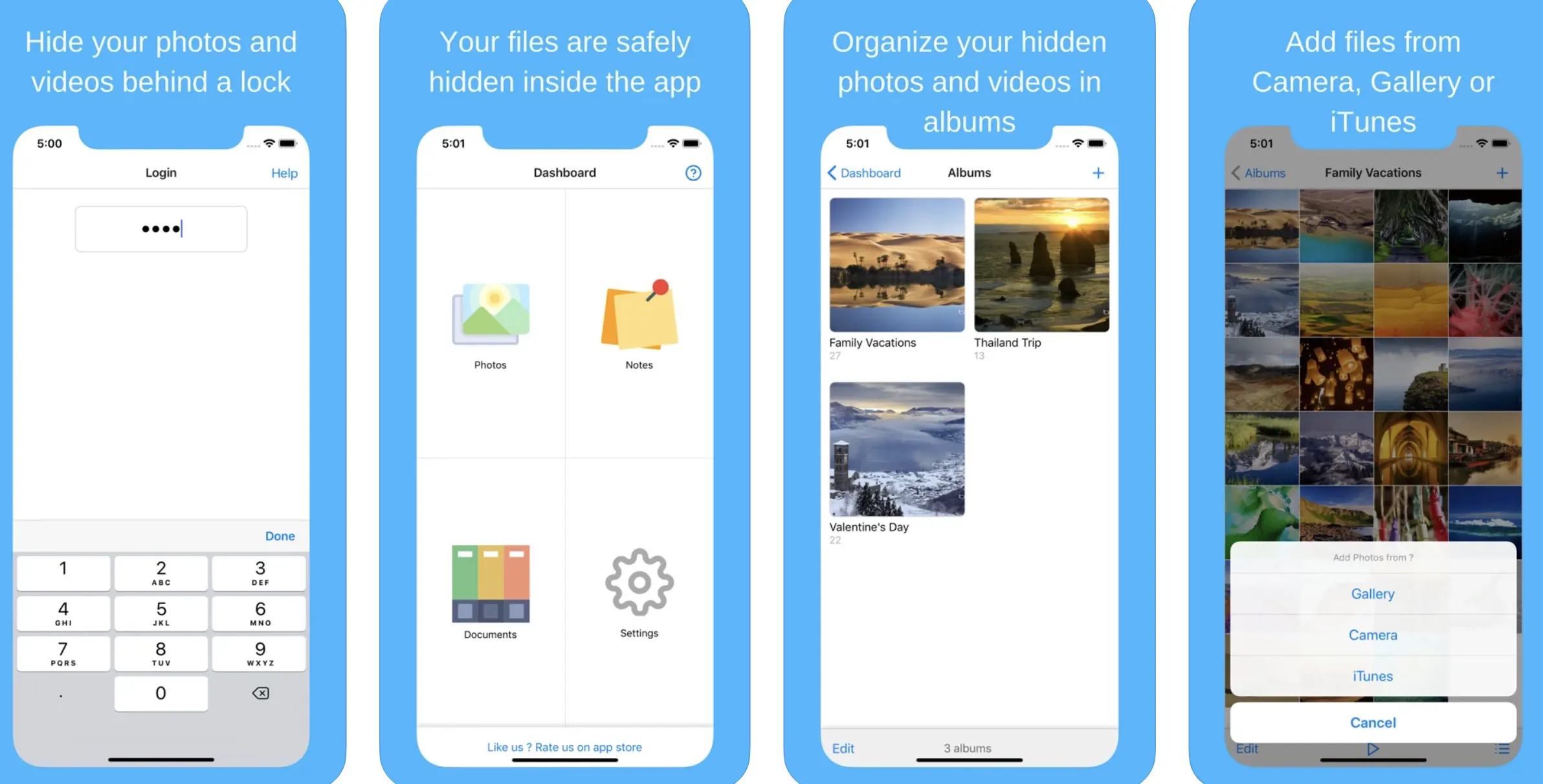
It also allows you to have a cloud backup of all the data you’ve stored on the application. This way, you get an online copy of the data in a protected form, and you can access your data from anywhere at any time.
Also, if you don’t like advertisements on the application, you can remove them by paying a minimal amount of $1.49.
With all of that, this is an amazing application for your purpose of keeping your private things private.
Pros:-
- Highly secretive with a different and disguised name.
- Allows editing and sharing of data from the application itself.
- Shake the phone to exit the application. Personalities help manage the situation when you don’t have enough time to close the application using mobile buttons.
Cons:-
- The application sometimes actually disrupts the audio settings of your phone.
Download the App on Google Play Store
Download the App on Apple App Store
7. Hidden Vault
Hidden Vault is just like any other application on your phone that you’d protect with a password. It looks like a vault, and that’s what it is used for. So, there’s not very much secrecy.
However, what makes it a good application for iOS users is that it’s free, and while it looks simple, it does have some advanced features.
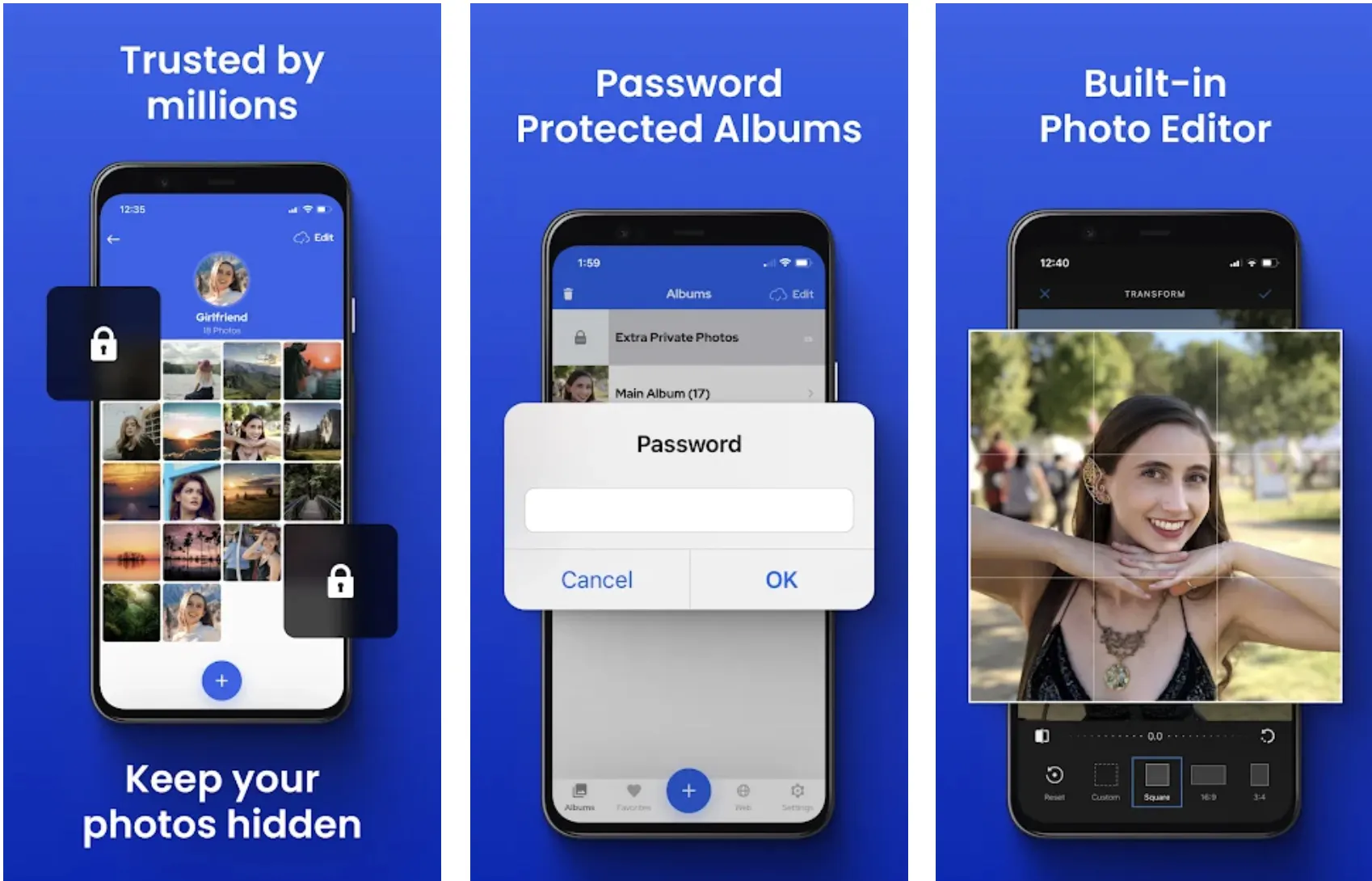
For instance, it helps you set a decoy password in the application, which will take any unauthorized person trying to access your private photos to a completely different and fake vault. This way, no one would ever be able to access your private data and information.
Additionally, this vault is not just for hiding and protecting your photos. It comes with a separate Password Vault as well.
So, this application password can act as a Master Password for all your other passwords because you can save all the passwords in this application.
So, you’ll have to remember only one password, giving you immediate access to all others.
With all these features, it’s an amazing application that you can use to maintain your privacy and secrecy without spending any money.
Pros:-
- Ability to set a decoy password to prevent unauthorized access.
- It’s a free application for iOS users.
- In addition to a photo vault, the application also has a Password Vault to save all your passwords privately and securely.
Cons:-
- It’s not very secretive, and anyone would know that it’s a private vault.
Download the App on Google Play Store
Download the App on Apple App Store
8. Gallery Lock
This photo vault differs greatly from all the photo vaults mentioned in this article. Although it has similar features, such as showing a secretive icon and clicking selfies of any person trying to access your vault, it’s different in how it puts passwords.
The application doesn’t allow you to employ a separate password for your private files. It will open with your phone password itself.
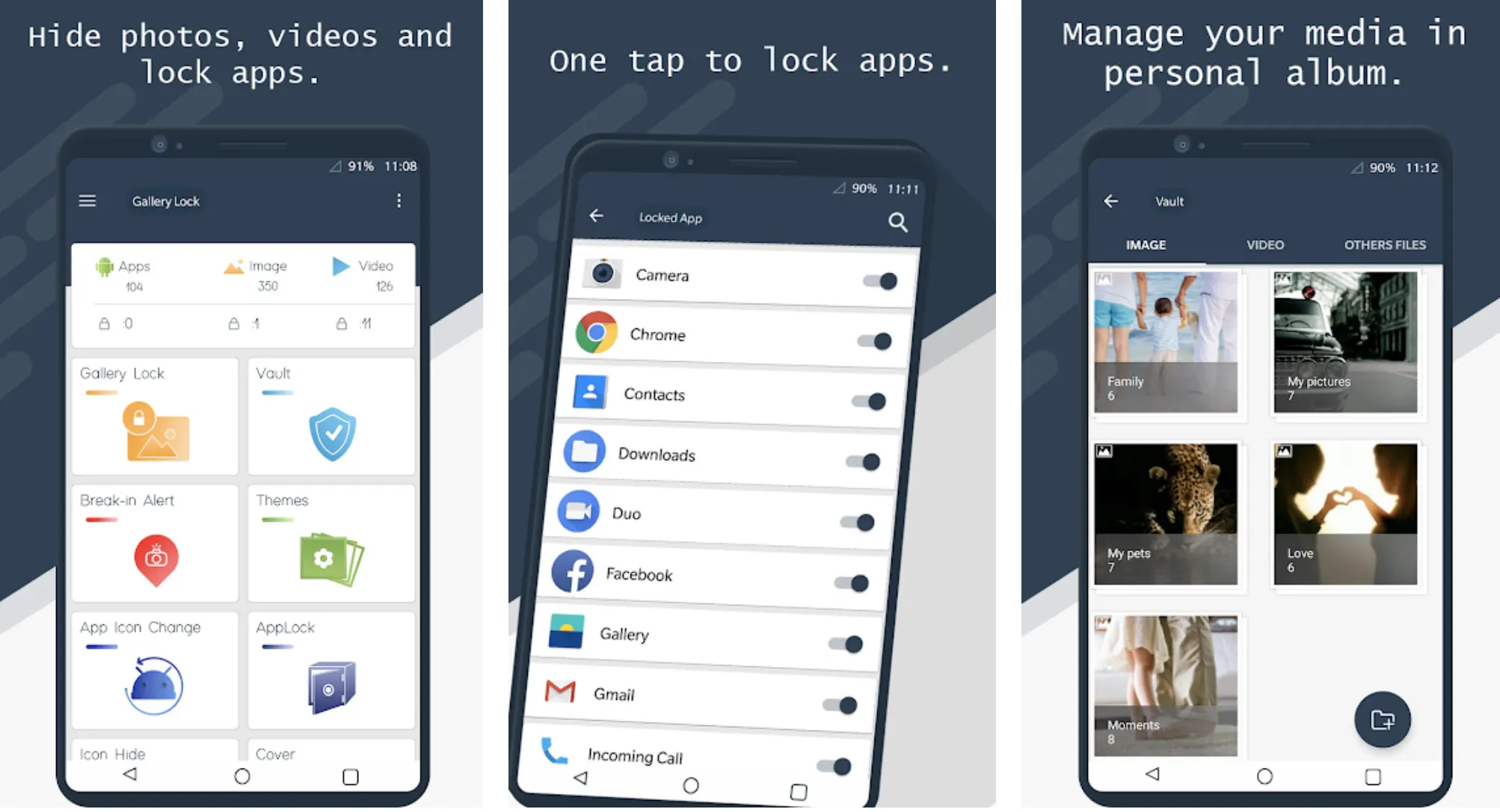
So, if anyone cracks the disguised form in which you’ve stored the application in your phone and knows your phone password, your private data is not very safe.
So, when using this particular application, you need to ensure that no one has even the smallest hint about any of the passwords you’re using on your phone.
This application doesn’t seem very useful as a photo vault. However, it still forms a part of the list because what you get for a premium in other photo vaults, this application offers the same for free.
Be it the secrecy in the form of a disguised icon or the clicking of a selfie of an intruder after entering the wrong password three consecutive times; the Gallery Lock photo vault application provides it all for free.
So, with just a bit of carefulness and attention on your end, you can get yourself an amazing photo vault with premium features free. What more could you ask?
Pros:-
- It’s a free application.
- It clicks the selfies of the intruders when they enter the wrong password in three consecutive attempts.
- It has a secret and disguised icon.
Cons:-
- There’s no feature to set a password separately.
Download the App on Google Play Store
9. Secret Photo Album
The features and functionalities of this application are very evident in its name. However, it makes for a brilliant photo vault for Apple users.
For starters, the application comes with a double password protection feature. So, you can set a pin code and face detection or fingerprint identification for your passwords.
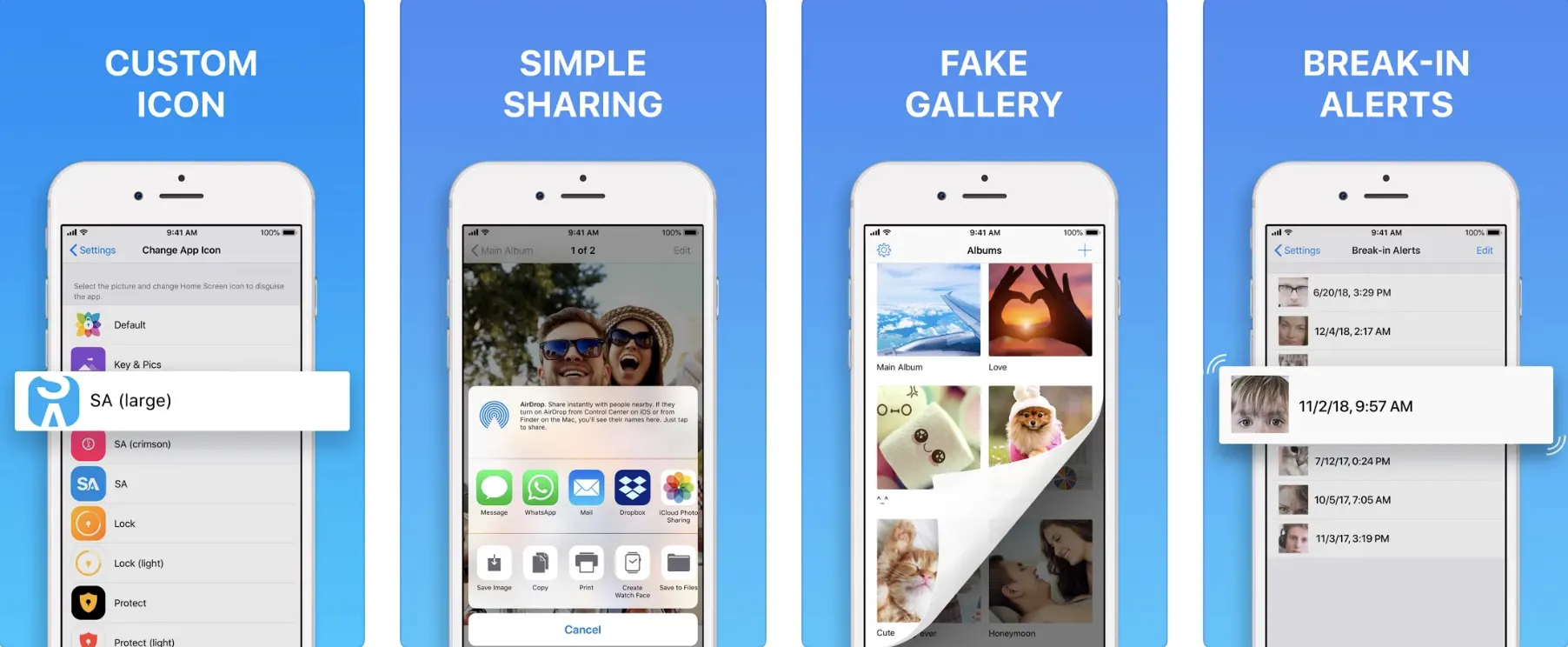
This way, even if someone breaks through the first layer of password protection, there’ll be no possibility for them to break the next layer.
Additionally, if anyone tries to enter the wrong password in the application, the vault will lock itself after three wrong attempts. So, you can be assured of your private photos and videos’ safety, privacy, security, and secrecy.
Moreover, the application has an in-built camera. So, if you’re clicking any private photos, you can click them directly in the application itself. This way, you’ll not have to worry about accidentally leaving out any photo in your main gallery.
With all of this, the application has other basic features like no password reset option. And the best part yet is that you get all of this free.
Pros:-
- Double password protection features.
- Auto-locking in case someone tries to intrude.
- Built-in camera to directly click private photos in a secure and hidden application.
Cons:-
- Since there’s no password reset option, you could lose all your data if you accidentally forget your password.
Download the App on Apple App Store
10. Safe Lock – Secret Photo Album
This is yet another of the best photo vault apps on our list with some crazy advanced features compared to other photo vaults.
In addition to the common features and functionalities like disguised application icons and multiple password protection options, this application also has features for syncing with multiple cloud platforms and other applications.
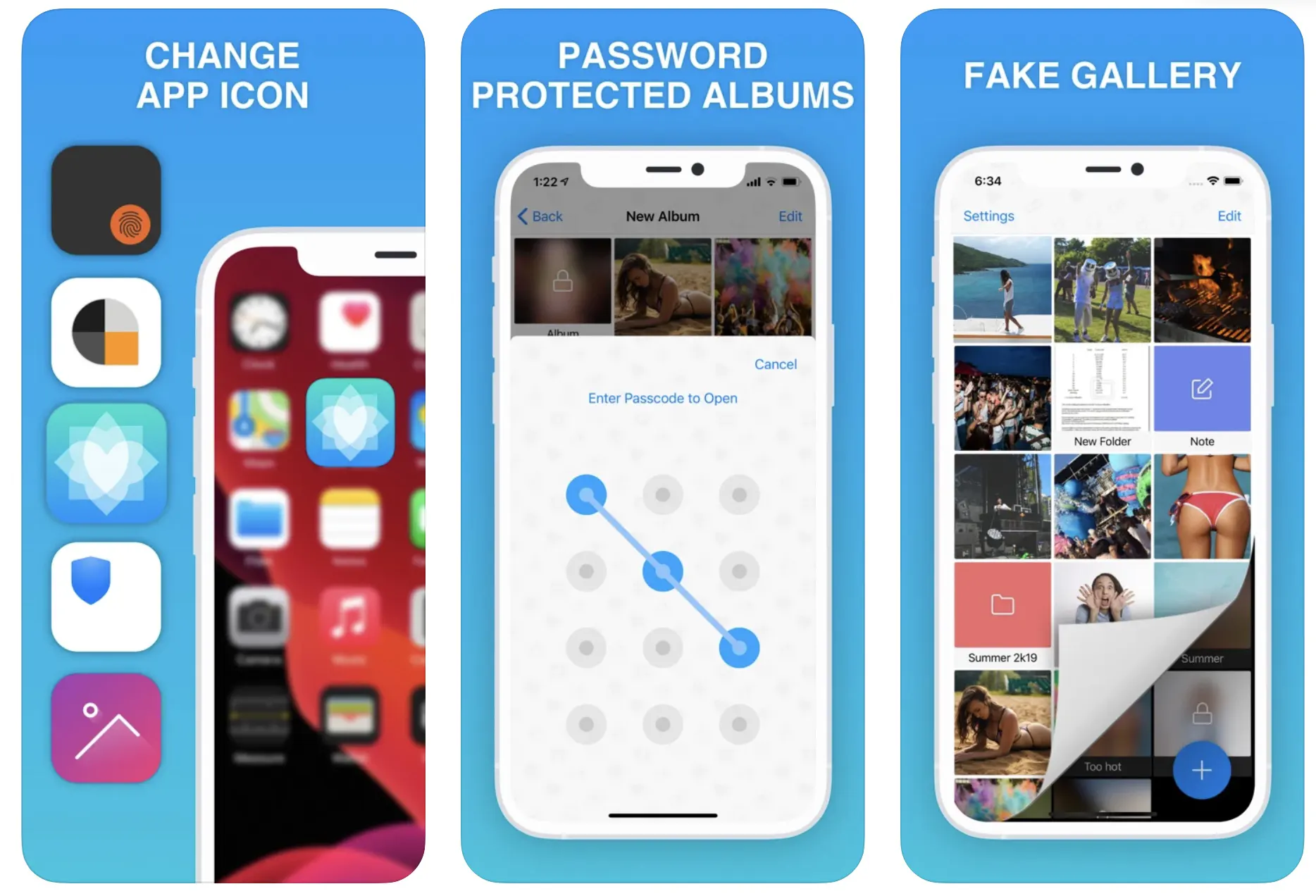
The application also can carry out Wi-fi transfers quickly and seamlessly. Moreover, it has a very advanced interface that allows you to see your photos in a slideshow.
Not only could you see the photos in a slide show, but you can also directly click the photos in the application with its in-built camera. This way, you won’t have to worry about moving the photos from your gallery to the vault at a later point in time.
Coming to the protection from intruders, the application provides instant break-in reports if someone tries to enter your vault. So, you can always prevent your private data in this vault from falling into any unauthorized access.
Additionally, the application has brilliant customization features. So, you can personally create the icon that you would like to use to disguise the application on your phone. Besides that, you can customize and personalize your vault’s theme and appearance.
With all of that, it’s a great vault, and you’ll love to use it. The only issue is those good things come for a price, and this application follows this quote to the core.
While you can get the basic features free of cost, you’ll have to pay a very high price for the advanced features of this application.
However, it would be worth paying for this application if you can afford the costs and need an advanced photo vault.
Pros:-
- Syncs with multiple cloud platforms.
- Gives instant reports about any break-ins
- Provides multiple options for password protection.
- Comes with a built-in camera.
- It has a slideshow feature to help you see your pictures in a better interface.
- Customization features to personalize the entire vault.
Cons:-
- It’s a costly application when it comes to premium features and functionalities.
Download the App on Apple App Store
📗FAQ
What is the best free Photo Vault app?
Hidden Vault Secret Photo Album, Photo Save Vault, Secret Photos KYMS, Safe Lock, etc., are some of the best free photo vault apps to save your important photos on your phone securely.
Which is the best Photo Vault?
Google Photos’ Locked Folder, Secret Photo Vault, Keepsafe Photo Vault, Hide It Pro, and Hidden Vault are among the vault apps available on the App Store and Google Play Store, enabling you to save your photos without worrying about the security.
Can Photo Vault apps see your photos?
The photo vault functions as though it were already installed. And if you connect to the internet, there is a potential that your photo will be stolen from the application’s photo vault provider.
Second, it is not secure since it appears as though your photo has been temporarily moved; as a result, if someone deletes your photo vault, your private photo will return to your gallery automatically, or even worse, your photo will be deleted as well.
Third, choose a photo vault carefully because some of them are bogus and will take your picture for some ulterior motive.
Is Photo Vault a secure app?
The company claims that they employ commercially reasonable security measures to guard against unauthorized access to, use of, modification, destruction, or disclosure of Your Personal Information.
However, the most crucial thing to remember is that no technology is completely secure, not even the information stored on your password or pin-protected device.
Can Vault apps be hacked?
Most well-known photo vault apps claim to build encrypted containers on Android smartphones, providing users with a secure location to store private photographs and sensitive data.
The container shields these files if someone without authorization takes possession of the device, whether by physical theft or hacking.
How can I secretly save photos?
The Google Photos app allows you to store private images and movies in a folder secured by your device’s screen lock.
Items in the Locked Folder won’t show up in the Photos grid, memories, search, or albums, and won’t be accessible to other apps on your device that can access your pictures and videos.
If so, you might want to try using photo-vault apps like Secret Photo Vault, Best Secret Folder, Secret Calculator, Hide It Pro, and Hidden Vault.
Where can I store my photos privately?
You can use a wide range of photo vault apps like Secret Photo Vault, Secret Photo KYMS, Best Secret Folder, Hidden Vault, etc., to privately store your photos without worrying about security.
Is there an app to store private photos?
Yes, there are some reliable apps you can try to store private photos. Some of the best apps to mention are PhotoGuard, Best Secret Folder, Keepsafe, Hide It Pro, Hidden Vault, etc.
Final Words on Photo vault apps
With the growing need for secrecy and privacy in our life, applications like Photo Vaults have become very important. You cannot let your private photos open in your phone gallery for others to see.
What needs to be kept a secret must be hidden from the eyes of others, and photo vaults provide a way to achieve this secrecy, privacy, and protection.
The abovementioned are 11 of the best photo vault apps in the Play Store and Apple store. We hope this has helped you and you have been able to choose the vault that would perfectly meet all your needs for locking your applications and keeping them private.


