
























Drinking enough water throughout the day is one of the most important parts of maintaining your overall health.
The water regulates your body temperature and ensures proper delivery of nutrients to cells, keeps your joints lubricated, prevents infections, and maintains proper functioning of the organs.
Being well-hydrated is also linked with improved sleep quality. On the other hand, if you are dehydrated regularly due to ignorance or a busy lifestyle, you may suffer from severe complications, including brain swelling, seizures, kidney failure, coma, and even death in rare cases.
In short, dehydration can be an alone cause of multiple health-related issues. And, by any chance, if you struggle to keep yourself hydrated due to a demanding lifestyle, here is a thing to cheer for you!
Yes, you don’t have to worry about being hydrated all day! You don’t have to ask your family members or colleagues to remind you to drink water!
Because, like a lot of other important things, your 6-inch device starting you from your table can do it for you!
Yes, friends, dozens of hydration apps are available for Android and IOS users and can be more than handy for you to avoid that unhealthy habit of gulping water only when your throat curses you!
And, if you are wondering which app you should choose for keeping yourself quenched all day, allow me to take you through this gossipy, yet compelling review!
Let me grab a bottle of water for myself first! 😁
Best Hydration Apps – Our Top Pick 👌👌
1. Water Reminder – Remind to Drink Water
Probably the best water reminder and tracker app available on Google Play Store! The app reminds you to have water on time and is undoubtedly essential on your Android device!
If you tend to forget things and cannot drink enough water on time, let the app remind you without any hassle!
The free healthcare app is very simple, easy to use, and delivers what it is designed for – a dedicated, water-only app!
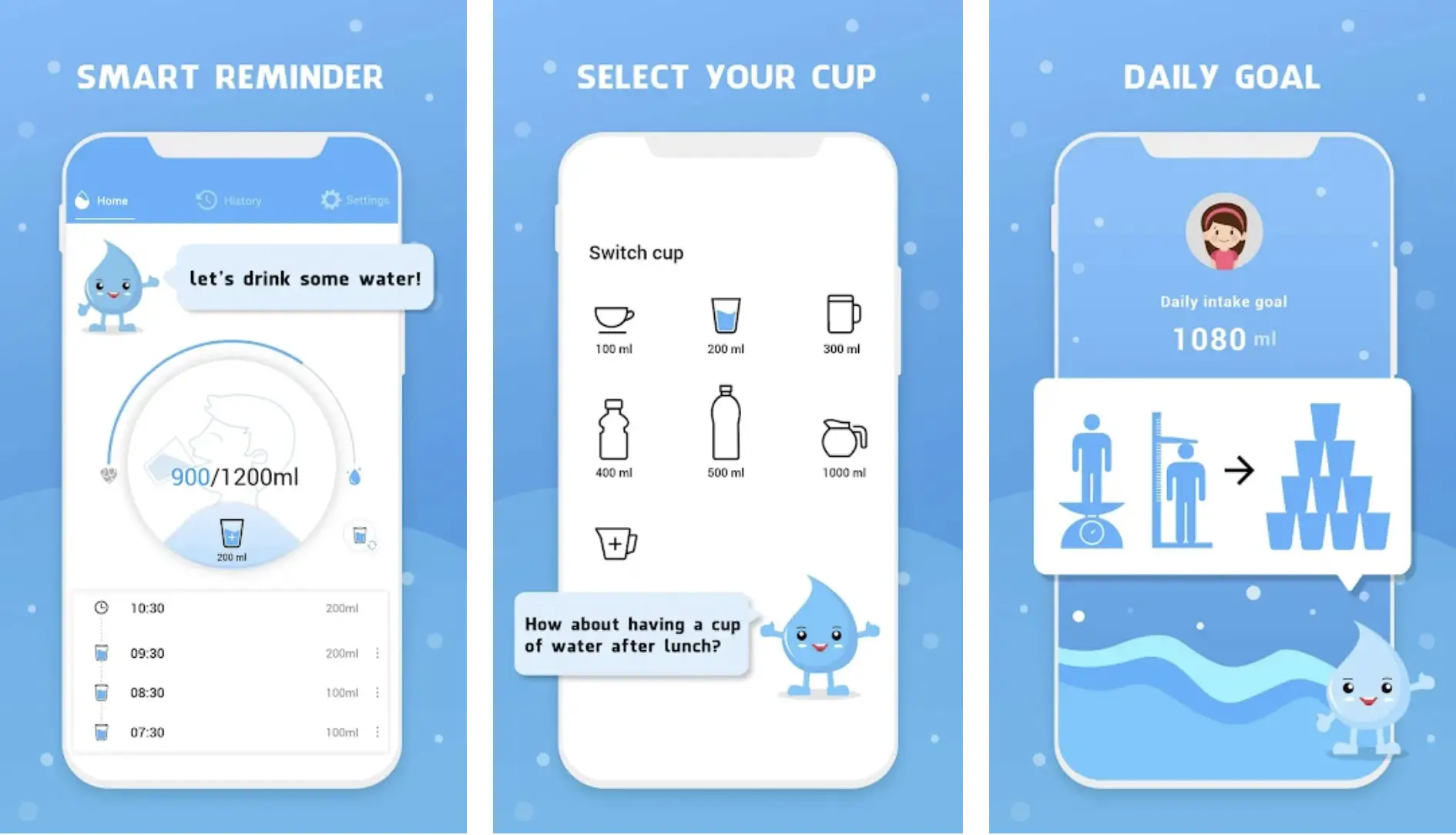 All you have to do is to select your gender and enter your body weight. The app will take care of the rest of the things!
From the right calculation of how much water your body needs to how frequently you should take water, the Water Reminder app is handy for being on track when drinking water.
You can even set a daily goal manually and reach it there with the help of this innovative app. If you can use this app constantly for a few weeks, I assure you that you will build a good, healthy water-drinking habit.
Features of Water Reminder – Remind Drink Water:-
- Smart and friendly water reminder
- Allows you to select your water cup according to your body
- Set daily goals and keep yourself hydrated
- Maintain healthy drinking records
- Allows you to customize personal information and other settings
Device – Android
Ratings on Google Play Store – 4.9 / 5 | 1,00,00,000+ Downloads
Download the App from Google Play Store
2. Watercat: drink reminder, water tracker & balance
Underestimating the importance of water can never be a good idea. And we all are humans, make mistakes, and tend to forget those important sips of water throughout the day.
The bustle of everyday life sometimes makes it very hard to drink water on time. Paying attention to hydration is usually ignored due to a busy schedule.
And, if you are also among those people who are unable to drink enough water, Wtercat can be your best buddy!
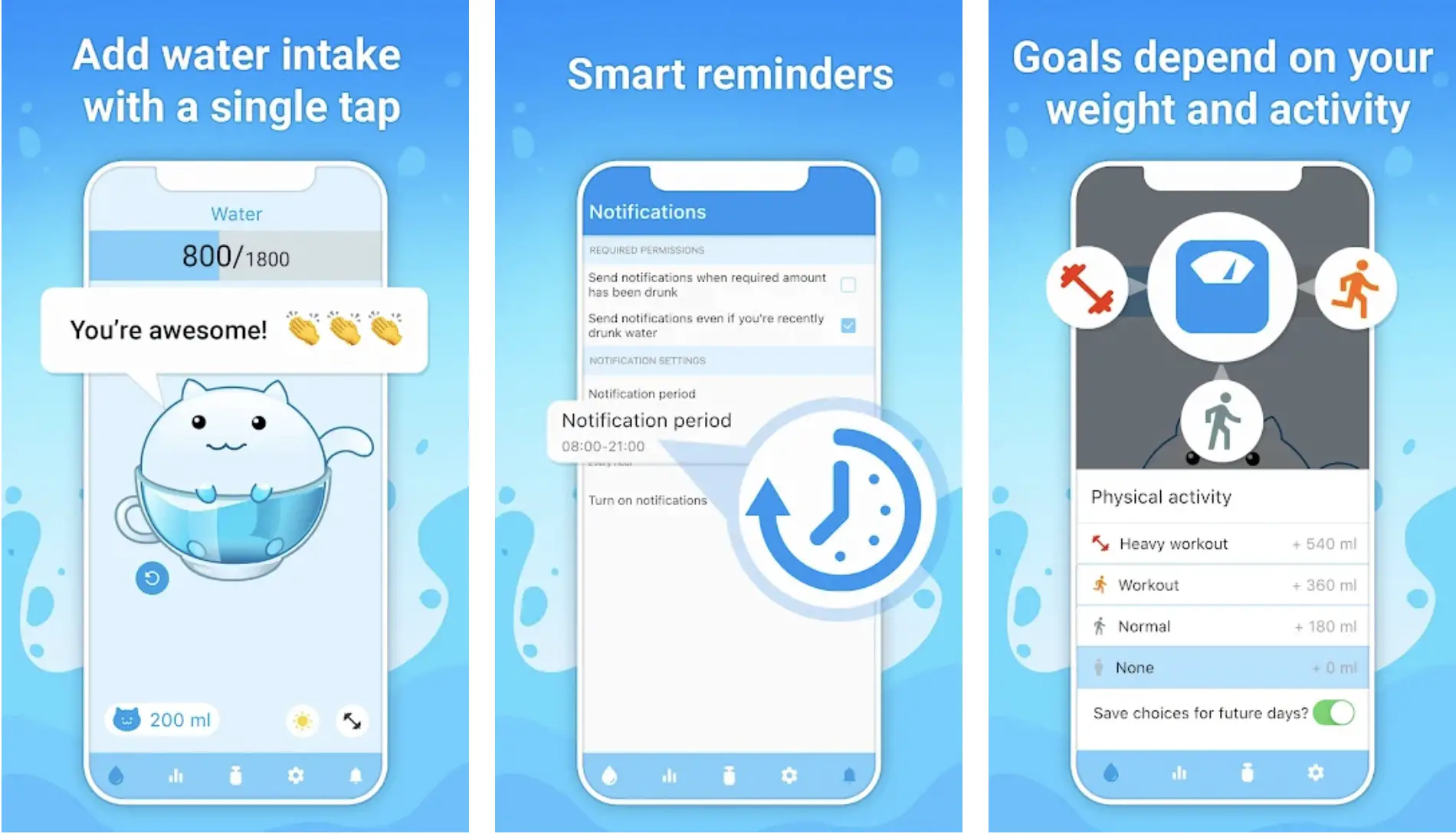 The water tracker and drink reminder app is beautiful, cute, highly effective, and packed with everything you should expect from one of the most reliable hydration apps.
The app will send you cute, gentle push notifications to remind you it’s time to gulp a few sips of water!
It’s time to give that feel-good factor to your throat and tummy! You will start drinking more water, and that too, on time and without much effort!
The app automatically analyzes how much water your body needs according to weight and gender and makes the required adjustments while showing you the results.
What more? The app also makes adjustments based on your physical activities.
So, you don’t have to overthink how much water you should drink after a fitness training session or how much you should gulp on a break day!
The app will take care of these important things!
Features of Watercat:-
- Tap only once to add your water intake
- Smart, customizable water reminders
- Water goals are based on your body weight and daily physical activities
- Intuitive charts and statistics to track your water-intake progress
- Simple, clean, and smooth user interface
Devices – Android and IOS
Ratings on Google Play Store – 4.9 / 5 | Ratings on Apple Store – NA
Download the App from Google Play Store
Download the App from Apple App Store
3. Water Drink Reminder – water reminder app for Android
If you forget to drink enough water throughout the day, here is another great hydration app! Featured by Google Play, Water Drink Reminder is among the top 5 hydration apps in as many as 90 countries!
One of the best water tracker apps ever! The app can be more than handy for you to keep yourself hydrated and keep your skin and body healthy!
The Water Drink Reminder app reminds you to have enough water regularly and develop healthy water-drinking habits.
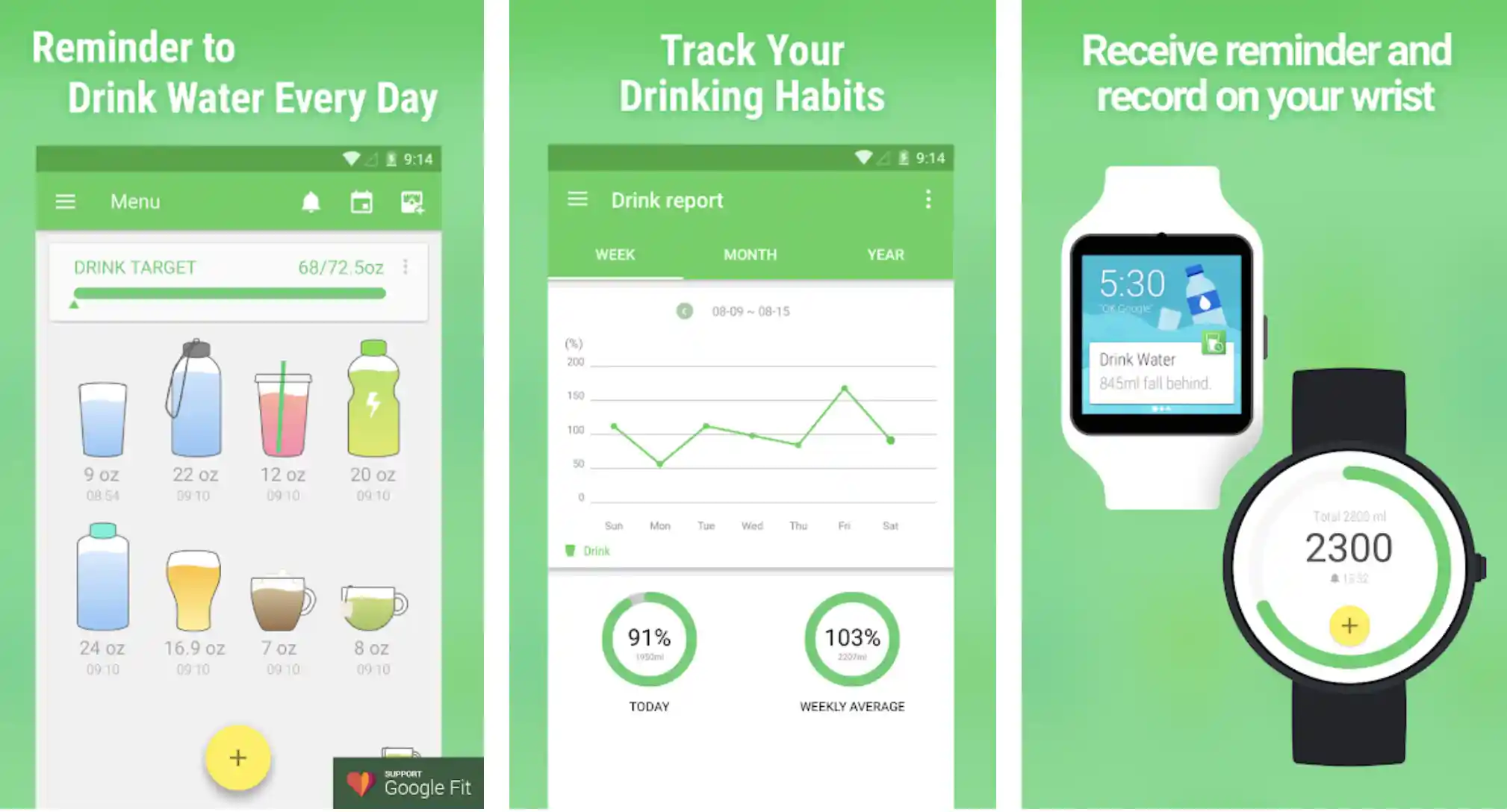
You can use the app to find how much water you should drink to keep your body healthy and fit. All you have to do is to follow the reminder, drink water, and the cup to your water tracker and log in to the app!
You can stay in shape, avoid the hazardous consequences of dehydration, and keep your skin clean and bright – all with a single tap!
The app gives OZ and ML options for tracking your daily water intake. And what more? The app syncs all your data with leading fitness apps, including Google Fit.
Features of Water Drink Reminder:-
- Remind yourself to drink water on time
- Track your water intake and develop healthy water drinking routines
- Receive all the reminders and records even on your wristwatches and bands
- Edit the water cups according to your preferences
- Smart and customizable reminder
Device – Android
Ratings on Google Play Store – 4.8 / 5 | 1,00,00,000+ Downloads
Download the App from Google Play Store
4. Water Tracker – Drink Water Reminder and Diet
70% of your body is water, and you can’t ignore the importance of staying hydrated. And, if you are facing difficulties, the Water Tracker app will remind you to drink enough water throughout the day!
The app will ensure you don’t lose yourself without sipping regularly. Thanks to the innovative water reminder and the tracker app, you can maintain your body by drinking water on time.
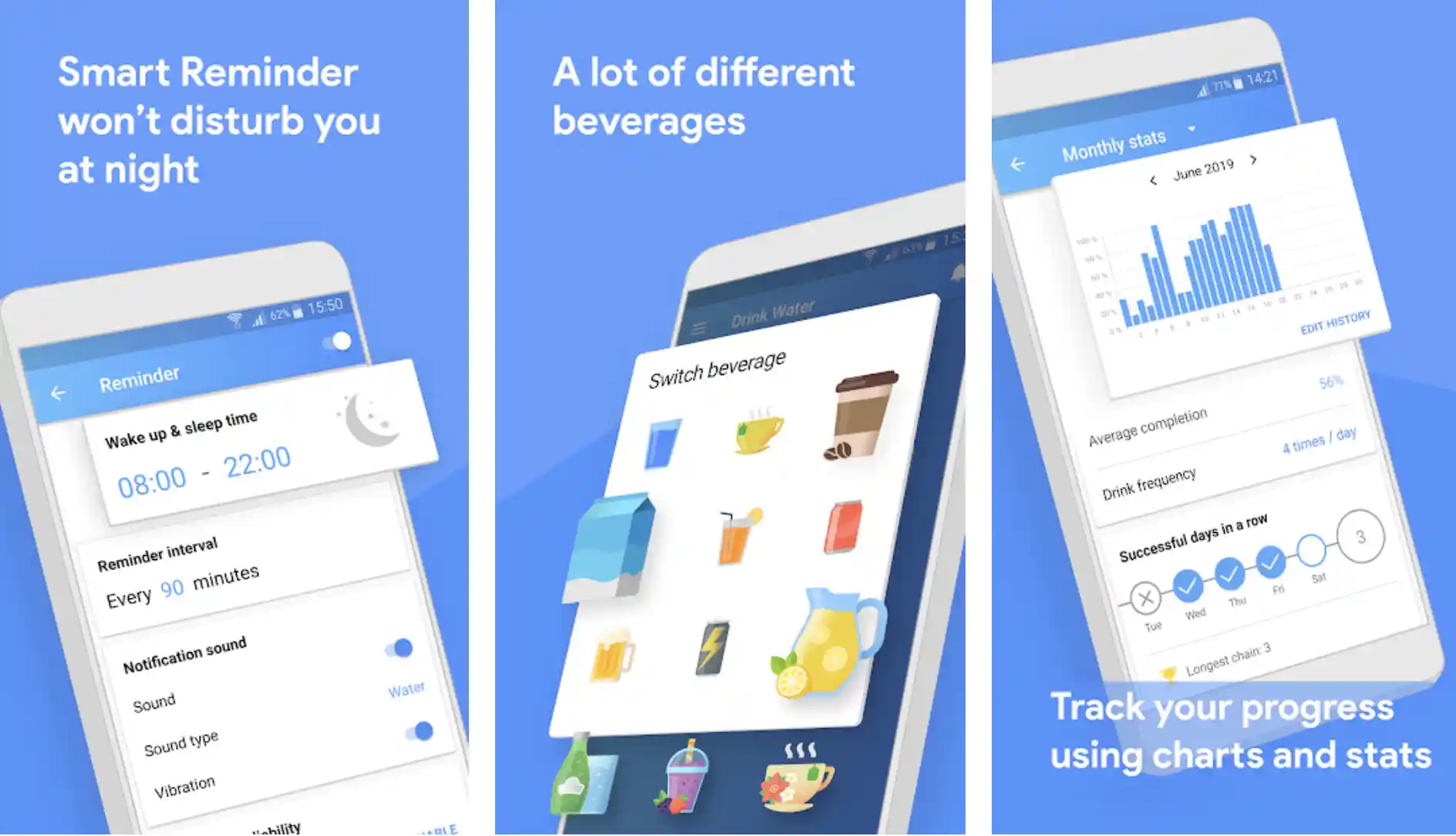
The smart, customizable water intake reminder helps you with a healthy daily water-drinking schedule. The app notifies when it’s the right time to have a few sips of water.
Based on your personality, preferences, body weight, height, and gender, the app will help you to determine how much water your body needs daily.
You can’t only track your daily water intake with the app! You also have the option of adding other healthy beverages you like.
So, add your favorite smoothies, soups, juices, etc., to know how much hydration your body is getting and how much it still requires.
You can use the water-intake statistics to keep track of your weekly and even monthly water-drinking progress.
Features of Water Tracker – Drink Water Reminder and Diet:-
- Easy, simple-tap water-intake tracking
- It helps you to reach your daily hydration goal
- A smart reminder that doesn’t disturb you at night
- Allows you to add various healthy beverages
- Charts and statistics for tracking your progress
Device – Android
Ratings on Google Play Store – 4.8 / 5 | 10,00,000+ Downloads
Download the App from Google Play Store
5. Waterful: Free water reminder app
Drink water on time, avoid dehydration, lose weight, and stay healthy with Waterful – one of the most innovative hydration apps!
Drinking enough water throughout the day will not be a massive problem with Waterful.
You will know when and how much water you should drink daily to keep yourself hydrated, healthy, and active.
The Waterful app offers you a wide range of features without any cost.
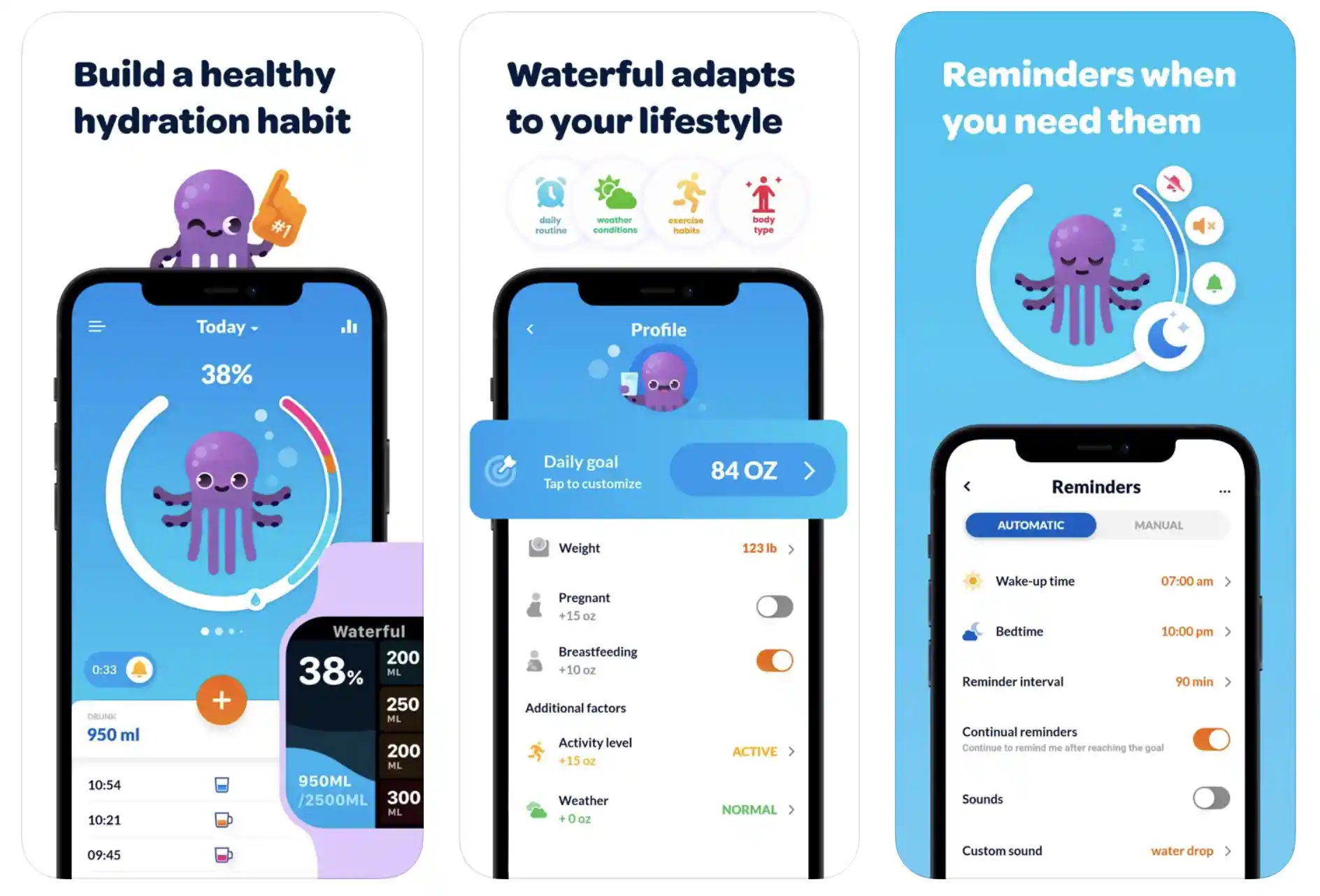
The water intake calculator tells you how much water you should take based on your health logs, including age, height, weight, gender, etc.
The app’s personalized and innovative H2O alarm keeps your water intake balanced. You can also add your bed and wake-up time so you don’t get notifications when trying to get the much-needed sleep.
Plus, the app lets you turn off or snooze the notification when you don’t feel the requirement. To track your hydration, you can add healthy drinks, including fruit juices and soups.
Adding custom icons, hydration levels, colors, etc., is as easy as it gets in the app! All in all, a water reminder and tracker app is designed for your ease, not to annoy or disturb you!
Features of Waterful: drink water reminder:-
- Among the best water drinking and tracking apps by Google
- Never forget to drink water again!
- Challenge yourself to stay hydrated and healthy
- Choose your favorite drinks in addition to water
- Track and calculate your daily water-intake goals
Devices – Android and IOS
Ratings on Apple Store – 4.8 / 5 | Ratings on Google Play Store – 4.7 / 5
Download the App from Google Play Store
Download the App from Apple App Store
6. WaterMinder® – Water Tracker
When it comes to the best hydration apps for both Android and IOS, it’s really hard to ignore WaterMinder® – the water reminder and tracker app featured not only by Apple but by Glamour, The New Yorker, Tech Crunch, Women’s Health, Gizmodo, MacStories, BGR, The Telegraph, Venture Beat, and many more!
Help yourself to remain hydrated all day with a simple, easy, and intuitive water reminder app!
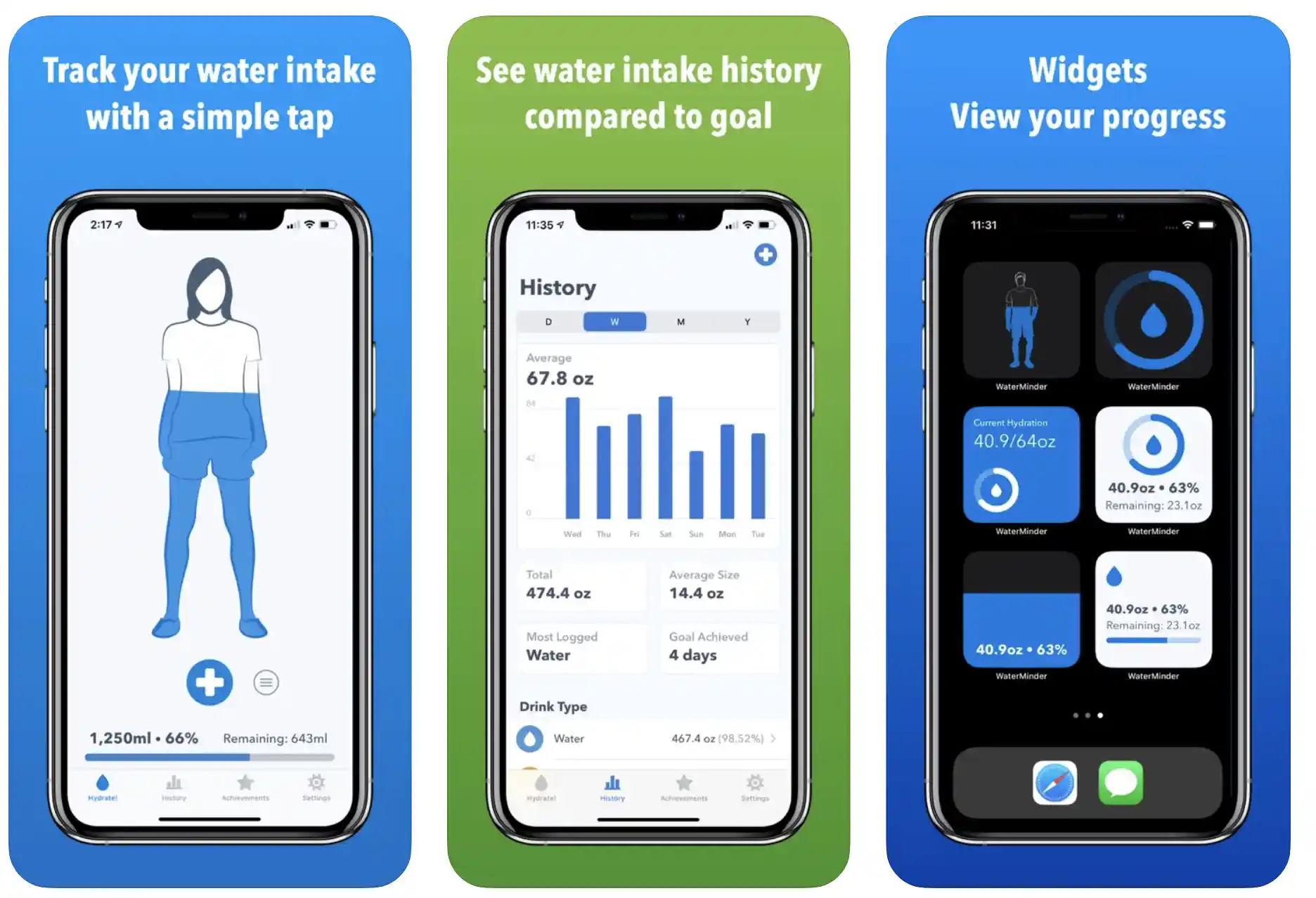
You can track current water fill visually and in percentage as well! So you can better understand how well your body is hydrated!
Sometimes, it can be tough to guess how much water is enough for your body because you can’t apply that old-school method of drinking 5 liters of water daily to every individual!
And that’s when the WaterMinder® app comes into action! Based on your gender, body weight, lifestyle, and personal goals, the app will frequently remind you to drink enough water.
Features of WaterMinder® – Water Tracker:-
- Track your water intake only with one simple tap
- Compare your daily goal with your water intake history
- Earn achievements to remain motivated
- Instantly log your water intake with the most suitable cup
- Track other drinks that play an important role in rehydration
Devices – Android and IOS
Ratings on Apple Store – 4.8 / 5 | Ratings on Google Play Store – 4.3 / 5
Download the App from Google Play Store
Download the App from Apple App Store
7. Hydro Coach – Get Hydrated, Water Reminder
Feel great and boost your overall health with a simple yet very powerful water reminder and hydration app!
Learn the accurate amount of water your body needs, record your water and other drinks intake, get timely reminders, see water intake records, and stay motivated all the time!
By installing and using the Hydro Coach app, you can be a part of more than 10,00,000 users staying hydrated and healthy with Hydro Coach.
You don’t have to overthink the importance of water for your body! Because it will become normal once you start using the Hydro Coach app.
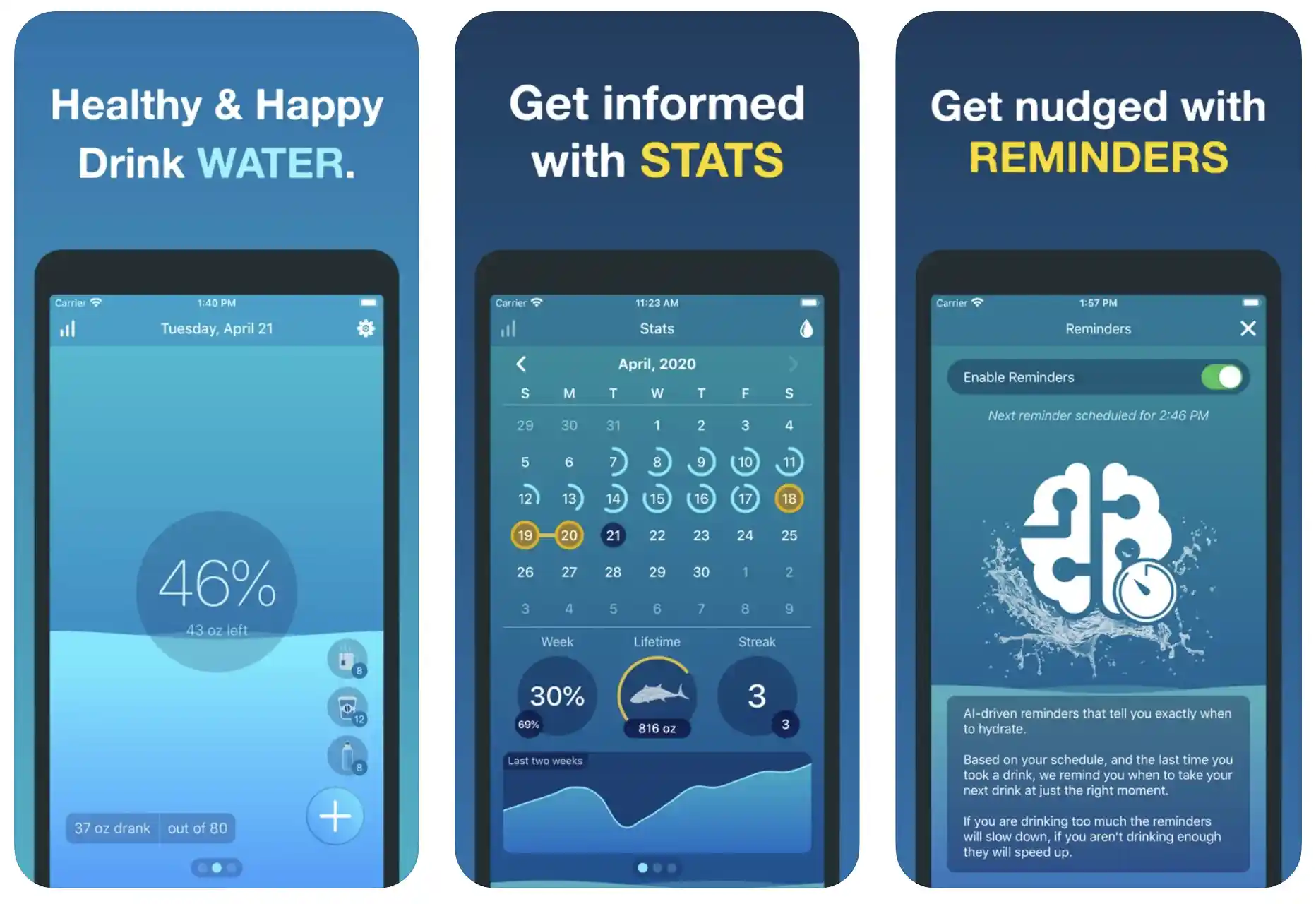
The simple, tiny, intuitive, and clean app will help you stay fresh, healthy, and hydrated all day – without worrying about how much water you should take!
Personalized intake calculation helps you only to drink how much your body needs – so you don’t have to be a giant when it comes to drinking water!
Features of Hydro Coach | Hydration App:-
- Simple, gentle, yet very powerful water reminder
- Compatible with leading health apps, including Fitbit, Google Fit, Samsung Health, etc.
- Statistics to keep track of your water intake
- Challenge your lovely friends and help them to stay hydrated as well
- Simple, clean user interface with a dark theme
Devices – Android and IOS
Ratings on Apple Store – 4.7 / 5 | Ratings on Google Play Store – 4.6 / 5
Download the App from Google Play Store
Download the App from Apple App Store
8. Plant Nanny – Water Reminder
We all know how important it is to drink enough water and stay hydrated. If you find it difficult due to your tough schedule, ask Plant Nanny Water Tracker Log for help!
Enjoy drinking water with one of the cutest water trackers available for Android and IOS devices. The app is based on a very beautiful and attractive concept.
Every time you log in to your cup of water, a cute plant grows in the app. You have the option of setting daily goals, and you can take care of tiny plants by keeping yourself hydrated!
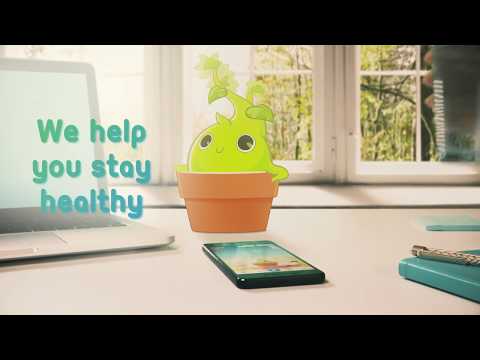
The in-built water tracker and water reminders feature of the app can be more than helpful for you to build a very healthy water-drinking habit and improve your health.
The app doesn’t only track how much water you are drinking throughout the day, but it also motivates you in one of the cutest ways!
Customized water drinking plants and innovative charts are in the app to keep you on your toes for a healthy water consumption schedule.
The app promises to improve your overall health, boost your mood, and, more importantly, improve your water-drinking habits.
Features of Plant Nanny- Water Tracker Log:-
- One of the cutest water tracker apps
- Log your daily water intake and grow cute little plants
- Track your water intake only with a simple, easy step
- Customizable reminders based on your preferences
- Stay hydrated to keep your health, as well as plants happy
Devices – Android and IOS
Ratings on Apple Store – 4.7 / 5 | Ratings on Google Play Store – 4.6 / 5
Download the App from Google Play Store
Download the App from Apple App Store
9. Daily Water Tracker Reminder –Hydration Logger
Stay hydrated and healthy by easily tracking and monitoring your water intake with one of the most innovative hydration apps.
Get the maximum health advantage of water with very simple and easy steps! The Daily Water Tracker Reminder is about a great combination of technology, fun, and innovation.
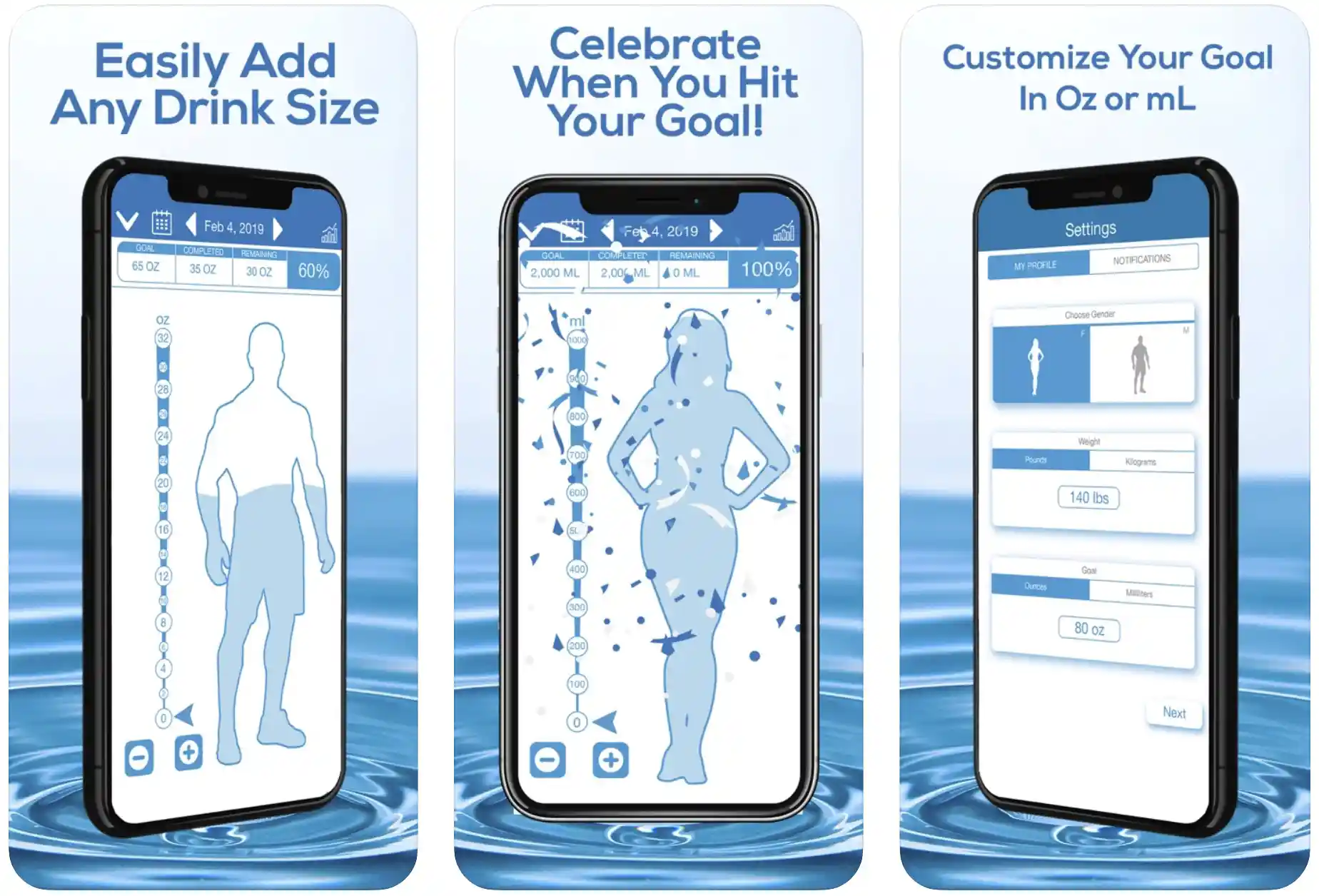
Drinking water can be among the easiest of daily rituals, of course, if you remember! Things can change completely if you skip your glass of water regularly!
And that’s what this app is all about! Water drinking is fun and makes you feel great with detailed data and fun, motivating celebrations.
You feel like you have achieved something important when you track your water intake with Daily Water Tracker Reminder.
Thanks to a very simple yet beautiful design, the app allows you to log water intake only with a single tap! Using the app, you can get enough water throughout the day, even without overthinking it!
So that you can stay hydrated and healthy while focusing on other important aspects of your daily life!
Features of Daily Water Tracker Reminder:-
- Set your own custom daily goals for water intake
- Calculate the amount of water with both ML and OZ
- Select the most suitable drink size and instantly add to your daily goals
- Detailed live stats are updated after every gulp
- Review the historical charts to see how you are doing
Devices – Android and IOS
Ratings on Apple Store – 4.7 / 5 | Ratings on Google Play Store – 4.3 / 5
Download the App from Google Play Store
Download the App from Apple App Store
10. My Water – Daily Water Tracker
My Water is another decent, free app that helps you to avoid dehydration and build a healthy water-drinking habit.
Thanks to its powerful yet gentle reminders, you can easily stay fit and hydrated with the app.
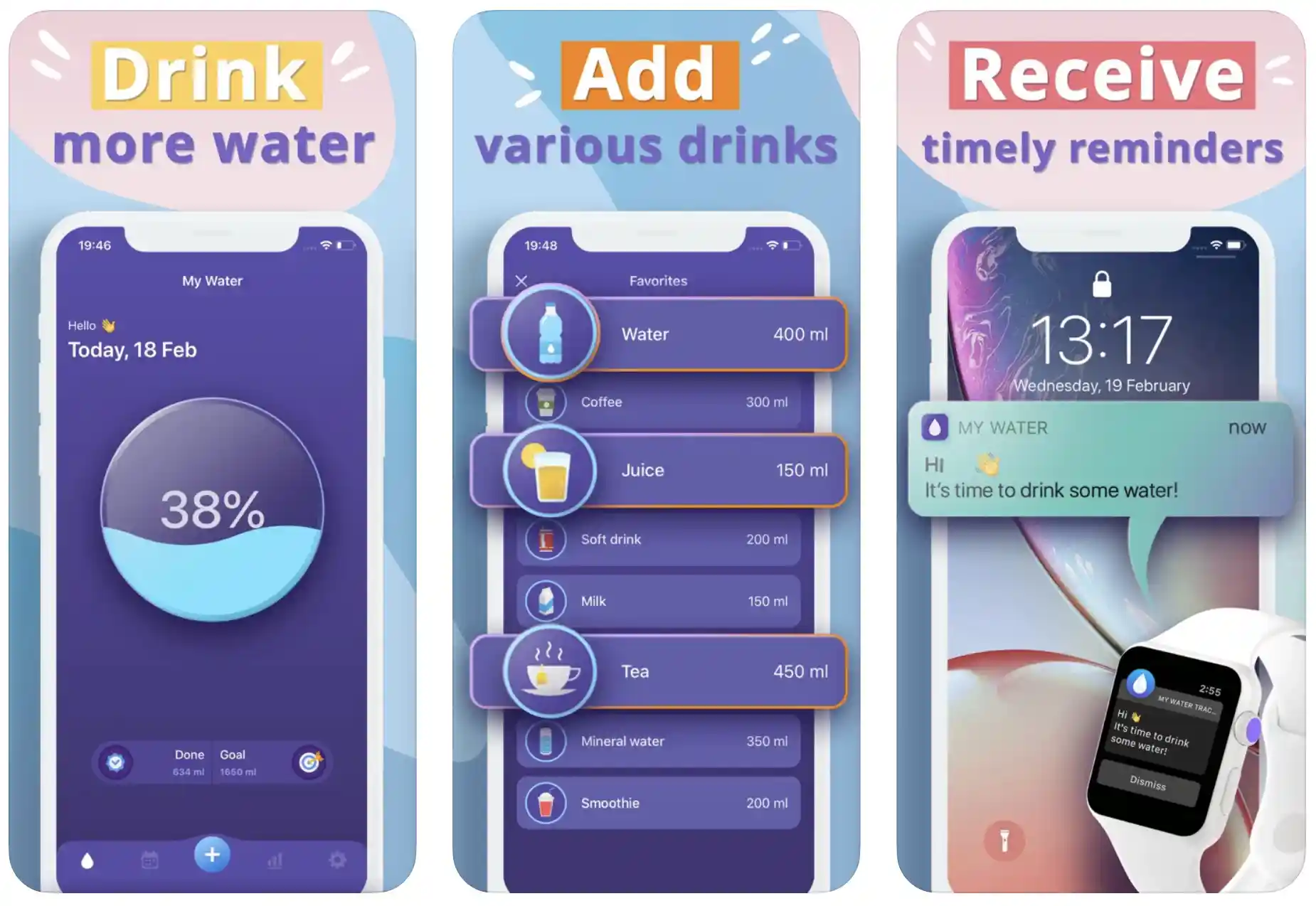
The app will notify you frequently to gulp water throughout the day without much effort.
With the help of the My Water App, you can easily calculate how much water your body needs according to body information like height, weight, age, and s#e$x.
You can also configure the water intake reminders according to your daily schedule. Manage your water-drinking history per day and even per week.
My Water app also tracks other drinks, including soups, lemon water, healthy teas, and coconut water.
You can choose imperial (oz) and metric (ml) for your water measurement. The app’s beautiful, clear, and simple user interface makes building a healthy water-drinking routine easily.
Timely reminders and calendars are there for marking your streak and completed days. The “widget” feature of the app allows you to track the water intake right from your home screen.
Features of My Water:-
- Drink more water even without putting a lot of effort
- Keep yourself hydrated all day with timely reminders
- Allows you to add all types of other drinks as well
- Widget for tracking your progress right from the home screen
- Simple, intuitive, and powerful user interface
Devices – IOS Devices, Including iPhone and iPad
Ratings on Apple Store – 4.7 / 5
Download the App from Apple App Store
11. AQUALERT: Water Tracker Daily
Another very handy water tracker app with simple but purpose-focused features. The AQUALERT app motivates you to drink water on time without skipping a glass.
Based on your logs and details, the app first helps you to calculate the daily water requirements and ensures you achieve the target daily with gentle push notifications.

The app can be more than just useful for developing much-needed healthy water-drinking routines.
You can use the app to keep yourself hydrated and avoid fatigue, sudden mood swings, and other behavioral problems.
The app’s simple and easy user interface makes it very suitable for people of all ages and genders, irrespective of their daily routines and lifestyles.
There are very useful features in the app, including a daily water calculator, reminder, and tracker. And the best part is you always have the option to customize the notifications based on your preferences.
The automatic bed mode ensures that you don’t get disturbing notifications when you are having a sound sleep! Log display and graphics are there for tracking your water-intake progress
Features of AQUALERT: Water Tracker Daily:-
- Water calculator, reminder, and tracker – all in one app
- It keeps you motivated to drink enough water throughout the day
- Logs and graphics to track your water intake progress
- Allows you to add and remove different serves based on your preferences
- Powerful Google Fit integration
Devices – Android and IOS
Ratings on Apple Store – 4.6 / 5 | Ratings on Google Play Store – 4.5 / 5
Download the App from Google Play Store
Download the App from Apple App Store
📗FAQ
Is there a hydration app?
Yes, there are several hydration apps available for download on smartphones. These apps can help you track your water intake, remind you to drink water, and monitor your overall hydration levels.
Is there an app to keep track of how much water I drink?
Yes, there are several apps available for download that can help you track your water intake. Some popular apps include WaterMinder, MyWater, and Plant Nanny.
Is there an app that reminds you to drink water?
Many hydration apps include a feature that reminds you to drink water regularly throughout the day. These reminders can be customized to your specific needs and preferences.
How do I track my hydration?
You can track your hydration by monitoring your water intake and observing your body’s thirst signals. Hydration apps and wearable devices can also help you track your hydration levels.
Is cellular hydration a real thing?
Yes, cellular hydration refers to the process of water absorbed by cells in the body. Proper cellular hydration is important for overall health and can affect many bodily functions.
What app tracks water intake on iPhone?
WaterMinder is a popular app that tracks water intake on iPhone, but several other apps are available for download.
How many oz of water should I drink a day?
The recommended daily water intake varies depending on a person’s age, sex, weight, and level of physical activity. As a general guideline, it is recommended that adults drink at least 64 ounces of water per day.
How much water should I drink every day?
The amount of water you should drink daily depends on your needs and circumstances. As a general guideline, it is recommended that you drink at least eight 8-ounce glasses of water per day.
Can my iPhone remind me to drink water?
Yes, if you have a hydration app installed on your iPhone, you can set reminders to drink water regularly throughout the day.
How do I remind myself to drink more water?
There are several ways to remind yourself to drink more water, including setting reminders on your phone, carrying a water bottle with you at all times, and incorporating water-rich foods into your diet.
Does coffee count as water intake?
Coffee contains water but also has a diuretic effect that can cause dehydration. Drinking plenty of plain water throughout the day is still important to stay hydrated.
How much is the WaterMinder app?
The cost of the WaterMinder app varies depending on your device and location. When writing, the app costs $4.99 on the Apple App Store.
Can Apple Watch detect hydration?
The Apple Watch does not have a built-in hydration sensor, but apps can help you track your water intake and monitor your overall hydration levels.
Is IV hydration as good as drinking water?
IV hydration can be a more efficient way to rehydrate the body quickly, but it is not a substitute for regular water intake. Drinking plenty of water throughout the day is still important to maintain proper hydration levels.
Is Gatorade actually hydrating?
Gatorade can be hydrating but is also high in sugar and calories. It is best to drink water for regular hydration and save sports drinks like Gatorade for intense physical activity or prolonged exercise.
What really hydrates the body?
Plain water is the best way to hydrate the body, but foods with high water content, such as fruits and vegetables, can also contribute to overall hydration levels.
Does iPhone have a water app?
The iPhone does not have a built-in water app, but several hydration apps are available for download on the App Store.
How does WaterMinder app work?
The WaterMinder app allows you to set a daily water intake goal based on your needs and preferences. You can then track your water intake throughout the day and receive reminders to drink water if you fall behind your goal.
The app also includes visual representations of your progress and allows you to input beverages besides water to get a more accurate picture of your overall hydration.
Is it okay to drink a gallon of water a day?
Drinking a gallon of water daily may be excessive for some individuals and lead to overhydration and electrolyte imbalances. Drinking water in moderation and listening to your body’s thirst signals is important.
What happens when you start drinking enough water?
Drinking enough water can have many positive effects on the body, including improved digestion, clearer skin, better kidney function, and increased energy levels.
Is 32 oz of water a day good enough?
The recommended daily water intake varies depending on individual needs and circumstances, but 32 ounces of water per day may not be enough for most people. As a general guideline, adults should drink at least 64 ounces of water daily.
Is drinking a lot of water good for your kidneys?
Drinking enough water can help support proper kidney function and prevent kidney stones. However, overhydration can also stress the kidneys excessively and lead to health problems.
How much water should you drink a day by age?
The recommended daily water intake varies by age and other individual factors. As a general guideline, children should drink at least 6-8 cups of water daily, while adults should aim for at least 8 cups daily.
Is it good to drink water at night?
Drinking water at night can help keep the body hydrated and improve kidney function, but it may also lead to nighttime trips to the bathroom that can disrupt sleep.
How much water should I drink a day to lose weight?
Drinking water can help support weight loss by increasing feelings of fullness and boosting metabolism. While the recommended daily water intake varies by individual, drinking at least 8 cups of water per day is a good starting point for weight loss efforts.
Is it better to chug water or drink it slowly?
Drinking water slowly may be better for the body, allowing for better absorption and digestion. Chugging water may cause discomfort and can lead to bloating and indigestion.
Can you train your body to drink more water?
Yes, training your body to drink more water over time is possible. Gradually increasing your daily water intake and incorporating water-rich foods into your diet can help make it easier to drink more water regularly.
Why do I keep forgetting to drink water?
Forgetting to drink water may be due to a lack of routine or simply forgetting to prioritize hydration. Setting reminders and incorporating water into daily routines can help make remembering to drink water regularly easier.
What hydrates better than water?
While water is the best way to hydrate the body, foods with high water content, such as cucumbers, watermelon, and celery, can also contribute to overall hydration.
Does Coke Zero count as water intake?
No, Coke Zero does not count as water intake. While it does contain water, it also contains other ingredients that can negatively affect health if consumed excessively.
What can I drink to stay hydrated?
Water is the best choice for staying hydrated, but other options include herbal tea, coconut water, and milk. It is important to avoid sugary or caffeinated drinks that can contribute to dehydration.
What is the best water remaining app?
The best water reminder app will depend on your individual needs and preferences. Some popular options include WaterMinder, MyWater, and Plant Nanny.
What is the free water app for Apple Watch?
Several free water reminder apps are available for download on the Apple Watch, including Drink Water Reminder and WaterMinder Lite.
Can I wear my Apple Watch as I shower?
While the Apple Watch is water-resistant, it is not recommended to wear it in the shower or expose it to prolonged water periods. Doing so can damage the watch and potentially void the warranty.
Which is the best water drinking app?
Water Reminder, Watercat, and Water Drink Reminder are among the best water drinking apps with a wide range of features like smart water reminder, daily hydration goals, and multiple customization options etc.
Is there a free app to remind me to drink water?
Yes, Aqualert is a very unique call my free application featured with water tracker and reminder and helps you create good water drinking habits.
Is there an app to challenge friends to drink water?
Water Time is an adorable, yet highly effective water reminder application you can recommend to your friends. You can’t only track your water intake with the app, but can also avoid drinking unnecessarily extra water.
What is the hydrate app?
A hydrate app is usually designed to keep you on track with your daily water intake through timely reminders and an accurate water tracker. A hydration app enables you to avoid dehydration even if you are busy with your schedule.
How can I track my hydration?
You may monitor your hydration through a variety of methods, including:-
Monitor your thirst:– Throughout the day, pay attention to how thirsty you are. It’s a good sign that you must consume extra water if you’re thirsty.
Check the color of your urine:- You’re well-hydrated if your pee is clear or light yellow. You may need to drink additional fluids if it is deeper yellow or amber in the hue.
Use a hydration tracker app:– water reminder apps like Water Reminder, Water Tracker, WaterMinder, etc. are designed perfectly to help you track your hydration.
Use a hydration tracker bottle:- Some bottles feature an integrated tracker that you can use to keep track of your fluid intake and serve as a reminder to drink more water.
Keep track manually:- Simply tracking how much water you consume each day will allow you to monitor your hydration consumption actively.
Keep in mind that other fluids besides water can also keep you hydrated. You can increase your fluid intake by drinking additional liquids like fruit juices and sports drinks.
Especially if you’re exercising or spending time in hot or humid environments, it’s crucial to drink adequate fluids to replenish any fluids lost via sweating.
What is the best free water reminder app?
Hydro and Water Time are two of the best water reminder applications available free of cost and help you stay hydrated throughout the day.
What is the best free water reminder app for iPhone?
Hydro Coach and Waterlogged are a couple of amazing water reminder applications specially designed for iOS devices, including iPhones.
Can iPhone remind you to drink water?
You can use apple health to remind yourself to drink water on time with the help of apple health. The application features water tracking options under the nutrition tab in health categories.
Although, you cannot set auto reminders to drink water with the app, but can easily add the glasses of water you have already taken.
How much water should you drink a day to help you lose weight?
There is no clear-cut answer to this question. Weight loss is a completely different theory for every individual, and so many factors play very important roles.
Water amounts depend heavily on various health factors like height, body weight, body mass index, s#e#x, certain health conditions, and more.
However, various studies suggest drinking at least one to two liters of water daily is enough to lose body weight.
A few broad recommendations for how much water to consume each day are provided below:-
1. The Institute of Medicine advises that adult women drink at least 91 ounces (2.7 liters) and adult men drink at least 125 ounces (3.7 liters) of water daily.
2. According to the American Council on Exercise, adults should drink at least half their body weight in ounces of water each day. For instance, if you weigh 150 pounds, you should try drinking at least 75 ounces (2.2 liters) of water each day.
3. You must consume extra water if you exercise or spend time in hot, muggy weather to compensate for the increased fluid loss via sweating.
4. If you are on a low-carb or ketogenic diet, you might need to drink more water to assist your body in getting rid of extra ketones.
Pay attention to your body’s thirst signals, and drink water when thirsty. To assist you in drinking more water, you may include items like fruits and vegetables that are high in water in your diet.
Remember that drinking water is only one component of a sensible weight loss strategy. A balanced diet and regular physical activity are also crucial for weight loss.
Does lemon water help you lose weight?
Popular home remedies like lemon water are said to help with weight loss and other health advantages.
While lemon water may have some potential advantages for weight loss, it is crucial to remember that it is not a foolproof weight loss method and should be taken with a healthy, balanced diet and consistent exercise program.
Here are a few ways that drinking lemon water could aid in weight loss:-
1. Hydration is important for weight reduction; thus, lemon water may assist in increasing it. The energy levels, metabolism, and appetite can all be helped by staying hydrated.
2. Lemon water may improve detoxification and digestion, which are good for weight loss. Vitamin C and other antioxidants in lemon water may aid liver support and toxin removal.
3. To lose weight, lemon water may assist in lessening cravings for fatty, sweet, and salty foods. Some individuals discover that a small amount of lemon juice added to their water helps to lessen cravings for harmful meals.
It’s critical to remember that lemon water shouldn’t replace a healthy, balanced diet and regular exercise because it won’t work like a charm to help you lose weight.
Starting with a small amount of lemon juice in a glass of water and gradually increasing it over time is a smart option if you want to use lemon water as part of your weight reduction regimen.
If you want flavor and more health advantages to your lemon water, add other nutritious ingredients like a slice of ginger or a mint.
Can you lose belly fat by drinking water?
Water consumption by itself is unlikely to result in noticeable weight loss, especially belly fat removal.
When combined with other lifestyle modifications, maintaining proper hydration can encourage the elimination of belly fat and be a crucial component of a weight loss plan.
Water consumption may aid in the reduction of belly fat in the following ways:
1. Your metabolism will likely rise due to drinking more water, which may help you burn more calories and possibly lose weight.
2. Water consumption may aid in weight loss, especially belly fat reduction, by decreasing hunger and reducing cravings for harmful meals.
3. It may assist in reducing inflammation and improve weight reduction, including eliminating belly fat if you drink water regularly to help flush out toxins and boost liver function.
4. Water consumption can encourage better digestion and nutrition absorption, aiding in weight loss and reducing belly fat.
A good, balanced diet and regular exercise are essential for shedding belly fat and keeping a healthy weight, so it’s vital to remember that drinking water alone is unlikely to result in considerable weight loss.
A range of healthy lifestyle adjustments, such as consuming a balanced diet, engaging in regular physical activity, and lowering stress, are recommended if you’re seeking to decrease belly fat.
What should I drink before bed to lose weight?
No special drinks will make you lose weight, and it’s vital to remember that losing weight requires more effort than merely downing a particular beverage before bed.
Eating a healthy, balanced diet and engaging in regular physical activity are just two improvements in lifestyle that will help you lose weight.
However, if you’re trying to lose weight, you could find the following beverages helpful to have before bed:-
Water:- Increased hydration can encourage weight loss, so drinking water before bed can help.
Herbal tea:- Some herbal teas, like chamomile or peppermint tea, may aid in promoting sleep and bodily relaxation, which can be advantageous for weight loss.
Protein shake:- A small quantity of protein eaten before bed may aid in increasing metabolism and support muscular repair, both of which are good for weight loss.
Warm milk:- A glass of warm milk may help some people relax their bodies and sleep better at night, which is good for weight loss.
It’s crucial to remember that any weight loss plan should be tailored to your individual needs and goals. To find the finest strategy for your requirements, seeing a healthcare expert or a licensed dietitian is a good idea.
Is there a wearable hydration monitor?
Numerous wearable gadgets assert to monitor hydration levels. These gadgets’ sensors often assess changes in the body’s hydration level and provide real-time updates.
Some examples of wearable hydration monitors include:-
Fitbit:- You can log your daily water intake and hydration levels using the hydration tracking feature on some Fitbit devices.
Hydration watches:- Several watches on the market are intended solely for tracking hydration levels. For real-time information on hydration levels, these watches frequently use sensors to assess changes in the body’s hydration condition.
Smart rings:- Some smart rings contain hydration tracking capabilities that let you keep track of your daily water intake and hydration levels.
Remember that these instruments’ accuracy can vary, and you shouldn’t rely on them to tell you whether you’re dehydrated or not. It’s usually a good idea to pay attention to how thirsty you are and the hue of your pee.
How do you fully hydrate yourself?
These suggestions will help you properly hydrate:-
Drink fluids throughout the day:- Drinking fluids regularly throughout the day is typically more effective than consuming a high volume of fluids all at once. This can ensure that your body always receives water to stay hydrated.
Choose hydrating beverages:– Although water is the most hydrating beverage, other fluids, including milk, sports drinks, and fruit juices, can also help you meet your daily fluid requirements. Because these might dehydrate the body, selecting beverages low in sugar, calories, and caffeine is crucial.
Eat hydrating foods:- You can hydrate yourself by eating meals high in water content, like fruits and vegetables, and drinking fluids.
Stay cool:- Staying cool will help you avoid excessive perspiration and fluid loss if you spend time in hot or humid weather. Wear comfortable, lightweight clothing, and look for shade or air conditioning wherever you can.
Replenish fluids after exercise:- Drinking fluids before, during, and after any physical activity is crucial to replenish any fluids lost through sweat throughout your workout.
Listen to your body:- Keep an eye on your urine color and your thirst. It can hint that you need to consume extra fluids if you’re dehydrated or your urine is dark yellow.
By paying attention to these suggestions, you can ensure your body has enough water.
It’s crucial to remember that everyone has different hydration requirements, so paying attention to your body’s needs and modifying your fluid consumption accordingly is a good idea.
Can Apple Watch detect hydration?
There isn’t a feature integrated into the Apple Watch that analyzes hydration levels.
However, it does offer a feature called Water Lock that lets you monitor your water intake and set alarms to remind you to hydrate throughout the day.
To use this feature, follow the below steps:-
Step 1: Open the Water Lock app on your Apple Watch.
Step 2:- Tap “Start Water Lock.”
Step 3:- After consuming a glass of water, turn the Digital Crown to release the water lock.
Step 4:- Every time you sip water, repeat this procedure.
You can monitor your water intake with the iPhone’s Health app. For this:
1. On your iPhone, open the Health app.
2. Tap the “Health Data” tab.
3. Tap “Hydration.”
4. Tap “Add Data Point.”
5. Enter the amount of water you drank, and tap “Add.”
These features allow you to track how much water you consume each day and set up recurring reminders to do so.
It’s crucial to remember that the Apple Watch and Health app is not intended to monitor your body’s level of hydration directly, and they shouldn’t be used as the only source of data regarding your hydration levels.
It’s usually a good idea to pay attention to how thirsty you are and the hue of your pee.
Are hydration tablets worth it?
When engaging in vigorous exercise or spending time in hot or muggy environments, some people may find hydration tablets a handy and efficient way to stay hydrated.
However, it’s crucial to remember that hydration tablets are not always necessary and shouldn’t be relied upon as the only source of hydration. Drinking water and other hydrating liquids frequently throughout the day will usually keep you properly hydrated.
Additionally, it’s crucial to be aware that certain hydration tablets may contain other substances like caffeine or sweets, which can dehydrate the body or cause weight gain. It’s wise to check the label and pick a product with fewer substances.
The value of hydration tablets will ultimately depend on your demands and preferences. If you’re interested in trying hydration pills, it’s a good idea to consult a healthcare professional or a sports nutritionist to find out if they’re right for you and to learn how to take them effectively.
Do the hydration packets work?
When engaging in vigorous exercise or spending time in hot or muggy environments, some people may find hydration packs to be a practical and efficient way to stay hydrated.
Nevertheless, it’s crucial to remember that hydration packets are not required for everyone and shouldn’t be relied upon as the only water source.
Drinking water and other hydrating liquids frequently throughout the day will usually keep you properly hydrated.
Also crucial to be aware of is the possibility that some hydration packets contain extra substances like caffeine or sweets, which can dehydrate the body or cause weight gain. It’s wise to check the label and pick a product with fewer substances.
Whether hydration packs are effective will depend on your personal requirements and preferences.
It’s a good idea to consult a healthcare professional or a sports nutritionist if you’re interested in trying hydration packets to find out if they’re right for you and to learn how to utilize them effectively.
What hydrates faster than water?
The greatest option for most people is typically water because it is the most effective and efficient beverage for hydration.
Other beverages, however, might be a better option in certain circumstances for hydration:-
Sports drinks:- Electrolytes are minerals included in sports drinks that assist the body in controlling its level of hydration.
They can be especially helpful for those engaging in vigorous exercise or spending a lot of time in hot or muggy environments since they can assist in replenishing fluids and electrolytes lost via sweat.
Fruit juices:– Some fruit juices, especially those low in sugar and 100% fruit juice, can also help you stay hydrated. They include vitamins, minerals, electrolytes, and water.
Milk:– Water, electrolytes, and nutrients like calcium and protein are all present in milk, making it a good source of hydration.
Coconut water:– Coconut water is a fantastic alternative for hydration because it is a natural supply of electrolytes. But picking a food item with minimal calories and sugar is crucial.
While these drinks may hydrate, it’s crucial to remember that they shouldn’t be used as your only source of hydration.
To stay properly hydrated, it’s generally recommended to sip on water and other hydrating beverages throughout the day.
The Final Words
You must know the importance of drinking enough water throughout the day. And you no longer have to put a lot of effort into remembering when and how much to drink water.
I have reviewed some of the best hydration apps available for Android and IOS devices. You can try some of these before finding the best for you! Drink enough water, stay hydrated, and stay healthy!
And don’t forget to hit the “comments” button if you have questions!
Happy Hydration!😎


