
























Are you ready to embark on an exciting journey into coding?💁
Whether you’re a seasoned programmer or just starting to dip your toes into the vast realm of coding, there’s an innovative and immersive way to enhance your skills and have a blast: coding games.
These captivating digital experiences make learning to code enjoyable and empower you to unlock your true coding potential.
This article will explore the fascinating universe of coding games, their benefits, and how they can revolutionize your coding learning experience.
Get ready to dive into a world where problem-solving, creativity, and critical thinking converge to create an immersive and rewarding educational adventure.
We’ll guide you through the key aspects of coding games, from their engaging gameplay mechanics to the real-world skills they develop.
Whether you aspire to become a professional developer or wish to understand the fundamental concepts of coding, these games are your gateway to success.
So, let’s buckle up and embark on an unforgettable journey as we discover the wonders of coding games and how they can supercharge your coding skills like never before!
Best Coding Games To Get Hooked on Coding👌
1. CodinGame
The CodinGame website (Visit Here) uses a turn-based game to help users improve their problem-solving skills and learn coding concepts.
This website lets players learn, practice, and compete in coding tournaments. The platform supports over 25 programming languages, including Ruby, JavaScript, and PHP.
One of the highlights of using CodinGames is the feature that enables you to play with colleagues or family.
2. CodeMonkey: Coding For Kids
It is a prominent instructional game-based environment, and millions of users on this platform would be able to code using real programming languages.
The platform provides a fun and engaging curriculum for after-school groups, schools, camps, and self-paced online coding courses.
CodeMonkey teaches its users how to code using CoffeeScript, and they can create their own HTML5 games.

CodeMonkey is especially useful for teaching teenagers and kids but would be fun for adults.
There are also CodeMonkey apps for iOS and Android.
3. Flexbox Froggy
Flexbox Froggy is a game that will help students learn to code in CSS by positioning the frogs on the suitable lilypads in Flexbox Froggy.
At the end of the game, after reaching level 24, users will be able to use Flexbox in their next project.
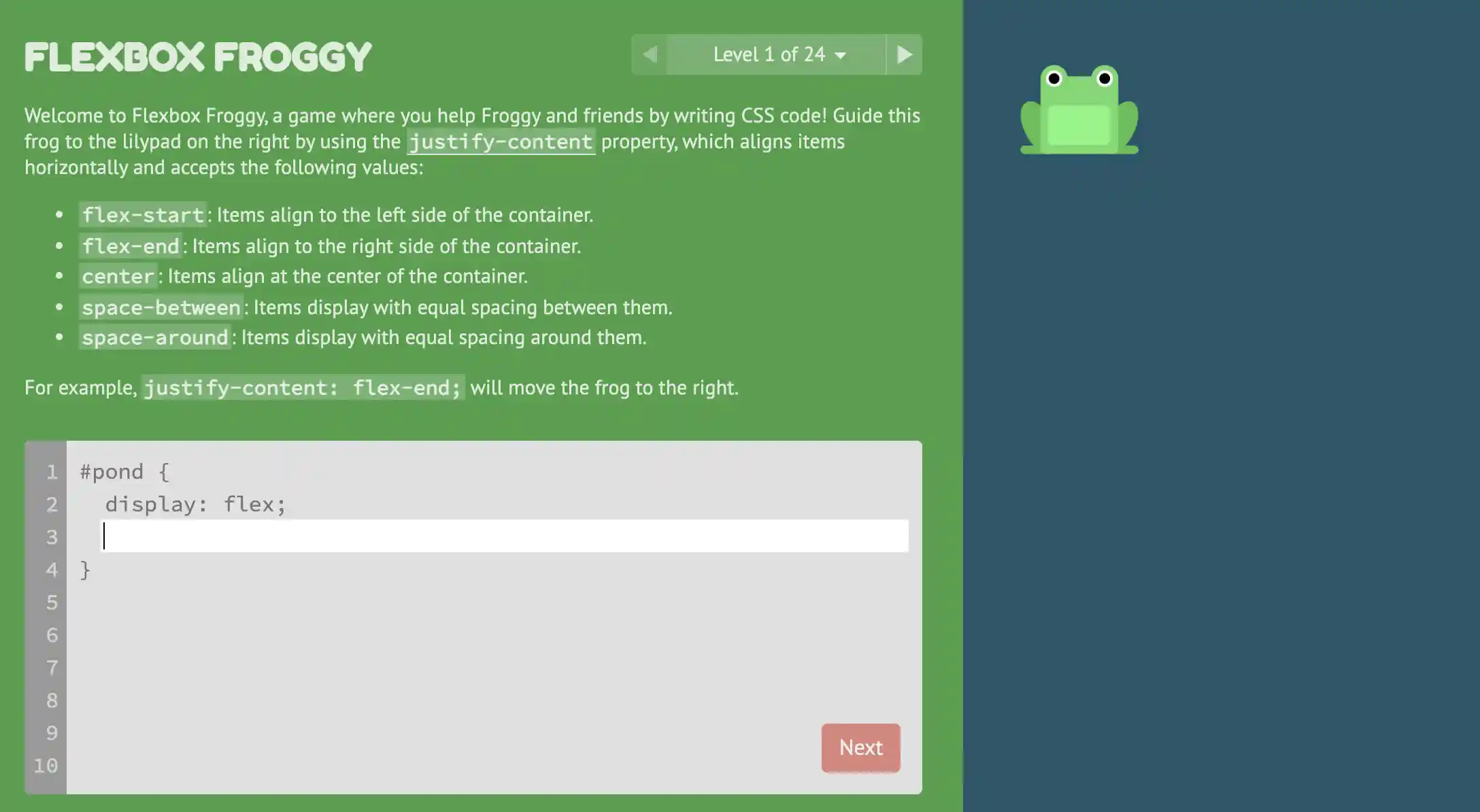
The Flexbox challenges are described in each task, and the difficulty level increases as you go through the stages of gameplay, a good way to build expertise when using coding games.
4. Flexbox Defense
Like Flexbox Froggy, Flexbox Defense is a good recommendation for coding games. The name must have given it away.
This is another coding game on the same platform as Flexbox Froggy.
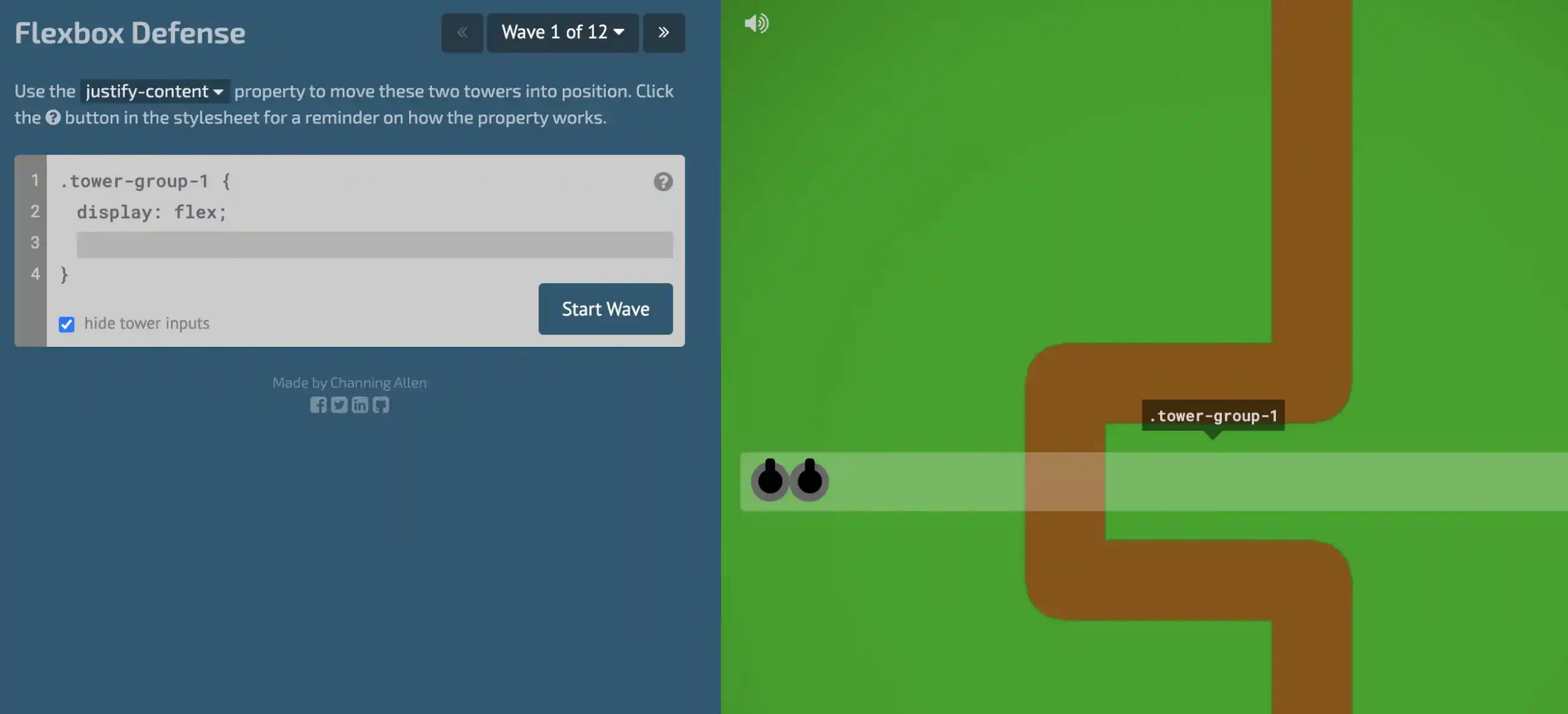
Unlike Flexbox Froggy, this is a tower defense game that will help the players to improve their CSS knowledge.
Players aim to use CSS Flexbox to position the towers and keep the enemy out.
The definitions of the various Flexbox attributes are given during the challenges. After players have finished writing their code, they will hit the Start Wave button to see if they can halt their adversary.
5. CSS Diner – Where we feast on CSS Selectors!
CSS Diner is a game that allows the players to learn CSS fundamentals as they complete a set of missions.
This method of coding helps a player get familiar with programming and have fun at the same time.
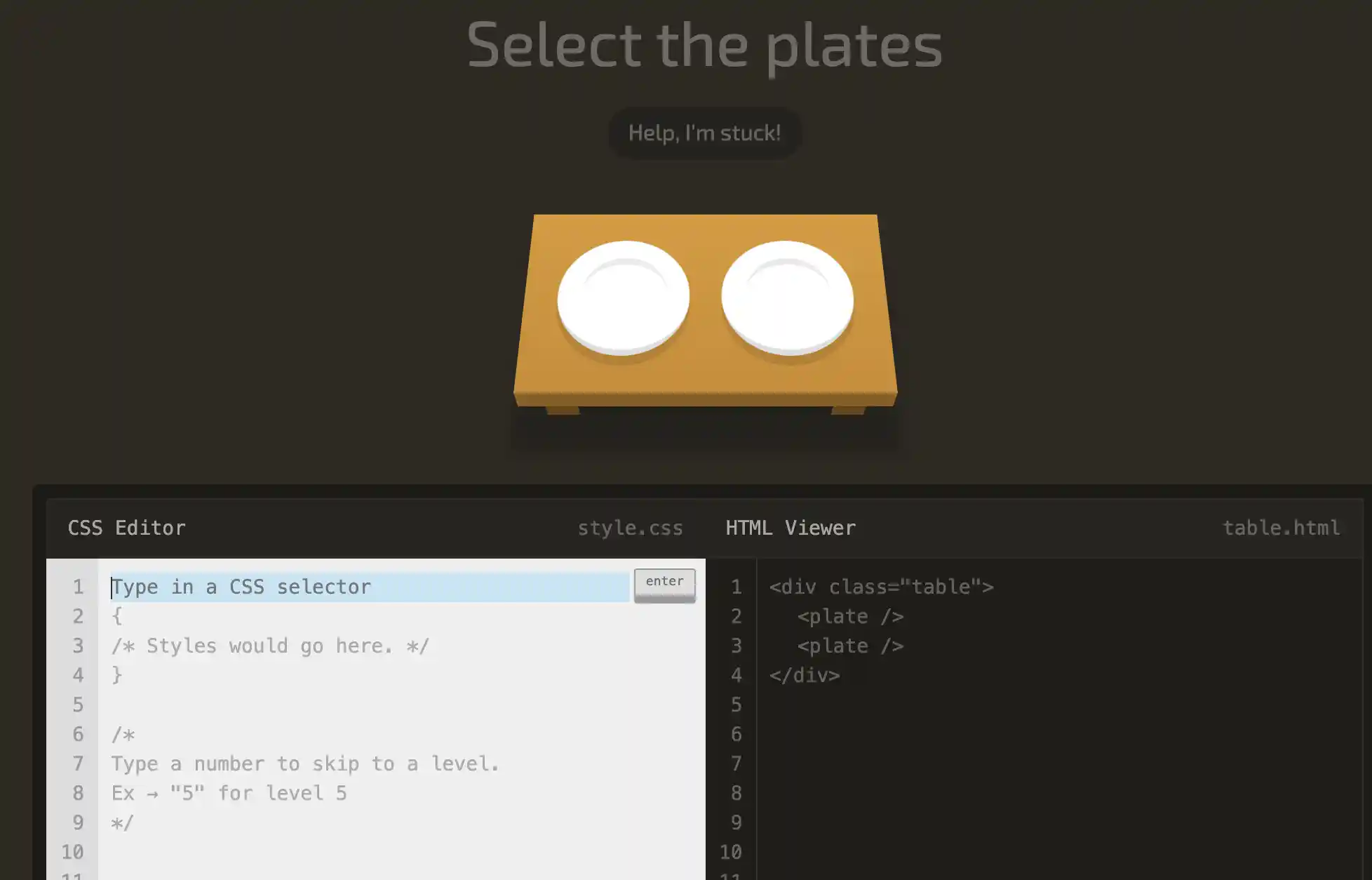
The initial challenges are brief and concentrate on using ids and classes. First, Type Selector, Pseudo-selectors, the Universal Selector, and Last Type Selector will be introduced as players move through the different levels.
6. Ruby Warrior
Ruby Warrior is a highly recommended game for you if you want to learn Ruby. To accommodate different ability levels, the game offers beginning and intermediate tracks.
The teachings begin and progress from there. To save user progress, players will need to sign in with Facebook.
7. CodeCombat – Learn to Code Through the Power of Play
CodeCombat is a video game that teaches computer programming languages and fundamentals.
This game is made especially for kids between 9 and 16. Users of this platform Stude learn to type in languages such as Python, JavaScript, CoffeeScript, and HTML.
Two web development units, 3 game development units, and 6 computer science units comprise CodeCombat’s 11 units. All students and teachers are welcome to take the 1st unit, Computer Science 1.
The College Board named CodeCombat as an accredited AP Computer Science Principles curriculum and professional development provider in 2019.
CodeCombat is special in the sense that it works directly with schools and districts, as well as providing a monthly paid subscription for self-paced learners to have access to extra game content.
In this game, layers must prove their competence by creating code to progress through the game’s levels. It is appropriate for 4th through 12th graders and features multiplayer and single-player components.
8. Tynker – Coding Made Easy
Tynker is an instructional coding platform for kids between the ages of 5 and 18. It teaches them how to increase their coding abilities.
This instructional tool will teach youngsters to code using animation, web design, games, and robotics.
It has more than 60 courses, including Minecraft game design, modding, Python, creative coding, CSS, and more.
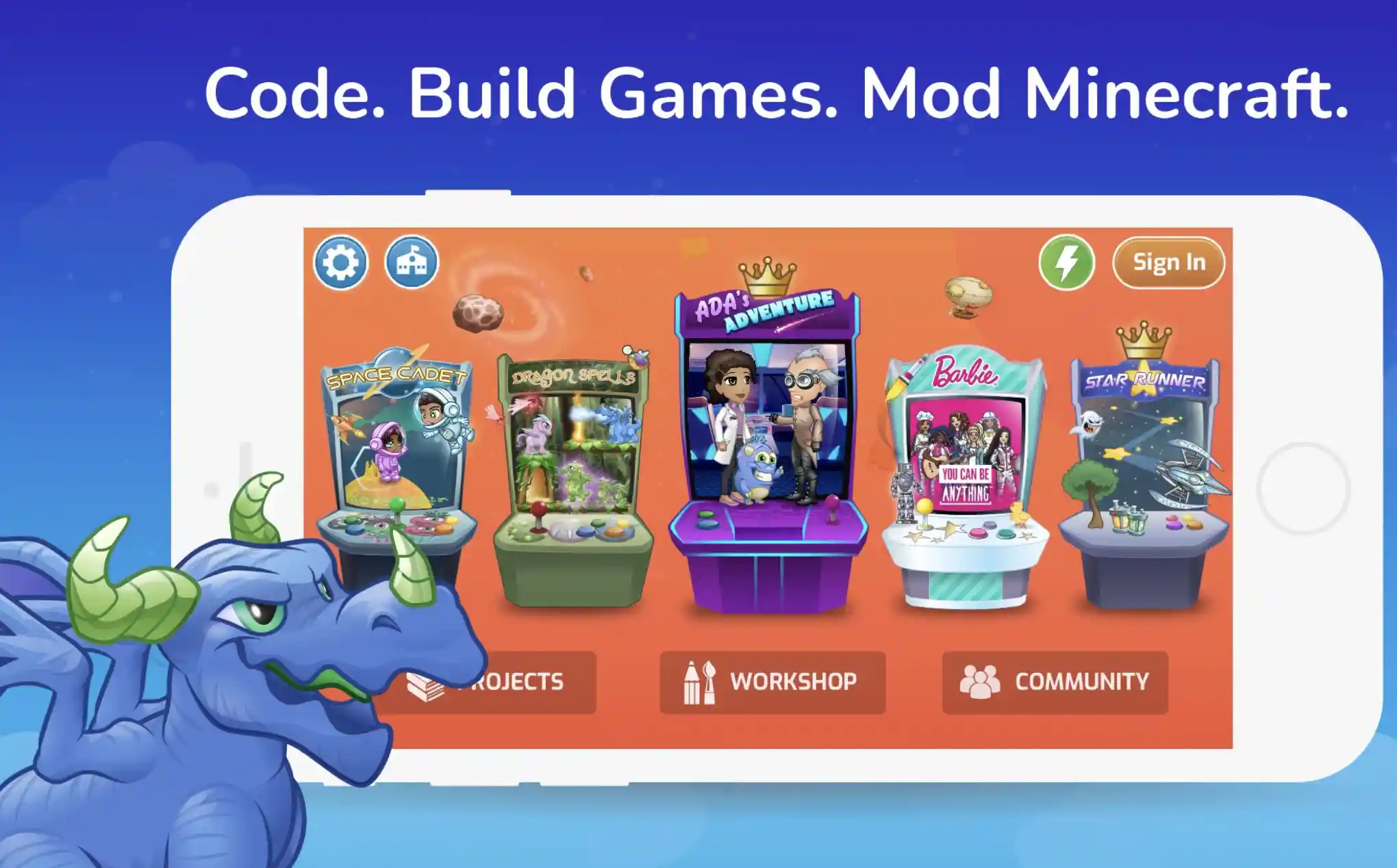
Tynker is built on Javascript and HTML5 and would work on a browser and smartphones and tablets without the need for plugins.
Tynker provides interactive material, including hours of information and videos, and teaches all of the basic text and blocks codings.
Tynker has a very elaborate STEM and programming, which includes more than 3,700 coding exercises and 600+ hours of Common Core and NGSS-aligned lessons that take students from coding fundamentals to sophisticated programming.
9. Untrusted
Untrusted is a good recommendation for coding games. It is a meta-JavaScript game in which players must change the game’s code to solve puzzles.
Greg Shuflin and Alexnis Nevich created it. In this game, the player’s character must navigate a maze on the right.
The code that built the maze is on the left. Players will have to change it to alter the puzzle’s outcome.
This game puts a player’s JavaScript problem-solving skills to the test. It’s a free, enjoyable game for honing more advanced JavaScript abilities.
10. Scratch
Scratch is a sophisticated block-based website and programming language targeted especially at youngsters ages 8 and 16 as a programming instructional aid.
Scratchers, the site’s users, may use a block-like interface to construct online projects. External tools may be used to export projects to Android applications, HTML5, and EXE files.
The MIT Media Lab created the service, which has been translated into more than 70 languages and is utilized in almost every country. Scratch is taught and utilized in schools, after-school programs, public libraries, and universities.
According to community statistics on its official website as of July 2021, over 82 million projects were shared by over 74 million members, with over 73 million monthly website visitors.

Scratch is named after a disk jockey technique known as “scratching,” Vinyl records would be clipped together on a turntable to generate various sound effects.
Like scratching, the website allows users to create and remix projects like video games, animations, and simulations by uniquely combining diverse materials (including sound, graphics, and other applications).
11. Code Hunt
This is another good recommendation for coding games. Code Hunt is a game platform for coding competitions and skill practice. Code Hunt uses Pex, a white box execution engine.
Code Hunt is unique because each problem has only test cases and no specifications. Players must first figure out the pattern before coding the solution.
As of August 2016, approximately 350,000 gamers had utilized Code Hunt. Recent tournament data has been made available to the educational community for examination.
A complicated talent like programming takes a long time to master. Code Hunt, a game that allows individuals to code against the computer with hints supplied as unit tests, was created to motivate students to practice long hours.
The game has grown in popularity to the point that it now hosts international competitions in which students compete against one another to answer a series of problems in a given amount of time.
12. Grid Garden
Grid Garden is comprised of 28 stages and helps players learn CSS Grid. A rudimentary knowledge of CSS Grid is advantageous but not necessary to get started with this game.
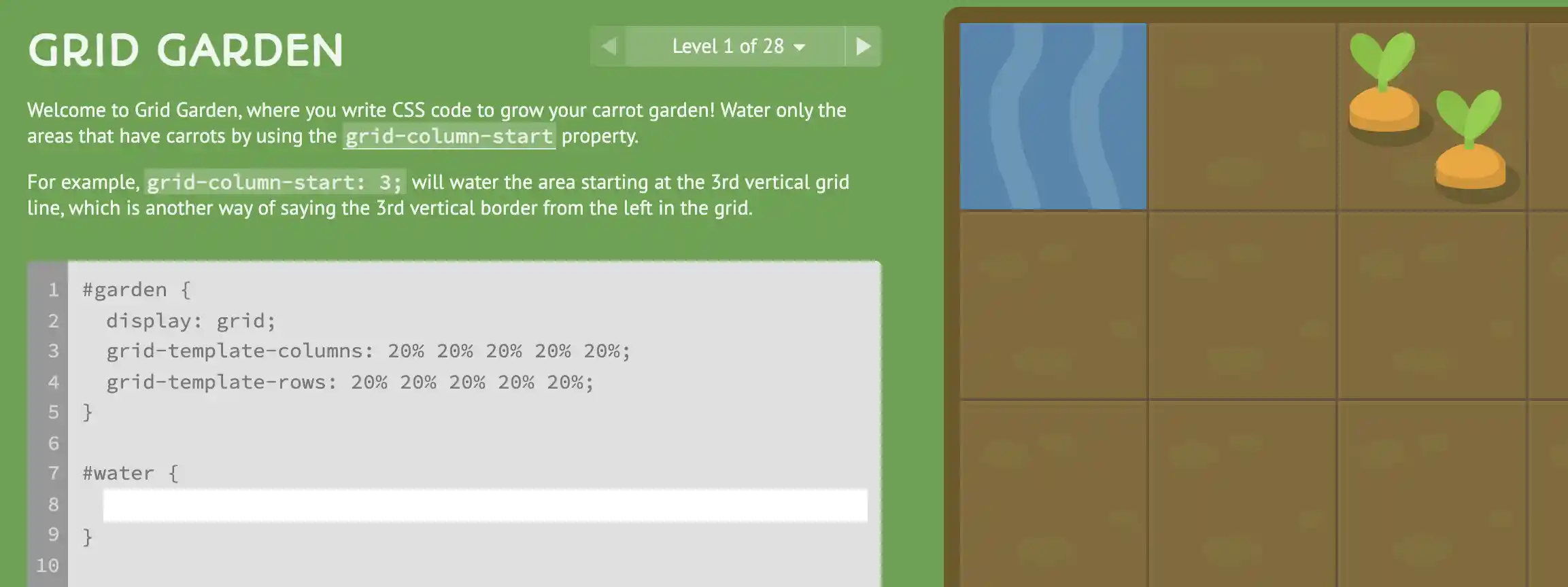
Each challenge is loaded with descriptions for the CSS Grid attributes. The initial tasks are simple but become increasingly difficult as players move up in gameplay.
13. Robocode
This is another good recommendation for coding games. Robocode is a coding game aiming to create a robot to battle in a war arena against many other robots.
The player is the robot’s programmer, although he or she will not have direct control over the game. Instead, the user must program the robot’s AI, instructing it on operating and responding to events in the fight field.
The game is intended to assist players in learning Java while having fun. The Robocode game can run on every OS supporting the Java Platform, including all common operating systems such as macOS, Windows, and Linux.
The fights in Robocode take place on a battlefield, where little automated robots on 6 wheels battle it out till the last robot stands.
Please note that Robocode does not contain any blood, gore, politics, or humans. The conflicts are merely for the thrill of competition, which we like. However, there are explosions, which may be shut off if they are bothersome.
14. SQL Murder Mystery
SQL Murder Mystery is a fun game for new and expert SQL programmers. Players will try to hunt out the killer in this murder mystery to hone their SQL and problem-solving abilities.
Before playing the game, they must learn to use SQLite and familiarize themselves with the database structure.
15. Lightbot: Programming Puzzles
Danny Yaroslavski created Lightbot, an instructional video game for learning software programming fundamentals.
Lightbot has received a high rating on iTunes and Google Play, with over 7 million downloads.
Users will be able to access Lightbot as an online Flash game or in the form of a mobile app for iOS and Android. Lightbot was created using Flash and OpenFL.

Lightbot aims to direct a little robot through a labyrinth and turn on lights. To order the robot players would be required to arrange onscreen symbols.
Some robot orders could include walk, turn, leap, turn on a light, and so on. As the lessons continue, the maze and symbol list get increasingly difficult.
Players will learn programming concepts such as functions, loops, and more by utilizing such instructions without entering a script in a particular programming language. This is why it finds its way into our list of Coding Games.
Download the App from Google Play Store
Download the App from Apple App Store
16. Infinifactory: sandbox puzzle game
Infinifactory is a puzzle-based video game created by Zachtronics that was first released on June 30, 2015, for OS X, Microsoft Windows, and Linux.
In December 2015, the game was published for PlayStation 4. In the game, the player assumes the character of a human kidnapped by aliens and is compelled to build assembly lines to produce specific things for ostensibly evil reasons.
The manufacturing lines are created from blocks in a 3D world, similar to Zachtronics’ earlier SpaceChem and Infiniminer games.
The game comprises 6 realms, each with a particular set of puzzles. Completing a set number of problems on a world allows the player to go on to the next one while progressing the plot.
By clearing all of the riddles, the player’s avatar is rescued from aliens and taken to a secret base on the extraterrestrial homeworld, where he or she joins forces with fellow abductees to discover a means to leave the planet.
17. Rocky’s Boots
Leslie Grimm and Warren Robinett’s instructional logic puzzle game Rocky’s Boots was published in 1982. It was followed by Robot Odyssey, a more challenging sequel.
Parent’s Choice magazine, Learning Magazine, and Infoworld magazine named it Software of the Year, and the Software Publishers Association gave it the Gold Award.
Rocky’s Boots was the first educational application for PCs to use an interactive graphical simulation for learning.
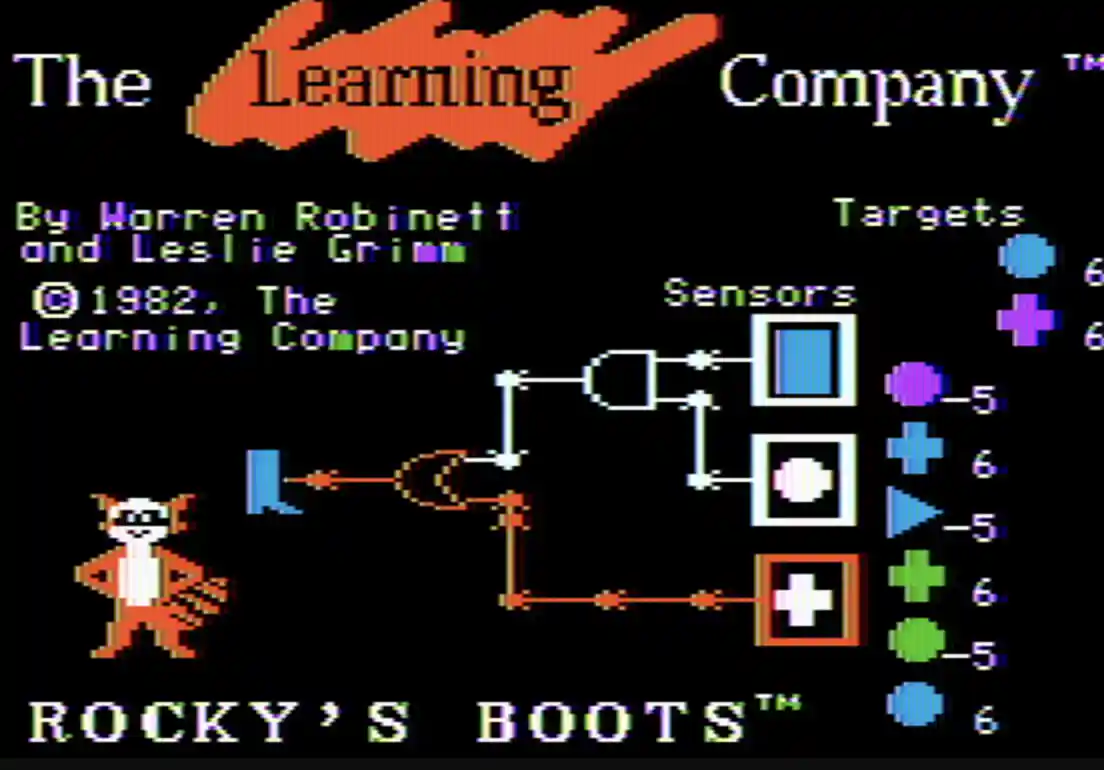
The first section of Rocky’s Boots aims to knock a succession of things off a conveyor belt with a mechanical boot; each object will earn a certain number of points, perhaps negative.
The player must attach a set of logic gates to the boot to guarantee that it only kicks positive items.
The player controls an orange square that picks up gadgets by moving it over them and pressing the joystick button.
Later, the player discovers that he may create his logic circuits and “games” using all of the game’s components, including OR gates, NOT gates, AND gates, and flip-flops, in an open-ended space.
Many consider it a visual design engine rather than a game. White and orange colors represented the binary logic states of 0 and 1.
The signals are slowly seen to spread through the circuits while the circuits functioned as if the electricity were liquid orange fire pouring through transparent pipes.
18. ToonTalk – Making programming child’s play
ToonTalk is a computer coding system designed for children to use. The term “toon” refers to a cartoon. The system is presented through animated characters, which include robots that may be taught by example.
It’s one of the only effective implementations of the simultaneous constraint logic programming model outside academia.
Kenneth M. Kahn designed it in 1995, and it was included in the ToonTalk integrated development environment, a software package distributed globally between 1996 and 2009.
Its specification has been scholarly published since 2009, and its implementation is publicly accessible.
It works with any current web browser and varies from ToonTalk on the desktop in a few ways. ToonTalk programs may operate on any DOM element and have access to various browser features (video, audio, speech IO, style sheets, and browser events).
Google Drive and other web services are incorporated. ToonTalk Reborn is a completely free and open-source application.
19. Src:Card
Src:Card is a one or two-player card game in which players seek to destroy an opponent’s combat robot’s robotic core through code.
Based on academic research done at the University of Auckland and Otago, the game is built around the Src:Card language, which encompasses much of procedural programming.
Loops, conditional flow, and other control structures, including fundamental algorithmic logic, are all replicated in the game’s language.
While the game has many characteristics of a Turing complete imperative language, it would need a bigger function set to qualify as such.
Src:Card is now available for download for free. Src:Card may be printed and played, and open assets can be used to alter the game.
20. Crobots
Crobots is a programming game created by Tom Poindexter and released as Shareware in December 1985. A program developed in a minimal version of C controls the robots.
The robot’s objective is to find and kill other robots running different programming. The robots may be programmed to move around the battleground, examine the area for adversaries, and fire a cannon at them.
Crobots is based on the premise of RobotWar, a game that ran on the first Apple II computer. Robots were created in a proprietary interpreted programming language that featured a real-time perspective of the game as it was being played.
Crobots’ source code was provided under Poindexter’s GPLv2 free software license in October of 2013.
21. Darwin (programming game)
Robert Morris Sr., Victor A. Vyssotsky, and M. Douglas McIlroy created Darwin, a programming game, in August 1961. The game was created at Bell Labs and played on an IBM 7090 mainframe.
The game was played just for a few weeks until Morris created an “ultimate” program that ended the game since no one could beat it.
The game comprised two parts: an umpire software and an arena portion of the computer’s memory, into which the participants inserted two or more tiny programs.
Written in 7090 machine code, the games could use the umpire’s functions to explore other areas of the arena, destroy rival programs, and claim empty memory for duplicates of themselves.
22. Core War
Core War is a programming game built-in 1986 in which two or more combat programs struggle for control of a virtual computer, developed by A. K. Dewdney, and D. G. Jones. These combat programs are written in Redcode, an abstract assembly language.
Each combat program is put into memory at a random position at the start of a game, following which each program performs one instruction in turn.
The objective of the game is to force competing programs’ processes to terminate (which occurs when they execute an incorrect command), putting the winning program in total control of the computer.
23. Blockly Games
Blockly Games is a free platform that uses a diverse collection of games to teach JS coding. Each game utilizes code blocks that players arrange in a proper sequence.
This is one of the smartest ways of teaching kids JavaScript because when the blocks are arranged correctly, a popup window displays the script so they can understand how the code is written.
24. Code.org
Code.org is rated as a very reputable programming learning platform, enabling both young and elderly to sign up for a free account and begin studying software development fundamentals.

You may work on various projects, including applications, computer animations, and games.
The projects and courses are divided into levels based on your coding ability, making it ideal for users who have never worked with code before.
25. Code Monster
Players will learn JavaScript programming by following the Code Monster’s directions. This platform is ideal for people of all ages since it simplifies learning to program.
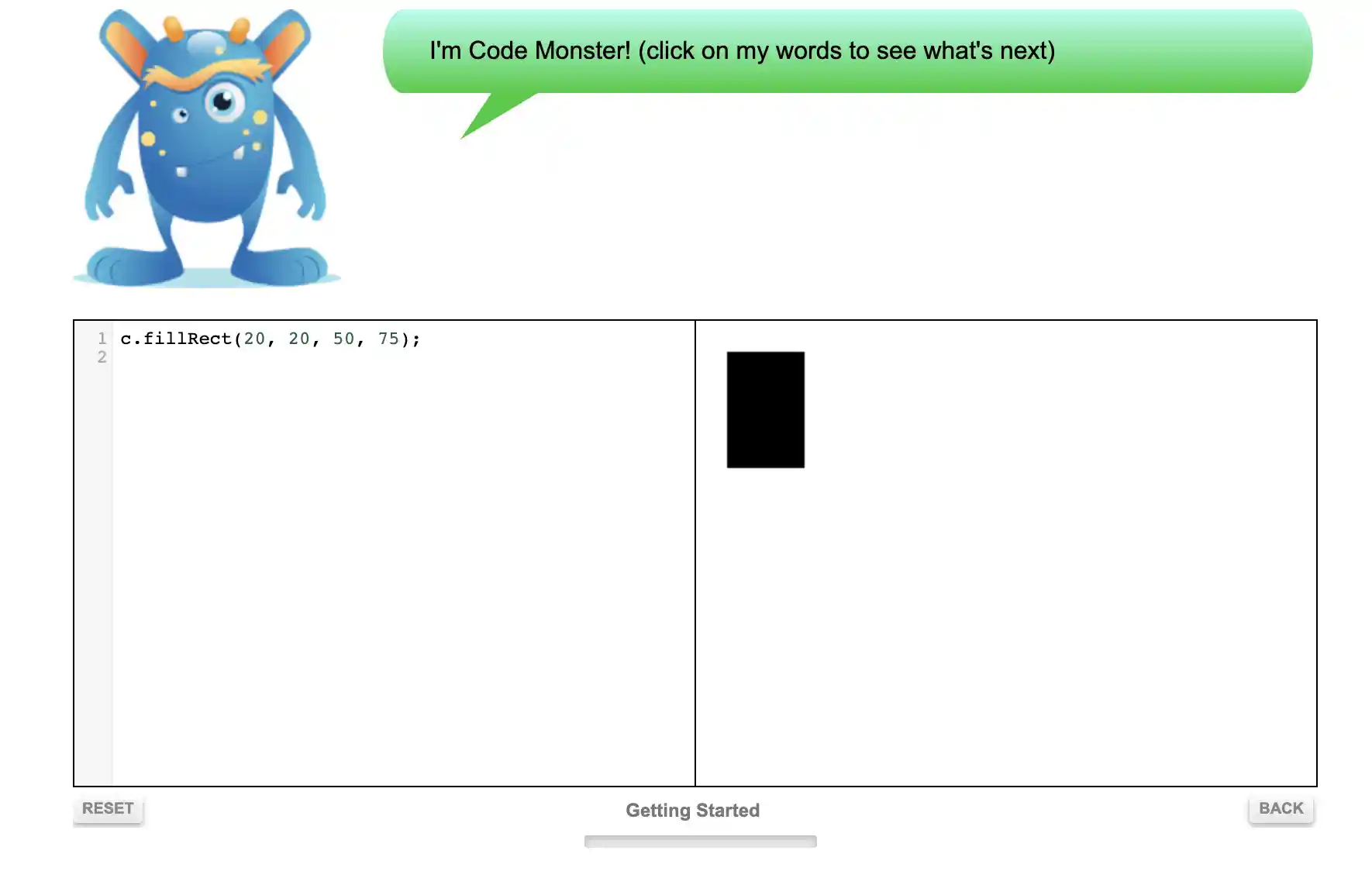
The interface is simple, with two squares and the animated Code Monster. The first square is for entering code, and the other is for seeing the outcomes of the written code in real-time.
26. Elevator Saga
Elevator Saga is a JavaScript game in which players must complete tasks to transfer passengers in elevators as quickly as possible within the time limit.
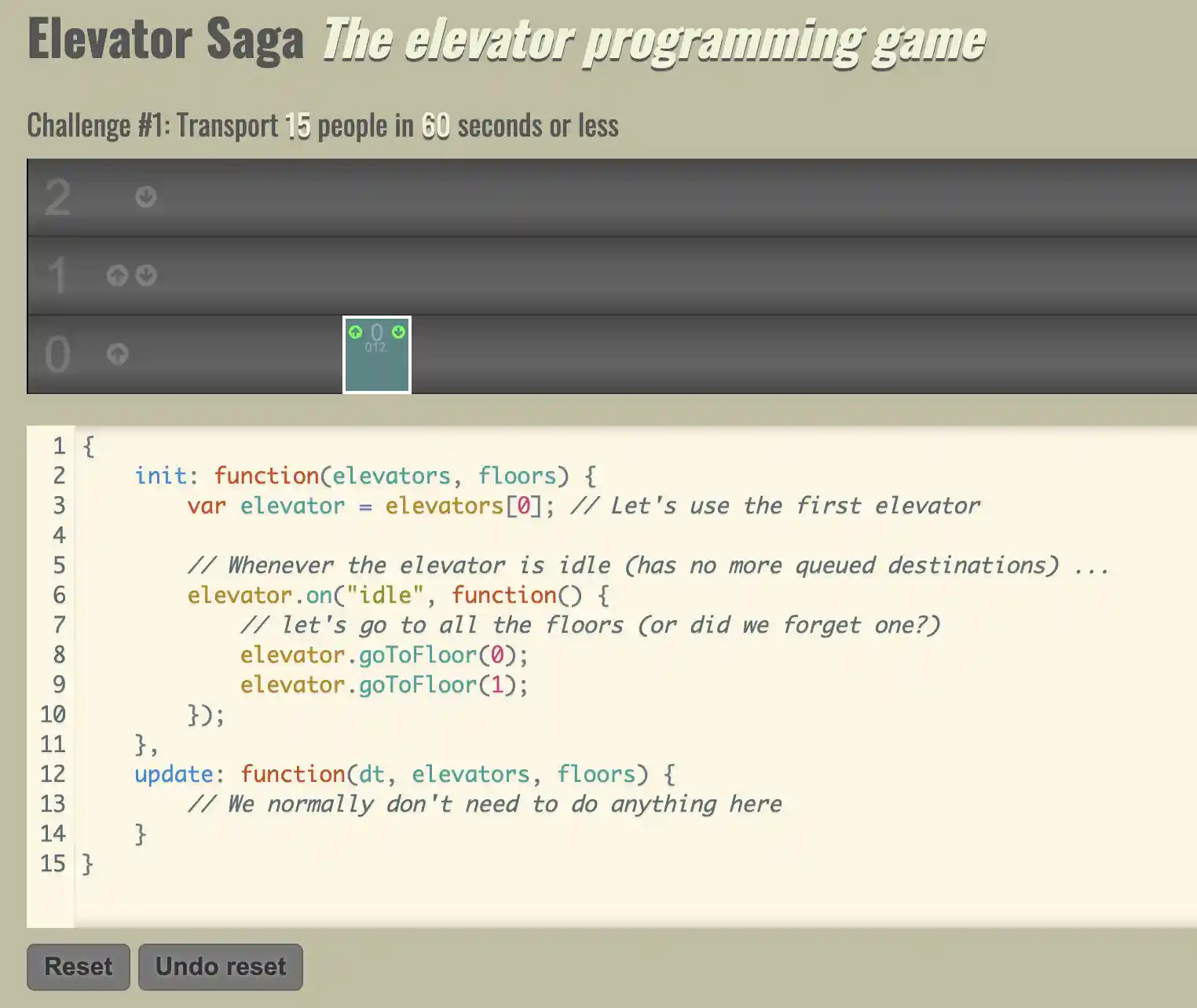
After making changes to the code, click the start button in the upper right corner to see how effective your solution is.
Users may check the data to see whether they succeeded or failed the challenge while the application runs.
27. CheckiO
CheckiO is a tactical game in which users get to study TypeScript or Python by completing tasks. They’ll begin with the beginning tasks and work their way up to the advanced ones after creating a free account.
If players need assistance, the game will provide them with tips and solutions from other players.
They’ll complete each task in the online editor before moving on to the next assignment.
28. Code Wars
Code Wars is a game that helps users develop their abilities by putting them in challenges with other people.
Swift, JavaScript, Ruby, PHP, Python, and Haskell are among their programming languages. Users must demonstrate their abilities by taking a basic comprehension test of the language they wish to master.
Best Coding Games for Beginners
Are you a budding coder eager to dive into the world of programming? Seeking a fun and interactive way to kickstart your coding journey?
This article presents a handpicked selection of the best coding games for beginners to captivate your mind and transform learning into an exciting adventure.
CodeCombat:- This game transports you to a fantasy realm where you tackle coding challenges to defeat enemies. With a rich storyline and engaging gameplay, CodeCombat introduces Python and JavaScript concepts, making it perfect for beginners.
Scratch:- Developed by MIT, Scratch empowers you to create interactive stories, animations, and games using visual blocks. By dragging and dropping code blocks, beginners learn the basics of programming logic in a playful environment.
LightBot:- Embark on a journey with LightBot, a puzzle game that teaches programming logic using a robot. Players develop essential problem-solving and critical-thinking skills by sequencing commands to light up tiles.
Human Resource Machine:- In this quirky game, you simulate an office worker and tackle programming challenges using a visual assembly language representation. Human Resource Machine introduces core programming concepts with a touch of humor.
CodeMonkey:- Get ready for a monkey-themed adventure that combines coding puzzles and game design. CodeMonkey utilizes real programming languages like CoffeeScript to teach beginners how to code practically and enjoyably.
Here’s a table showcasing some of the best coding games for beginners:-
| Game Title | Description | Platform | Website |
|---|---|---|---|
| CodeCombat | Learn programming languages by playing a fantasy game where you control a hero’s actions. | Web, Windows, macOS | CodeCombat |
| Lightbot | Solve puzzles by programming a robot with simple commands, introducing basic concepts. | Web, iOS, Android | Lightbot |
| Human Resource Machine | Complete programming challenges by using a visual programming language. | Windows, macOS, Linux, iOS, Android | Human Resource Machine |
| CodinGame | Solve coding challenges in various programming languages and compete with others. | Web | CodinGame |
| Robocode | Create virtual robots and program them to battle against other players’ robots. | Windows, macOS, Linux, Java | Robocode |
| Scratch | A visual programming language where you can create interactive stories, games, and animations. | Web, Windows, macOS | Scratch |
| Codingame | Engage in coding battles and solve puzzles in different programming languages. | Web | Codingame |
| TwilioQuest | Learn programming concepts and web development skills through an engaging RPG. | Web, Windows, macOS | TwilioQuest |
| TIS-100 | Solve puzzles by programming a fictional computer with assembly-like instructions. | Windows, macOS, Linux | TIS-100 |
| Grasshopper | Learn JavaScript coding through short lessons and interactive puzzles. | iOS, Android | Grasshopper |
Games To learn Python
If you want to embark on a coding adventure and master Python programming, why not make the learning process more exciting and interactive?
This article presents a curated list of the best games to learn Python that will engage your mind, unleash your creativity, and transform learning into an immersive experience.
CodeCombat:- Journey through a mystical world where you engage in epic coding battles. CodeCombat combines Python programming with captivating gameplay, enabling you to learn Python syntax and concepts while conquering challenges.
Codewars:- Sharpen your Python skills by solving coding challenges in a community-driven platform. Codewars offers a collection of Python coding katas, allowing you to practice problem-solving and learn from other developers’ solutions.
CheckiO:- Immerse yourself in a world of Python coding missions as you solve puzzles and build algorithms. CheckiO encourages you to compete and collaborate with fellow Python enthusiasts while improving your coding skills.
Python Challenge:- Put your Python knowledge to the test by solving a series of riddles and puzzles. Python Challenge presents intriguing problems that require you to think outside the box, honing your problem-solving abilities.
Snake Wrangling for Kids:- Designed for aspiring young coders, Snake Wrangling for Kids introduces Python programming by creating a simple game. Learn Python syntax, loops, and conditional statements while having fun with a virtual snake.
Here’s an example table of games to learn Python:-
| Game Name | Description | Platform | Website |
|---|---|---|---|
| CodeCombat | An educational game that teaches programming using Python and other languages through interactive levels and challenges. | Web browser, Windows, macOS, Linux | codecombat.com |
| Codingame | A platform that offers coding puzzles and multiplayer programming games to learn Python and other programming languages. | Web browser | codingame.com |
| Invent with Python | A series of interactive books that teach Python programming through the creation of simple games, such as Hangman, Tic Tac Toe, and more. | Windows, macOS, Linux | inventwithpython.com |
| Pygame | A Python library that enables the creation of games and multimedia applications. It provides a framework for game development and includes numerous tutorials and examples. | Windows, macOS, Linux | pygame.org |
| Pydroid 3 | A mobile app that allows learning and practicing Python programming on Android devices. It includes a code editor, interpreter, and interactive Python shell. | Android | pydroid.net |
| SoloLearn: Learn to Code | A mobile app that offers interactive Python lessons, coding challenges, and a community of learners. It provides a gamified learning experience to improve coding skills. | Android, iOS | sololearn.com |
Best Free Online Coding Games: Level Up Your Programming Skills
When it comes to the best free online coding games, a few notable contenders stand out from the crowd.
One such game is “CodeCombat.” With its vast library of interactive levels and challenges, this game allows you to conquer programming concepts using Python, Java, and more.
The carefully crafted storyline and intricate puzzles create an engaging environment for honing your coding skills.
Another noteworthy option is “Codingame,” a platform hosting diverse coding puzzles and multiplayer games.
Its innovative approach to learning and vibrant community of coders provides an enriching space to collaborate, compete, and push the boundaries of your coding expertise.
For those seeking a more creative outlet, “Pygame” offers a robust Python library for game development.
Through its extensive tutorials and examples, you can delve into the world of coding and unleash your imagination by building your games and interactive applications.
One gem in mobile coding games is “Pydroid 3,” an Android app that allows you to practice and learn Python programming on the go.
With its code editor, interpreter, and interactive shell, you can experiment with code snippets and strengthen your coding skills anytime.
Here’s a table highlighting some of the best free online coding games:-
| Game Name | Description | Website |
|---|---|---|
| CodeCombat | A multiplayer game that teaches coding through interactive levels and challenges. | codecombat.com |
| Flexbox Froggy | A game that teaches CSS flexbox layout by helping a frog solve puzzles. | flexboxfroggy.com |
| Untrusted | A game where you must modify the JavaScript code of the game itself to progress. | alexnisnevich.github.io/untrusted |
| Screeps | An MMO strategy game where players code AI scripts to control their units. | screeps.com |
| Human Resource Machine | A puzzle game that teaches programming concepts by solving tasks using a visual language. | tomorrowcorporation.com/humanresourcemachine |
| Robocode | A programming game where players code their own robot tanks to battle against others. | robocode.sourceforge.net |
| CheckiO | A game that allows players to solve programming challenges in Python and JavaScript. | checkio.org |
| AlgoRun | An online platform where you can solve algorithmic challenges in various programming languages. | algorun.com |
| Cyber Dojo | Offers coding exercises and challenges across multiple programming languages. | cyber-dojo.org |
Best Games That Teach Coding: A Journey into Interactive Learning
In digital education, games that teach coding have emerged as engaging and effective tools for nurturing programming skills.
These interactive experiences cater to a wide range of learners, from coding novices to seasoned developers seeking to refine their expertise.
Delving into the captivating world of these games not only provides entertainment but also imparts invaluable knowledge.
CodeQuest stands tall as a prime example, combining fun and learning seamlessly. With its visually stunning environment, the game guides players through a series of challenges where they solve coding puzzles to advance.
As the levels progress, algorithmic concepts such as loops, conditionals, and data structures emerge, empowering players to think critically and develop their problem-solving prowess.
For those fascinated by the magic of machine learning, AI Odyssey offers an enthralling journey. Players navigate an immersive virtual universe, using coding skills to train and deploy intelligent agents.
This game’s ingenious mechanics instill an understanding of neural networks, reinforcement learning, and natural language processing, nurturing the next generation of AI enthusiasts.
Aspiring web developers can hone their HTML and CSS prowess through WebWeaver, a game that challenges players to build and design websites from scratch.
By completing tasks and overcoming obstacles, players master the art of responsive design, acquire a profound understanding of web technologies, and cultivate an eye for visually appealing user interfaces.
In the realm of robotics and physical computing, Circuit Crusaders emerges as an unparalleled experience.
This game propels players into a futuristic world where they assemble and program virtual robots, exploring the realms of sensors, actuators, and embedded systems.
By tackling complex coding challenges, players gain hands-on expertise in robotics, fostering innovation and creativity.
Embarking on learning coding through these captivating games promises a fulfilling adventure.
The fusion of entertainment and education in these remarkable experiences nurtures an innate curiosity, fosters a growth mindset, and equips aspiring coders with the skills to thrive in a digital world.
Here’s a table highlighting some of the best games that teach coding:-
| Game Title | Platform | Description |
|---|---|---|
| CodeCombat | Web | A multiplayer game that teaches programming in Python and JavaScript through interactive coding challenges. |
| Lightbot | Mobile/Web | Players control a robot using simple commands to solve puzzles and learn programming logic in a visual way. |
| Scratch | Web | An online platform developed by MIT that allows users to create interactive stories, games, and animations. |
| Robot Turtles | Board Game | A board game designed for kids to learn programming concepts by giving commands to a turtle on the game board. |
| Human Resource | Mobile | A game that introduces coding concepts through a fictional company, where players solve puzzles using programming. |
| Tynker | Web | An educational platform with a variety of coding courses and puzzles for kids, using visual programming blocks. |
| Minecraft: Education Edition | Multi-platform | An educational version of Minecraft that includes a Code Builder feature to learn coding concepts and create mods. |
| Codingame | Web | A platform that offers coding challenges and puzzles in various programming languages, suitable for all levels. |
| Bee-Bot | Mobile | An app that teaches programming basics to young children by guiding a friendly robot through different mazes. |
| The Foos | Mobile | A game-based app that introduces programming concepts to children through a series of interactive puzzles. |
Coding Games for Kids
When introducing kids to coding, coding games offer an engaging and interactive learning experience.
These games combine fun gameplay with educational elements, enabling children to develop computational thinking and problem-solving skills while having a blast.
This article will explore some of the best coding games for kids that strike the perfect balance between entertainment and learning.
CodeCombat is a remarkable web-based multiplayer game that immerses young learners in programming. Through captivating coding challenges in Python and JavaScript, kids can navigate their way through fantasy realms while honing their coding prowess.
For a hands-on coding adventure, Robot Turtles is an excellent choice. This board game allows kids to give commands to a turtle on the game board, teaching them programming concepts tangibly and engagingly.
In the realm of digital games, Lightbot shines brightly. Children grasp fundamental programming logic in a visually appealing environment by using simple commands to guide a robot through various puzzles.
Another notable coding game is Scratch, an online platform developed by MIT. Kids can unleash their creativity with Scratch by designing interactive stories, games, and animations using block-based programming.
Tynker offers a comprehensive platform with a vast array of coding courses and puzzles for those who prefer mobile gaming. Its visual programming blocks make it accessible and enjoyable for young coders.
These are just a few examples of the best coding games for teens today. By introducing children to coding through entertaining gameplay, these games nurture their problem-solving abilities and lay a solid foundation for their future in the digital world.
Here’s a table providing an overview of coding games suitable for teens:-
| Game Name | Age Range | Platform | Description |
|---|---|---|---|
| Code Monkey | 8-12 | Web | Teaches programming concepts using a fun and interactive game environment. |
| Lightbot | 8-12 | Mobile | Allows kids to learn programming concepts by guiding a robot through puzzles. |
| Scratch | 8-16 | Web | Provides a visual programming environment where kids can create their own interactive stories, games, and animations. |
| Tynker | 7-14 | Web | Offers coding tutorials and activities with a drag-and-drop interface for beginners. |
| CodeCombat | 10-16 | Web | Combines coding lessons with a multiplayer game, making learning programming more engaging. |
| Roblox Studio | 10-16 | PC | Enables kids to create their own games and experiences using Lua scripting language. |
| Code.org | 4-18 | Web | Offers a wide range of coding activities, tutorials, and games suitable for all ages. |
| Kodable | 5-10 | Mobile | Introduces young kids to programming concepts through a series of engaging games. |
| Blockly Games | 6-13 | Web | Uses a visual programming language to teach kids coding concepts through puzzle-solving. |
| Codingame | 12+ | Web | Provides challenging coding puzzles and multiplayer programming battles for older kids. |
📗FAQ’s
What games help with coding?
Several games can help with coding, such as CodeCombat, Code.org, Scratch, and CodeWars. These games are designed to teach coding concepts in a fun and interactive way.
Is there a game that teaches coding?
Several games teach codings, such as CodeCombat, Code.org, and Scratch. These games are designed to teach coding concepts in a fun and interactive way.
Is Minecraft a coding game?
Minecraft is not a coding game, but it can be used to teach coding concepts. Several mods and plugins allow players to create their own code and scripts within the game.
How do I start coding?
To start coding, you can learn a programming language like Python or JavaScript. Several online resources, such as Codecademy and freeCodeCamp, offer interactive tutorials and courses.
How can I learn fun coding?
Learning coding can be fun with interactive coding games like CodeCombat, Code.org, and Scratch. These games are designed to teach coding concepts in a fun and interactive way.
Can adults learn to code?
Yes, adults can learn to code. Several online resources, such as Codecademy and freeCodeCamp, offer interactive tutorials and courses designed for beginners.
Can Roblox teach you coding?
Yes, Roblox can teach you coding. Roblox uses a programming language called Lua, and several resources are available online, such as Roblox Developer Hub and Lua Learning, which offer tutorials and courses on Lua programming.
What is Hour of Code?
Hour of Code is a global initiative introducing students to computer science and coding through one-hour coding tutorials and activities.
What’s better C++ or Java?
The choice between C++ and Java depends on the specific project requirements and personal preferences. C++ is faster and more efficient, while Java is more portable and easier to learn.
What are the four types of coding?
The four types of coding are procedural, object-oriented, functional, and declarative.
Does coding really pay?
Yes, coding can pay well. The salary for a coder depends on the specific role, location, and experience level.
Is coding hard at first?
Coding can be challenging at first, but with practice and patience, it can become easier over time.
What age is coding for beginners?
Coding can be taught to beginners of all ages, but it is recommended to start teaching coding concepts to children as early as possible.
How do beginner coders make money?
Beginner coders can make money by freelancing, participating in coding contests, or working on personal projects.
Is coding boring or fun?
Depending on the individual and the specific project, coding can be boring and fun.
What is the simplest coding to learn?
The simplest coding language to learn is probably Python, which has a simple syntax and is easy to read.
Why do I get bored of coding?
Getting bored of coding can happen for several reasons, such as lack of interest in the project or coding language, burnout, or lack of challenge.
Can coding be self-taught?
Yes, coding can be self-taught through online resources and tutorials, although having a mentor or teacher can be helpful.
Is it OK to struggle to code?
It is completely normal to struggle with coding, especially when starting. Coding can be a challenging and complex, and it may take time and practice to improve.
What is the most common coding language for games?
C++, C#, and JavaScript are the most common game coding languages.
How much does game coding cost?
The cost of game coding can vary depending on the project scope, platform, and complexity. However, several free game development engines, such as Unity and Godot, can be used to develop games.
How much do Roblox coders make?
The salary for a Roblox coder can vary depending on the specific role, experience level, and location. However, according to Glassdoor, the average salary for a Roblox developer is around $97,000 per year.
Is Roblox age-appropriate for 7-year-olds?
Roblox is generally considered age-appropriate for children ages 7 and up. However, parents should always monitor their children’s activity on the platform and use parental controls to ensure their safety.
How long does Roblox coding take?
The time it takes to learn and code in Roblox can vary depending on the individual’s experience level and the project’s complexity. However, several online tutorials and resources can help beginners get started with coding in Roblox.
Is Roblox coding hard?
Coding in Roblox can be challenging, especially for beginners. However, with practice and patience, it can become easier over time.
Can you use C++ in Roblox?
No, C++ cannot be directly used in Roblox. Roblox uses a programming language called Lua, specifically designed for game development.
Can kids code Roblox?
Yes, kids can code in Roblox using the Lua programming language. Roblox also offers resources and tutorials specifically designed for children.
What does 1,000 hours of coding look like?
1,000 hours equals around six months to a year of consistent coding practice. This time can allow for significant improvement and mastery of coding skills.
Do programmers code 8 hours a day?
The time programmers spend coding each day can vary depending on the job and project requirements. However, it is not uncommon for programmers to code for several hours each day.
Which is harder, C or Python?
The difficulty of learning C or Python can vary depending on the individual’s experience and background. However, Python is generally considered easier to learn than C.
What is the hardest programming language?
The hardest programming language can vary depending on the individual’s experience and background. However, languages such as Assembly and Brainfuck are often considered challenging due to their complexity.
Which is harder, C or C++?
C++ is generally considered harder to learn than C, as it has more complex features and syntax.
What are the five main coding languages?
Java, Python, C++, JavaScript, and Ruby are the five main coding languages.
What are the five stages of coding?
The five stages of coding are planning, designing, coding, testing, and maintenance.
Which type of coding should I learn?
The type of coding you should learn depends on your personal interests and career goals. However, popular options include web development, game development, and data science.
Do coders need a degree?
Coders do not necessarily need a degree to work in the field, although a degree in computer science or a related field can be helpful for career advancement.
Who is the highest-paid coder?
The highest-paid coder can vary depending on the specific role and industry. However, according to Glassdoor, the highest-paid coding job is a Machine Learning Engineer, with an average salary of around $114,000 annually.
How much do Google programmers get paid?
The salary for a Google programmer can vary depending on the specific role and experience level. However, according to Glassdoor, the average salary for a Google software engineer is around $129,000 per year.
Can I code if I’m bad at math?
Yes, you can code even if you’re bad at math. While math is useful in certain areas of coding, such as data science, it is not a requirement for all types of coding.
How hard is calculus?
Calculus can be challenging, especially for beginners. However, with practice and dedication, it can become easier over time.
How much does it cost to learn coding?
The cost of learning coding can vary depending on the resources and tools you use. Several free online resources, such as Codecademy and freeCodeCamp, offer interactive tutorials and courses. However, paid coding boot camps and degree programs can cost several thousand dollars.
What do coders do all day?
The daily tasks of a coder can vary depending on their specific role and project requirements. However, common tasks include writing and debugging code, collaborating with team members, and attending meetings.
What is the hardest thing to do in coding?
The hardest thing to do in coding can vary depending on the individual’s experience and background. However, common challenges include complex debugging code, learning new programming languages, and collaborating with team members.
How hard is coding with no experience?
Coding with no experience can be challenging, but learning with dedication and practice is possible. There are several resources available online, such as interactive tutorials and coding bootcamps, that can help beginners get started with coding.
Is 40 too old to learn coding?
No, 40 is not too old to learn coding. Coding can be learned at any age, and several successful coders started later in life.
Is 16 too late to start coding?
No, 16 is not too late to start coding. Many successful coders started learning to code in their teenage years.
What grade is coding taught?
Depending on the school and curriculum, coding can be taught at various grade levels. However, many schools begin teaching coding concepts in middle or high school.
Can a coder be a millionaire?
Yes, a coder can become a millionaire through various means, such as founding a successful tech startup, working in a high-paying coding job, or freelancing.
Can coders make 200k a year?
Yes, coders can make 200k a year or more, depending on their experience level, job role, and industry.
How can I get a job coding from home?
To get a job coding from home, you can search for remote job opportunities on job boards and company websites, build a strong online presence and portfolio, and network with other coders and professionals in the industry.
How do I know if I’ll like coding?
You can understand whether you’ll like coding by trying out free online coding tutorials and resources, attending coding workshops and meetups, and talking to other coders about their experiences.
Why is coding so hard?
Coding can be hard due to its complexity, attention to detail, and constant need for problem-solving and critical thinking.
Is it OK if I don’t like coding?
It is perfectly OK if you don’t like coding. Coding is not for everyone, and many other career paths and hobbies exist to explore.
What to do if you are not good at coding?
If you are not good at coding, you can try different learning methods, such as interactive tutorials or working with a mentor, to find a learning style that works for you. You can also explore other career paths that utilize similar skills, such as web design or project management.
How do you memorize coding?
To memorize coding concepts, it can be helpful to practice regularly, break down complex concepts into smaller parts, and use mnemonic devices or visual aids to aid in memorization.
Is coding mentally draining?
Coding can be mentally draining, especially when working on complex projects or debugging code for extended periods. Taking breaks, practicing self-care, and engaging in stress-reducing activities can help alleviate mental fatigue.
Why do most people quit coding?
Most people quit coding for various reasons, such as lack of interest, burnout, or difficulty learning and mastering coding skills.
What is the funnest type of coding?
The funnest type of coding is subjective and depends on personal interests and preferences. However, game development and creative coding projects can be enjoyable and engaging for many coders.
Can I learn Python at 45 and get a job?
Yes, you can learn Python at 45 and get a job in the field. Many successful coders started learning to code later in life and were able to transition to coding careers.
Can I learn Python in 1 year?
Yes, learning Python in one year with dedication and consistent practice is possible. However, the time it takes to learn coding can vary depending on personal factors such as experience level and learning style.
Why is C so hard to learn?
C can be hard to learn due to its low-level nature and complexity. C is closer to machine language than higher-level programming languages, making it more challenging for beginners to grasp.
How do beginners start coding?
Beginners can start coding by choosing a programming language, such as Python or JavaScript, and practicing with online resources, tutorials, and coding challenges. Working on personal projects and collaborating with other coders is also helpful.
What is the number 1 coding app?
The number 1 coding app varies depending on personal preference and needs. However, popular coding apps include Codecademy, SoloLearn, and Grasshopper.
How do I start coding for fun?
To start coding for fun, choose a programming language or project that interests you, and practice with online resources and tutorials. Collaborating with other coders or participating in coding challenges can also be helpful.
What type of games are easiest to code?
Simple 2D games, such as platformers and puzzle games, are often the easiest to code for beginners. Game development engines such as Scratch, Construct, and Stencyl can be used to create these types of games.
Should I learn C or C++?
Learning C or C++ depends on personal goals and project requirements. C is a simpler language with a smaller feature set, while C++ is more complex and feature-rich.
What games are coded in C++?
Many popular games are coded in C++, including Grand Theft Auto V, League of Legends, and World of Warcraft.
Do game coders make good money?
Game coders can make good money, depending on the specific role, experience level, and industry. According to Glassdoor, the average salary for a game developer is around $85,000 per year.
Is it hard to become a game coder?
Becoming a game coder can be challenging due to the industry’s competitive nature and game development complexity.
However, becoming a successful game coder with dedication and consistent practice is possible. Building a strong portfolio and collaborating with other game developers can also increase your chances of success.
Final Thoughts
In conclusion, coding games offer an exciting and interactive way to learn and enhance your coding skills.
By combining the thrill of gaming with the fundamentals of programming, these games provide an immersive and engaging experience for learners of all ages.
You can embark on challenging quests, solve puzzles, and unleash your creativity in a virtual world through coding games.
Whether you’re a beginner just starting your coding journey or an experienced programmer looking to sharpen your skills, these games provide a dynamic platform for honing your abilities.
Not only do coding games make learning fun, but they also foster critical thinking, problem-solving, and logical reasoning skills.
As you navigate the game’s challenges, you’ll develop a deep understanding of coding concepts and gain hands-on experience that translates directly into real-world applications.
Furthermore, coding games foster a sense of community and collaboration. Many platforms offer opportunities to connect with fellow gamers, participate in coding challenges, and collaborate on projects.
This sense of camaraderie not only enhances the learning experience and provides a support network of like-minded individuals who can inspire and motivate you on your coding journey.
In a rapidly evolving digital landscape, coding skills have become increasingly valuable and sought after.
By immersing yourself in coding games, you’re equipping yourself with a valuable skill set and embracing a future that is increasingly dependent on technology.
So, whether you’re looking to explore the world of coding, enhance your programming abilities, or have fun while learning, coding games offer a unique and effective solution.
Step into the virtual realm, embark on exciting coding adventures and unlock your full coding potential with the power of coding games.


