
























The Nintendo Switch is one of the most successful Nintendo Consoles ever. It is estimated that Switch has sold around 92.87 million units with software sales of about 681 million, making the console the second best-selling Nintendo console of all time.
When the Nintendo Switch was released in 2017, the console quickly found popularity due to its multipurpose functionality. Its handheld and home console functionality was popular amongst hardcore and casual gamers, paving the way for unique games.
Later into the console’s lifecycle, a new Nintendo Switch was announced by Nintendo, coined the Nintendo Switch Lite. This console removed the Switch’s ability to be played on the TV, turning the system into a handheld-only device.
Likewise, Nintendo later released another brand new Nintendo Switch, the OLED Nintendo Switch, with upgraded graphics, screen size, and other improvements, such as a better kickstand.
Although the Nintendo Switch was often looked at as a gimmick rather than a proper console by some critics when it was first released, the Switch has proven wrong due to its excellent lineup of games, great features, and excellent user-friendly accessibility.
Great games on the system include The Legend of Zelda: Breath of the Wild, Pokémon Sword/Shield, and Mario Oddessy.
The Nintendo Switch also has a range of other applications that are also great. This article will outline the 13 top Nintendo Switch apps to use.
Steps to follow to download Apps:-
Select Nintendo eshop, log in with your Nintendo account, search for the below-mentioned apps, and select the download option.
Best Nintendo Switch Apps – Our Pick👌👌
- Youtube
- Pokémon TV
- Twitch
- Hulu
- Piano
- Inky Pen
- Colouring Book
- Nintendo Switch Online App
- Korg Gadget
- RPG Maker MV
- Game Builder Garage
1. Youtube
A list of best applications on any device would not be complete without including Youtube. As we know, Youtube is one of the biggest applications on the planet.
In 2021 it was estimated that 2 billion users would be using Youtube. Thus, it is unsurprising that many people now make a living off video services.
Youtube monetizes its videos allowing content creators to earn a tidy sum of subscriptions and views. Although not every Youtuber finds fame on the platform due to its highly competitive nature, many do, such as Jake and Logan Paul earning millions from their videos.
Likewise, smaller YouTubers also make a living with some Poketubers, who blog about Pokémon gaining a small income from the service.
The platform is also constantly evolving with the introduction of Youtube shorts, a sizzle real style feature similar to Instagram and Snapchat.
Only recently did the popular video app come to the console, with Nintendo fans left in the dark for a while before Youtube made it onto the Switch.
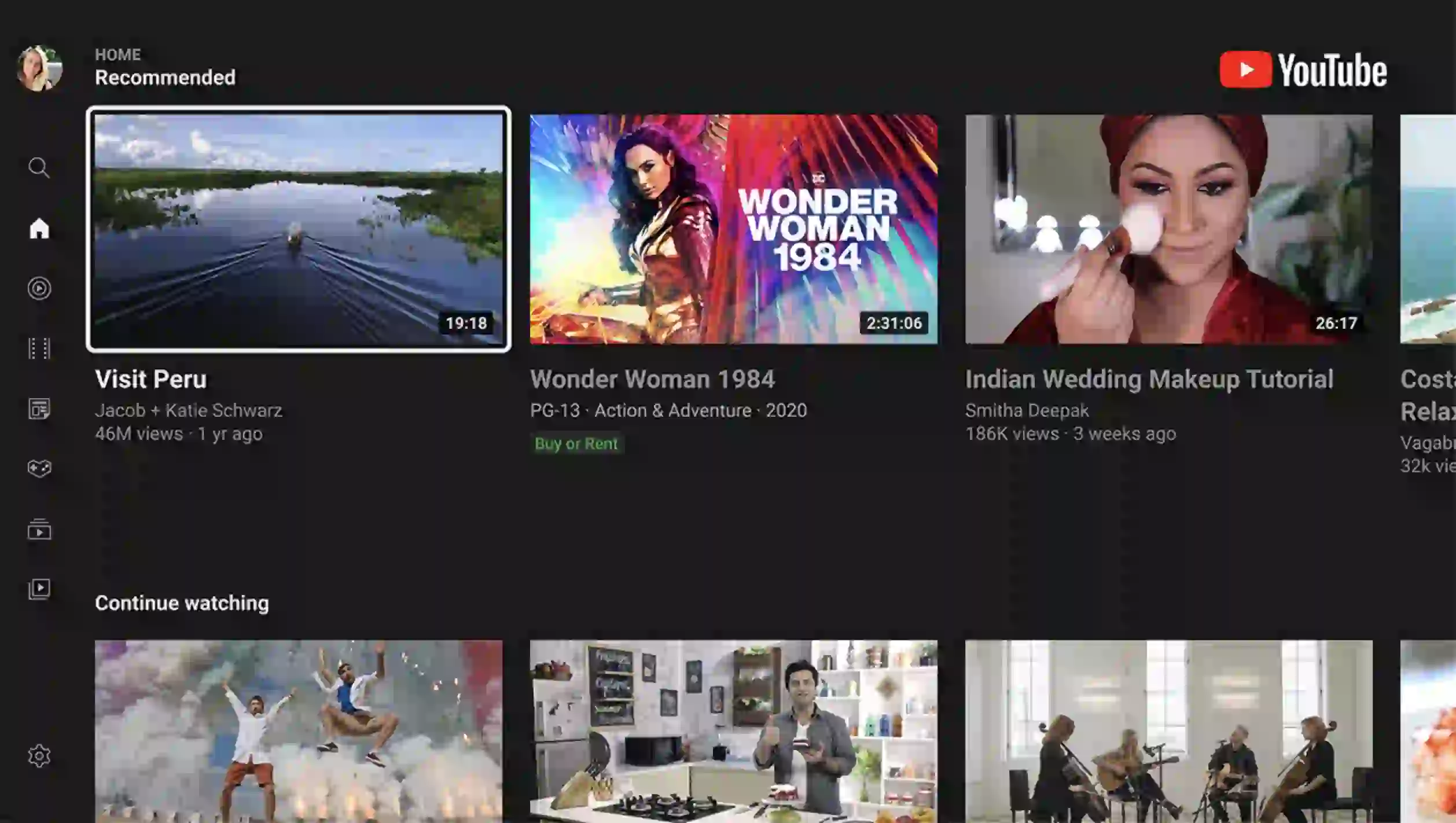
Nevertheless, when the application came to the Nintendo Switch, it was more than what they requested, featuring both handheld and TV dual functionality—allowing you to watch Youtube wherever you want.
Thus, Youtube on the Nintendo Switch is one of the console’s most popular applications. Although Nintendo can improve the Youtube app, it is still great, trumping most mobile applications of Youtube.
2. Pokemon TV
Pokémon TV is also one of the most popular apps on the Nintendo Switch. The Pokémon franchise is the biggest entertainment franchise with a highly regarded anime and video game series.
Pokémon TV is an accumulation of all of Pokémon’s anime adventures, including the most recent Pokémon Journey, which takes Ash and Pikachu across the Pokémon world.
Likewise, the app includes classic Pokémon series such as the Pokémon Black and White anime series. Furthermore, Pokémon TV features hit Pokémon shorts such as Pokémon Evolutions.
Pokémon Evolutions is a short feature-length series that takes players back to the key events of the Pokémon games.
One is The Champion, a feature that focuses on Champion Leon’s fight against Eternatus. Thus, Pokémon TV focuses on the main series of Pokémon anime, appealing to hardcore Pokémon fans.
Pokémon TV also seeks to appeal to children, having a junior section that includes Pokémonkidstv. The Pokémon TV app is an inclusion of all the best Pokémon anime.
It includes many new and old anime episodes, specials, and other content. It is one of the best apps on the platform due to the sheer amount of content available.
It is also free, making the app a bargain for Pokémon fans or fans of anime in general.
The Pokémon TV app works perfectly on the Nintendo Switch, with ideal optimization and excellent features. Pick up this useful app if you are a Pokémon fan and have a Nintendo Switch.
3. Twitch
Twitch is a great streaming platform used by the most popular streamers. Twitch is an online platform that allows you to stream your favorite games online.
The platform features the best streamers, such as Kinda Funny and Ninja, which achieve thousands of views daily.
Many streamers have also used Twitch for monetization, allowing streamers big and small to earn an income.
Twitch is not just used for games, though. The popular streaming platform is also used for daily entertainment shows such as Kinda Funny Games and live events.
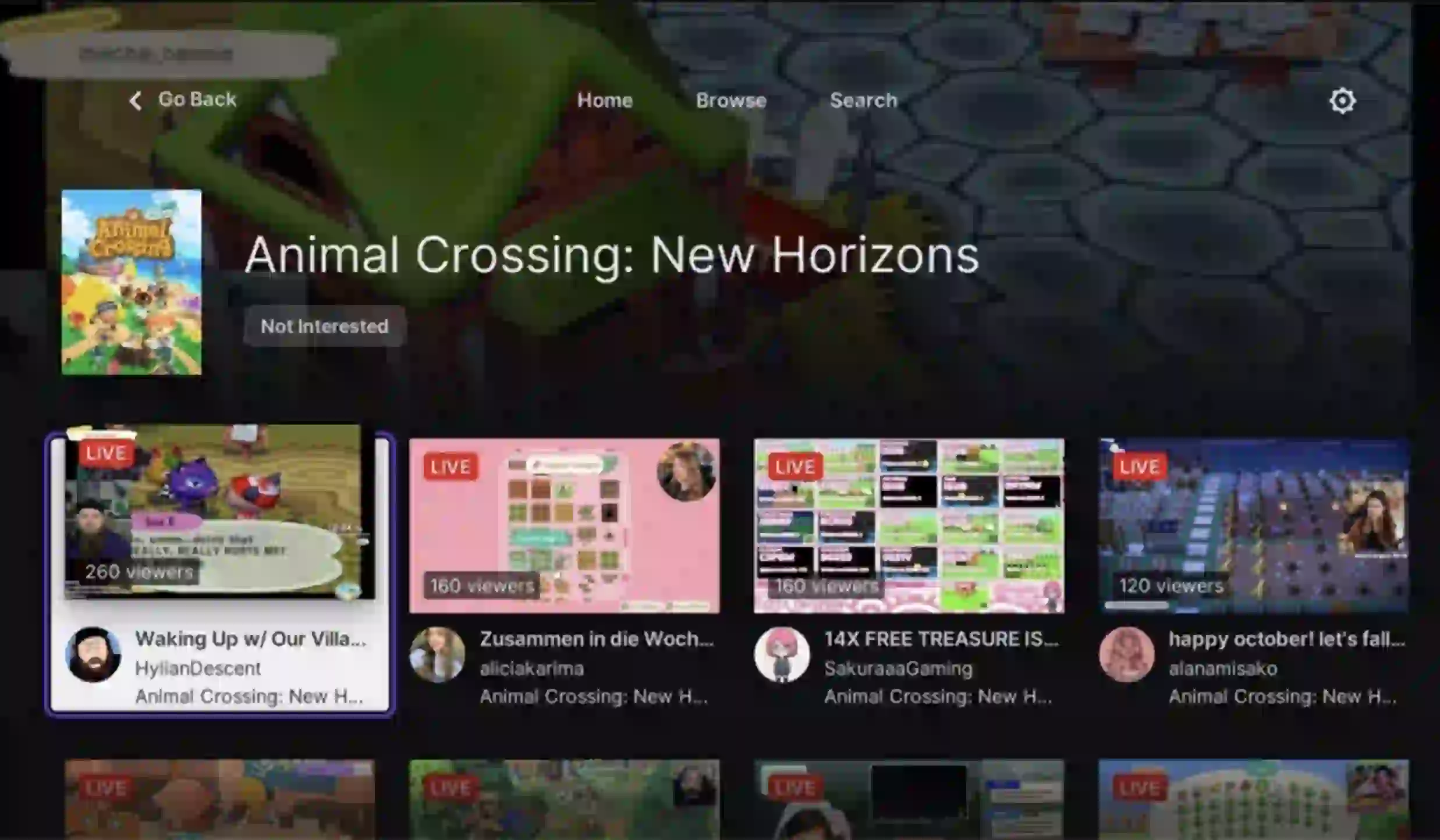
Twitch has been used for many live shows and is thus very versatile as a streaming platform. It is one of the premium streaming platforms on the market.
Twitch was recently added to the Nintendo Switch, with the popular streaming application making its way over to the Nintendo console. Twitch was introduced in November 2021, making it one of the more recent apps on the platform.
As with most apps on the Switch, it makes great use of the hybrid nature of the Switch, using both its handheld and TV modes to full use. Likewise, Twitch also enables you to watch sports and Esports events on the go making the platform multipurpose.
Although the Nintendo Switch is not the best platform for using Twitch as the PC and mobile dominate ownership.
The Twitch Nintendo Switch app is one of the best on the console and a great addition. It is one of the Best Nintendo Switch Apps that you can use.
4. Hulu
Hulu is a TV broadcasting app available on the Nintendo Switch. The popular TV application was released in 2017, a few months after the Nintendo Switch launch.
The Hulu app allows users to access thousands of on-the-go originals, movies, and TV shows. Likewise, the app features a huge back catalog of shows and sports, live TV, and other channels.
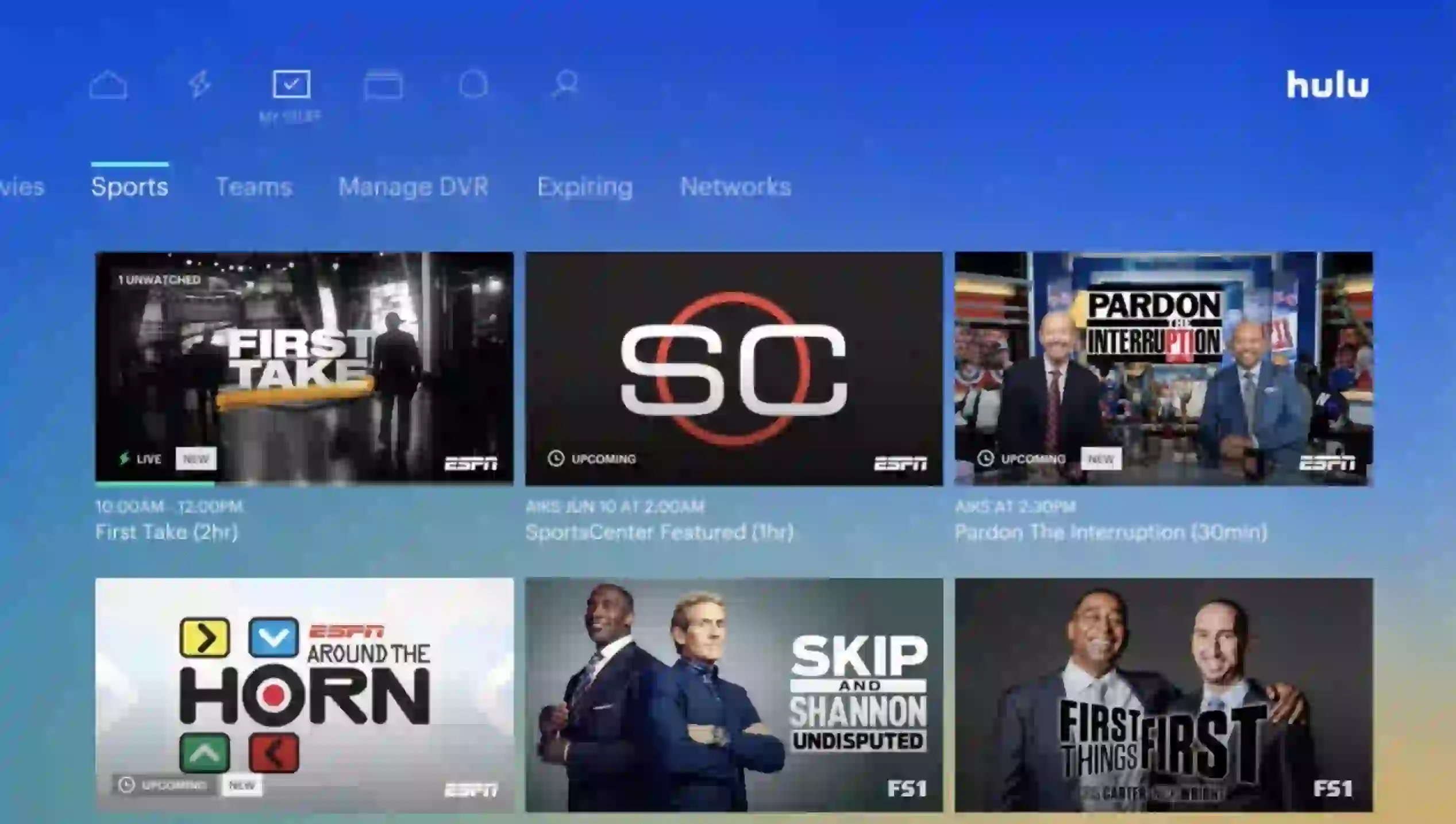
The Hulu app is famed for its superb features, including six personalized profiles, My Stuff, allowing quick access to TV shows and streaming services.
Furthermore, the Hulu app features the addition of other networks and channels, such as Cinemax and HBO.
The Hulu app also includes a variety of payment plans, such as Hulu (no ads) or Hulu +LIVE TV, which allows for full customization and user control of what they watch.
The Hulu app works best on the Nintendo Switch allowing you to watch your favorite shows from your TV and in the palm of your hands due to the Switch’s handheld functionality.
Although the controls are far worse than other Hulu devices, the Nintendo Switch app is still a good place to watch great TV.
All in all, the Hulu app on the Nintendo Switch is one of the best apps. You can find more information on the app and how to download it here.
5. Google Search
Nintendo is known for its wide and wacky business decisions, but its decision not to include a web browser on the Nintendo Switch is beyond me.
When the Nintendo Switch was released in 2017, it stunned gamers due to its unique design and concept, but a dedicated web browser such as Google was missing one thing.
Although we’ve learned not to put it past Nintendo to surprise us with its weird Judgement, not including a browser-based app was a bit odd.
After all, it did include TV streaming apps such as Hulu and eventually video apps like Youtube; Nintendo can hardly claim that a Switch is predominantly a game machine.
To this day, the Nintendo Switch lacks a dedicated browser app that lets you scroll the internet. However, much to many’s surprise, you can surf the web using Google, and you don’t have to hack into your console.
You can get Google by carrying out the following steps:-
- Open system settings on the Nintendo Switch
- Select the internet option and click on the Wifi you are using
- Click Change settings and select DNS settings by scrolling down
- Change your DNS user settings to Manual
- Click Primary DNS and change it to 045.055.142.122
- Press next on the other pop-ups and select connect network.
- Select next on the register pop up
- You should now have access to Google.
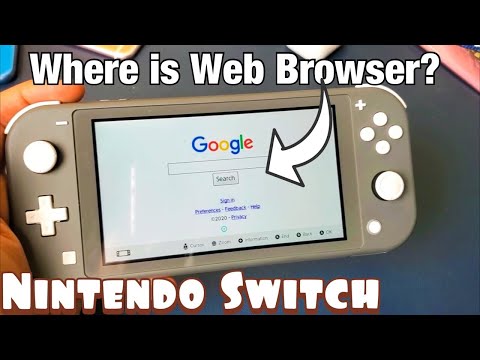
As a result, following these steps can allow you to access google. Likewise, as mentioned, it requires no hacking of your Nintendo Switch and is completely free to do.
Thus, the Nintendo Switch has a secret browser option, not many people know about. It is a handy trick to access the google browser, which should have already been available on the console.
6. Piano
Music is not our thing for many of us, but the more talented apps such as Piano on the Nintendo Switch help the more musical develop their skill while having fun.
Piano on the Nintendo Switch turns your console into a piano, much like the classic piano apps available on mobile devices, although significantly bigger.
The app teaches you all your favorite songs with six classic pieces you can master in hours. The app is easy to use and features outstanding touch control making the app perfect for younger children and adults.
Regardless of your age, you can learn a range of songs in a carefree, easy, and laid-back way without the pressure of a real-life instructor.
Likewise, Piano for the Nintendo Switch features a free play mode that allows you to play any song you want without the restrictions of the classic songs.
Thus, the app will enable you to hone your skills and test yourself to see if you can remember what you have learned. Therefore, the app is a great tool for those learning the piano.
Likewise, the app is a blast to play and is a lot of fun. You can get in on the musical action even if you are an adult.
Pick up this app if you have a child and want them to learn music. It is great.
7. Inky Pen
Comics are all the rage nowadays. The popular entertainment genre has seen a resurgence due to cinema, with popular franchises such as the Marvel Cinematic Universe and the DC universe helping increase the popularity of comics.
Likewise, the huge following of Japanese manga has also helped lift the comic space with manga such as Pokémon, highlighting how popular comics are.
Similarly, the emergence of digital has ushered in a new way to consume comics. Many comic series offers online distribution rather than just store, which is where Inky Pen comes in.
Inky Pen is an online monthly subscription service that supplies subscribers with comics every month. Inky Pen allows users to access thousands of comics across its library, from big names to smaller comics.
Examples include Robotech and Sarah scribbles. The app consists of many comic genres and is a database full of the latest and some of the oldest comics.
Thus, Inky Pen has many classic comics on its platform. Likewise, the app has great accessibility features with the inclusion of parental controls.
Inky Pen is a great app that fits perfectly at home on the Nintendo Switch due to its TV and handheld modes.
Although many people do not know much about Inky Pen, it is a great application and one of the best on the Switch. For all you comic lovers, this is the Pen for you.

8. Colouring Book
When you think of the Nintendo Switch, Mario, Zelda, and other popular Nintendo IPs and games comes to mind. However, the Nintendo Switch is not just popular for playing games but for drawing.
The Switch’s excellent handheld mode is perfect for drawing applications fully using its touchscreen functionality and great tabletop use.
One such app that takes advantage of the Switch is Colouring Book, an interactive coloring application perfect for the Nintendo Switch.
Colouring Book is a coloring application consisting of forty-eight drawings across eight separately themed pages.
The app features themed pages such as Jungle and space and other purchasable themes like Dinosaurs and farm-inspired canvases.
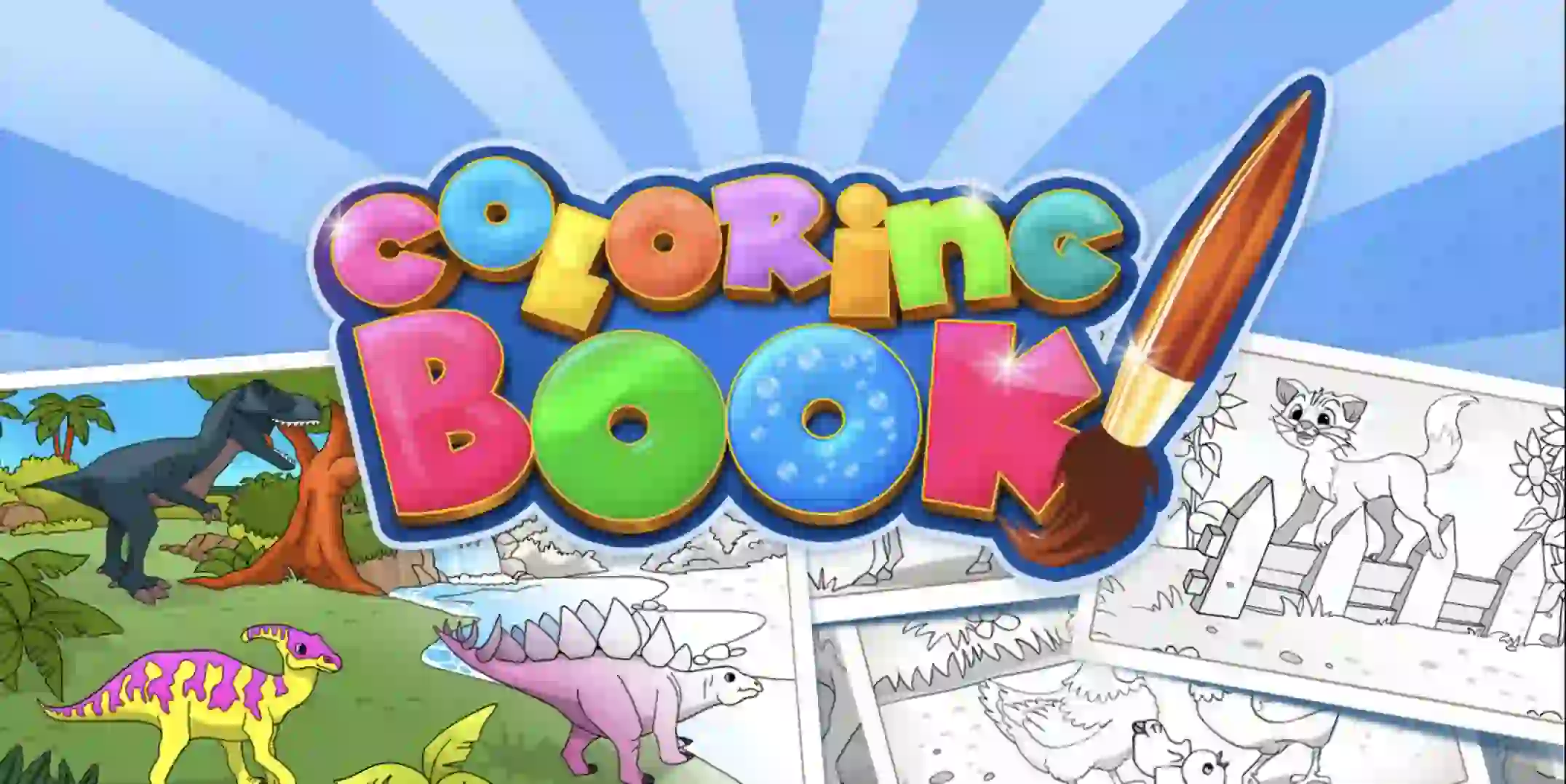
The Colouring book features an extensive range of available colors with a palette of up to eighty-nine colors.
Similarly, the app features unique tools for improved effects. Such tools include a contour brush.
Thus, although Colouring Book is designed for kids, it offers considerable depth with a range of more complex features, painting styles, and paints to choose from.
Thus, the game is not just for kids but can be for adults too. Furthermore, the app features co-op play allowing you to paint with up to four friends at any given time, and a photo-saving mode will enable you to share and save various masterpieces.
Overall, Colouring Book is a great painting app for adults and children.
9. Nintendo Switch Online App
Although not strictly a nintendo switch apps, as the app is downloadable on mobile, the Nintendo Switch Online App has to be on this list due to its unique functionality with the console.
The Nintendo Switch Online app is an app that effectively allows you to chat with your friends online when playing with them on the Switch.
When the Nintendo Switch was released in 2017, the system lacked in-house voice chat functionality like other consoles, such as Xbox Live and the PlayStation Network.
Instead, Nintendo decided to go the unconventional route and create a mobile-based app where you can chat with your friends. In short. The app replaced traditional built-in voice chat functionality.
When Nintendo announced the app, it faced considerable backlash from fans and critics due to its awkward functionality. Many believed Nintendo missed the trick when it came to voice chat.
However, the app is pretty good with the right games. Opening the app while playing hit video games such as Super Smash Bros and Splatoon 2 will allow you to chat with friends.
The app does this seamlessly, even if it is a bit archaic by today’s standards. Nevertheless, the Nintendo Switch Online App is great for voice chat and rivals other services such as Discord.
Although sometimes a hassle, the Nintendo Switch Online App deserves more love.

10. Korg Gadget
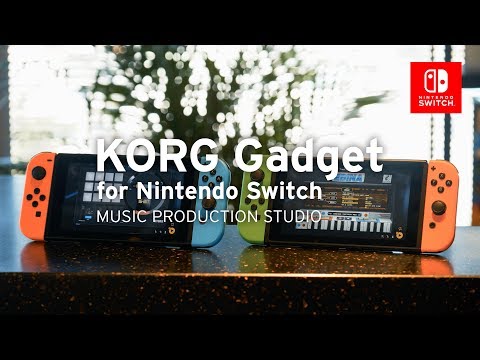
Music creation was made famous by popular music creation apps such as Garage Band on the IOS. However, many do not know about Korg Gadget, a fully functioning music creation studio on the Nintendo Switch.
Thanks to the Nintendo Switch’s handheld and tabletop modes, Korg Gadget allows you to create music from the comfort of your home and sofa.
The app features a synthesizer allowing you to assemble various drums and keys. Likewise, the app features multiplayer components whereby you can play with up to four friends, making music and competing with them to create the best possible piece.
Furthermore, Korg Gadget is fully optimized for the Nintendo Switch, with the Nintendo Joycons as your instrument.
You can use the Joycons to interact with sound in various ways, such as changing the tone of your music. The Joycon can even pick up HD vibrations from your music.
As a result, Korg Gadget on the Nintendo Switch is the ultimate music creation app. It has great music creation features and perfect Nintendo Switch optimization.
The ability to effortlessly control how you create music using the Nintendo Switch Joycons blows other music-creation tools out of the water.
These Nintendo Switch apps allow you to create an excellent piece and have fun while doing it, making the app one of the best Nintendo Switch apps on the platform.
Any musician should use this app on the Nintendo Switch.
11. RPG Maker MV – Nintendo switch apps For Game Creation
RPG Maker MV is a game creation app available on the Nintendo Switch. Originally released in 2020, the app was one of the first game development kits on the platform.
RPG Maker MV gives you the tools to create your own game from scratch. Likewise, the game allows you to share your creations with friends. The app is the perfect way to create your RPG as a result.
Furthermore, the app features hundreds of different assets and many unique level designs for you to enjoy.
Thus the possibilities are endless with RPG Maker MV. It is an amazing app and a great application on the platform.

12. Game Builder Garage
Game Builder Garage is another game-building app, but instead of solely making an RPG, you can create any game you want, from a platformer to a racing game.
The game teaches you the step-by-step basics of programming and walks you through the fundamentals.
Game Builder Garage is the perfect entry into the game building, featuring easy-to-use controls, simple game building, and Nordon’s, which help your game work.
Overall, Game Builder Garage is an excellent addition to this list and is well-suited for kids and adults who want to build a game.
✅FAQ
Does Nintendo Switch have apps?
Yes, Nintendo Switch has several apps that you can download and install, including entertainment and social media apps and some utility apps.
What apps can you add to Switch?
Some apps you can add to your Nintendo Switch include Hulu, YouTube, Netflix, Twitch, Amazon Prime Video, and various social media apps.
Can I watch Netflix on Switch?
Unfortunately, Netflix is not currently available on Nintendo Switch.
How to download apps on Nintendo Switch
To download apps on your Nintendo Switch, you need to access the eShop. From there, you can browse and download various apps such as games, streaming services, and other applications.
You can find the eShop icon on your Switch home screen, and once you’ve opened it, search for the app you want to download and follow the on-screen instructions to install it.
How do you download free apps on Nintendo Switch?
To download free apps on your Nintendo Switch, you can follow the same steps as downloading paid apps. Access the eShop, search for the app you want, and select the option to download it. However, ensure the app you’re trying to download is free, not a trial or demo version.
Does Nintendo Switch have an app store?
Yes, the Nintendo Switch has an app store known as the eShop. It allows users to browse and download various apps, including games, streaming services, and other applications.
Why can’t I download apps on Nintendo Switch?
If you’re having trouble downloading apps on your Nintendo Switch, it could be due to a weak internet connection or a problem with your Nintendo account.
Try resetting your internet connection or restarting your Switch, and if the issue persists, contact Nintendo customer support for assistance.
Can you watch Disney Plus on Switch?
Yes, you can watch Disney Plus on your Nintendo Switch by downloading the app from the eShop. Simply search for “Disney+” in the eShop, download the app, and follow the on-screen instructions to log in to your account.
Is Disney Plus on Nintendo Switch?
Yes, you can download the Disney Plus app on your Nintendo Switch from the eShop. It lets you watch your favorite Disney, Marvel, Star Wars, and Pixar movies and shows directly on your Switch.
What is free to download on Nintendo Switch?
The Nintendo Switch eShop offers a variety of free apps to download, including games, demos, and other applications. Some popular free apps include Fortnite, Warframe, and Brawlhalla.
Is Switch eShop free?
Accessing the Nintendo Switch eShop is free, but some apps and games may require a purchase. However, many free apps and games are also available on eShop.
Do you get any free games with Switch?
While the Nintendo Switch does not come with free games, the eShop offers a selection of free games and demos you can download and play.
What apps work on Nintendo Switch?
The Nintendo Switch supports a range of apps, including streaming services like Netflix and Hulu, social media apps like Twitter, and games such as Fortnite and Minecraft. You can find and download these apps from eShop.
How do I download Disney Plus on my Nintendo Switch?
To download Disney Plus on your Nintendo Switch, access the eShop, search for “Disney+” and select the app to download. Once it’s downloaded, open the app and log in to your Disney Plus account to stream your favorite content.
Why can’t I download apps from Play Store?
The Google Play Store is unavailable on the Nintendo Switch, as it runs on a different operating system than Android devices. Instead, you must download apps from the Nintendo Switch eShop.
How do you put games on a Nintendo Switch?
To put games on your Nintendo Switch, you can purchase them from the eShop or insert physical game cartridges into the console.
If you’re downloading a game from the eShop, select the game and follow the on-screen instructions to download and install it onto your Switch.
Can I download YouTube on Nintendo Switch?
Yes, you can download the YouTube app on your Nintendo Switch from the eShop. It allows you to watch videos directly on your Switch and supports touchscreen controls for easy navigation.
To download the YouTube app, access the eShop, search for “YouTube,” and select the app to download. Once it’s downloaded, open the app and log in to your account to watch your favorite videos.
Does the Nintendo Switch Lite have apps?
Yes, the Nintendo Switch Lite has access to the same apps as the regular Nintendo Switch, except apps that require detachable Joy-Con controllers.
Is HBO on Switch?
HBO Go and HBO Now are not available on Nintendo Switch.
Can you watch Disney Plus on Switch?
Yes, you can watch Disney+ on Nintendo Switch.
Can I watch Hulu on Nintendo Switch?
Yes, you can watch Hulu on Nintendo Switch.
Is HBO Max on Nintendo Switch?
Yes, you can now access HBO Max on Nintendo Switch.
What can you do on Nintendo Switch besides play games?
Aside from playing games, you can access various apps, such as streaming services and social media, and use the Switch to browse the internet or communicate with friends.
Can I get Amazon Prime on Switch?
Yes, you can get the Amazon Prime Video app on Nintendo Switch.
Can you browse the Internet on a Switch?
Yes, you can browse the internet on a Switch using the built-in web browser.
What games are on a Switch?
Nintendo Switch has many games, including popular titles such as Animal Crossing, Super Mario Odyssey, and The Legend of Zelda: Breath of the Wild.
Can you get Tiktok on Nintendo Switch?
No, TikTok is not currently available on Nintendo Switch.
Is Switch Lite worth it?
The Nintendo Switch Lite is a more affordable option than the regular Nintendo Switch. Still, it does have some limitations, such as the inability to detach Joy-Con controllers or play games on a TV screen. Whether it’s worth it or not depends on your preferences and needs.
Can you put YouTube on Switch?
Yes, you can put YouTube on Nintendo Switch.
What TV platforms does Switch have?
Nintendo Switch has a variety of TV platforms, including Netflix, Hulu, Amazon Prime Video, and more.
Does the Switch have any streaming services?
Yes, Nintendo Switch has several streaming services, including Netflix, Hulu, and Amazon Prime Video.
What streaming platforms can I watch the Switch?
You can watch various streaming platforms on Nintendo Switch, including Netflix, Hulu, and Amazon Prime Video.
Is Netflix or Disney Plus coming to Switch?
Disney+ is already available on Nintendo Switch, but Netflix has not yet been released.
Why is Netflix not on Nintendo Switch?
The reason for Netflix not being available on Nintendo Switch is not publicly known.
Is Disney game free on Switch?
Some Disney games on Switch are free, while others require purchase.
How do you watch movies on Nintendo Switch?
You can watch movies on Nintendo Switch by downloading a streaming service app like Netflix or Amazon Prime Video and signing up for a subscription.
Is Tubi on Nintendo Switch?
Yes, Tubi is available on Nintendo Switch.
How do I get Google on my Nintendo Switch?
Unfortunately, there is no official Google app for Nintendo Switch, but you can access the Google search engine through the web browser.
Is Crunchyroll on Switch?
Yes, Crunchyroll is available on Nintendo Switch.
What can you do on Nintendo Switch for free?
You can access several free apps on Nintendo Switch, including YouTube, Hulu, and the Nintendo eShop.
Can you play Nintendo Switch on TV?
Yes, you can play Nintendo Switch on TV by docking the console or using an HDMI cable to connect the Switch to the TV.
Can you put Netflix or Hulu on Switch?
Yes, you can put Hulu on Nintendo Switch, but Netflix is not currently available on the platform.
Can I watch movies on Nintendo Switch Lite?
You can watch movies on Nintendo Switch Lite if you have a streaming service app installed.
Does the Nintendo Switch have Netflix or Amazon?
Yes, you can download the Amazon Prime Video app on Nintendo Switch, but Netflix is not currently available on the platform.
Can you jailbreak a Nintendo Switch?
Jailbreaking a Nintendo Switch is not recommended, as it can void the warranty and cause the device to become unstable or stop functioning properly.
Can Nintendo Switch connect to hotel Wi-Fi?
Yes, Nintendo Switch can connect to hotel Wi-Fi, but you may need to enter additional information such as a username or password.
Are Nintendo accounts free?
Yes, creating a Nintendo account is free, allowing you to access various features, such as the Nintendo eShop and online gameplay.
Why are Switch games so expensive?
Switch games are often more expensive than games on other platforms due to the high development costs and the popularity of the console.
Is the Switch OLED worth it?
The Switch OLED offers several upgrades, including a larger and brighter screen and improved sound quality, but whether it’s worth it depends on your preferences and needs.
Yes, you can download various social media apps on Nintendo Switch, such as Twitter and Facebook.
Does the Switch have a video app?
Yes, Switch has several video apps, such as Netflix and Hulu.
Is Spotify on Switch?
Unfortunately, Spotify is not currently available on Nintendo Switch.
Can you connect a Switch Lite to a TV?
No, you cannot connect a Switch Lite to a TV, as it does not have detachable Joy-Con controllers or a docking station.
How long can a Switch Lite last?
The battery life of a Switch Lite can last up to 7 hours, depending on usage.
What is the difference between Switch and Switch OLED?
The main difference between the Switch and Switch OLED is the screen size and quality, with the OLED offering a larger and higher-quality screen.
Is The Switch a touch screen?
Yes, the Switch has a touch screen that can be used for certain games and apps.
What does error code 2 Arvha 0000 mean?
Error code 2 Arvha 0000 is a network error that can occur when connecting to the internet on Nintendo Switch. It can usually be resolved by restarting the console or router.
Why isn’t Roblox on Nintendo Switch?
The reason for Roblox not being available on Nintendo Switch is not publicly known.
How do I watch movies offline on Switch?
To watch offline, you can download movies or shows from a streaming service app on Nintendo Switch, such as Amazon Prime Video.
Do you have to pay for apps on Nintendo Switch?
While some apps on Nintendo Switch are free, others require payment or a subscription.
What Disney game is coming for Switch?
Several Disney games are available on Nintendo Switch, and new ones are released periodically.
What apps are free on Nintendo?
Some free apps available on Nintendo Switch include YouTube, Hulu, and the Nintendo eShop.
Can you watch football on Nintendo Switch?
While there is no dedicated app for watching football on Nintendo Switch, you can watch some games through streaming services such as Hulu or Amazon Prime Video.
Can I watch anything on Switch?
You can watch various shows and movies on Nintendo Switch through various streaming service apps, but not all content is available.
Does Nintendo have a streaming game service?
Yes, Nintendo has a streaming game service called Nintendo Switch Online, which allows you to play classic games and access online multiplayer.
Can you download movie apps on Nintendo Switch?
Yes, you can download movie apps on Nintendo Switch, such as Amazon Prime Video and Hulu.
Does Nintendo Switch have a web browser?
Yes, Nintendo Switch has a built-in web browser that you can use to browse the internet.
How do I search for apps on my Nintendo Switch?
You can search for apps on your Nintendo Switch by navigating to the eShop and using the search function.
Does Nintendo have anime games?
Yes, Nintendo has several anime games on Nintendo Switch, such as Dragon Ball FighterZ and Attack on Titan 2.
How do I watch Tik Tok on Nintendo Switch?
Unfortunately, TikTok is not currently available on Nintendo Switch.
Does Nintendo Switch have anime games?
Yes, Nintendo Switch has several anime games available, such as My Hero One’s Justice and Naruto Shippuden: Ultimate Ninja Storm 4.
Is Roblox on the Switch?
No, Roblox is not currently available on Nintendo Switch.
Is Call of Duty on Nintendo Switch?
Yes, several Call of Duty games are available on Nintendo Switch, including Call of Duty: Black Ops Cold War and Call of Duty: Modern Warfare.
Does the Switch come with any games?
While some Switch bundles may include games, the console does not have any games.
Is it better to buy physical games or digital?
Whether buying physical or digital games is better depends on personal preference. Physical games can be resold or traded, but digital games are more convenient and take up less space.
How many games can a Switch hold?
The number of games a Switch can hold depends on the size of the console’s internal storage and any additional memory cards used.
Can you play Nintendo Switch on TV without console?
No, you cannot play Nintendo Switch on TV without the console.
How can I play Switch on my TV without dock?
To play Switch on a TV without the dock, you can use an HDMI cable to connect the console directly to the TV.
How do I watch movies on my Switch?
You can watch movies on Nintendo Switch by downloading a streaming service app like Hulu or Amazon Prime Video and signing up for a subscription.
What apps should I get on my Switch?
Apart from simple games, you can also download popular apps on your Nintendo Switch, such as Hulu, YouTube, InkyPen, and PokemonTV. You can also use other instrument apps, such as Piano, to learn songs through it if you are bored of playing games all day.
Through entertainment apps, you can watch videos and keep yourself occupied when you are looking to take a break from gaming.
Can you play anything for free on Nintendo Switch?
Nintendo Switch has a library of free games that you can download directly on the console.
Some of the best options are Apex Legends, Rocket League, Pac-Man 99, Asphalt 9: Legends, and many more. Simply download it from the eShop and start playing immediately without having to pay a penny for it.
Do Nintendo switches come with Animal Crossing?
Not all the Nintendo Switch gaming console has Animal Crossing installed on them. You might come across special editions console that might have it installed, but they are only available for a limited time.
Or else, you might have to install this premium game to enjoy all the features.
Can you watch movies on Nintendo Switch?
Yes, you can watch movies and videos on Nintendo Switch. With the use of apps such as YouTube, Hulu, etc., you can easily start watching videos and movies as much as you like.
If you have a Hulu subscription already, you can watch as many movies as you like. Furthermore, this gaming console prioritizes video games; hence you will not find apps such as Netflix, Prime Video, etc.
Can you add other apps to Nintendo Switch?
Apps downloaded from sources other than the eShop cannot be installed on the Switch. Third-party programs from outside sources cannot be installed on the Switch.
Can you get Disney+ on Nintendo Switch?
Yes, a Nintendo Switch may be used to access Disney+. On the Nintendo eShop, a digital storefront where you can download a selection of games, applications, and other stuff, Disney+ is a readily available software.
An active internet connection and a Nintendo account are required to access the eShop and download the Disney+ app.
If you don’t already have one, you may sign up for a Nintendo account on the Switch or the Nintendo website for free.
After installing the Disney+ app on your Switch, you can use your Disney+ account to log in and stream content from the service, including movies and TV series.
A subscription to Disney+ is required to access the service on your Switch, so keep that in mind. A Disney+ account can be created on the Disney+ website or through the Switch app.
Can you watch TV on Switch?
Since the Nintendo Switch lacks a built-in TV tuner or antenna, live TV cannot be seen on it.
However, streaming apps like Netflix, Hulu, and Disney+ let you view TV shows and movies on the Switch. You can use these applications to stream TV series and films from their libraries over the internet.
You must download the necessary app from the Nintendo eShop, login in with your account, and then use the Switch to watch TV.
Using the app with a working internet connection and a streaming service subscription would be best.
Also worth mentioning is the possibility of watching live or recorded broadcasts of actual events while playing select Switch games, such as several sports titles.
However, this is not the same as watching live TV on the Switch device.
Does Nintendo Switch have a browser?
There isn’t a built-in web browser on the Nintendo Switch. As a result, using the Switch to browse the internet or access websites is not feasible.
The Nintendo eShop offers a variety of apps, like Netflix and Hulu, that may be used on the Switch primarily for gaming and entertainment purposes.
It is not designed for widespread internet usage and lacks the same features as a computer or smartphone.
A computer, smartphone, or tablet equipped with a web browser can be used to browse the internet. These gadgets are more appropriate for accessing websites and web browsing.
Can I play my Nintendo Switch without a TV?
It is possible to use your Nintendo Switch without a TV. With the Switch’s portable design and built-in screen, you can play games and utilize applications without a TV, thanks to the device’s built-in screen.
You may play the Switch without a TV by simply unplugging the Switch from the TV or pressing the tiny button on the back of the console.
After that, you may play games and access apps via the Switch’s built-in screen and controllers.
The built-in screen on the Switch is smaller than a TV, and its resolution might not be as good. Some games and apps may be more challenging to view or use than those displayed on a TV.
But if you don’t always have access to a TV, the Switch’s portable design allows you to play games and use applications while on the go.
What can you do with a Nintendo Switch without games?
Your Nintendo Switch can still be used for several things, even if you don’t have any games.
Some options include:-
Use streaming apps: The Switch has a variety of streaming apps available, including Netflix, Hulu, and Disney+. These apps allow you to stream movies and TV shows over the internet.
Use social media apps: The Switch has several social media apps available, including Twitter, Facebook, and Reddit. These apps allow you to stay connected with friends and family and keep up with news and information.
Use the Nintendo eShop: The Switch has an online marketplace called the eShop, where you can browse and purchase games, apps, and other content. Even if you don’t have any games, you can still browse the eShop and discover new content to try out.
Use the Switch’s built-in features: The Switch has several built-in features that you can use without any games.
For example, you can take screenshots and videos of your gameplay and share them on social media. You can also use the Switch’s controllers to play mini-games like the rhythm game “Human Rhythm Machine.”
Play free demos: Many games on the Switch have free demos available on the eShop, allowing you to try out a game before purchasing it. You can download and play these demos even if you don’t have any games.
Does the Switch have a camera?
A built-in camera is absent from the Nintendo Switch. The Switch lacks a hardware or software camera, so it cannot be used to snap photos or record videos.
A smartphone, tablet, or digital camera can be used to shoot images or record videos. These cameras often include high-quality lenses and sophisticated functions like filters, flashes, and zooms because they are made exclusively for taking pictures and videos.
It’s important to note that some Switch games may use the system’s motion controllers to let you capture pictures or record videos while you’re playing, but these media aren’t stored on the Switch or accessible outside the game. Only the game itself makes use of them.
How long does a Switch take to charge?
The type of charging method you use and the Nintendo Switch’s current battery level determines how long it takes to charge the console.
It usually takes the Switch 3 hours to fully charge from a completely discharged battery if you’re utilizing the provided AC adapter to power the gadget. But this period may change based on the Switch’s model and battery condition.
The charging time can be different if you use a third-party charging solution. While some third-party chargers might charge the Switch more quickly than the supplied AC adapter, others might charge it more slowly.
Also worth mentioning is the Switch’s ability to charge while activated and in use. The battery will be drained while the smartphone is being charged. Therefore, the charging process can take longer when the gadget is in use.
Does Nintendo Switch need wifi?
A WiFi connection is not necessary for most games on the Nintendo Switch. Most Switch games are made to be played without an internet connection and may be played offline.
These games are accessible everywhere, including your house, car, and location, without an internet connection.
Some Switch games, meanwhile, do necessitate an online connection to be played. A WiFi connection might be required to access online features like multiplayer modes or leaderboards in some games. Furthermore, certain games might need WiFi to receive updates or unlock particular features.
The Nintendo Switch also offers several online functions, including downloading games and applications from the Nintendo eShop, accessing online multiplayer in compatible titles, and using specific apps like Netflix and Hulu.
These services all require a WiFi connection. You must join a WiFi network with the Switch to use these functions.
In conclusion, the Switch does not require a WiFi connection to play most games, but it is necessary to access some online functions and information.
How many games can a Nintendo Switch hold without the card?
Games and other content can be stored on the internal storage of the Nintendo Switch. Depending on the Switch model, different amounts of internal storage are available.
The internal storage capacity of the Switch Lite and the original Switch models is 32 GB each. The more recent Switch model has 64 GB of internal storage (released in 2021).
The size of the games and the amount of other stuff already installed on the Switch will determine how many games can be kept in its internal storage.
Depending on the particular games and other content saved on the device, you can roughly anticipate that the internal storage of the Switch will hold 10 to 20 full-size games.
Assuming you run out of space, you will need to delete games or other stuff to make place for new games because the Switch’s internal storage cannot be expanded.
Additionally, you may increase the Switch’s storage space with a microSD card, enabling you to put additional games and other files on the gadget.
Can the police track a Nintendo Switch?
The police can track a Nintendo Switch in certain circumstances. The Switch can connect to the internet via WiFi and can also be connected to a mobile data network using a special adapter. The Switch can be traced through its IP address if it is connected to the internet.
However, it is important to note that tracking a device like a Switch is not a simple process.
The difficulty and resources required to track a device will depend on various factors, including the specific technology and capabilities of the device, as well as the level of access and cooperation available from internet service providers and other third parties.
Suppose you are concerned about the potential for your Switch to be traced. In that case, you can protect your privacy by disconnecting the device from the internet when it is not in use and using a VPN (a virtual private network) to encrypt your internet connection and mask your IP address.
It’s also worth noting that the police will generally only seek to track a device like a Switch if there is a valid legal reason, such as an ongoing investigation or a court order.
If you are not involved in any illegal activity and have nothing to hide, you should not have any reason to be concerned about the police tracking your Switch.
Is it okay to leave your Switch charging overnight?
You may usually keep your Nintendo Switch charging overnight without risk. The Switch is made to remain plugged into the charger for lengthy periods, and it will cease charging the battery when it is fully charged.
However, charging the Switch using the supplied AC adapter or a reliable third-party charger is advised. It may be dangerous or cause harm to the Switch if you use a charger that isn’t made especially for it or is of poor quality.
Additionally, it’s a good idea to keep the Switch away from areas where it can be jarred or knocked over when charging. This might hurt the gadget or the charger, endanger your safety, or both.
As long as you use the included AC adapter or a reliable third-party charger and keep the device in a secure location while it is charging, it is typically safe to leave your Switch on overnight.
How long will Switch last?
The lifespan of a gadget can vary depending on several circumstances, making it challenging to forecast with precision how long a Nintendo Switch will live.
Nevertheless, a Switch may last for several years with the right upkeep and care.
Some factors that can affect the lifespan of a Switch include:-
How often the device is used: The more a device is used, the more wear and tear it will experience over time. If you use your Switch frequently, it may not last as long as a Switch used less frequently.
How well the device is cared for: Proper care and maintenance can help extend the lifespan of a Switch. This includes keeping the device clean, protecting it from damage, and using it in a way that is consistent with the manufacturer’s instructions.
The quality of the device: The quality of the materials and components used in the Switch can affect its lifespan. A Switch made with high-quality materials and components may last longer than a Switch made with lower-quality materials.
Overall, since several variables will affect how long a Switch lasts, it is challenging to make an exact prediction. Nevertheless, a Switch may last for several years with the right upkeep and care.
Is 128GB enough for the switch?
Compared to the Switch, 128 GB of storage is a huge increase, likely more than most users would ever need.
However, 128 GB of storage may be beneficial if you intend to download many games and other entertainment or if you want to store many media files on the Switch.
Assuming you run out of space, you will need to delete games or other stuff to make place for new games because the Switch’s internal storage cannot be expanded.
Additionally, you may increase the Switch’s storage space with a microSD card, enabling you to put additional games and other files on the gadget.
Whether 128 GB of storage is plenty for a Switch will depend on your requirements and how you want to use the device.
Do switch cards expire?
The game cards for the Nintendo Switch never lose their value. The game cards can be used endlessly as long as they are not harmed or rendered inoperable in any other way.
Anytime after a game is downloaded to the Switch’s internal storage or a microSD card, it can be played without the game card being inserted. The game can be played without a card if installed on the Switch or microSD card.
It’s important to remember that some Switch game cards might come with downloadable content (DLC) or other extras that can be accessed using a code supplied with the game card.
These codes could have expiration dates, meaning that once the code has passed, the DLC or bonus material might no longer be accessible. However, the game will still be playable even if the DLC or supplementary content is removed.
Final Thoughts on Nintendo switch apps.
This article has outlined the 12 best Nintendo Switch apps to use in 2022. As shown by the article, there are many high-quality apps on the Nintendo Switch.
Classic applications such as Youtube and even newer apps such as Korg Gadget allow you to fulfill your app needs on the platform.
Although the Nintendo Switch is not as a multimedia platform as other consoles such as the PlayStation 5 and the Xbox Series X and S, the Switch is still great for multimedia use.
The Switch is starting to get a large back catalog of quality applications on the platform. Hopefully, in the future, other more popular apps will make their way over to the platform, such as Netflix and Disney Plus streaming services.
Likewise, this article has highlighted that the Nintendo Switch console is not just a gaming platform like Nintendo has alluded to but also a multimedia device where we can watch our favorite shows or even take up a new hobby like playing the piano or making music.
All in all, the Nintendo Switch is a great device that gamers should not be overlooked. It is far more capable than many realize.
If you enjoyed this article, check out some of the apps on this Nintendo Switch Apps list. Also, check out some of my other articles by clicking on my profile below.


